Monday, February 1, 2021

31 Blog Writing Prompts to Break Your Writer's Block

You've finally found time in your schedule to sit down and write a new blog post. But when you settle in, your hands hover over the keyboard. Nothing comes to mind. You stare at a blank screen in exasperation as the minutes slowly slip away.

Whether you write for a living or as a hobby, you'll experience writer's block at some point. The first thing to do is realize you're not alone. Everyone hits a wall that's tough to work around. Sometimes all it takes to get started is a few terrible sentences, inspiring blog writing prompts, or a blogging course.

The point is, you have to find a way to break the block and let the words flow again. As Maya Angelou said, "Nothing will work unless you do."

31 Blog Writing Prompts

  1. Write about values that matter to you.

  2. Explain a problem in your industry and offer a solution.

  3. Describe a time you were challenged and how you faced it.

  4. Write about the idea of self-care and what it means to you.

  5. Recount a tough lesson you've learned lately.

  6. Tell a story about one of the following words: success, fulfillment, growth, achievement.

  7. Write about how a mentor has changed your perspective.

  8. Describe an event you remember from childhood and how it shaped your career.

  9. Share a relationship that impacted you.

  10. Write about the goals you'd like to work toward in the next five years.

  11. Reveal a superpower you'd love to have and what you'd do with it.

  12. Describe your definition of happiness.

  13. Write about your opinion of the world.

  14. Share a list of your best career tips.

  15. Discuss how flaws can be seen as strengths.

  16. Write about a time when you were incredibly happy or sad.

  17. Share the most recent thing you've learned about yourself.

  18. Choose three of your beliefs and why they matter to you.

  19. Dive into life lessons you believe everyone can benefit from learning.

  20. Describe your daily routines and how they impact you.

  21. Imagine your own secret lair and explain what's inside.

  22. Tell a story about achievement.

  23. Describe the trip of a lifetime.

  24. Share your ideal way to spend a favorite holiday.

  25. Choose three photos with different scenes and create a story to tie them together.

  26. Write about the ups and down of your first job.

  27. Select a cause you're passionate about and explain why it matters.

  28. Pick one of your dreams, and describe how you'd bring it to life.

  29. Write about a person you admire.

  30. Explain what makes you feel fragile or strong.

  31. Write about something intangible: faith, magic, energy, power, or creativity.

So when you draw a blank, grab a fresh cup of coffee or tea and try your hand at blog writing prompts below. Choose one or two that stand out to you. Then, spend 10-15 minutes writing down whatever comes to mind.

If you can't think of anything in the first 30 seconds, move onto another one. The goal is to find an idea that interests you enough to write about freely, without feeling pressured to be perfect.


31 Blog Writing Prompts to Break Your Writer's Block was originally posted by Local Sign Company Irvine, Ca. https://goo.gl/4NmUQV https://goo.gl/bQ1zHR http://www.pearltrees.com/anaheimsigns

How to Create an Amazing Webinar in 2021

Creating a webinar is one of the best ways to engage with potential customers in an increasingly remote world. 

Since the rise of remote work, people rely on technology for education and social interaction more than ever. This means more Zoom meetings instead of in-person meetings, more walks to a home office instead of commutes to a high-rise, and of course, more webinars instead of live events.

The B2B webinar platform BrightTalk reported a 76% increase in video, webinar, and virtual events uploaded to their platform from March to June 2020. From April 2019 to April 2020, ON24 saw a 167% increase in monthly usage of its webinar platform. If there was ever a time to create a webinar, it’s now.

Are webinars dead?

In a word: no. While webinars may seem outdated, especially compared to social media trends that emphasize brevity over substance, they have proven to be invaluable in the time of social distancing.  

It wasn’t always this way. A few years ago, we were afraid that webinars were a thing of the past. While nearly half of consumers reported wanting to see more videos in the future, we found that “Research content” and “Online courses,” both of which would fall under the webinar umbrella, ranked at the bottom. 

However, the majority of companies are moving toward a telecommuting model, and the trend shows no sign of slowing down. The new “working from home economy” guarantees that webinars remain a cornerstone of companies’ marketing and sales strategies.

Because companies are turning to webinars to replace their live events, the market is experiencing an over-saturation. It’s even more difficult to make your virtual event stand out from the pack. Luckily, HubSpot and GoToWebinar teamed up to bring you the ultimate webinar planning kit that can help you create a compelling, effective webinar. 

Ready to host an online event that will engage potential customers and drive lead generation? Follow these steps to make a great webinar that works in 2021.

1. Brainstorm the right topic.

Before you can get started on making your webinar, you'll have to decide the topic you want to speak about.

The topic you choose should answer questions that your audience typically asks and preferably be highly specific. For example, if you're hosting a webinar on email marketing, you can choose to focus on subject lines in particular.

Overall, your webinar should provide value to your audience. Think about your company as a whole and your unique value proposition. What topics are you an expert on? What topics can you provide value on? Consider choosing an educational topic, as this type of content performs really well. 

Align the topic with the goal of your sales team. A successful webinar hinges on sales and marketing alignment. If the marketing team creates content that isn’t helping their sales conversations, it won’t be a successful effort for driving high-quality leads to sales.

Luckily, you have experts at your disposal for coming up with content ideas that will actually compliment and aid the sales conversation: the reps themselves.

Instead of guessing what your sales team might want a webinar to be focused on, ask them. Get reps' buy-in for a webinar before you plan it. Set up a meeting to discover new content ideas and to find out what pain points they need to help solve. This will go a long way for ensuring sales' follow up with registrants is seamless once the webinar is over.

2. Choose a webinar format. 

When considering how to structure your webinar, you have countless options. Panel discussions, Q&A’s, single-speaker presentations, and interviews are the four most common types. Other formats include product demos and case studies.

For panel discussions, you can invite industry experts to discuss a niche, current topic within your industry. 

For Q&A’s, you need only the product experts in your team to answer your customers’ questions. 

Interviews are also a great choice. You can either choose an industry expert or a current customer to interview them on their experience with your company. 

3. Pick a webinar tool.

There are many webinar hosting platforms you can use to create your webinar. Popular platforms include ClickMeeting, GoToWebinar, and Zoom

When you're researching a tool to use, consider your objectives. How many people do you think will attend? Do you need a tool that could allow over 1,000 attendees? How much does it cost? And how easy is it to use? These are questions that you should look into when deciding on what webinar tool to use.

Additionally, you'll want to make sure the tool can handle the type of webinar you want to host — can it handle video chatting for panels or Q&A webinars? The right tool for you will depend on the overall objectives of your event.

4. Assign roles to your team members. 

After choosing the platform, you want to assign roles in your team. Typically, you’d need to choose four people: 

The organizer handles all facets of planning, from ideation to content creation. They are usually the primary contact in the webinar platform. 

The presenter is the subject matter expert, either on your team or in the industry, who’s going to present on the topic you’ve chosen. 

The moderator is required for panel discussions, but not for single-speaker presentations. This person will help stimulate conversation for panel participants. You can also assign a moderator if you expect to receive a lot of questions from attendees. 

Assistants are the team members who are at hand in case of a tech or another type of emergency. If there’s no sound, an assistant can step in to resolve this problem. Like moderators, assistants can also manage the chat box during the event. 

5. Produce the content.

Once you find a tool and you know the topic you want to present on, it’s time to create the content depending on the type of webinar you want to host. Will it be a PowerPoint and talking head presentation? Or perhaps you want to do a live panel Q&A? Either way, you'll have to produce the content and prepare for the big day.

For example, if you're creating a PowerPoint, you'll need to create your slide deck. Make sure that the slides emphasize your points, but don't include a script. These slides should be visually appealing and include interesting graphics, such as images or GIFs.

If you're hosting a discussion-style webinar, plan out your speakers, gather audience questions, and prepare any other questions you might have so you can prioritize your time during the webinar.

6. Select the right day and time.

To select a time and date for your webinar, you'll want to consider where your audience lives. Use tools like Google Analytics to see where people are, so you can choose a convenient day and time zone.

ON24 reports that Wednesdays and Thursdays are the best days to host webinars, with 11 AM being the best time. Another popular time is 10 AM. Both are great for a wide range of time zones, and should avoid most commute times or work hours. Typically, these times avoid conflicts for the greatest number of people.

However, if your audience is solely in the United States, then you wouldn't need to worry about global time zones. Instead, you can focus on planning a time when most people aren't commuting. For example, early afternoon or after work hours are generally good times.

7. Practice your webinar before the event. 

Practice is essential for a successful webinar. Many things can go wrong on the day of the event, but by preparing, you can avoid technological mishaps. 

Practicing can also help you get acquainted with the platform if you’ve never used it before.

We highly encourage creating a fake event on your webinar platform. Publish it, send a link to another one of your team members, and practice as if it was a real webinar. Your team member would watch it as an attendee, which would tell you what the presentation looks like on the other end. 

8. Promote your webinar.

Now that you've done the backend work, it's time to ensure you have people who want to attend.

To promote your webinar, you can create a landing page where people can sign up and then distribute and promote that link in several ways.

For example, consider running ads through social media and search engines. Additionally, you'll want to use free promotion tactics — you can post on your own accounts, on your website, and send an email to your subscribers. It's important to use your own follower base to get people interested.

Reminder emails are also helpful. Consider sending "Don't Miss Out" or "Seats Are Filling Up" emails as the day gets closer.

And when people do sign up, you'll want to remind them leading up to the day. You should send them the webinar link about an hour before so it's top of mind, and they don't have to go looking for the link in their registration email.

9. Follow-up with your audience.

Webinars are obviously a great sales opportunity, and you don't want people to leave your webinar and never think of you again.

That's why you'll want to send them a thank you email and gather feedback from attendees so you can plan better webinars in the future.

Remember that attendees generally like to have a recording. If you send them a link to the recording afterwards, they don't have to take fervent notes during the webinar. This also means you can send it to registrants who wanted to attend but weren't able to.

Once you’ve come up with relevant content topics for your webinar and set up the event, it’s time to get that webinar in front of as many eyes as possible. 

With webinars, it’s not just about generating initial excitement; you have to build excitement and encourage engagement once the webinar goes live.

1.  Set up a search-engine optimized landing page. 

The first step in your webinar promotion strategy is to create an optimized landing page that can organically jumpstart registrations. 

This landing page should have a target keyword in the title, a sign-up form, and optimized copy. Ideally, the form should integrate with your other marketing and sales tools, automatically turning registrants into contacts or prospects. 

2. Promote your webinar to current subscribers and contacts via email.  

Now that you have a landing page to direct users to, it’s time to target your first attendees: people who already know about your company and customers who have engaged with you in the past. 

After sending a personalized email to your contacts, take the following steps: 

  • Create automated email reminders that will be sent to prospects who have been invited but not yet registered.

  • Create manual email templates reps can send in their one-on-one communication with prospects.
  • Set up an automated email to notify reps when one of their prospects has registered for your webinar. This will help them engage and close those prospects down the road.

3. Promote your webinar via LinkedIn and other social media platforms. 

LinkedIn is an excellent platform to promote webinars. Webinars are usually created for other businesses, and LinkedIn is the ultimate B2B marketing platform. 

LinkedIn now has an option for virtual events, which allows you to add the webinar access link. Registrants can also jumpstart discussions on the event page, giving you potential topics to address during the presentation or Q&A. 

You can also advertise the webinar through display ads on Google, Instagram, and Facebook, though we encourage keeping the bulk of your investment on LinkedIn. 

4. Send reminder emails to registrants.  

Once you’ve gotten registrants, that doesn’t mean they’ll show up. After all, if you promote a webinar one to two weeks in advance, a portion of your registrants are likely to forget when the live date comes around. 

Remember to send out reminder emails the day before and day-of the live event to ensure a high live attendance rate.

5. Offer a certificate of completion, professional development hours, or continuing education credits. 

An easy way to entice registrations is to offer something in return. Certificates of completion, PDHs, and CEUs are credentials that attendees will want to receive after the webinar. This also entices people to stay until the end. 

Certificates of completion can be offered to virtually any professional. Industries such as engineering, architecture, software engineering, and marketing require professionals to continue their training after starting their careers. 

6. Consider co-marketing the webinar. 

Try your hand at co-marketing. One of the best ways to get new expertise, generate interest for a piece of content, and expand the reach of a campaign is to run a co-marketed webinar. 

Instead of running a webinar with speakers internally, try working with another company that’s going after a similar buyer persona and bring their expertise into the conversation. 

Doing so creates more interesting content and gives you the opportunity to get your webinar in front of another company’s established audience.

7. Survey participants after the webinar. 

The only way to get better is to know how you can improve. By sending an after-event survey, you can refine your next webinar. Hosting a better event can help you confidently market it to prospects. 

In this survey, you can include a link to the next webinar that you’re hosting, driving registrations for that event. 

8. Deliver necessary information to sales.

A huge part of the pre- and post-webinar process is making sure the right information gets delivered to sales. That’s why GoToWebinar and HubSpot recommend creating one webinar hub that’s easily accessible by sales with the following information:

  • On-demand recordings of all webinars.
  • A calendar with past and future webinars.
  • Documentation that details the webinars goals, title, target persona, funnel stage, key points, speakers and logistics.
  • Promotional and follow-up emails.
  • Collection of graphic and text CTAs sales reps can drop into their communications.
  • Mechanism to collect suggestions from sales reps for new topic suggestions and general feedback.

Once the webinar is done, however, it’s time to make sure the sales reps are ready to close those leads. Send a follow up email to your reps and include the following information:

  • Leads who registered
  • Leads who attended
  • Leads who registered but didn’t attend
  • Leads who never registered
  • New SQL leads from post-webinar lead scores
  • Any other relevant webinar data
  • Send email templates sales can use to send to leads based on their webinar behavior. Include other relevant content they can use to continue to nurture leads in the coming weeks.

Putting the extra effort in will go a long way toward making sure the webinar is a success from both a sales and marketing standpoint. 

Useful Webinar Creation Tips 

Not sure how to set your webinar apart from the rest? No worries.

Single-speaker presentations are admittedly overdone. In a time when webinars are ubiquitous, it’s even more important to use different tactics to engage your viewers.

Think about ways to mix up how the information in your webinar is presented. Here are some tips:

  • Discussion-style webinars work really well. We’ve found that unscripted, discussion-style webinars to be quite effective at engaging our audience. In many of our live events, we’ve foregone the slides completely and instead brought two speakers together and had a host ask live questions on air. It’s effective for both encouraging Twitter participation via a hashtag and keeping the content conversational, but informative.
  • Answer your customers’ questions throughout the event. Try building a webinar around your prospects' questions. Send a call for questions to be answered live on-air. This will help build engagement and excitement for what’s to come. Hopefully, the people asking questions will be more likely to show up day-of too.
  • Engage prospects beforehand by adding interactive features in the webinar sign-up page. You can also use a landing page, like this, that includes a voting feature for people to upvote their top questions. This will also help you prioritize the material your audience is most interested in.

Webinars Statistics 

According to ON24, 68% of marketers say webinars are one of the best ways to tie marketing activity to revenue. Webinars can also help generate quality leads. Why?

  • They are highly engaging. According to GoToWebinar, the average webinar attendee viewing time is 57 minutes.
  • They work across the entire customer journey. From thought-leadership panel discussions to weekly live demos, webinars are a dynamic and effective way to move prospects down the funnel from awareness to closed deal and beyond.
  • They generate high-quality leads for sales. Webinars come with a ton of information about your prospects that you can use to identify high-quality, sales-ready leads. With each webinar registrant, you can collect lead and engagement data that your sales team can use to initiate personalized outreach.
  • They bring consumers to you for a variety of reasons. 27% of consumers watch a webinar that teaches them more about a passion or a hobby, while 24% reported watching webinars for the entertainment value. 18% of consumers watch webinars to further their knowledge about their profession. Nearly a quarter reported watching webinars for all of the above. 
  • They give you the opportunity to teach something specific about your product or the industry. 30% of consumers report feeling more engaged when a webinar teaches them something new. And when it’s about your product, it’s safe to assume that they’re highly interested in converting. 
  • They’re seeing an increase in attendee conversion. ON24 reported a 61% increase in registrant-to-attendee conversion in April 2020. In 2019, it was 55%.
Webinar planning kit

We know planning and promoting a webinar can be difficult if you've never done it before. That's why we've compiled a guide, template, and checklist for you to get your webinar off the ground — whether it's your first or fortieth. Click here to download the kit for free.

It's All About Alignment

Webinars are seeing a timely resurgence. They’re not just an effective marketing tool; they’re also effective sales tools — but only if your sales team has the information, content, and tools to use them to move prospects down the funnel and close deals.

Creating the kind of alignment you need to make this all a success isn’t easy. That’s why HubSpot and GotoWebinar made this ultimate guide for creating a successful webinar and included a checklist to guide you through pre, ongoing, and post webinar communications.

Editor's note: This post was originally published in February 2018 and was updated in January 2021 for comprehensiveness.


How to Create an Amazing Webinar in 2021 was originally posted by Local Sign Company Irvine, Ca. https://goo.gl/4NmUQV https://goo.gl/bQ1zHR http://www.pearltrees.com/anaheimsigns

How to Sell Out Your Next Event [+Tips From INBOUND Marketers]

Ticket sales tip #1: Get John Legend to speak at your event. 

Just kidding.

Or not.

We really did invite John Legend to speak at one of our INBOUND events, but the truth is, you don’t need an A-lister to get people to attend. All of it comes down to planning — and part of that planning means driving ticket sales.

With online events being on the rise and remote work becoming the norm, it may seem easier than ever to reach a lot of people online. But the question remains the same. How do you get people to come to your event? 

We're going to share some of our secrets with you that helps us drive ticket sales for INBOUND every year. Ready to maximize the ROI for your next event?

1. Reward last year's attendees.

If you have an annual event, the first thing you should do is announce the event to last year's attendees. The people who came the year before may be your biggest supporters and are more likely to immediately purchase the tickets, even if you don't have all the details for the event hammered out quite yet. Show that you appreciate them by offering them a special discount for signing up early and quickly. 

And don’t worry about emailing each person manually. Rather, use an email marketing service to send a personalized email to your contacts and prospects. Aside from using options like MailChimp, Emma, or ConstantContact, you can also use Marketing Hub to reach out to previous attendees. 

2. Offer early bird pricing and sell tickets on a scarcity model.

Have at least two different types of pricing: early bird and regular. You can even have more than one type of early bird pricing to encourage people to buy before the prices increase. This sense of urgency will encourage people to buy sooner. 

Consider structuring early bird pricing with a table plugin on your event website. Our INBOUND marketers recommend highlighting the distinct difference between an early bird and regular ticket, making it irresistible for people to sign up. Add a date limit, too. 

Isabella Kirsch, INBOUND Marketing Manager, says, “We like to create urgency with the pricing structure to engage our audience early on. It’s important to know what you're relying on as your lever. In a waterfall structure, for example, registrants are aware of price change dates through calendar reminders from your email team. In a scarcity system, tickets run out based on allocated amounts per price tier.” 

Which one is most successful? 

“We've done a lot of testing with both models and found both can have success,” Isabella says. “If you are establishing an event, changing the price on certain dates is a nice route because customers can be prepared and are compelled to act before the price increases. If you're already getting a lot of buzz, the scarcity model gets people eager to buy early, since they don't know when the current price is going to run out!” 

3. Ask early registrants to write blog posts.

The people who register for your event first will be among your biggest supporters — that means they're also good candidates to write blog posts for you to help promote the conference. 

For our first INBOUND event ever, we had the first registrant write a blog post, and in the following year, we invited a previous attendee to write about their experience. Why? 

Instead of hearing from the HubSpot team why we thought our event was great, these posts let you hear why it's a can't-miss opportunity from actual attendees. Third-party endorsements will always carry more weight, and don’t forget the power of social proof. When we see other people are going to an event, we want to attend, too! 

Consider inviting them to write on places other than your blog. They can use outlets such as Medium, LinkedIn, and even their own company blog to write about their experience or expectations for the event.  

4. Don't just promote your conference; promote the location!

In-person events are on pause for now, but they’ll return in time. When you plan an in-person conference, remember that the event’s location is prime marketing material. 

People interested in your conference don't just want to hear about the event, they want to hear about the city where it will be hosted. Frankly, the location of conferences can be one of the biggest draw for potential attendees — it's kind of hard to say no to an event in a cool, beautiful city. 

Promote other attractions near your conference that may interest attendees. If you can get discounted rates to some of those attractions, that's even more of an incentive for people to attend your conference!

Holding the event online? We recommend offering local perks that can help people rediscover where they live. Consider partnering with local breweries, regional restaurant chains, or other attractions to offer discounts to your attendees. Alternatively, you can partner with social-distancing-friendly service providers such as GrubHub to offer a free meal delivery (either during the event or after). 

5. Get in touch with industry organizations to help promote.

In every industry, there are professional organizations who would be more than happy to help you promote your event. Get in touch with them, tell them about your event, provide email copy, and make it easy for them to promote on your behalf. This will help get your event in front of thousands of more qualified people that you wouldn't normally have access to. 

Other business-related organizations, such as chambers of commerce, will be happy to list your event for free, especially if you offer discounts to their members. Additional organizations to consider are regional, national, and international associations focused on a specific facet of your vertical. 

For HubSpot, one such organization would be the American Marketing Association, since one of our primary products is a marketing automation platform

Every organization will be different. Some will agree to post your event for free, while others might require you to become a member. Others might not have a calendar at all, and instead will encourage your conference to become a sponsor of their organization. This is a great way to promote the event to a wide range of professionals. It will also help you build backlinks to your event website, which will improve your SEO

6. Use LinkedIn for promotions targeted to your industry.

LinkedIn Company Pages, Events, and Groups are a great way to contact people in your industry who may be interested in your event. Take advantage of the ability to promote your event to thousands of relevant people in your industry, on a social network built for networking — you know, the reason people go to events. 

Creating an event page on LinkedIn also gives attendees the opportunity to post questions and network with each other. On groups related to your vertical, you can post periodically (but not too often) about this amazing event that you’re hosting. If you’d like your efforts to truly pay off, consider offering discounts to group members who share your post. 

7. Start contests within your company.

Don't forget about the giant network you have right within your office's four walls — your employees. Encourage them to promote your event to the leads and customers they talk to through some friendly competition. 

Incentivize ticket sales by offering prizes to whoever sells the most tickets (give everyone a unique discount code so you can track it!), or you could even reward a full team for working together to sell tickets.

Make it easy for your team to reach out to prospects by creating an email template that everyone can use. 

8. Consistently update social media accounts.

Social media accounts should have weekly updates with information about your conference, including links to the event's registration page. Give your network a compelling reason to attend your conference in those updates, and a link to the registration page to close the deal.

Consider posting quotes from your speakers, which will advertise the amazing people whom you’ve invited. Another fun thing to consider is engaging with pop culture through carefully chosen challenges and “memes.” A well-placed pop culture reference can help you look current. Again, choose these very carefully. We’d provide an example, but trends change so rapidly that it would look outdated within the week! 

9. Purchase paid ads on social media.

Leveraging your paid advertising options on social media is another way to target people in your industry. Use targeted ads to promote to your industry with links directly to the registration page. If you need help getting started, here is a guide for executing a Facebook ad campaign, and a guide for executing a LinkedIn ad campaign.

The cost for these ads is on a pay-per-click (PCC) basis, meaning that you’ll only be charged when people click. It’s therefore budget-friendly, and you can also easily take a look at key performance indicators (KPIs) such as sign-ups. To set up an ad, you’ll need a unique landing page with a form to sign up for the event and some great copy that will entice people to register. 

10. Leverage event sponsors for promotion.

Your sponsors will want to help you with promotion, because more attendees means more facetime with more people. But they're busy. Really busy. So the easier you make event promotion on them, the more likely it is they'll actually do it. Provide sponsors with templated email copy and discount codes so it's easy to promote to their lists.

If you don’t yet have event sponsors, it’s simple to find a few, especially if you offer something in return. First, be sure to set up a “Sponsorship” or “Partnership” page on your event website. Most potential sponsors will want to choose between different levels, and some would also prefer a custom sponsorship option. 

Being “visible” in front of five hundred people might not be enough for sponsors to join. Because it’s difficult to measure ROI on visibility alone, consider sprinkling more concrete perks such as a spot in your newsletter, a guest post on your company blog, and a backlink from the sponsorship page. Tip: Consider making this a do-follow link, too — if your sponsors are SEO-savvy, they’ll take a look at the structure of the link they’re getting. 

Here’s the way our INBOUND marketers do it: 

11. Sprinkle calls-to-action throughout your website.

Your homepage should have a promotion to your conference. Your login page (if you have one) should have a promotion to your conference. Your blog should have banners promoting your conference. 

If you're planning a huge event, most pages on your website should have links to your conference site, making it easy for anyone to find information about your event and register. Our tip: these calls-to-action should be bold, easy-to-find buttons in a color that’s difficult to miss.

And these CTAs shouldn’t be catch-all, either; rather, they should be targeted and highly tailored — especially for virtual events. An in-person experience allows attendees to pick and choose the talks they want to attend. Virtual events have a set schedule, meaning you must tailor the call-to-action and make your value proposition clear. 

“Marketing is human first,” says Andréa Hudson, HubSpot’s Senior Marketing Manager of Global Events.  “When we went virtual for INBOUND, leading with empathy was a huge part of our strategy. When you're responsible for scaling an industry event from 26K in-person to 70K+ digitally, it's extremely important to prioritize your value proposition and tailor that to your audience.” 

12. Issue different types of passes.

Some people may not be able to attend your whole event, whether they're unavailable for the full duration, can't be away from the office for so long, or can't swing the hotel costs. Issuing different types of passes helps accommodate those people and drive more ticket sales. 

Consider passes like a student pass, a keynote pass, or a premier pass. Other options include basic, plus, and pro passes. At our INBOUND event, we have two options: the Digital pass and the Content pass, which gives attendees additional access to more content and information. 

13. Promote the "fun stuff."

Anyone heard of Cyndi Lauper? Anyone? Announcing a headliner performer will drive a lot of ticket sales as well as get people excited for more than just the content you'll have during your conference sessions. 

But you don’t have to spend thousands or even hundreds of thousands of dollars inviting a headliner, either. If you’re in a highly specialized industry, consider inviting a prominent industry expert who will entice professionals to attend. 

You can also promote other fun stuff such as social activities. The main reason people attend conferences is for the beneficial content, sure, but promoting the parties and some of the nighttime activities definitely helps. I mean, who doesn't like to party?

For online events, you can host a digital happy hour where drinks are welcome. Other ideas include scheduling trivia games, Jeopardy games, and wellness sessions that can help attendees decompress between presentations. Online zumba lessons, anyone? 

14. Gamify the act of event promotion and ticket sales.

Host contests or games with your network to promote your conference and drive ticket sales. During your webinars, for example, you could take advantage of the large audience to promote the conference by giving away free tickets to whoever tweeted the most with your webinar hashtag. Everyone loves a little friendly competition, and you'll certainly love the free promotion of your event!

15. Ask your speakers to write blog posts promoting their sessions.

The success of an event all comes down to its content. Reach out to speakers and ask them to write guest blog posts that promote their sessions, and give a sneak preview of what they'll be discussing. 

It's a win-win — they get more attendees excited about their session, and you get free content (that your guest blogger will likely promote to their network) to drive ticket sales.

Virtual Event Marketing Tips 

Getting people to buy tickets is one thing. Getting them to be aware of the event in the first place is another (seriously, it’s hard!). 

This is especially difficult for digital events, which can’t rely on physical modes of marketing such as bus wrapping and event swag. Stickers, mugs, t-shirts, and bus wraps were previously excellent ways to promote events. 

In an increasingly remote environment, you’ll need to think of new ways to get the word out. For most companies, virtual events are the only choice. But don’t be discouraged: hosting a virtual event has tangible benefits over in-person conferences. “Unlike physical events, virtual events, such as live streams or webinars, enable your brand to gain awareness from international audiences,” says Pamela Bump, Manager of Audience Growth at HubSpot. 

Ready to reach a lot more people and get more registrations for your virtual event? Here are three easy promotion tips that you can implement right now. 

1. Create a unique event hashtag. 

Using a hashtag will stimulate conversations on Twitter, Facebook, and other social media sites. This hashtag can be used by everyone involved in your event — from speakers to sponsors to actual attendees. 

It’s up to you whether to include the year after the name of the event (#Event versus #Event20XX). We do like to include the year so that all posts relate specifically to that year’s sessions, speakers, and offerings. 

Your event should also have its own unique social media profiles. While we encourage you to promote the event through your company’s social media, consider making unique Twitter, Facebook, and Instagram accounts for the conference. This will create a unique brand voice and give attendees an account to tag in their posts. It can also help you separate event-related news from company news. 

Image Source

2. Create an online community. 

Part of the reason people go to events is to network. Virtual events may seem exempt from this rule, because attendees are sitting in front of a screen rather than interacting in person. By creating an online community, you’re re-integrating this necessary element into your event. 

It’s free, too. Facebook groups, LinkedIn groups, and Slack channels are all fantastic ways to put your attendees in front of each other. Even more, these groups make it easy for attendees to invite other professionals in their network, increasing awareness and driving registrations. 

Our INBOUND marketers take a community-first approach when promoting the event. We want to make sure that attendees know they’re not just a face in front of a screen, but a member of an international community. 

3. Create an email drip campaign. 

Drive more registrations with an email drip campaign that reminds your contacts to sign up for the event. For those who’ve already done business with you before, consider providing a unique discount code to thank them for their loyalty. 

The emails should align with email marketing best practices. Include a compelling subject line, a clear heading, a few lines of succinct copy, and an unmissable call-to-action. 

Hitting Attendance Goals for Virtual Events 

Every year, more than 25,000 people attend INBOUND. Our marketing campaigns are aggressive, but with good reason: we’re one hundred percent confident that this event will enrich attendees’ professional lives. We know they’ll walk away with valuable knowledge that can help them advance their careers. 

To hit attendance goals for your virtual event, you mustn’t be shy or humble. The value you bring to your attendees can’t be found elsewhere. That’s why you’re investing thousands upon thousands of dollars to create an event that educates, entertains, and provides value. 

We also can’t overstate the importance of using data to create varied campaigns that address different stages of the buyer’s journey. “Tactically, the marketing mix needs to be dynamic and impactful,” says Andréa Hudson. “There is no turn-key, blanketed approach in achieving a sell out. Digging into the data and making informed decisions based on that data is the only way to exceed your targets.”

Here are a few of our tips for hitting attendance goals at your next event.

1. Look into the KPIs of previous events you’ve held. 

To better market your event, you’ll want to know how your previous event marketing tactics fared. If you’ve held an event previously, take a look at the data so you can improve this next one. 

Some helpful historical data to look into would be: 

  • Number of registrants 
  • Number of attendees 
  • Conversion rates on your event’s landing page
  • Conversion rates in social ads 
  • Email open and click-through-rates 
  • Number of leads
  • Generated revenue
  • Individual session registrations 
  • Session feedback

Based on the data you gather, you can make more sophisticated decisions about your landing page design, your social copy, and pricing strategy. 

2. Identify your target attendees and tailor the agenda to them. 

This is a really important step. If you know who you’re targeting the event to, you can create marketing campaigns that highlight the specific value you bring to them. As a result, you’ll get a higher number of registrations, better engagement, and higher attendance rates. 

Alternatively, you can create an agenda first, then identify the type of buyer who would be compelled to buy a ticket. You should identify both psychographic and demographic information of your target audience to better align your messaging. 

3. Create an event marketing plan. 

Now that you have your historical data and target buyers, it’s time to create a marketing plan. There will be four principal tenets: website, organic social, paid social, and email. 

On your company website, be sure to include consistent calls-to-action to visit the event website (preferably, it would take visitors straight to a landing page where they can sign up). 

On your event website, be sure to clarify your value proposition. For example, including a list of your speakers makes it clear that you’re committed to offering valuable content. 

Launch ads on the best social media platform for your industry (if it’s a B2B event, for example, you’d likely opt for LinkedIn). 

An email campaign is also crucial for providing event reminders and invites to buy tickets. 

4. Provide sneak previews of the content. 

Many of us love to know what we’re in for before making a purchasing decision. By providing sneak previews through email and social — and even on your website — you’re giving potential attendees a taste of what they’ll get if they purchase a ticket. 

Your speakers can film a “session trailer” telling more about the information they’ll share during their talks. One thing we do at INBOUND? We give access to notable content from previous years. That way, people can see the value they would get should they choose to attend. 

5. Provide on-demand recordings. 

Why? Some potential attendees may be too busy to attend a live virtual event, and if you only offer a live option, you’d be discouraging those who would prefer to watch the sessions on their own time. This would open up your event for more people and thus increase registrations. 

6. Give corporate discounts or group discounts. 

What better way to increase attendance than by inviting groups to purchase tickets? Many organizations buy passes for entire teams. Some companies take their entire workforce to events. This is a sure-fire way to sell tens and even hundreds of tickets at a time. 

7. Prioritize accessibility. 

Closed captioning, live sign language interpreters, and assistive technologies will make your event enticing to more registrants. Dedicate one or two team members who are ready to provide support should an attendee have a problem with accessibility or require accommodations. 

Be sure to also include a form on your website for accessibility requests, and provide written and visual materials ahead of time in widely-used file formats. Your accessibility initiatives should be driven by inclusive design principles

If you make your event inaccessible, you're ignoring a segment of your target audience. Don’t forget to advertise your options for accessibility, which would make it known to potential buyers that they will have the necessary accommodations to attend.  

Sell Out Your Next Event 

If we could leave you with one last tip, it would be to brag. Brag about your speakers, brag about your sessions, and brag about the amazing tools your attendees will walk away with after the event. After all, people are investing on a ticket. You want them to know they’ll receive a worthwhile return on their investment. 

Editor's note: This post was originally published in August 2012 and has been updated for comprehensiveness and accuracy.


How to Sell Out Your Next Event [+Tips From INBOUND Marketers] was originally posted by Local Sign Company Irvine, Ca. https://goo.gl/4NmUQV https://goo.gl/bQ1zHR http://www.pearltrees.com/anaheimsigns

The Future of Advertising [Expert Predictions & Data]

In a world of banner blindness, I'm sure you're concerned about the future of advertising. If you're in marketing, I'll bet it's one of your bigger concerns.

But it's a new dawn and it's a new day. And as technology and advertising continue to evolve, so will your strategies.

Below, let's dive into the future of digital, mobile, video, and TV advertising.

Future of Digital Advertising

Let's start out with some stats:

  • 91% of respondents agree ads are more intrusive today compared to two to three years ago, and 87% agree there are more ads in general (HubSpot)
  • 42% of consumers feel that ads across digital media are irrelevant to their needs, an increase of 10% since last quarter (RevJet)
  • 73% of consumers dislike companies with repetitive messaging, representing a 15% increase in negative sentiment quarter over quarter (RevJet)
  • 62% of companies have, or plan to have, an omni-channel marketing strategy (AdWeek)
  • Conversion rates actually increase the more users see an ad within remarketing campaigns (WordStream)
  • Nearly all ad buyers expect digital advertising to comprise more than 50 percent of their total marketing budget in two years (Accenture)
  • Today, buyers and sellers on average use programmatic for only 17 percent of their inventory. Within two years, that will more than double (Accenture)
  • Digital advertisers believe automation would have an impact on achieving their goals (Forrester)
  • Consumers are are more likely to engage with brands that advertise beside legitimate content, are less likely to engage with brands that advertise next to false, objectionable or inflammatory content, would stop using a brand or product if they viewed the brand's advertising next to false, objectionable or inflammatory content, and believe that advertisers bear responsibility for ensuring their digital ads run beside trustworthy content (The Harris Poll)

So what does this mean for the future of digital advertising? Essentially, it means that ads continue to need to be personalized. Once you have the consent of your consumers to use their data, you need to use that data effectively so you can create the right ads.

Additionally, you shouldn't just focus on one area of advertising. You should have an omni-channel, multi-device approach.

When you're going back to the drawing board for your digital advertising strategies, remember that remarketing continues to be a good strategy to reach users and programmatic advertising is on the rise.

Now that we've looked at digital advertising as a whole, let's dive into more specifics. What will mobile advertising look like in the future?

Future of Mobile Advertising

Here are the stats:

  • 85% of advertisers and 72% of publishers are currently utilizing programmatic advertising (IAB)
  • Nearly 80% of programmatic ad spend will go to mobile—rather than desktop—ads (eMarketer)
  • When asked to specify which mobile ad types were annoying, 73% said ads that pop over the entire screen were the worst (HubSpot)
  • Mobile users value search ads compared to others likely because they're relevant to their information needs (HubSpot)
  • Twitter ads are 11% more effective than TV ads during live events. (Twitter)
  • In 2019, mobile advertising spending worldwide amounted to 189 billion U.S. dollars and it is expected to surpass 240 billion dollars by 2022 (Statista)
  • Mobile advertising has been rapidly growing in the past couple of years, but it is expected to slow down to about 10.4 percent by the end of 2022 (Statista)

At the end of the day, programmatic mobile ad spend is increasing, as in-app ads dominate. Automation in mobile advertising will continue to rise as well.

Additionally, when it comes to mobile advertising, you might want to consider search ads instead of banner ads, since they create a better user experience.

Now, let's take a closer look at video advertising.

Future of Video Advertising

Let's look at the stats:

  • Consumers do not find value in watching video ads if they don’t have to. 100% of respondents reported they will always skip ads when given the opportunity (RevJet)
  • The pandemic has overwhelmingly increased the amount of online video people watch (Wyzowl)
  • Marketers feel more positive about the return on investment offered by video than ever, as it continues to strongly influence traffic, leads, sales, and audience understanding (Wyzowl)
  • 87% of video marketers reported that video gives them a positive ROI — a world away from the lowly 33% who felt that way in 2015 (Wyzowl)
  • In 2019, video was the #1 form of media used in content strategy, overtaking blogs and infographics. (HubSpot)

Video remains to be one of the most powerful advertising tools. And it's continuing to rise, even in the face of the pandemic.

Before we sign off, let's review what the future of TV advertising looks like.

Future of TV Advertising

The stats:

  • Programmatic TV will represent a third of global TB ad revenue (PwC)
  • It is expected that TV advertising revenue in the United States will grow from 71 billion U.S. dollars in 2018 to 72 billion in 2023 (Statista)
  • Global TV ad revenue is projected to increase from 173 billion U.S. dollars to 192 billion between 2018 and 2022 (Statista)

Even though TV advertising might seem like it would decline, it's actually projected to increase. However, it's important to note that the future of TV advertising is going to look programmatic.

Without a doubt, the future of advertising is going to look interesting, because as technology continues to evolve, so will our marketing strategies.


The Future of Advertising [Expert Predictions & Data] was originally posted by Local Sign Company Irvine, Ca. https://goo.gl/4NmUQV https://goo.gl/bQ1zHR http://www.pearltrees.com/anaheimsigns

Friday, January 29, 2021

The State of In-housing 2021: A strange and extraordinary year

2020 proved to be an extraordinary year for brands and the world alike – mainly for all the wrong reasons. However, like its people, European marketing remains resilient, with teams and brands adjusting, and in some cases flourishing under their new locked-down reality.

This year’s State of In-housing 2021 report from Bannerflow and Digiday, surveys over 200 senior marketers across Europe, at a pivotal moment in time. It charts the continued growth of in-housing, changing team structures, key enabling technologies – and the impact the pandemic has had on both in-house and traditional teams.

Indeed, in-housing marketing functions, and the agility to turn and pivot at the slightest moment, has never been more important. And it is no surprise that in-housing remains a popular choice for brands with almost three-quarters (73%) having moved at least part of their digital marketing in-house.

This year highlights within the report include:

  1. The pandemic’s effect on creativity
  2. How technology is impacting in-housing success
  3. How in-house teams are growing – along with ROI
  4. Why in-house marketing remains essential

The state of in-housing 2021 launch blog header

1. The pandemic’s effect on creativity: 58% of in-house teams report an increase in creativity during the pandemic

Perhaps one of the most astonishing aspects of in-housing this year has been the continued increase in creativity levels within in-house teams. More than half of all marketers surveyed report creativity within their teams as having increased during the pandemic. And only 8% reported a decline in team creativity.

Indeed, here at Bannerflow – anecdotally, at least – we have come across a number of in-house teams who due to the pandemic are being more creative with their internal resources. Today, in-house marketing teams are not just working smarter but reacting to changing circumstances and are having to launch new campaigns in hours.

Creativity is key

Success or failure is very real in 2021, and just like in 2020’s report, creativity remains a key commodity. For example, we have discovered that two thirds of in-house marketing teams have either introduced or increased creative workshops.

In fact cross team collaboration is up according to 65% of marketers too. Undoubtedly creativity is seen as a key asset in overcoming the challenges presented by the pandemic. However, this is just the tip of the iceberg when it comes to the benefits and connections between creativity and in-housing.


2. How technology is impacting in-housing success: 54% of marketers are benefiting from greater collaboration

Connected to increases in creativity, is the value in-house teams are gaining from embracing different technologies. In previous years, marketing technology has been viewed as a key enabler of in-housing and 2021’s report enforces that. In fact, this year over half of all the marketing teams surveyed admit to benefiting from technology.

Not just that but improvements in production efficiency and simply using data in a better way are noted as having positive impacts across in-house teams. Indeed, the shift to remote working has seen the use of cloud-based software, such as CMPs, rise.

Taking control of data

Fascinatingly, 58% of marketers report that one impact of using technology is that they are now using more data than ever before. And with brands having to adapt messages within hours due to changing pandemic legislation, or provide the right offer, across a much broader range of customers – having instant access to as much transparent data as possible is essential.

However, not everything is rosey in regards to brands and having the right setups. For those brands who have found in-house creativity difficult, 44% perceive the main barrier to being successful as a lack of technology. Therefore, while many brands appear to benefit from the right in-house tech stack, it is clear that others do not. Getting digital transformation right, appears a key consideration when moving in-house.


3. How in-house teams are growing – along with ROI: 63% of report a positive change in ROI since in-housing

Once again, this year’s report has found that in-house teams are more able to maximise their bang for buck. In fact two-thirds of brands report a positive return on investment (ROI) from in-housing. A stat during these testing times that can not be easily dismissed.

Additionally, brands who have made the move to an in-house setup are seeing numerous benefits across marketing functions. As a result, businesses are developing and growing their in-house teams, despite the challenges of 2020.

No one size fits all

In fact, many in-housing 2021 brands have boosted headcount in the past year. According to our report, 63% of senior marketers have increased the size of their in-housing teams over the last 12 months. Yet, like previous years – all is not quite as it seems.

There is now a whole spectrum of different in-housing setups. These setups range from full in-house agencies to more traditional models, where marketing teams work closely with external agencies. However, it is the hybrid model that this year appears to be gaining traction, with its mix of the best of in-house and its use of specialised agencies. And you can read more about this topic in the report.


4. Why in-house marketing remains essential: 62% of respondents say in-housing enables efficient remote working

Without question, this year’s report provides a clear answer to the question as to whether in-housing is a passing trend or not. It’s here to stay – and it looks set to be a key part of business strategy in 2021, and beyond.

Indeed, as businesses face the prospect of more remote working in 2021, an in-house marketing setup appears one of the best ways to boost team collaboration. In fact, 62% of respondents say in-housing enables more efficient remote working; which given the circumstances many teams will find themselves under will prove invaluable.

The business case for in-housing

In-house marketing teams are also benefiting from upskilling staff. When speaking to us 66% of senior marketers report their teams have gained more internal skills since moving in-house. Not only does this enable brands to develop a much more versatile workforce but it is cost saving too. 58% of marketers report savings on external agency costs.

Finally, Johann Querne, Global Director of Growth Marketing at Twitter, offers a solid piece of advice for teams starting their in-house journey; he believes there is a balance to be found when in-housing: “There’s definitely a question of timing, a question of maturity and a question of commitment, because finding the right partners can be pretty expensive”. Indeed, the benefits are clear but making sure you select the right type of in-house model for your brand, and where you stand in your maturity journey, is essential for future success.

Read the full State of In-housing 2021 report now

2021 promises to be an extraordinary year in its own right. And judging from our survey, and interviews from brands at the forefront of European in-house marketing, in-housing looks set to have a key role to play for many organisations going forward. Additionally, the creativity and resilience offered by in-house working may offer many businesses a way of ensuring future success during these testing times.

However, big changes do not come without challenges. Knowing the biggest perceived barriers to in-housing and how to overcome them is crucial. Read the report now to learn how leading brands, such as Vodafone, TikTok, and Telefónica were able to go about committing to the digital transformation of their marketing operations.

The post The State of In-housing 2021: A strange and extraordinary year appeared first on Bannerflow.


The State of In-housing 2021: A strange and extraordinary year was originally posted by Local Sign Company Irvine, Ca. https://goo.gl/4NmUQV https://goo.gl/bQ1zHR http://www.pearltrees.com/anaheimsigns

Thursday, January 28, 2021

We are working with our customers on site to ke...

We are working with our customers on site to keep covid safe. Please contact us for an appointment for any sign needs. https://ocsigncompany.com

Order online

We are working with our customers on site to ke... was originally posted by Local Sign Company Irvine, Ca. https://goo.gl/4NmUQV https://goo.gl/bQ1zHR http://www.pearltrees.com/anaheimsigns

Can Facebook Ads Influence Integration Adoption? Here’s What We Found.

This post is a part of Made @ HubSpot, an internal thought leadership series through which we extract lessons from experiments conducted by our very own HubSpotters.

Platforms are embedded in our daily lives — whether we realize it or not.

Have you recently … ordered food from a service like GrubHub or made a reservation using OpenTable? Booked a ride using Lyft? Used your phone to check your email? All of these seamless interactions require systems to talk to each other via open platforms.

What about at work? How many tools do you use to do your job? Do you spend a lot of time updating disparate systems, or do you use a connected stack of technologies to keep things up-to-date? If it’s the latter, you have a platform to thank for your saved time.

A platform makes it possible to connect tools, teams, data, and processes under one digital roof. It’s the nucleus of all systems and allows you to connect all your favorite tools seamlessly using integrations. An integration allows disparate systems to talk to each other. By joining tools via integrations, a change made in System A automatically carries through to System B.

Leveraging platforms and integrations hasn’t always been commonplace. A couple of years ago, HubSpot Research found that 82% of salespeople and marketers lost up to an hour per day managing siloed tools — a costly mistake.

Today, employees recognize that integrating technologies to do their jobs isn’t an option but a requirement. Individual employees are opting to connect their tools and, on average, leverage eight apps to do their job.

Employees and businesses alike run on connected applications. Okta found that it’s small-mid sized customers (defined as companies with less than 2,000 employees) average 73 apps — up 38% from last year. While larger customers (companies with over 2,000 employees) leverage closer to 130 apps — up 68% from the past year.

From personal life to work, platforms have become a staple in our day-to-day. These platforms are well-oiled machines that initiate seamless connections between technologies. Today, the consumer not only anticipates but also expects their systems to connect — raising the bar for companies to make it possible.

But more tools shouldn’t mean more friction. At HubSpot, we want to help our customers connect their tools on our platform to reduce friction and grow better. Customers should have tools and solutions to solve their needs, regardless of if HubSpot built them. Connecting tools allows for uniform data, processes, and experiences. This year, we’re experimenting with ways to expose integrations to our customers to increase adoption.

However, as a platform scales, it becomes increasingly tricky for customers to navigate exhaustive lists of integrations and identify what's relevant to them. We recognized this at HubSpot and began experimenting with paid ads to see if this could be a valuable distribution channel to our customers.

Our Experiment on Paid Integration Ads

At the end of Q4, the Platform Marketing team decided to use some leftover budget to try a channel we hadn’t yet proven viable for integration adoption — paid ads.

We hypothesized that we could influence the adoption of an integration through paid ads. To test our hypothesis, we ran a retargeting campaign for three integrations on Facebook. The ads were surfaced to HubSpot’s retargetable audience.

These ads featured three HubSpot-built integrations: Slack, Wordpress, and Eventbrite. We selected these integrations because they are natively built (built by HubSpot) and structured in a way that allowed us to measure multi-touch attribution.

By leveraging Google Tag Manager on the in-app integration directory, custom UTM parameters, and funnel reports, we were able to measure all steps from viewing the ad to installing the integration. Before launching the campaign, we tested our Google Analytics custom funnel reports by completing all actions — including installing the integrations to make sure they worked as designed.

Before running the campaign, we made the conscious decision to split our budget evenly across all three integration ads — regardless if one ad outperformed the others. We did this to minimize variables for the experiment.

Because we ran ads through November and December, we decreased spending from $130 dollars a day to $5 a day on and around holidays. We did this to “pause” the campaign on days where the ads would get lost in the noise, as this data could skew overall results.

Lastly, we determined our success metrics. Because we didn’t have apples-to-apples benchmark data for integration paid ads, we worked with our paid team to establish reasonably similar benchmark data. While it wasn’t a direct comparison, we were curious to see how ads could influence multi-step actions. We evaluated our performance based on click-through rates (CTR), cost per click (CPC), and cost per acquisition.

Experiment Results

The integration ads surpassed our benchmark data for click-through rate (CTR), cost per click (CPC), and cost per acquisition at the 7-, 30-, and 44-day marks — supporting our initial hypothesis and prediction.

The 30-day CTR for our integration ads was higher than the 7-day and 30-day CTR for the benchmark data, which is surprising as we expected the audience to become more fatigued over time.

Fatigue can be measured by the frequency a user views the same ad. For example, at HubSpot, we look at if a viewer has seen the same ad over 2.5 times within 30 days, which we consider high. Additionally, we kept an eye out for an increasing cost per acquisition.

Paid ads for these integrations was attractive to our retargetable audience and a legitimate acquisition point for HubSpot. It helped us influence adoption of integrations --- resulting in hundreds of installs in the featured technologies. It also provided us with a data point we’ve been curious to see — the cost of an install.

When considering the value and acquisition cost of an install, it’s helpful to understand the impact on the business. At HubSpot, our customers with integrated stacks of technologies tend to be more successful — and they stick around.

This makes sense — as the more apps installed, the higher the likelihood someone will stick around. This is a common finding among platform companies.

On a recent trip to San Francisco HubSpot’s VP of Platform Ecosystem Scott Brinker found that “a common pattern on platforms is that the more apps a customer integrates into their system, the higher their retention rate will be — for both the platform and the apps integrated into it.”

Connecting their tools allows customers to access all their data in one core system while staying flexible and adaptable to their needs as they grow.

Since HubSpot doesn’t currently charge integrators to be part of our ecosystem, spending money to drive a net new install may seem counterintuitive. When weighing the long-term benefits of an install for customer value and retention, we are able to determine what is a reasonable cost per install. The experiment cost was worth the insight, as it allowed us to gain a baseline understanding of the cost per acquisition of an integration install.

Ultimately you can determine if the long-term value outweighs the upfront cost. (While directional value is a good baseline, you’d ideally look to lifetime value [LTV] to establish actual value.)

What This Means for HubSpot — and For You

Our experiment with paid ads outperformed our expectations and helped us reach a larger audience than we anticipated. It became clear that this was and is a viable channel for us to increase adoption of integrations and better understand the cost per integration install.

Future looking, we could alter who we target to see how it impacts CTR. We could leverage enrichment software like Datanyze or Clearbit to see if users have tools and cross-reference install data to create a list of folks using tools we integrate with but have yet to connect to. Alternatively, we could leverage this data to target a group of users going through onboarding to encourage them to connect existing tools to HubSpot.

Additionally, we could look through the required steps to connect an integration and consider how we could reduce them to simplify the process for our users and potentially increase our CTR.

Not a platform company? No problem. This retargeting campaigns can be leveraged to evaluate other valuable actions for your users, such as sign-ups, free trials, or event registration.


Can Facebook Ads Influence Integration Adoption? Here’s What We Found. was originally posted by Local Sign Company Irvine, Ca. https://goo.gl/4NmUQV https://goo.gl/bQ1zHR http://www.pearltrees.com/anaheimsigns

How to Analyze Facebook Data to Understand Your Audience

With over 2.7 billion monthly active users and 1.82 billion daily users, Facebook is the largest social network in the world. What began as a way for college students to network has become an essential marketing tool for more than 90 million small businesses.

All of those users generate a lot of data.

To help companies harness the massive amount of information created within the platform, Facebook released their Insights tool, which shares data about the best day to post, the ideal time to post, and what posts are performing well.

If you're marketing on Facebook, understanding how all those numbers relate to your business and audience can be confusing at first.

But worry not. This post explains how to analyze Facebook data to get valuable metrics about who's coming to your page and clicking around. By the end, you'll have a better understanding of how Insights can help you connect with both current and potential customers.

Running a new Facebook Business Page? Find everything you need to know to elevate your paid and organic efforts in this Facebook Marketing Course.

How to Analyze Facebook Data

Facebook Insights is separated into two main categories: Audience Insights and Page Insights.

  • Audience Insights gives metrics about your Facebook audience, which helps you create relevant content, improve ad targeting, and attract more people to your Page.
  • Page Insights shows analytics for your Page, so you can see which posts are performing well and which aren't.

This post focuses on Audience Insights, to help you understand both existing and potential customers. For an in-depth look at how to gather information from Page Insights, check out this guide to Facebook Marketing.

To access the data gold mine in Audience Insights, you first have to create a business Page. Once your Page is set up, navigate to Audience Insights by clicking Analyze and Report in your Business Tools menu. Now comes the sleuthing. Pull up your company's target audience profile for reference, because it's time to do research.

Step 1: Choose your audience.

A pop-up will appear and ask you to pick between the following options:

  • Everyone on Facebook: Start here for information to refine your target audience or attract new people to your Page.
  • People connected to your Page: Click this one to learn more about everyone who likes your Page to see if your target audience is showing up.

This part requires some strategy. Are you using Insights to build a buyer persona, see if your strategy is attracting the right people, learn about your audience's interests, or something else entirely? By having a goal in mind, it's easier to put the information to use.

Step 2: Filter to fit your goals.

With your goal set, it's time to narrow down the audience. You can filter based on:

  1. Location
  2. Age and gender
  3. Interests
  4. Page connections

1. Location

Knowing where in the world your audience lives is helpful for many reasons. If you're an online shop looking to expand, maybe you want to learn whether a specific country is interested in your products.

If your company has a physical location, select your city for relevant local metrics. And if you're not bound to any location constraints, keep it open by including countries worldwide.

2. Age and gender

All Facebook users must be 18 years and older, so keep that in mind when evaluating audiences. If you have a specific buyer persona you're researching, filter according to that age range.

But if you're looking to expand your audience, it's worthwhile to extend your age range or consider both genders to see if you're missing out on potential customers.

3. Interests

This is where filtering gets fun — and a little complicated. Keep your search broad by selecting a handful of common interests, like food and reading, or select dozens of interests for a focused pool of people.

You have freedom to play with drop down filters or type anything that comes to mind into the search bar. Cooking, Entertainment, Adventure, Flying, Tech, Cake.

The list goes on, so let your imagination run wild. Just keep an eye on the number of people in your audience as you refine. If it drops below 1,000 people, Facebook won't populate the data.

4. Page Connections

This filter shows the top "liked" Pages by people within your audience profile. If you're scouting for competitors, this can let you know who to watch. Maybe you're looking for content inspiration, and browsing connected Pages will give you ideas for a campaign collaboration or promotional giveaway. Either way, it's good to know what other Pages pop up in your audience's newsfeed.

Step 3: Understand your audience.

Sound the applause — you've filtered down your audience profile. Now it's time to dig in further to four categories: Demographics, Page Likes, Location, and Activity.

Demographics

Facebook Insights lets you go beyond the basics to see audience information including Language, Relationship Status, Education, Job Titles, and Market Segments. Let's say you're a new food blogger targeting men ages 18-32.

If you plug in that information, you can get a detailed look at what your audience does for work, how educated they are, or even whether they're primarily cooking for one or more people.

If your ideal audience turns out to largely be single with time-consuming office jobs, this can help focus your content strategy.

Maybe your audience would like a post about easy lunch ideas for work or meals that are even better as leftovers. I'm generalizing here, but the more you dig into demographics, the more data you have to hone your marketing efforts.

Page Likes

Similar to the Interests filter, this option shows what your audience likes. Check out the Top Categories to learn what people care about the most, with options like Movies, Charities, Companies, Music, Public Figures, News and Media, and Products.

Maybe those men whipping up meals for one are interested in TV series like "The Chef Show" or "Chef's Table." If you were to create a blog post round-up of your favorite cooking shows or episodes, it would likely do well among that audience. The key here is to look at what content is relevant both in and out of your industry to review competitors and connected interests.

Location

Use this filter to explore the top countries, cities, and languages of your audience profile. Say you're based in the United States but discover your audience has a major presence in Montreal, Canada.

It could be worth adjusting your marketing efforts to include content that speaks to both Americans and Canadians. And if you do expand your audience, you may even consider adding a French language option to your website to cater to Québécois customers.

Activity

See how active your audience is compared to the average Facebook user. The most important information in this section is the activity within the past 30 days, broken down by actions like Comments, Posts Liked, Posts Shared, and Ads Clicked.

Maybe you're interested in running Facebook Ads but are unsure if anyone in your audience would click. With the Activity data, you have a better idea of how many people would take action. For a more detailed look at how to analyze Facebook Ad performance, take a look at this guide to Facebook Advertising.

Explore more Facebook Insights

Now you can wield the power of Audience Insights to help you build buyer personas, hone in your target audience, and expand your customer reach. But if you're on a research roll, you can explore more metrics under Page Insights to see how your content is performing, what people are resonating with, and what posts to promote.

So the next time you question whether you're attracting the right followers or are looking for out-of-the-box ideas to engage your audience, pull up Facebook Insights and put the data to work.


How to Analyze Facebook Data to Understand Your Audience was originally posted by Local Sign Company Irvine, Ca. https://goo.gl/4NmUQV https://goo.gl/bQ1zHR http://www.pearltrees.com/anaheimsigns

Vimeo's 4 Tips for Generating Leads from Video

As a marketer, you're often tasked with accomplishing two main goals: making beautiful content that builds your brand recognition and tells your story ... and generating qualified leads that will help you grow your business.

Traditional marketing ethos may consider those to be two different streams of work — crafting impactful video ads, and digging up lower-funnel users — but it doesn't have to be that way. If you're not using video as part of your lead generation tactics, you're missing out on a serious opportunity to create impactful content that directly translates to more leads for your business.

Megha Muchhala, Product Marketing Manager at Vimeo, shares some key insights on how to integrate your video efforts with your lead generation tactics.

Vimeo's Tips for Generating Leads Straight from Video

We all know how useful including video on a landing page or an email campaign can be in boosting your conversion rates, but there are also optimizations you can make to your videos themselves that will give you a marketing edge.

1. Add customizable contact forms.

Rather than simply relying on CTAs to boost your follows or website traffic, marketers should utilize in-video contact forms to capture specific information from leads. This can be as simple as gathering their email, or more detailed to capture demographic information, short answers to collect personal insight, or other actionable data. 

Include these forms on videos embedded throughout your digital ecosystem across your website, landing pages, and even blogs to passively build qualified leads, fast.

2. Use a multi-step format.

While you've probably heard of multi-step forms before, it's possible you have yet to use one. That's a shame, because it's a format that's been shown to increase form conversion by up to 52.9%.

multi-step-1A multi-step form is one that breaks a longer contact form up into a more digestible series of questions, which should boost user experience and, in turn, increase conversions.
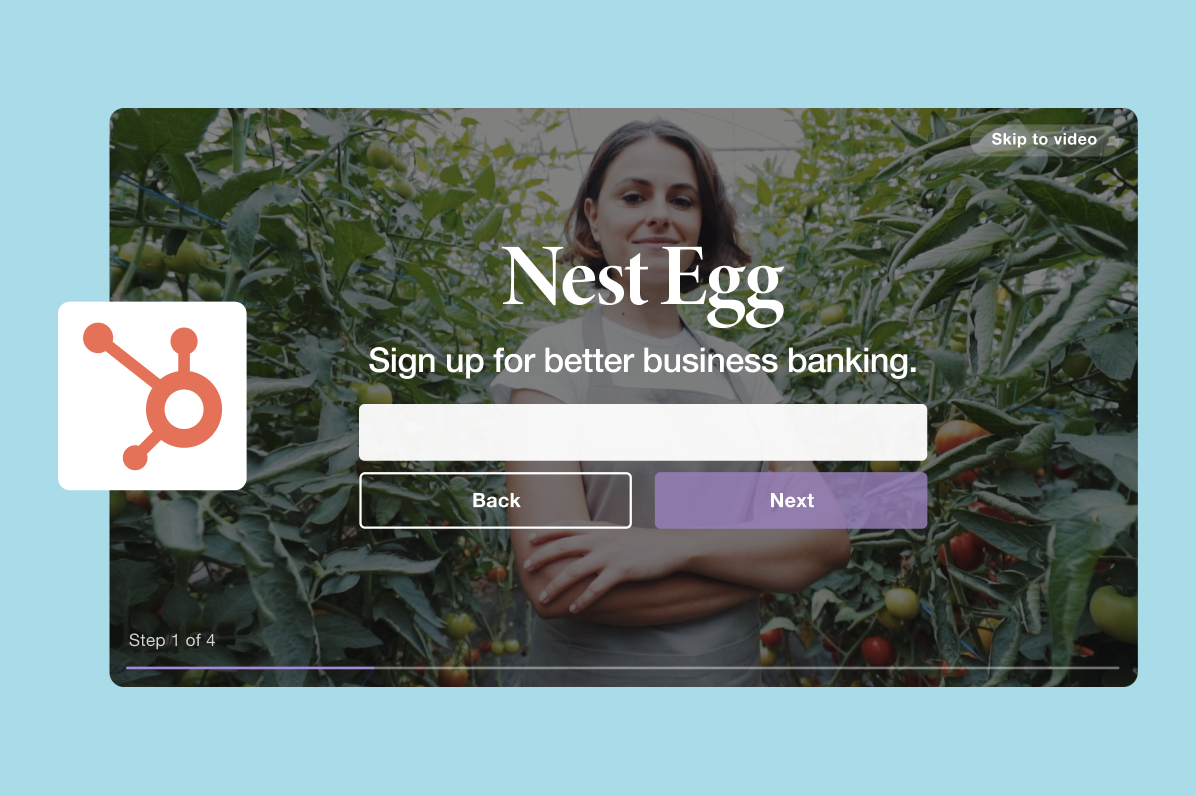
Using a multi-step form reduces friction and helps you wait to ask for more user guarded information (like an email address) until the user is already a few steps into the process.

3. Optimize it for any platform.

You always want your user experience to stay tip-top no matter how they're viewing your video content. We know you take the care to create videos in different formats and aspect ratios depending on your hosting plans, and your contact forms should be no different. Utilize a contact form that displays on mobile and desktop to ensure you're capturing all potential leads.

4. Get creative with your placement.

There are pros and cons to dropping contact forms at any point throughout your video, and the right choice generally depends on what kind of content you're sharing.

If you're offering premium or long-form content, gating your video with a contact form right up front is a great way to boost leads. If you're telling a shorter form story, placing a contact form in the middle or just before a climax can be incredibly effective in terms of incentivizing information sharing.

And while placing your contact form at the end of the video can be risky (considering 50% of viewers stop watching a video after one minute), it can also generate the most qualified leads: those who've watched all the way to the end are the most likely to be engaged with your brand or story anyway. Whatever you choose, we recommend setting up a few A/B tests to determine the best placement. A little testing can go a long way!

And speaking of placement, consider your video distribution when deciding your form messaging and placement. Audiences watching a video on your blog are likely far more invested (and thus likely to share some honest info and opinions) than those catching a video on your homepage. Alter your messaging accordingly!

Some Final Tips

Now that you know about the joys of in-video lead capture, let's review some final tips to make the most of your tactics.

1. Don't ask for too much too early.

Make sure to consider the sales funnel when optimizing your contact forms. If you know video is your main acquisition tool (meaning, the first piece of your brand consumers see before becoming fans), know that they might not be so willing to share lots of information with you upfront.

Customize your asks as they relate to steps in the funnel: users who are brand loyalists are a lot quicker to give up info than those who've just spotted you via a sponsored ad.

2. Remember to nurture your leads.

Leads are great, but if you don't engage them, they're pretty much useless. When capturing leads via contact forms, sync them to your email service provider to make it easy to nurture them. (Just so you know: Vimeo users can automatically sync their leads directly into their HubSpot account, making it simpler than ever to connect with your prospective customers.)vimeo and hubspot integration imageThen, keep them engaged! Develop follow-up email campaigns around specific prominent demographics and use your gleaned data to make them even more engaging. Even better, further increase your click-through by embedding GIFs of your videos in your follow-up email campaigns to stand out and get noticed by leads.

3. Always keep SEO in-mind.

Your ability to generate leads in your video doesn't mean a whole lot if no one watches your content. SEO can be a massively helpful organic discovery tool to send users to your business. Take the extra time to optimize your website, landing page, and video itself for maximum discoverability.


Vimeo's 4 Tips for Generating Leads from Video was originally posted by Local Sign Company Irvine, Ca. https://goo.gl/4NmUQV https://goo.gl/bQ1zHR http://www.pearltrees.com/anaheimsigns