Wednesday, November 11, 2020

Total Addressable Market (TAM): What It Is & How You Can Calculate It

In college, I interned at a MarTech company that sold email marketing optimization software. With their software, brands could finally gain visibility into their email program’s deliverability rate or inbox placement, which most email service providers, like Constant Contact or MailChimp, can’t do.

The business’ largest revenue stream was a channel partner program that enabled email service providers to sell my old company’s software to their own customers. And one day, at an all-hands meeting, our CEO showed us a slide that listed every single email service provider we partnered with and the amount of customers they all had.

He told us this was our total addressable market. Then, he showed us a slide of how much of the market we had captured — it was a single digit percentage. Even though we generated $100 million in revenue per year, we were shocked at how little of the market we had secured. But it also helped us realize that we still had plenty of room to grow, which motivated us to win as much of the market as possible.

Whether you want to start a new company and gauge its industry’s profit potential or forecast a realistic revenue growth goal for your business, measuring your total addressable market is a crucial first step you must take. To help you do this, we’ve put together a guide that’ll teach you exactly what total addressable market is and the best way to calculate it.

Total Addressable Market (TAM)

Total addressable market or TAM refers to the total market demand for a product or service. It’s the most amount of revenue a business can possibly generate by selling their product or service in a specific market.

Unless they're a monopoly, most companies can’t capture the total addressable market for their product or service. Even if a company just has one competitor, it would still be extremely difficult for them to convince an entire market to only buy their product or service.

That’s why most companies also measure their serviceable available market to determine how many customers they can realistically reach with their marketing and sales channels. Additionally, they gauge their share of market to understand the size of their actual target market.

However, total addressable market is still useful because businesses can use TAM to objectively estimate a specific market’s potential for growth.

How to Calculate TAM

There are three ways to calculate your business' total addressable market.

1. Top-Down

The top-down approach uses industry data, market reports, and research studies to identify the TAM. In this approach, you might use industry data from Gartner or Forrester to identify which subsections of your industry align with your goals and offering — and just how big those subsections are.

However, there are limitations here. Data generated by industry groups may not always be kept up to date and may not reflect niche elements of your market. You may want to hire a market research consulting firm to conduct fresh research that is focused on your need areas.

2. Bottom-Up

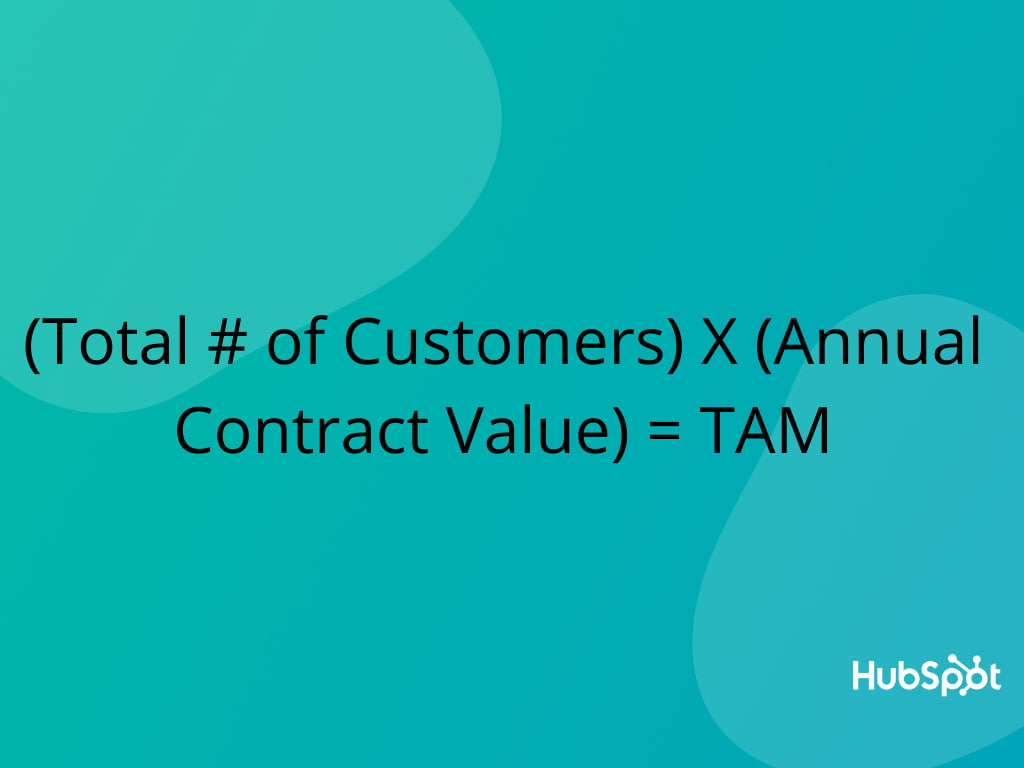
The bottom-up approach to TAM calculation is based on previous sales and pricing data. First, multiply your average sales price by your number of current customers. This will yield your annual contract value. Then, multiply your ACV by the total number of customers. This will yield your total addressable market. Let's see what this looks like in an example.

how-to-calculate-tam

Say you sell scuba fins to dive shops in the state of California. You might sell an average of 60 pairs of fins, at $35/pair, to dive shops in California. 60 multiplied by $35 equals an ACV of $2,100. Then, you'd multiply your ACV ($2,100) by the total number of dive shops in California (125) for a total addressable market of $262,500.

3. Value-Theory

The value-theory approach is based on how much value consumers receive from your product/service and how much they're willing to pay in the future for that product/service.

To return to our scuba example, let's say you manufacture a type of fin that's lighter than your competitors and has patented technology that makes them easier to get off than anything else in the market. You'd identify your value-theory by estimating how much dive shops would be willing to pay to carry your superior product. If normal fins are being sold at $35 a pair, would dive shops pay $40 or even $45 for a pair of your ultra-lightweight fins?

After you calculate your total addressable market, it’s time to determine whether it’s worth entering the industry or not.

An industry with a market size ranging from $30 million to $200 million per year might be worth entering. However, if the industry’s market size is under $5 million per year or over $1 billion per year, it’s probably not.

In both situations, it’d be challenging to persuade investors to back your company -- an industry with a market size of $5 million per year would likely be too niche and an industry with a market size over $1 billion would likely be too saturated.

Know Your TAM Before You Take Action

Starting a business or projecting next year's revenue growth is always thrilling. But if you want to follow a realistic path toward success, you need to first understand what's actually possible. So let your total addressable market be your North Star and guide you through a journey that's rooted in reality, not hype.


Total Addressable Market (TAM): What It Is & How You Can Calculate It was originally posted by Local Sign Company Irvine, Ca. https://goo.gl/4NmUQV https://goo.gl/bQ1zHR http://www.pearltrees.com/anaheimsigns

Tuesday, November 10, 2020

The Straightforward Guide to the Google Display Network

Millions of dollars are poured into the Google Display Network (GDN) every day. But why? Google offers endless options for marketers to promote their products, so how is this network different?

Frankly -- because it works.

When industry competitors' congest search engines, the GDN can be a great alternative. With it, there’s less competition for inflated keyword bids, so you're more likely to reach users actively searching for your products and services. Though the audience intent is not as strong, you get a much lower cost-per-click and many more impressions.

Here, we're going to explore why you should use Google Display Network (GDN), how GDN differs from search ads, and how you can target your GDN ads to reach the right people in the right places.

Why Use the Google Display Network?

The value for GDN boils right down to reach and affordability. Prospecting, brand awareness, and remarketing can come with a hefty price tag when pursued for traditional search ads. GDN, by comparison, bypasses a lot of costly competition from other networks. There are also endless options for customizing your audience targeting.

Ultimately, you don’t need a fat wallet to set up a campaign through Google Display -- you just need to choose the right targeting factors for your marketing goal.

With Google's search ads, you're essentially throwing out a wide net, which can be largely hit-or-miss, both with whom you're targeting and with how you're spending.

Google's Display Network, on the other hand, allows you to define your audience in a way search engines can't. Since you can target more than just keywords, you aren't limited to the Google results page. Instead, GDN allows you to target websites by audience affinities, in-market segments, and custom intent keywords. You can even hand-pick website placements that fit your target audience.

The other differentiator is volume. Where do the fancy image ads appear when you market with GDN? Across millions of websites that your prospects are visiting every day.

But really -- what's the difference between GDN and a simple search ad? Let's explore that, now.

Google Search vs. Display Network

You need a different mentality when using Google's Display Network than when you're using the search network and others available on Google Ads. Let's define some use cases and expectations.

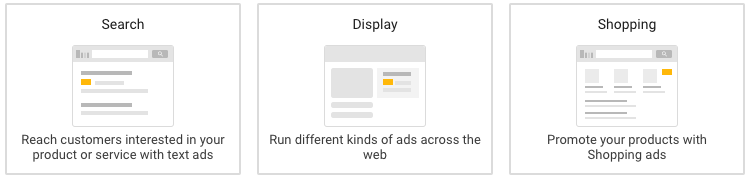
google ads - ppc google search ad example in the google serp

Your average conversion rate with GDN will be a minuscule 0.7%. Why? Because you're targeting users that may not be familiar with your brand at all. The Google Display Network is first and foremost a tool for prospecting and brand awareness.

The standard CTR for this network is still under 0.5%. But, for targeting prospects outside of search engines and social networks, that's still pretty good.

example of a google display network banner ad

The next key differentiator is the fact that the user's primary interest is the website content itself -- the display ad has an indirect, secondary role in the website's appeal to the viewer.

Marketers are hoping the prospective user will view their GDN ad along their journey to fulfilling another purpose. That makes the user intent different than when an ad appears at the top of a Google results page for a high-intent search phrase. It should be no surprise that the click-through rate and conversion rate for GDN are below 1%.

Unlike with search, there is a variety of targeting options outside of keywords that span across a network of millions of websites. You can access the majority of internet users through website placements. Your number-one goal with GDN is finding the right audience size with strict targeting criteria.

There are ways to approach this network with tighter, more relevant targeting. Ultimately, remarketing is limitless -- but it involves audience development outside the Google Ads platform. Let's start by exploring the default prospecting options Google provides and work our way toward opportunities customized for your brand and those who have engaged with your website.

Google Display Network Remarketing or Prospecting?

On the GDN, you can target in two ways. First, you can target prospects on the internet who may have no previous knowledge of your website, brand, products, or services. Second, you can remarket to users who have engaged with your website in some form. Option two allows you to leverage the audiences you find in Google Analytics for your website. If you don't have any Google Analytics website audiences built, doing so is incredibly easy -- simply set up an audience for a user that completes specific actions.

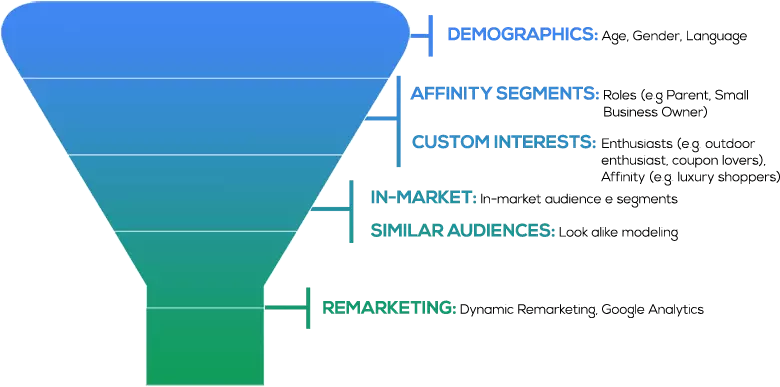
options in google display network: demographics, affinity segments, custom interests, in-market, similar audiences, remarketing

Some of the most common remarketing audiences include:

  • General website visitors
  • Users who have submitted a form
  • Users who have downloaded content
  • Users who have viewed specific product pages
  • Users who have signed up for an account or trial offer
  • Users who have completed a transaction or purchased a product
  • Users who have begun any of the above actions but abandoned the page before completing it

Remarketing and prospecting are two vastly different initiatives that you can execute through GDN. Some businesses prefer to focus only on remarketing because reaching users familiar with one's brand drives leads and sales for the most affordable cost. However, other businesses aren't focused on the return as much as generating awareness of their products and services. It all comes down to your company's marketing goals.

Google Display Ad Examples

Once you know how to target, you'll want to create the collateral that gets the attention you need from your ad placements. Here are some great examples of Google display ads: 

1. SEMrush

semrush google display ad example that reads "do you want to skyrocket your marketing like our clients did?"

The copy of this ad does two things:

  1. States the value ("skyrocket your marketing")
  2. Provides social proof ("like our clients did")

It does this with large white font across an eye-catching blue background with bold oranges and pinks, making it colorful and stark enough to attract attention. 

2. Conversica

conversica google display ad that reads "so many leads, so little time, 451 research examines how intelligent virtual assistants can increase sales capacity. get the research"

Conversica utilizes the large vertical format, which takes up a lot of real estate space on a page, enough to hopefully stir any website visitors out of "banner blindness." Their strategy is not to promote their company but rather an offer: research on virtual assistants in sales.

3. E*TRADE

etrade google display ad example that reads: "$0 commissions. get up to $600."

This is one of the skinnier horizontal banners, and E*TRADE uses it to make a bold statement: "$0 commissions" in large letters across the center. The call to action (open an account) is much smaller than the value proposition so that they recognize the value first before taking action on it.

Google Display Network Audience Targeting

Here's how to achieve success with prospecting and brand awareness GDN targeting:

1. In-Market Segment Targeting

In-market segments are Google users interested in broad categories of products and services, including real estate, education, home and garden, sports and fitness, and more. Google defines these segments based on users' historical views, clicks, and conversions on previous content. There are sub-categories for specific types of each segment, but the criteria Google uses for these aren't public. The size of each sub-category is easily millions -- and sometimes billions -- of users. It's safe to say that testing a GDN in-market segment is a good starting point.

However, layering demographic qualifiers, device targeting, and other affinities is necessary to create a focused pool of users.

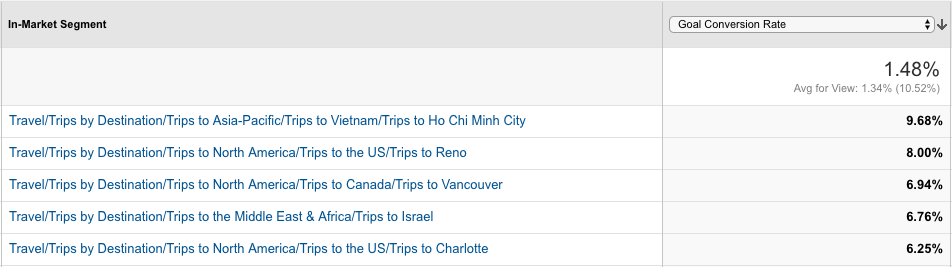
in-market segment for targeting

An easy way to control audience size for in-market segments is by comparing with Google Analytics data. The in-market segments on Google Analytics line up perfectly with those on Google Ads. Google Analytics should show you which in-market segments on your site have the highest conversion rates.

Educated guesses for targeting on the Google Ads platform can only go so far. Google Analytics has the tools for identifying and building data-driven audiences from which Google Ads can learn and optimize. Ultimately, using Google Analytics can help ensure you're reaching highly qualified users.

2. Affinity Audience Targeting

Like in-market segments, affinity audiences are Google users with similar interests, including cooking, fashion, beauty, gaming, music, travel, and more. These are very expansive categories of internet users, so it's equally important to find targeting criteria to narrow down the size of any one affinity interest, or its sub-categories.

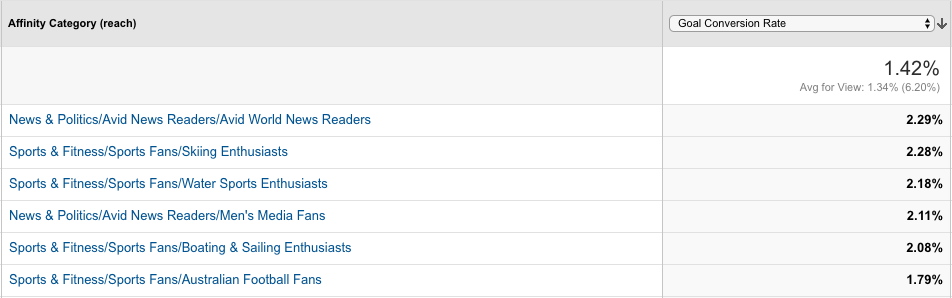
affinity category for targeting

Strictly relying on the default options for in-market segments and affinity audiences within Google Ads can leave a giant dent in your budget for marketing spend. Google Analytics can be a huge help in pinpointing exactly which affinity audiences yield the highest conversion rates on your website.

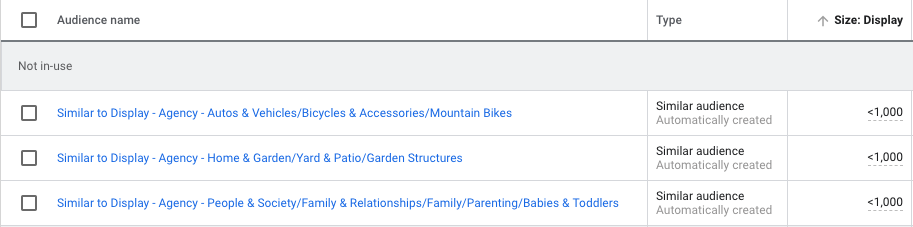
Google Ads will also create a "similar" audience based on the Google Analytics' audience created. These audiences are usually more focused in size, making them ideal for testing.

similar audience for targeting

3. Custom Intent Audiences

Custom intent audiences is another valuable contextual targeting method.

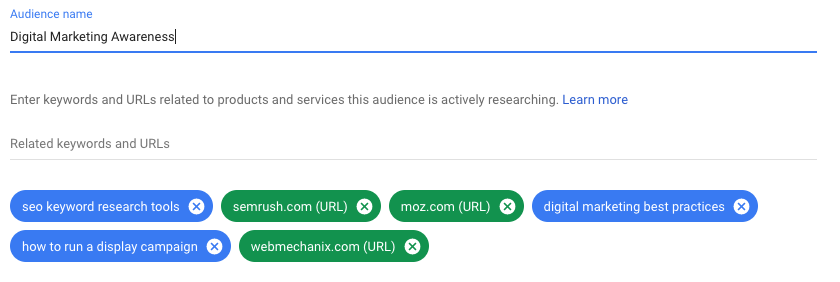
How does it work? Simply put, Google can show your ads to users who are "likely to be interested" in specific keywords and website URLs. It may also show your ads to people who have recently searched for your suggested keywords.

custom intent audience for targeting

The key difference between custom intent audiences and other targeting methods is that you aren't targeting websites that use these exact keywords, and Google is not placing your ad exclusively on specified website URLs. Rather, Google serves your ads to users on various other websites that have some contextual connection to the website URL or keyword given to Google.

4. Placement Targeting

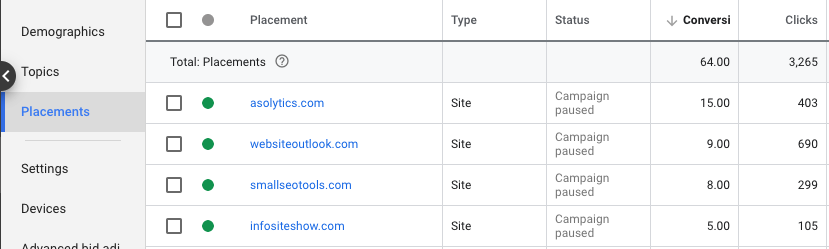
Google can show your ads on specific websites when provided with placement URLs. This option offers tighter, more controlled targeting because it limits display ad placements to custom websites selected by the marketer.

You could be saving money by being so specific, but you could also be missing out on mainstream websites that your target audience is more actively visiting.

placement targeting

Simply put, users who visit your website also visit other websites. With custom affinity (interests) and custom intent (keyword and URL) audiences, Google can target these users at other online destinations. Picture your specified website as the center of a digital spiderweb -- Google uses the central URL to target the users in other URLs within the spiderweb, amplifying your reach to include websites you may not know about.

These websites may or may not have content related to your suggested keyword or URL, but Google knows that these websites are sites that users of your suggested keywords and URLs also visit.

5. Topic Targeting

Google can show your ads on web pages only about your specified topic. Some of these topics could be similar to interests or affinities, or they may fall outside the default categories that Google offers (e.g., they may be along the lines of hiking, camping, or agriculture).

This targeting is an alternative to researching and selecting website placements for one interest without knowing the impact of those placements.

Three Key Audience-Building Factors

Now that you know the basic mechanisms for targeting and creating an audience, let's dive into three essential tips to ensure you build those audiences better. Here are some high-impact areas for tightening audience targeting where it counts.

1. Select the right devices.

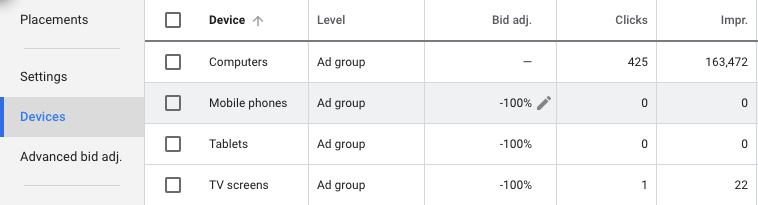
When setting up a display campaign, it's important to consider where the target audience will be using the product and how they will be signing up. If the user experience is compromised or not nearly as good on a particular device, consider excluding that device altogether.

For example, is mobile really the right platform for your landing page offer? Can your products or services be used easily on tablets and other small devices? If your company produces games or apps, mobile is ideal. But if you're marketing business software used on desktop computers, mobile targeting could be costly and unnecessary.

device targeting

2. Choose the right demographics and locations.

Google lets you customize several demographics when targeting for a display campaign. For example, age and household income are broken out into seven different ranges. If you know your audience is not within 18-24 years of age, or the top 10% of household income, you can easily exclude those users when creating ad groups.

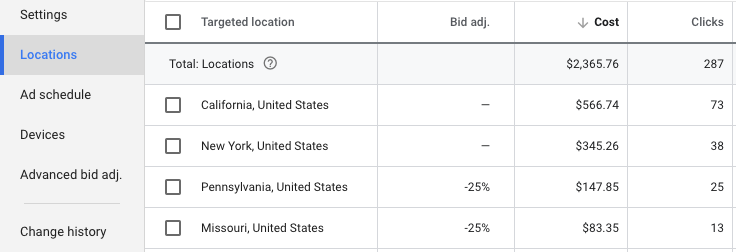
There could also be some states in the U.S. or territories internationally to which your business prefers not to drive sales. The bids of these locations can easily be adjusted to redirect your budget to more profitable locations.

location targeting

3. Mark the box for content exclusions.

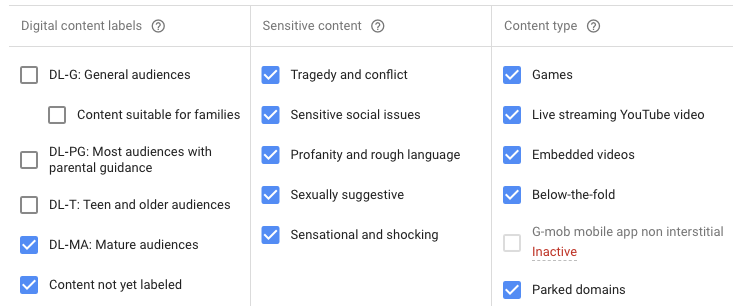
Before launching a campaign on GDN, it's easy to make the mistake of skimming past the additional settings for websites with explicit content. Some advanced content settings are available for preventing your site from appearing on parked domains, sites with sexually suggestive content, sites with sensitive social issues, and more.

Google doesn't mark these boxes by default, so they must be manually selected to prevent your ads from appearing on undesirable sites.

content labels for targeting

Optimizing Your Google Display Network Results

Now that we've explored targeting methods as well as specific audience-building factors, let's dive deeper into how you might optimize your GDN results.

1. Assess demographic performance, and then recalibrate if necessary.

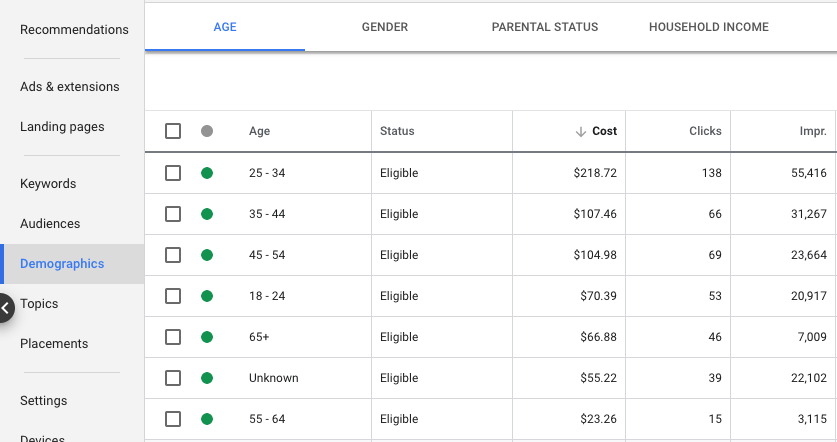
Some of your audience demographics may be ideal for traditional marketing but could perform poorly in a digital setting. Even after setting up specific demographic and location targeting, it's important to review the performance of what hasn't been excluded. For example, there are some demographic categories (e.g., "unknown") and ages (e.g., "65+") that can become costly after launch.

demographics for targeting

2. Assess placement performance and use those analytics to continually improve.

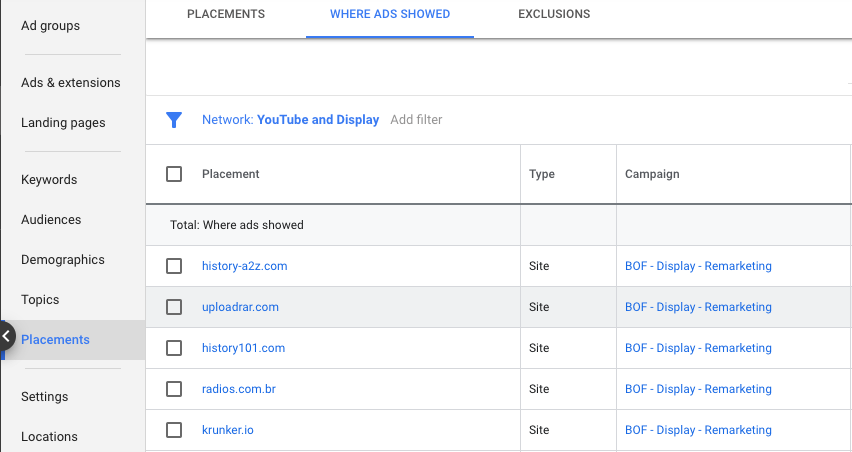
Google makes it easy to review where your ads are appearing on a daily or weekly basis after campaign launch. You can find this information under "Placements -> Where Ads Showed."

placements for targeting

Filtering placements by unusually high spend or CTR can quickly identify websites that are more of an immediate threat to your campaign's health. If you're considering bulk exclusions, you may find it helpful to export web placements within the timeframe of "all time".

Focus on blocking the duplicate placements that yield no results, since repeat offenders are a higher priority than websites that appear once with only a few impressions. After identifying duplicates, review the relevance of these sites, how much they have spent, and whether they have led to any conversions.

3. Consider which ad style and location will yield the best results.

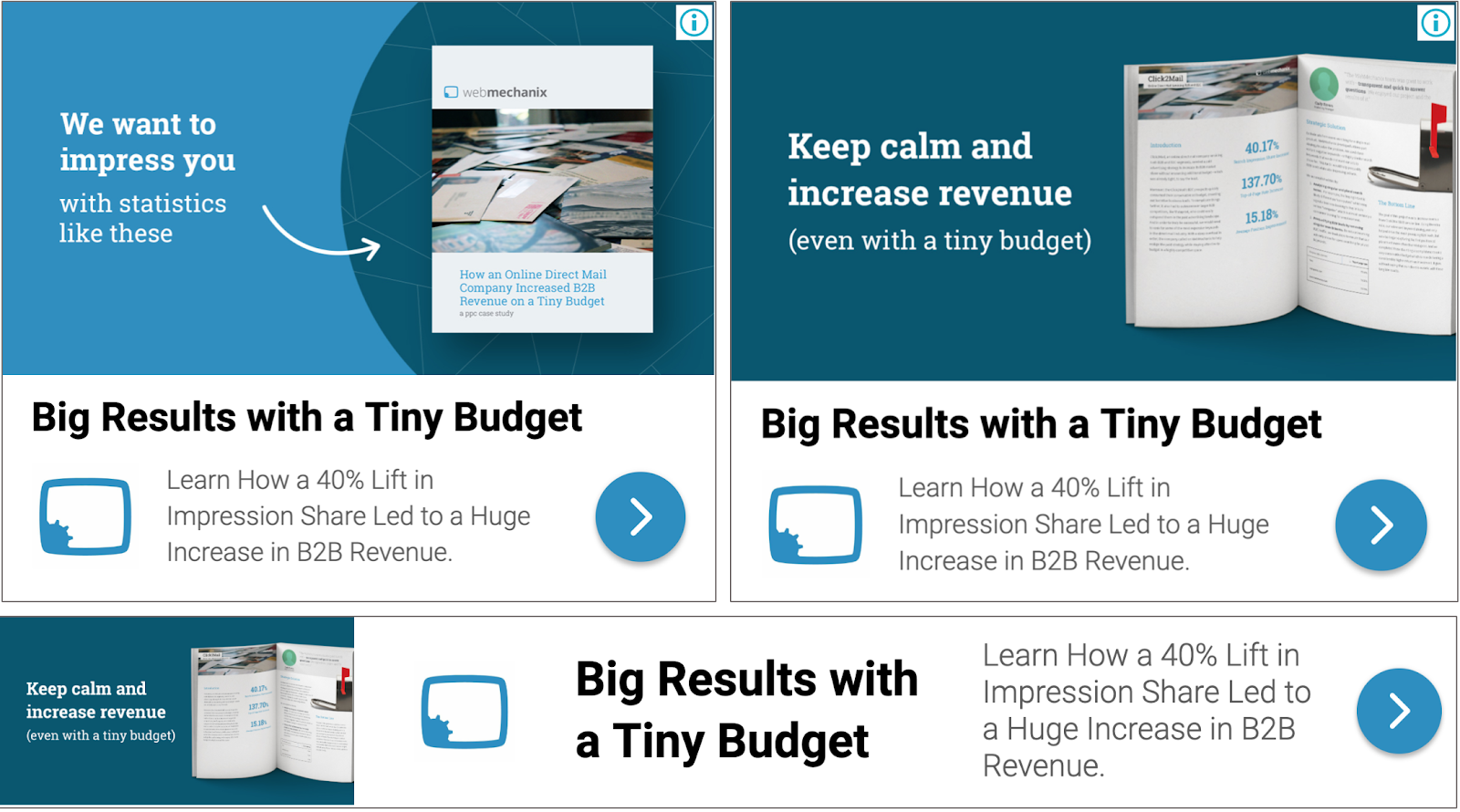
There are two main ad types available for a GDN campaign -- standard image ads and responsive ads. Standard image ads have a number of formats, including square, rectangular, skyscraper, and banner. These ads are an image-only display option. Here's an example:

example of a banner ad by webmechanix

Responsive ads, on the other hand, offer a combination of text and image options that display in a variety of formats, depending on where the ad appears. The complete ad is composed of three image types, up to five short headlines, one long headline, up to five descriptions, and a business name. The short headlines and descriptions rotate to find and show the best-performing combination. Here's an example:

examples of banner ads by webmechanix

If you're limited on time, budget, or creative resources, it can be tricky to know which display ads will work best for your campaign, and you might not want to risk time testing different ones. If this is the case, it's important to note studies have shown that 300 x 250 and 728 x 90 receive more impressions than other ad formats. Half-page ads and large rectangles receive higher CTRs than other ad formats, as well. So if you're not sure where to begin, try out the rectangular formats and leaderboards!

example of a banner ad by webmechanix

Figure Out Whether Google Display Network Is The Right Choice For Your Business

You can amass a very powerful reach on the Google Display Network with the right attention to targeting. The network's affordability, as well as the separation from the competition, makes it a viable marketing option.

This guide has covered several audience-building and optimization factors to help you hit the ground running with Google Display Network campaigns. Whether you're just starting out or have some room for improvement, check out the custom audience capabilities to see if one might work for your next campaign.

Editor's note: This post was originally published in May 2019 and has been updated for comprehensiveness.


The Straightforward Guide to the Google Display Network was originally posted by Local Sign Company Irvine, Ca. https://goo.gl/4NmUQV https://goo.gl/bQ1zHR http://www.pearltrees.com/anaheimsigns
5 Ways to Explain Inbound Marketing to Your Family This Thanksgiving

When Thanksgiving rolls around, there are a few questions that we don't exactly look forward to hearing: "When are you getting married?" "When am I getting grandchildren?" "Have you been moisturizing?"

And yet, none of those oh-so-polite questions even come close to the complexity of explaining what, as an inbound marketer, you actually do for a living.

It's not that inbound marketing requires a long, drawn-out answer — after all, it can easily be described in 44 words. But explaining it requires some fundamental knowledge of how technology, marketing, and the internet work. You know, the things that your grandparents might not fully grasp in one fell swoop.

Good news — all you really need are a few storytelling strategies. We found five ways you can explain inbound marketing to your family. And sure, some of these are useful, and some are just sarcastic. But hey, family is family, right? They'll still love you.

5 Ways to Explain Inbound Marketing to Your Family This Thanksgiving

1. The Food Analogy

Pumpkin Pie

Source: Giphy

In the U.S., Thanksgiving typically consists of a few staples: turkey, mashed potatoes, and pumpkin pie, to name a few. And while it might sound strange, you can use that knowledge to your advantage by using food preparation as an analogy for different aspects of inbound marketing.

To explain lead nurturing, you can use the pumpkin pie. Sending unnurtured leads to sales is like giving an unbaked pumpkin pie to your guests. I suppose the pumpkin pie could be eaten raw, but ... gross. Instead, you should bake the pumpkin pie — that ultimately makes it richer and more palatable.

Nurturing leads before sales contacts them works in the same way. It warms them up to your brand, and starts to qualify them with better information on what they might need. "Warm" leads, like the cooked pie, are already familiar with your business, and will close at a much higher rate than those that are "cold."

Use whatever analogy you like to describe inbound marketing — it clarifies confusing issues by comparing them to something that, quite literally, is right in front of everyone.

2. The Real-Life Scenario

Telemarketers

Source: Giphy

When I'm asked about inbound marketing, I like to use real-life examples of interruptions that they'll likely recognize, and explain how the inbound methodology pertains to it. It usually sounds something like this:

Amanda: Hey, Dad. You know how much you hate telemarketers calling you in the middle of dinner?

Dad: Yes. Hate it. Why? Is that what you do for work?

Amanda: No, actually. Inbound marketing is the exact opposite. That's interruptive marketing. They literally interrupt you. So annoying, right?

Dad: Yes. I'm surprised they're not interrupting us right now.

Amanda: Well, in my job, I create marketing that doesn't interrupt what people are doing. In fact, I create content that people are actively looking for, because it's helpful, entertaining, or informative. Instead of a telemarketer who is calling to sell you spoons, I create stuff that someone looking for information about spoons might be searching for on the internet.

Dad: So I would find you, instead of you calling to bother me?

Amanda: Yes! I provide you with actual value from my company, which makes you more interested in what my company sells.

The keys here: 1) Identify which interruptive media your dinner guests are familiar with, and 2) play into their pain points when dealing with that media. Inbound marketing is much more logical when you explain it that way — even if your family doesn't work in marketing or communications.

3. The Theatrics

Thanksgiving theatrics

Source: Giphy

If you're feeling especially creative — and you have at least one Thanksgiving guest who is willing to participate — you could set up a role play. There are lots of scenarios you can act out, but a classic one would be the telemarketer/dinner guest scenario.

Let's use the telemarketing example above — and be warned, it might require a few minutes of planning before everyone sits down to dinner. You play the role of the telemarketer, and your dinner guest can be, well, the dinner guest. First, put his or her phone's ringer on the highest volume possible. Then, as soon as someone asks you about your job, excuse yourself and duck out to a quiet area with your own phone.

Next, call the dinner guest, and have him or her answer the call on speaker while you pretend to be a telemarketer selling something completely unnecessary at that point: Halloween costumes.

Be sure your dinner guest uses key phrases like "You're interrupting me in the middle of Thanksgiving dinner with this irrelevant call," or, "Don't you think it's a little late to be calling me about Halloween?" or, if you really want to go nuts, "I wish you had sent me a targeted, personalized email in October about those costumes — I would have bought them."

Then, have them slam down the phone on the table. You can return from your "bathroom break" and say, "See? Telemarketing, or any type of interruptive marketing like that, is profoundly annoying. In my job, I create marketing that helps people — not annoy them."

End scene.

Depending on the talent of your guest, you might be able to improv the entire thing. Otherwise, you might want to type a script out and email it to the guest beforehand. And if you really want to go overboard, stay in character the entire dinner. The sight of you dressed up as a skeezy telemarketer with a headset will be just too intense to forget ... that is, at least until your mother requests, "Please remove your headset from the table."

4. The Puzzle Pieces

Puzzles

Source: Webnode

This technique boils down to an age-old philosophical question: Is the whole greater than the sum of its parts? Aristotle thought so, but when you're describing inbound marketing to an unfamiliar audience, it's probably okay to explain the three ways you might apply inbound marketing specifically: attract, engage, and delight. 

Try explaining inbound marketing by breaking it up into those three aspects, and explaining each one individually.

For instance, you might say to grandma: "Attract means drawing in the right people with valuable content and conversations that establish you as a trusted advisor with whom they want to engage. Engage means presenting insights and solutions that align with their pain points and goals so they are more likely to buy from you. And delight means providing help and support to empower your customers to find success with their purchase."

Of course, it's easier said than done. And I'm willing to bet diving into how the inbound methodology serves as a strong foundation for the flywheel, which creates momentum and eliminates friction in your organization, is another feat entirely. 

5. The "I Write Articles on the Internet"

Writing on internet

Source: imoviequotes

If the previous four have all failed, you can always say, "I write articles on the internet for a living." I mean, it's somewhat accurate — you drive real business results with inbound marketing, and you don't just spew out nonsense blogs about your feelings to get paid — but it can get your family off your back, especially if you're not sure they'd be interested in hearing the whole shebang. If you choose this path, be prepared to hear how easy it is to blog, and how many of your family members wish they could get paid to do it.

Then, try to switch the subject quickly to something everyone can relate to. "Hey, Uncle Eddie, I'd love to get your amazing stuffing recipe." Trust us ... It works every time.

We're Grateful for You

Good luck out there. And remember: There are so many people who want to know what you do — which, admittedly, is why we love writing about it every day.

We always give thanks for you, our amazing readers. And to express our gratitude, we put together what we hope is a hilarious video of what our families think we do. Happy Thanksgiving!

Editor's Note: This post was originally published in November 2013 and has been updated and for freshness, accuracy, and comprehensiveness.


5 Ways to Explain Inbound Marketing to Your Family This Thanksgiving was originally posted by Local Sign Company Irvine, Ca. https://goo.gl/4NmUQV https://goo.gl/bQ1zHR http://www.pearltrees.com/anaheimsigns

20 Tools for Creating and Delivering Amazing Presentations

If you're in business, you need to know how to create captivating presentations. Whether you're trying to convince your boss to support a new campaign, talking with a prospect to close a deal, or building a new piece of marketing collateral, you need to know how craft a presentation that won't put people to sleep.

The best (and easiest) way to do that? Use the right tools to create and deliver your presentation.

If you're not sure which tools to use, look no further than this blog post. We’ve compiled our list of the top presentation tools for sales and marketing professionals. They’re listed below, in no particular order. But first ...

Why You Should Use Business Presentation Templates

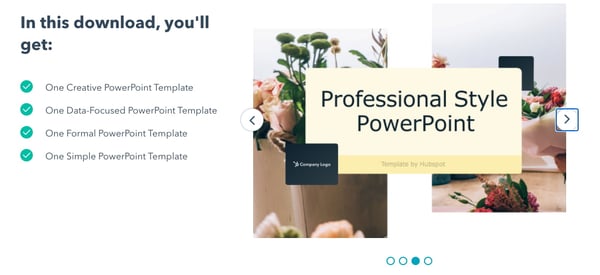
HubSpot-powerpoint-templatesUsing a professional presentation design ensures your content is conveyed in a clear, creative, and visually appealing way. To make it stand out further, try using HubSpot’s custom-build templates rather than utilizing one of the existing templates in in your presentation software. You can download them for free here.

Best Presentation Tools

1. Canva

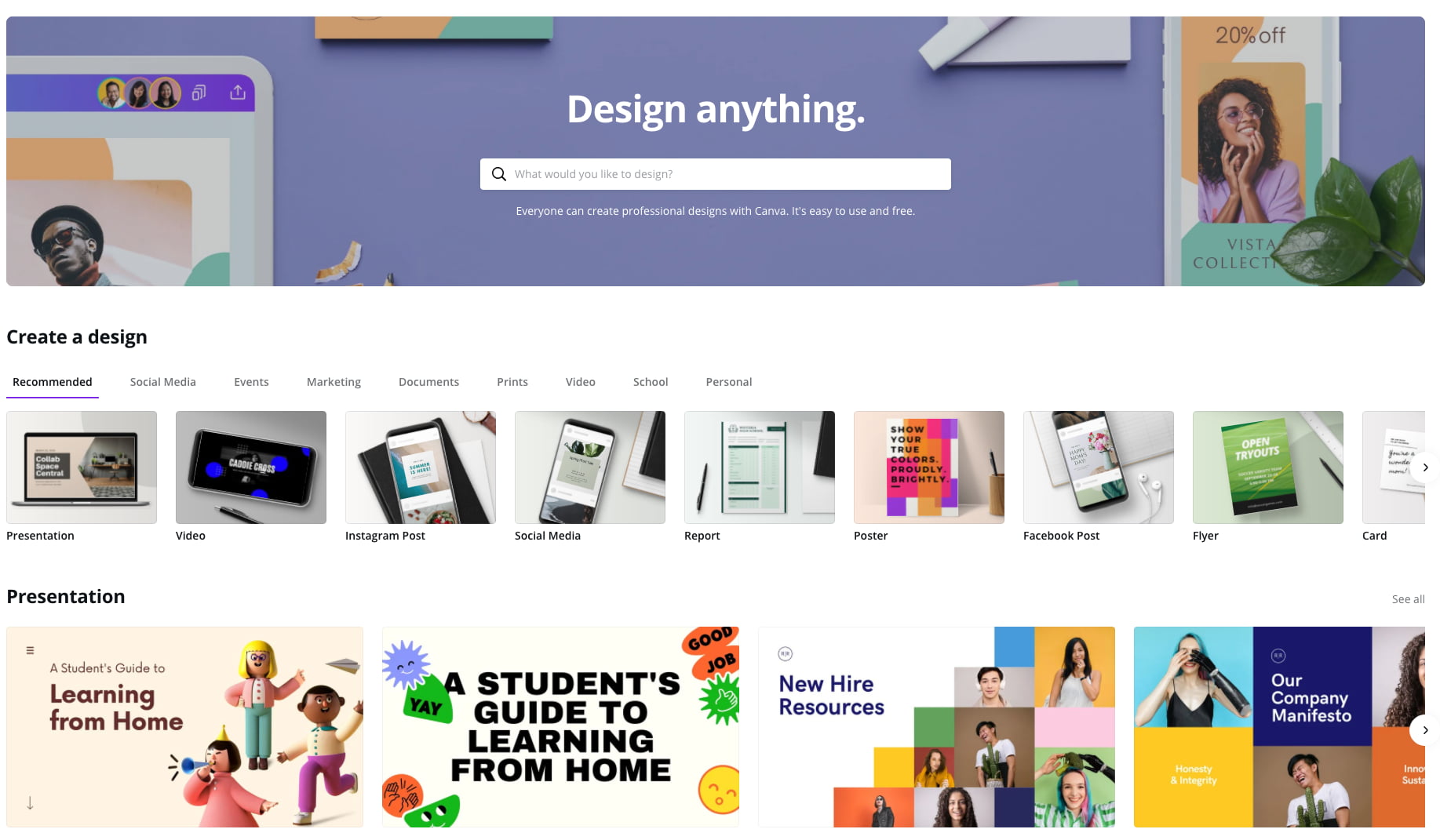
canva-presentation-tool

Canva makes design easy -- even for marketers and salespeople who feel like they're design-challenged. The platform gives you a bunch of presentation templates to use right away, and it's very easy to customize them to your organization and presentation objective. Plus, a variety of apps that integrate with Google Drive, Instagram, and YouTube, to name a few.

Pricing: Free; Pro, $12.95/month for up to five people; Enterprise, $30/month per person

2. Powtoon

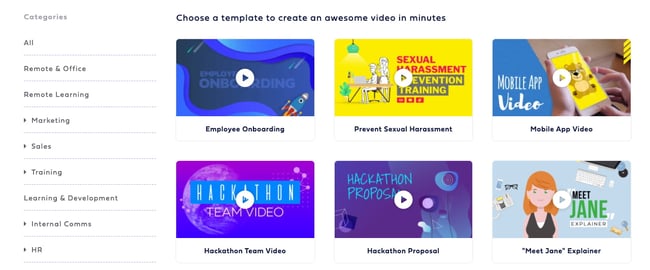
powtoon-video-presentations

Often, being different is what attracts prospects, and Powtoon can help you do that in your presentations. Powtoon’s animation software lets you easily create videos with props, characters, and more -- which can help you differentiate your company when talking with prospects.

Pricing: Pro, $19/month; Pro+ $49/month; Agency, $89/month

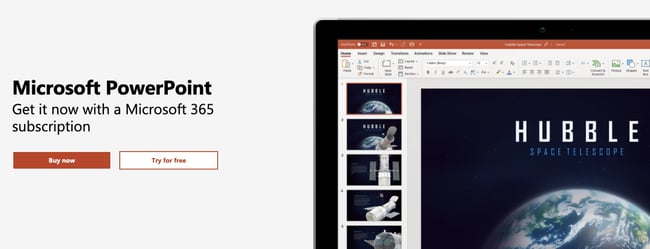
3. PowerPoint

microsoft-365-presentation-software

For years, PowerPoint has been the standard in presentation software, but it hasn’t remained static. PowerPoint is full of features to make sales and marketing presentations dynamic and engaging. (Here are just a few ways you can do that.)

Pricing: Business Basic, $5/user/month; Business Standard, $12.50/user/month; Business Premium, $20/user/month

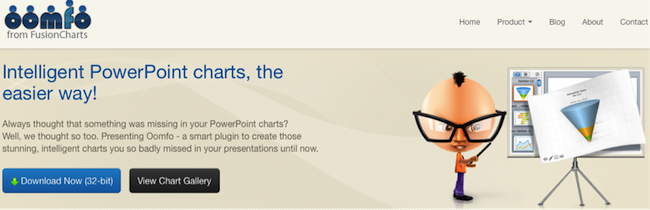
4. Oomfo

oomfo.png

A PowerPoint add-in, Oomfo helps sales and marketing pros create those oh-so-important interactive charts for presentations. Specialized charts, live charts from multiple files, data from cloud applications, interactive options, one-click conversions -- it’s all possible, and more, with Oomfo.

Pricing: Free

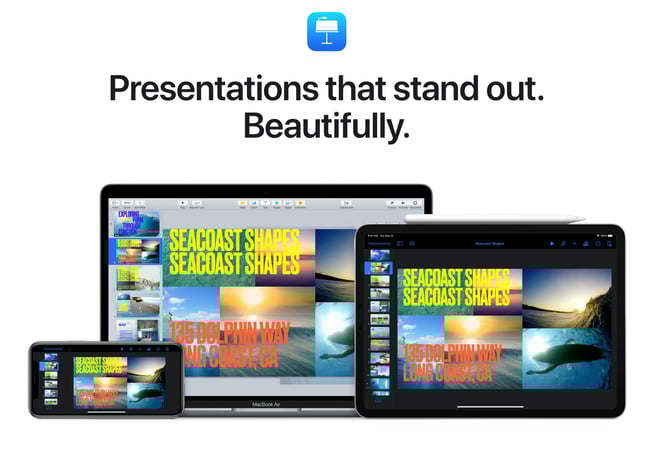
5. Keynote

keynote-presentations

Apple’s Keynote allows users to work between their Mac and iOS devices, as well as with people who use Microsoft PowerPoint. With easy-to-use visual tools, drag and drop functionality, interactive charts, and more, Keynote is a popular choice among sales and marketing professionals.

Pricing: Free

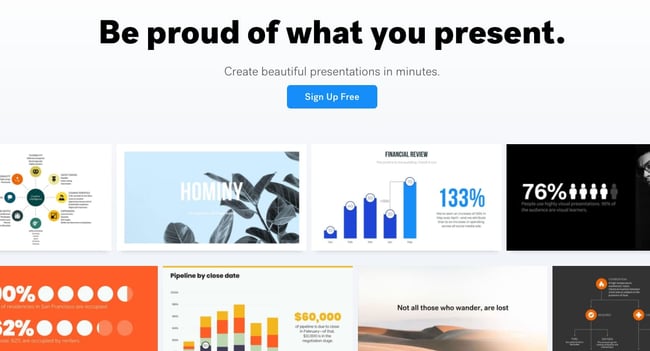
6. Beautiful.ai

beautiful-ai-presentation-design

Create beautiful slides, pitches, and proposals without a team of designers. AI applies design rules in real time, and a library of free photos and icons are at your fingertips.

Pricing: Basic, $0; Pro, $12/month; Team, $38/user/month

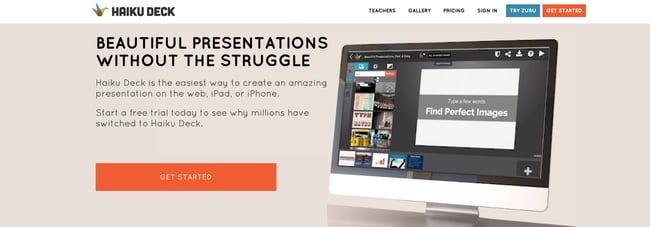
7. Haiku Deck

haiku-deck-presentation-design

Available for the web or iPad, Haiku Deck has become a favorite of sales and marketing pros. With Haiku Deck, professionals can quickly create presentations that can be "easily projected, shared, posted, embedded on a website or blog, or viewed on any web-enabled device." Though it's another tool that helps you create presentations from scratch, its ease-of-use sets it apart from the rest.

Pricing: Pro, $9.99 - $19.99/month; Premium, $29.99/month

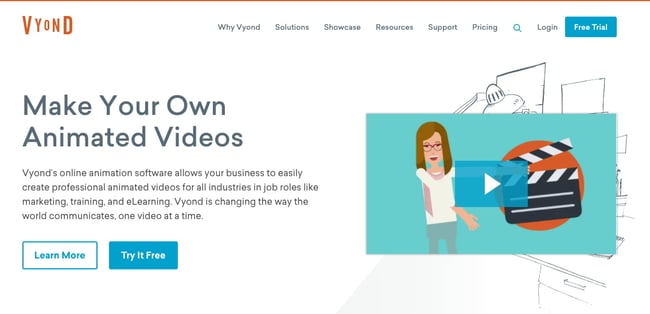
8. Vyond

vyond-animated-videos

Vyond is an online animation software that allows you to create animated videos for marketing campaigns, sales enablement, or even human resources. Use their library of customizable templates or create your own from scratch.

Pricing: Essential, $229/year; Premium, $649/year; Professional, $999/user/year; Enterprise, contact for pricing

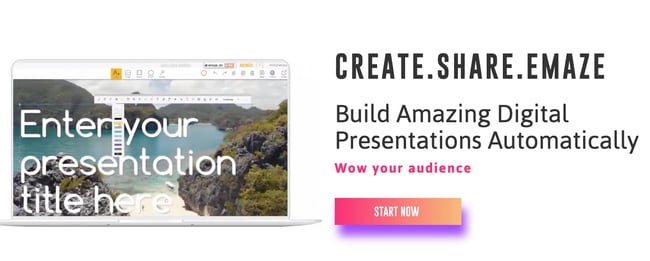
9. emaze

emaze-quick-presentations

Busy sales and marketing pros choose emaze because it makes creating amazing presentations quick and easy. The options abound with emaze: Choose a professionally designed template and then create a slideshow, video presentation, or 3D presentation.

Pricing: Business Plan, contact for pricing; Executive Plan, $40/month; Pro Plan, $13/month

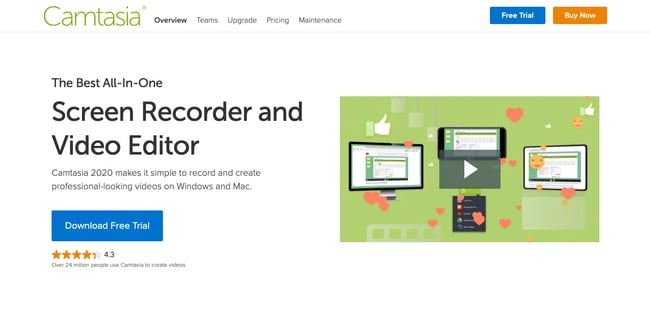
10. Camtasia

camtasia-screen-recording

TechSmith’s Camtasia is an amazing tool that helps you create professional videos. You can record screen movements, import HD video from another source, customize and edit the video, and then share the completed video presentation on practically any device. 

Pricing: Individual, $249.99/user/year; Business $249.99/user/year; Education, $169.99/user/year; Government and Non-Profit, $223.99/user/year

11. SlideShare

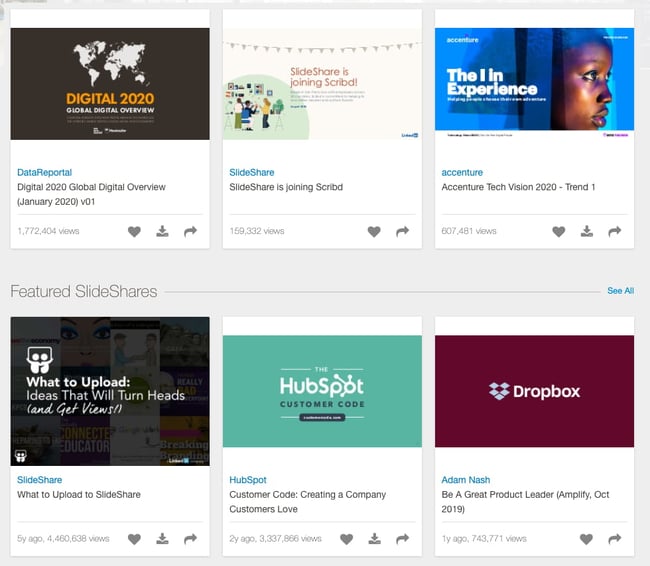
slideshare-slides

SlideShare is a popular choice for sales and marketing professionals looking for a way to share their content publicly. Because it already has a built-in audience, you can easily distribute your presentation out to lots of people -- and those people can embed your SlideShares on websites and blogs, or share them on LinkedIn, Twitter, Facebook, etc.

Pricing: Free

12. SlideDog

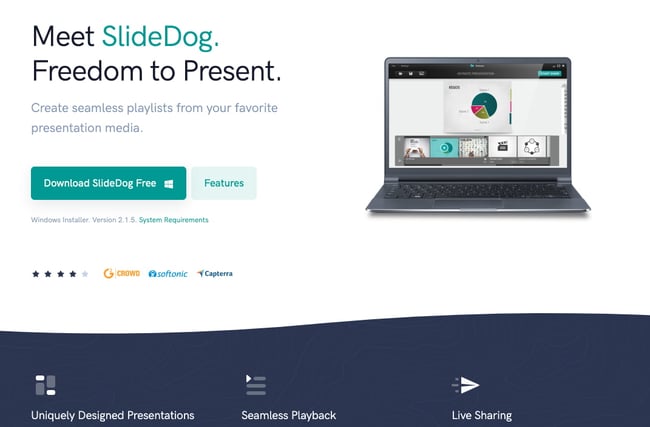
slidedog-presentation-tool

Sometimes, sales and marketing professionals need to be able to move between presentation tools, but it’s not always possible because of their technical limitations. SlideDog is the solution, as it enables users to switch between PowerPoint, Prezi, PDF, web pages and others.

Pricing: Free; Pro, $99/year; Pro Event, $49 for one-time payment

13. Presentation Assistant

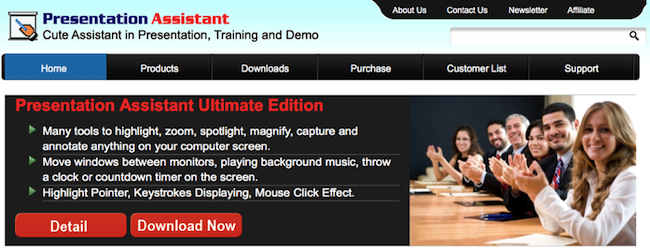
presentation_assistant

Presentation Assistant lives up to its name: It assists professionals by enabling them to annotate, zoom, and more during a presentation. Sales and marketing professionals can clarify and emphasize points more clearly to their audience with Presentation Assistant.

Pricing: Presentation Pointer, $29.95; Presentation Screen Master, $29.95

14. authorSTREAM

authorstream

Sales and marketing pros choose authorSTREAM to make their presentations dynamic and engaging. authorSTREAM allows users to share their PowerPoint presentations publicly or privately, broadcast them, convert them to video, communicate and collaborate about them, and more.

Pricing: Free or paid plans start at $4.20/month

15. Zentation

zentation-online-presentations

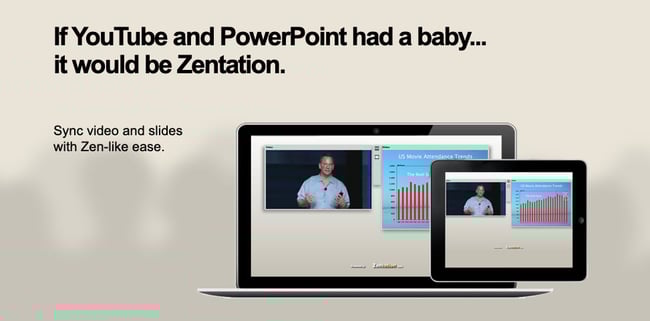
With Zentation, salespeople and marketers combine video and slides into a simulated live experience. Presentations created with Zentation become webinars, webcasts, and virtual events for prospects and customers -- all great collateral for marketing and sales.

Pricing: Free; Premium, $10 - $45/month; White-Label, contact for pricing

16. Prezi

prezi-tool

Sales and marketing professionals love Prezi because it is cloud-based. Prezi makes creating, editing, and presenting from your browser, desktop, iPad, or iPhone possible anywhere, any time.

Pricing: Standard, $5/month; Plus, $15/month; Premium, $59/month

17. Brainshark

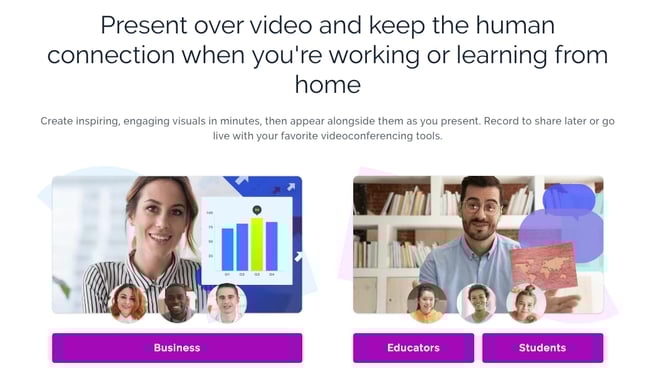
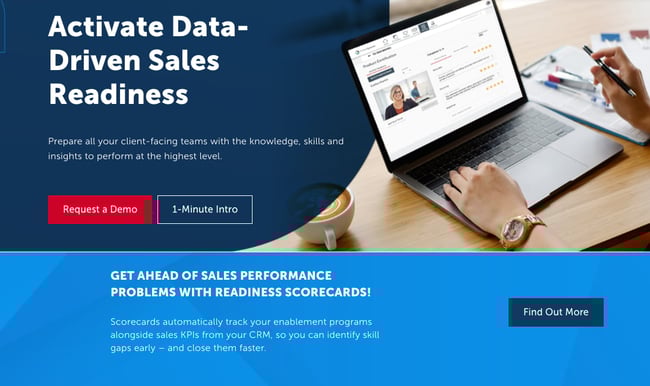
brainshark-sales-enablementSales reps and marketers often choose Brainshark, a cloud-based presentation tool, because it allows them to create and deliver presentations live or on-demand (even using their iPad or iPhone), use on-demand video content, polls, or surveys for increased engagement, and embed presentations in websites and blogs.
Pricing: Contact for pricing

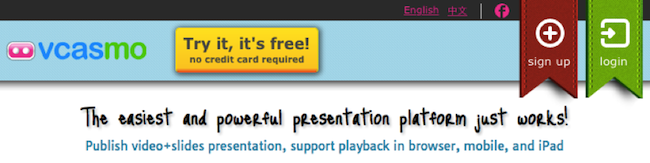
18. Vcasmo

vcasmo

Vcasmo is a unique presentation tool -- it's a multimedia solution that enables users to synchronize a video and slideshow, side by side. Sales and marketing pros love Vcasmo because it supports playback in three forms: browser, mobile, and iPad. 

Pricing: Free; Standard, $10.99/month; Professional, $16.99/month

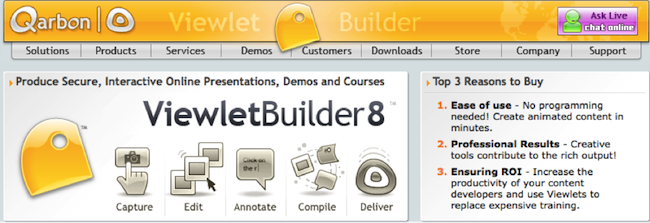
19. ViewletBuilder

viewlet_builder

ViewletBuilder is a different presentation tool; it captures critical screen updates and cursor position changes so sales and marketing pros can create presentations detailing how their product or sites work. With a plethora of features, ViewletBuilder allows for editing and enhancing and includes a variety of publishing and sharing options, too.

Pricing: Pro, $399; Enterprise, $599

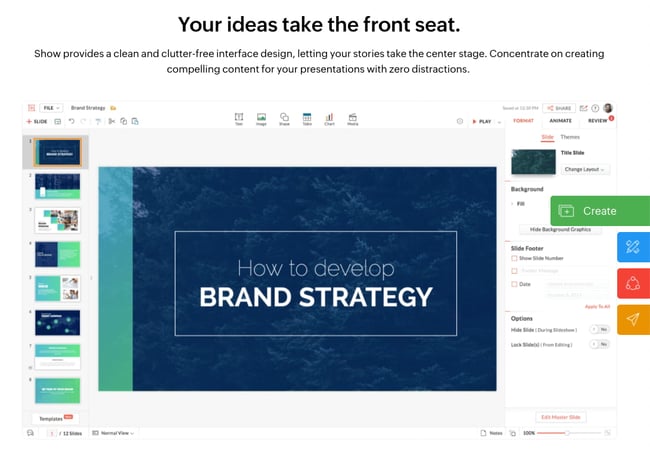
20. Zoho Show

Zoho-show

Zoho Show is a top pick for sales and marketing pros because it lives online, making it possible to create, access, present, and more from anywhere, any time. The simple, intuitive interface and collaboration features are just two of its beloved benefits.

Pricing: Contact for pricing

What are you waiting for? Pick a tool and start creating. Your prospects are waiting.

Editor's Note: This post was originally published in October 2014 and has been updated for freshness and comprehensiveness.


20 Tools for Creating and Delivering Amazing Presentations was originally posted by Local Sign Company Irvine, Ca. https://goo.gl/4NmUQV https://goo.gl/bQ1zHR http://www.pearltrees.com/anaheimsigns