Tuesday, November 10, 2020

20 Tools for Creating and Delivering Amazing Presentations

If you're in business, you need to know how to create captivating presentations. Whether you're trying to convince your boss to support a new campaign, talking with a prospect to close a deal, or building a new piece of marketing collateral, you need to know how craft a presentation that won't put people to sleep.

The best (and easiest) way to do that? Use the right tools to create and deliver your presentation.

If you're not sure which tools to use, look no further than this blog post. We’ve compiled our list of the top presentation tools for sales and marketing professionals. They’re listed below, in no particular order. But first ...

Why You Should Use Business Presentation Templates
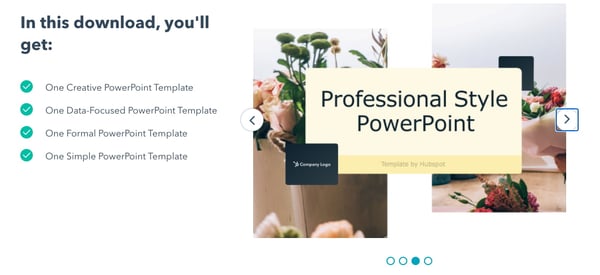
HubSpot-powerpoint-templatesUsing a professional presentation design ensures your content is conveyed in a clear, creative, and visually appealing way. To make it stand out further, try using HubSpot’s custom-build templates rather than utilizing one of the existing templates in in your presentation software. You can download them for free here.

Best Presentation Tools

1. Canva
canva-presentation-tool

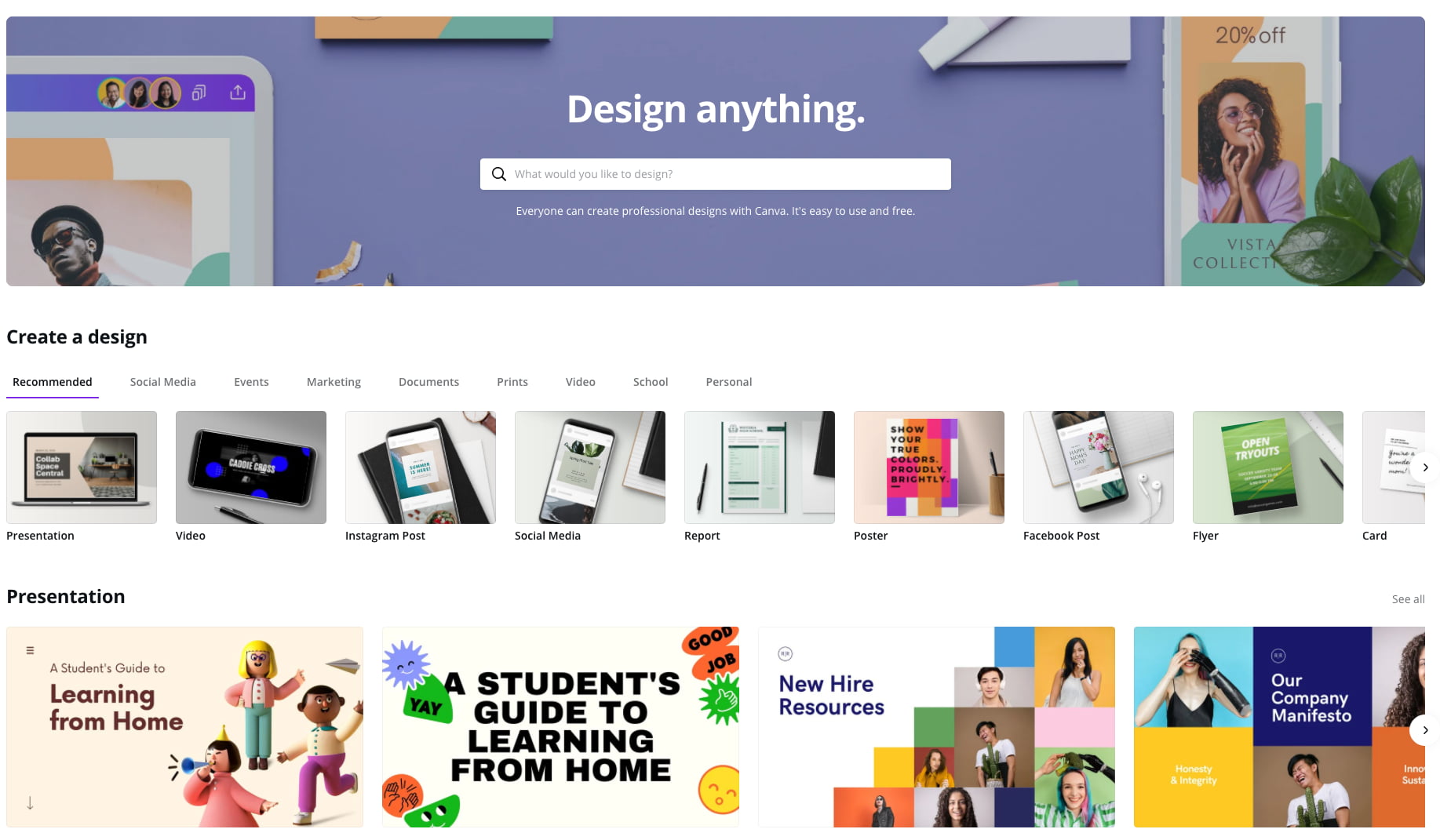
Canva makes design easy -- even for marketers and salespeople who feel like they're design-challenged. The platform gives you a bunch of presentation templates to use right away, and it's very easy to customize them to your organization and presentation objective. Plus, a variety of apps that integrate with Google Drive, Instagram, and YouTube, to name a few.

Pricing: Free; Pro, $12.95/month for up to five people; Enterprise, $30/month per person

2. Powtoon
powtoon-video-presentations

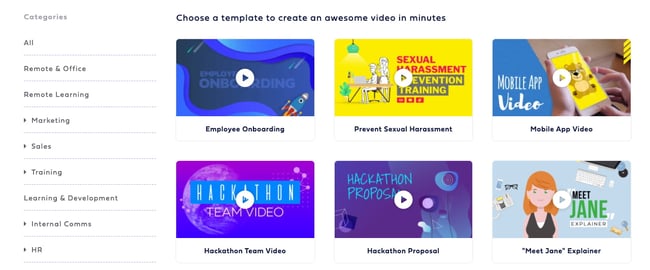
Often, being different is what attracts prospects, and Powtoon can help you do that in your presentations. Powtoon’s animation software lets you easily create videos with props, characters, and more -- which can help you differentiate your company when talking with prospects.

Pricing: Pro, $19/month; Pro+ $49/month; Agency, $89/month

3. PowerPoint
microsoft-365-presentation-software

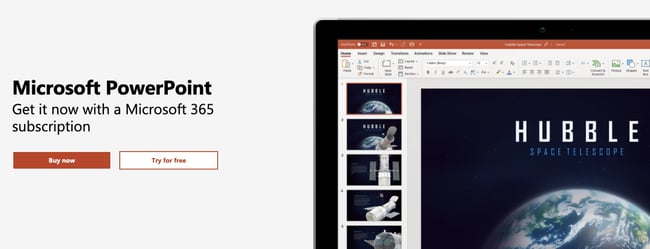
For years, PowerPoint has been the standard in presentation software, but it hasn’t remained static. PowerPoint is full of features to make sales and marketing presentations dynamic and engaging. (Here are just a few ways you can do that.)

Pricing: Business Basic, $5/user/month; Business Standard, $12.50/user/month; Business Premium, $20/user/month

4. Oomfo
oomfo.png

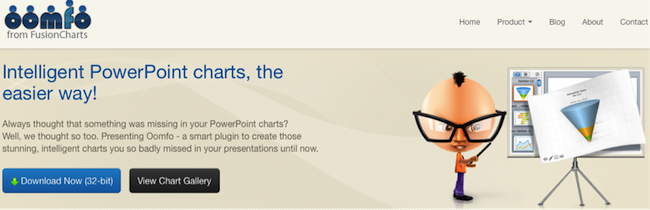
A PowerPoint add-in, Oomfo helps sales and marketing pros create those oh-so-important interactive charts for presentations. Specialized charts, live charts from multiple files, data from cloud applications, interactive options, one-click conversions -- it’s all possible, and more, with Oomfo.

Pricing: Free

5. Keynote
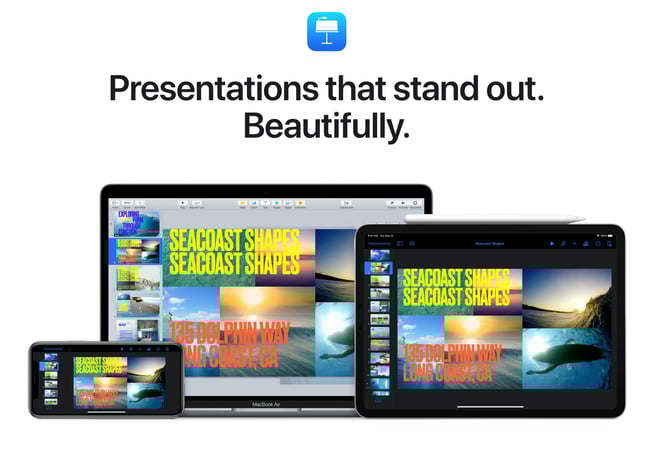
keynote-presentations

Apple’s Keynote allows users to work between their Mac and iOS devices, as well as with people who use Microsoft PowerPoint. With easy-to-use visual tools, drag and drop functionality, interactive charts, and more, Keynote is a popular choice among sales and marketing professionals.

Pricing: Free

6. Beautiful.ai
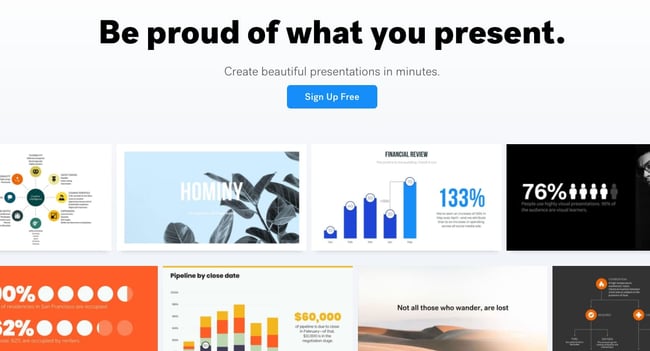
beautiful-ai-presentation-design

Create beautiful slides, pitches, and proposals without a team of designers. AI applies design rules in real time, and a library of free photos and icons are at your fingertips.

Pricing: Basic, $0; Pro, $12/month; Team, $38/user/month

7. Haiku Deck
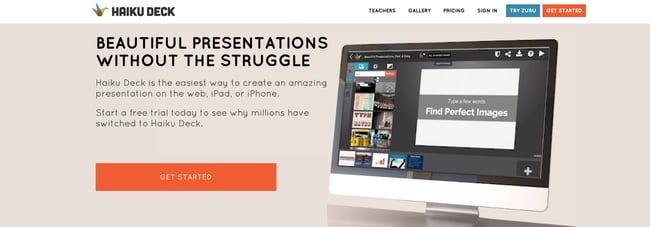
haiku-deck-presentation-design

Available for the web or iPad, Haiku Deck has become a favorite of sales and marketing pros. With Haiku Deck, professionals can quickly create presentations that can be "easily projected, shared, posted, embedded on a website or blog, or viewed on any web-enabled device." Though it's another tool that helps you create presentations from scratch, its ease-of-use sets it apart from the rest.

Pricing: Pro, $9.99 - $19.99/month; Premium, $29.99/month

8. Vyond
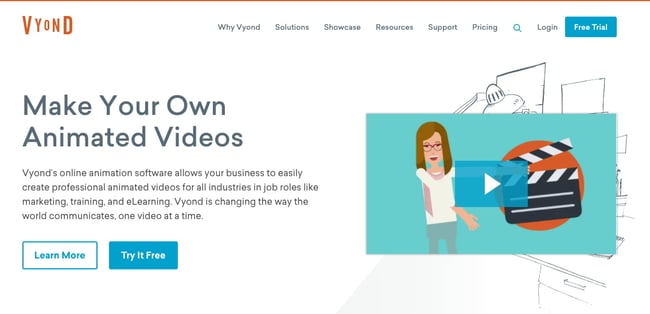
vyond-animated-videos

Vyond is an online animation software that allows you to create animated videos for marketing campaigns, sales enablement, or even human resources. Use their library of customizable templates or create your own from scratch.

Pricing: Essential, $229/year; Premium, $649/year; Professional, $999/user/year; Enterprise, contact for pricing

9. emaze
emaze-quick-presentations

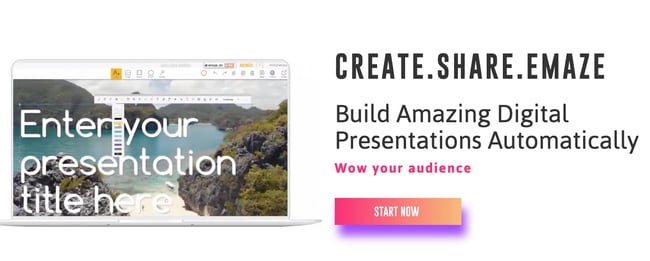
Busy sales and marketing pros choose emaze because it makes creating amazing presentations quick and easy. The options abound with emaze: Choose a professionally designed template and then create a slideshow, video presentation, or 3D presentation.

Pricing: Business Plan, contact for pricing; Executive Plan, $40/month; Pro Plan, $13/month

10. Camtasia
camtasia-screen-recording

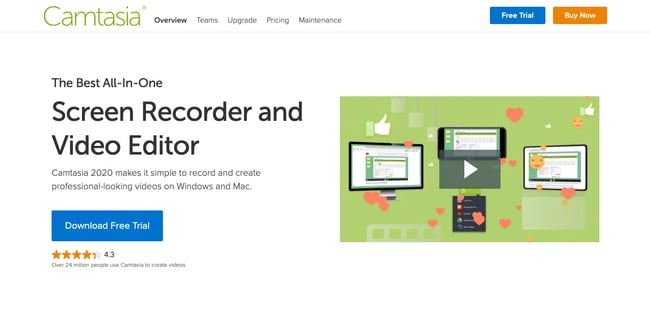
TechSmith’s Camtasia is an amazing tool that helps you create professional videos. You can record screen movements, import HD video from another source, customize and edit the video, and then share the completed video presentation on practically any device. 

Pricing: Individual, $249.99/user/year; Business $249.99/user/year; Education, $169.99/user/year; Government and Non-Profit, $223.99/user/year

11. SlideShare
slideshare-slides

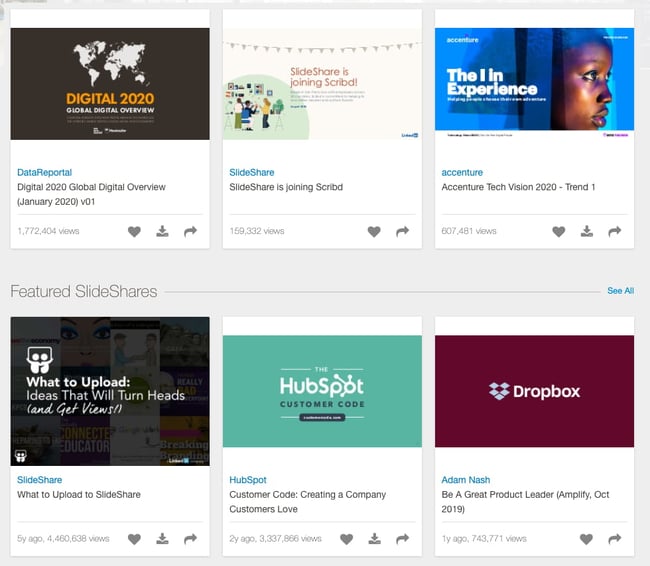
SlideShare is a popular choice for sales and marketing professionals looking for a way to share their content publicly. Because it already has a built-in audience, you can easily distribute your presentation out to lots of people -- and those people can embed your SlideShares on websites and blogs, or share them on LinkedIn, Twitter, Facebook, etc.

Pricing: Free

12. SlideDog
slidedog-presentation-tool

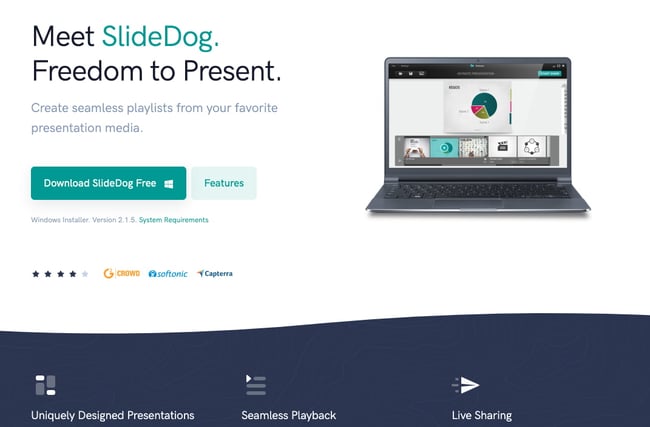
Sometimes, sales and marketing professionals need to be able to move between presentation tools, but it’s not always possible because of their technical limitations. SlideDog is the solution, as it enables users to switch between PowerPoint, Prezi, PDF, web pages and others.

Pricing: Free; Pro, $99/year; Pro Event, $49 for one-time payment

13. Presentation Assistant

presentation_assistant

Presentation Assistant lives up to its name: It assists professionals by enabling them to annotate, zoom, and more during a presentation. Sales and marketing professionals can clarify and emphasize points more clearly to their audience with Presentation Assistant.

Pricing: Presentation Pointer, $29.95; Presentation Screen Master, $29.95

14. authorSTREAM

authorstream

Sales and marketing pros choose authorSTREAM to make their presentations dynamic and engaging. authorSTREAM allows users to share their PowerPoint presentations publicly or privately, broadcast them, convert them to video, communicate and collaborate about them, and more.

Pricing: Free or paid plans start at $4.20/month

15. Zentation
zentation-online-presentations

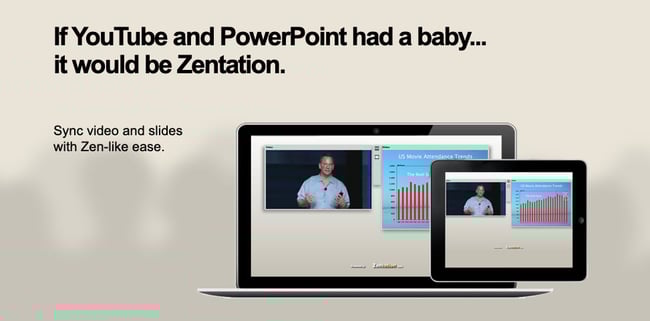
With Zentation, salespeople and marketers combine video and slides into a simulated live experience. Presentations created with Zentation become webinars, webcasts, and virtual events for prospects and customers -- all great collateral for marketing and sales.

Pricing: Free; Premium, $10 - $45/month; White-Label, contact for pricing

16. Prezi
prezi-tool

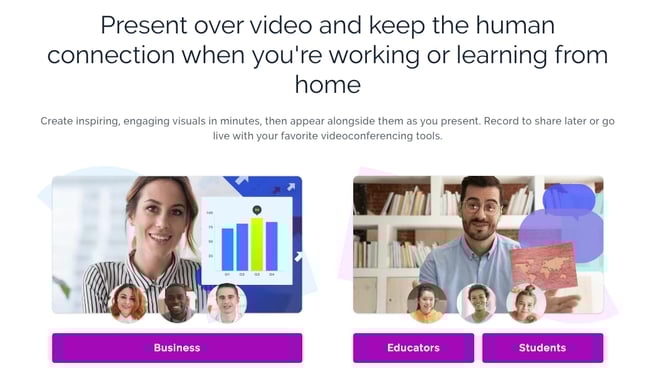
Sales and marketing professionals love Prezi because it is cloud-based. Prezi makes creating, editing, and presenting from your browser, desktop, iPad, or iPhone possible anywhere, any time.

Pricing: Standard, $5/month; Plus, $15/month; Premium, $59/month

17. Brainshark

brainshark-sales-enablementSales reps and marketers often choose Brainshark, a cloud-based presentation tool, because it allows them to create and deliver presentations live or on-demand (even using their iPad or iPhone), use on-demand video content, polls, or surveys for increased engagement, and embed presentations in websites and blogs.

Pricing: Contact for pricing

18. Vcasmo
vcasmo

Vcasmo is a unique presentation tool -- it's a multimedia solution that enables users to synchronize a video and slideshow, side by side. Sales and marketing pros love Vcasmo because it supports playback in three forms: browser, mobile, and iPad. 

Pricing: Free; Standard, $10.99/month; Professional, $16.99/month

19. ViewletBuilder
viewlet_builder

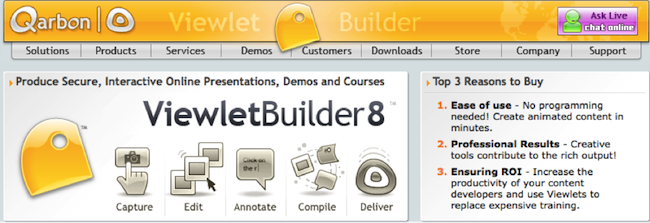
ViewletBuilder is a different presentation tool; it captures critical screen updates and cursor position changes so sales and marketing pros can create presentations detailing how their product or sites work. With a plethora of features, ViewletBuilder allows for editing and enhancing and includes a variety of publishing and sharing options, too.

Pricing: Pro, $399; Enterprise, $599

20. Zoho Show
Zoho-show

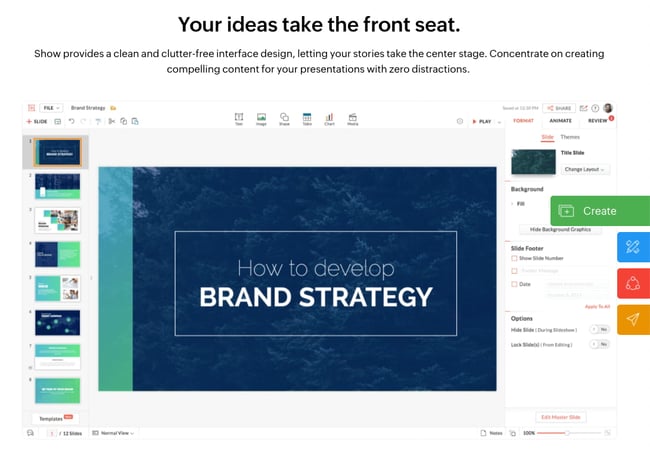
Zoho Show is a top pick for sales and marketing pros because it lives online, making it possible to create, access, present, and more from anywhere, any time. The simple, intuitive interface and collaboration features are just two of its beloved benefits.

Pricing: Contact for pricing

What are you waiting for? Pick a tool and start creating. Your prospects are waiting.

Editor's Note: This post was originally published in October 2014 and has been updated for freshness and comprehensiveness.


20 Tools for Creating and Delivering Amazing Presentations was originally posted by Local Sign Company Irvine, Ca. https://goo.gl/4NmUQV https://goo.gl/bQ1zHR http://www.pearltrees.com/anaheimsigns

The 8 Best Social Media Analytics Tools for Marketers in 2020

These days, businesses across every industry are investing in social media marketing. But no matter how great your social media content is or how many people follow your accounts, you won't be able to grow your audience, reach, and presence if you don't understand the data behind it all.

In-depth knowledge about the status and success of your social media marketing will offer actionable insight into things like which strategies should remain in place and what you should change or experiment with in order to grow. Social media analytics tools are able to help you with just that.

Social Media Analytics

In this blog post, we'll review the importance of social media analytics and some great options to help you measure your social media marketing success.

Get certified in social media strategy with this free course.

What is social media analytics?

Social media analytics is the process of gathering, analyzing, and applying data, information, and reports related to the content shared on your social profiles and the social profiles themselves.

Why use social media analytics?

With social media analytics, you can:

  • Understand the metrics that matter most to your team and business such as engagement, reposts, shares, clicks, impressions, and sessions.
  • Identify effective ways to boost brand awareness and reach.
  • Resonate with your audience.
  • Boost traffic to your other content and website.
  • Increase conversions.
  • Improve customer loyalty.

How to Track Social Media Analytics

Here are the steps involved in tracking social media analytics

  1. Identify which social media platforms you'll be measuring impact on (e.g. LinkedIn, Facebook, Instagram).
  2. Determine which metrics you're doing to track (e.g. clicks, impressions, likes, shares).
  3. Choose a time period to analyze (e.g. last quarter, last month, last week, duration of your campaign).
  4. Determine which tools you'll use to track and measure success (we'll cover your options in the next section).
  5. Review and analyze your data (depending on your tool of choice, there may be internal features to help you understand and analyze your data — such as this one with HubSpot).
  6. Apply your findings and conclusions to improve growth in the future.

1. HubSpot Social Media Software

hubspot social media software and analytics tool

Source

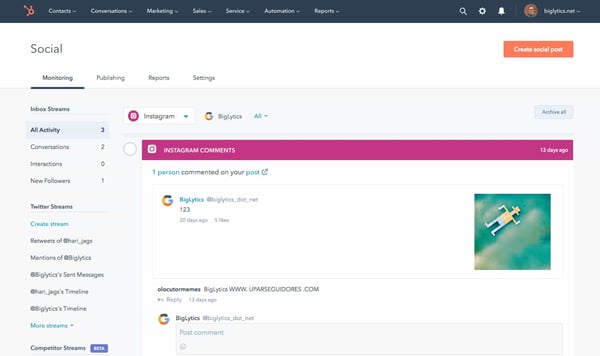
HubSpot provides a deep look into the way social media impacts your bottom line and gives you the ability to report on social media ROI. View and compare performance across different platforms, campaigns, and publishing times — all from a single tool.

Monitor your brand on social to understand how your target audience perceives your business and content. Additionally, YouTube Reports provide insight into how your audience and buyer persona's engage with your videos. Lastly, effectively reach certain audiences by using data and context from the Contacts in your CRM (which this social tool integrates seamlessly with).

Get certified in social media strategy with this free course.

2. Sprout Social

Sprout Social engagement report social media analytics tool

Source

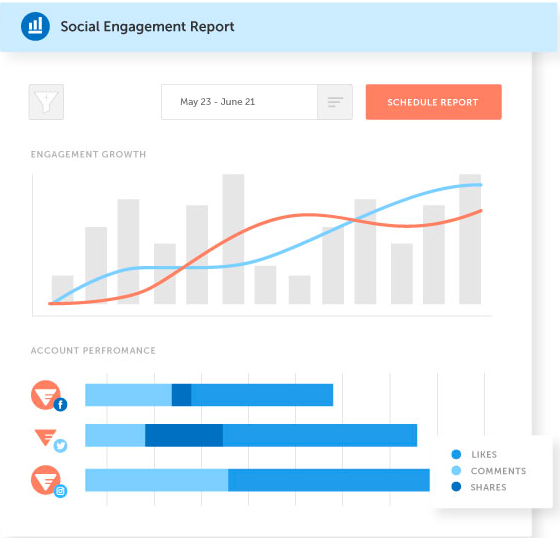
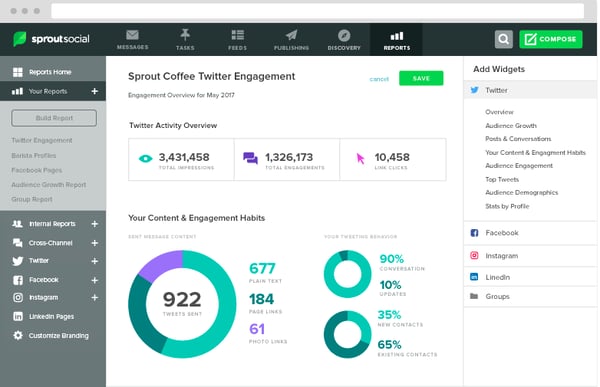
Sprout Social is a social media planning service with expansive analytics and reports that help you understand the performance of all of your social accounts.

Configure and customize reports and metrics to help you scale your your business's presence on social. And if you're a HubSpot customer, integrate your CRM with Sprout Social to collect and view accurate reports all in one place.

3. Falcon.io

falcon.io social media analytics tool

Source

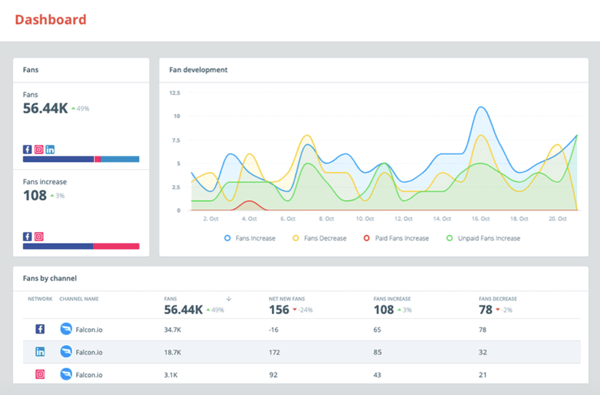
Falcon.io is a social media marketing platform for Facebook, Twitter, LinkedIn, and Instagram with analytics and community engagement capabilities.

Create an overview of cross-platform metrics and KPIs to determine which of your strategies are working best. Customizable dashboards update in real-time to give insight into your performance on your profiles. And with pre-existing templates, these customizable dashboards are easy to create and implement.

Lastly, integrate Falcon.io with your HubSpot CRM to sync customer data for your social campaigns, create custom and lookalike audiences, and offer customer service all via the tool.

4. Mailchimp

mailchimp reports and analytics software

Source

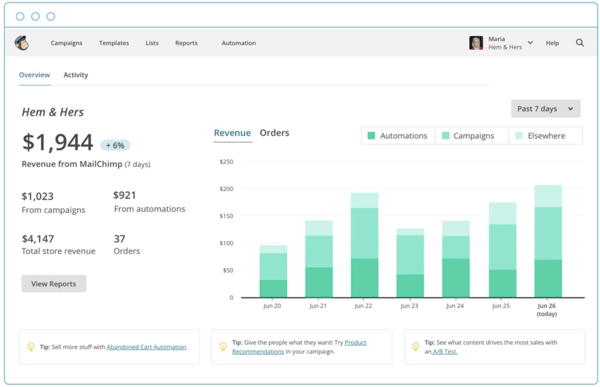
Mailchimp is a full-service marketing platform that offers analytics for social media ads. It's easy to use for small marketing teams and requires little time to pour over the accompanying analytics.

With Mailchimp, you'll have an audience dashboard, which is a page dedicated to understanding audience behavior. Additionally, the software offers tools to look into smart targeting and mobile integrations. These tools can diversify a social strategy and deliver higher engagement numbers by helping you create content that specific audiences will respond to.

5. Databox

databox social media analytics tool

Source

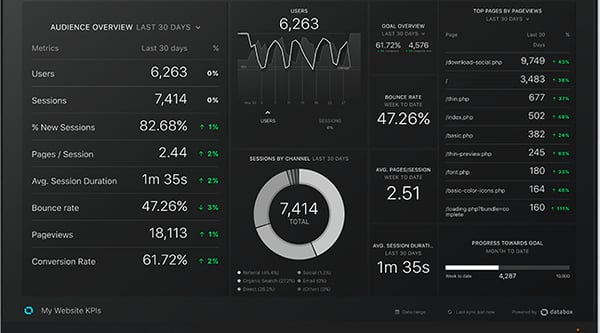
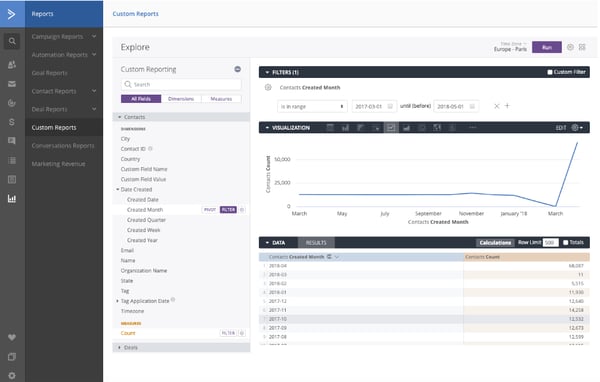
Databox is an expansive analytics platform that lets you set and track social media campaign goals. It's a good choice for businesses that have many contacts, social accounts, campaign goals, and target audiences.

Customize metrics that matter most to your campaign or social channels for your reports. Any integration you have, such as HubSpot, will be visible from your dashboard as well.

6. Grow

grow social media analytics software

Source

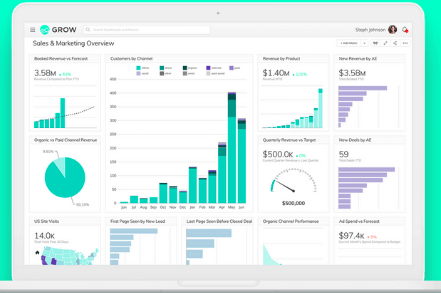
Grow users gain full visibility into engagement on all of the social accounts. The tool integrates with HubSpot, Salesforce, Google Ads, Facebook, Marketo, and Microsoft Office so you can view all data in one place.

Grow breaks down complex data into graphs and visuals, and your social reports are easily sharable which is helpful if multiple people are working on the same project. Grow's reports are built with metrics chosen by the user — meaning, you can customize reports in a way that works for your needs.

7. ActiveCampaign

ActiveCampaign social media analytics tool

Source

ActiveCampaign is an email marketing software with social media features including reporting. You can connect Facebook, Twitter, Digg, and other platforms to gather insights related to performance.

Since you'll have both social media and email metrics in one place, this is a good option for businesses with a heavy email marketing focus. Additionally, ActiveCampaign's reports track what contacts do after they click through to your site. Further, if you're a HubSpot customer, the software integrates with your CRM.

8. CoSchedule

CoSchedule engagement report example

Source

CoSchedule gathers social network, campaign, and engagement data for your profiles and compiles that real-time data into reports.

On your dashboard, compare multiple campaigns to determine the evolving ecosystem of audiences. You'll also be able to see the top fans of your social accounts, making it easier to create targeted content for them (and followers like them).

Choose a Social Media Analytics Tool

Ultimately, choosing the right social media analytics tools for your business shouldn't be a stressful process. The tools should align with your business goals and deliver the metrics you need to be successful. So review the options above and choose the right one for your business.

Editor's note: This post was originally published in March 2020 and has been updated for comprehensiveness.


The 8 Best Social Media Analytics Tools for Marketers in 2020 was originally posted by Local Sign Company Irvine, Ca. https://goo.gl/4NmUQV https://goo.gl/bQ1zHR http://www.pearltrees.com/anaheimsigns
Monday, November 9, 2020

24 of the Best Free Stock Photo Sites to Use in 2020

Best Stock Photo Sites

  1. Negative Space
  2. Death to Stock
  3. HubSpot
  4. Picjumbo
  5. Stokpic
  6. CreateHER Stock
  7. Kaboompics
  8. Startup Stock Photos
  9. Freerange
  10. LibreShot
  11. nappy
  12. Fancy Crave
  13. Unsplash
  14. StockSnap.io
  15. The Jopwell Collection
  16. SplitShire
  17. Life of Pix
  18. Pexels
  19. Gratisography
  20. Jay Mantri
  21. ISO Republic
  22. PICNOI
  23. New Old Stock
  24. Pixabay

I got the image above for free on Unsplash.

Yet for some reason, many other publishers continue to push out cheap (and usually cheesy) stock photography to serve as a representation of their brand.

The truth is, high-quality stock photos don't have to come hand-in-hand with a hassle or high price tag.

To prove it, we've compiled a list of awesome resources for free, high-quality stock images for websites, blogs, and similar online properties.

From enviable office spaces to stunning scenery, we're certain you'll find exactly what you're looking for with the help of this roundup.

Best Free Stock Photo Websites for Royalty-Free Images

1. Negative Space

Free stock photo by Negative Space

Negative Space offers up new free stock photos every week. All of its photos are shared without copyright restrictions, meaning you're free to use them however you please.

From architecture to technology, Negative Space's continuously growing collection of images is one you'll find yourself tapping into again and again. The best part? It's easy to filter through the gallery of photos, which are sortable by category, copy space position, and color.

Click here to view the full license details.

2. Death to Stock

Death to Stock image of a man on a laptop

When founders and photographers, Allie and David, noticed how challenging it was for businesses, bloggers, and creatives to find free high-quality images that fit their "vibe and tribe," they stepped in.

As a result, Death to Stock was born. Simply submit your email and enjoy a new batch of photos delivered to your inbox every month.

If you do have some extra budget to spend, Death to Stock also offers a Premium membership for $15/month or $180/year. The cool part about the paid membership is that a percentage of the profit is used to fund photography trips and other creative projects to keep the resource moving forward.

Click here to view the full license details.

3. HubSpot

HubSpot stock photo collage

When we noticed there was a shortage of high-quality free stock photos available to marketers and creatives, we decided to whip up some of our own.

We’re a bit biased (since many of our own employees appear in these photos), but we think these images can help you snazz up your site or marketing materials.

Check out the following collections to get your fix:

4. Picjumbo

Free stock photo from Picjumbo

Need free images for your next website design or blog post? Look no further than picjumbo.

With new photos added daily, there is a wide selection of high-quality images to fit a variety of different topics.

The photographer, Vicktor, also offers unique paid packages for bloggers, designers, and agencies (starting at $10/month).

Click here to view the full license details.

5. Stokpic

Stokpic image of a group of people reading magazines outside

Photographer Ed Gregory generously dishes up 10 new photos every two weeks that you can use on your website, as part of a template, in an ad, and ... well, pretty much anywhere.

You can check out his latest 100 pictures here, or browse through categories like landscapes, people, and technology until you find the perfect fit.

Click here to view the full license details.

6. CreateHER Stock

createHER free stock photo site homepage

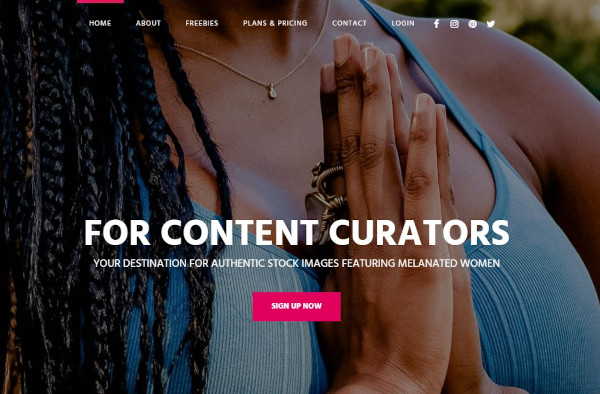
CreateHER Stock is a stock photography site that features authentic images of Black women created by founder Neosha Gardner. While the pricing at $10 per month, there is a collection of "freebies" that includes more than 185 images. Keep in mind that CreateHER Stock is not intended for commercial use without an extended license.

Click here to view the full license details.

7. Kaboompics

Free stock photo from Kaboompics

Karolina, a web designer from Poland, is the creative eye behind this awesome resource for high-quality photos. From fashion to food to landscapes, her images cover a variety of different scenarios. And users have the freedom to use them for anything they'd like -- commercial or not.

While there are no formal attribution requirements, Karolina does ask that you include photo credit with a link back to the site when possible. This request will help her grow the website, and in turn, provide even more awesome photos for everyone to use.

Click here to view the full license details.

8. Startup Stock Photos

Free stock photo from Startup Stock Photos

"Take 'em, these things are free. Go. Make something."

While the name is specific to startups, there are plenty of professional options to use no matter what industry you're operating within.

Click here to view the full license details.

9. Freerange

Freerange stock image of a person taking notes

All of the photos on the Freerange website come from a pool of both in-house photographers, as well as a growing community of external contributors.

Not only is there a lot to choose from, but the photos are good quality, too: "Images provided directly (in-house) by Freerange Stock originate one of two ways. They are either digitally photographed on Canon DSLR cameras or they are a high resolution (4000 dpi) Nikon scan of an original 35mm slide," according to the site's 'About Us' section.

Click here to view the full license details.

10. LibreShot

Free stock image from LibreShot

Photographer and SEO Consultant Martin Vorel is the creative force behind the stunning photos available on this site.

From crisp architectural shots to vibrant florals, Vorel's collection of photos contains some of the most unique selections we've come across.

Click here to view the full license details.

11. nappy

free stock photo from nappy

nappy is a free stock photo site on a mission: "To provide beautiful, high-res photos of black and brown people to startups, brands, agencies, and everyone else."

On their site, they talk about how many stock photo sites depict unrealistic representation, and if they don't, there's often a lack of diversity in the people being depicted. This presents a real problem for creators who are intentional about representation in articles, designs, and ads. nappy calls on their audience to "tackles diversity and representation one photo at a time."

Best of all, their library is completely free.

Click here to view the full license details.

12. Fancy Crave

Fancy Crave stock image of green grapes

Not only are the photos on Fancy Crave free of copyright restrictions, but they're also pretty remarkable. (Can't you practically taste those green grapes?)

All the photographer asks is that you never advertise the photographs as your own, and provide attribution when and if you can.

With two new photos uploaded daily to keep things feeling fresh, this is a bookmark-worthy resource for great photos if we've ever seen one.

Click here to view the full license details.

13. Unsplash

Unsplash stock image collage

Unsplash serves up 10 new "do whatever you want" photos every 10 days.

What we love most about this resource is the uniqueness of the photos. With pages upon pages to choose from, you won't run into any cheesy, "Smiling Boss Shaking Hands With Male Employee" shots.

Not to mention, every photo published on Unsplash is licensed under Creative Commons Zero, which provides users with the freedom to copy, modify, distribute, and use all of the photos without permissions or attribution.

Click here to view the full license details.

14. StockSnap.io

Free stock photo collage from StockSnap

StockSnap.io proudly claims that it's "not your typical crappy stock photo site." And we couldn't agree more.

In fact, its selection is so interesting and versatile that it's almost too easy to "fall down the rabbit hole" and come to fifty-something scrolls later.

Click here to view the full license details.

15. The Jopwell Collections

a free stock photo from the jopwell collectionImage Source

Jopwell is a career advancement platform for people of color, helping brands recruit and retain diverse candidates. Their slogan is "Representation matters," and as part of that commitment, they've created a collection of stock photos that feature people of color in the workplace.

The images are free to use as long as there's a visible attribution to Jopwell.

Click here to view the full license details.

16. SplitShire

SplitShire stock image of a computer

SplitShire offers a ton of awesome free photos for you to use without commercial restrictions. Powered by Italian photographer Daniel Nanescu, all of the images available on the website are "made with love" -- and it shows.

From stunning portraits to sleek work stations, we've got a feeling you won't have any trouble finding the perfect photo for your next project or blog post.

Click here to view the full license details.

17. Life of Pix

collage of Life of Pix free stock photos

Brought to you by Leeroy Advertising Agency in Montreal (and its network of talented photographers), Life of Pix is home to some awesome high-resolution photos.

All of the images are donated to the public domain, and are available for personal and commercial use.

As if that wasn't enough, Life of Pix also has a counterpart, Life of Vids. According to its website, Life of Vids serves up free footage videos, clips, and loops, weekly. Like the images, the video content contains no copyright restrictions, and can be easily downloaded on its Vimeo account.

Click here to view the full license details.

18. Pexels

Pexels image of cupcakes

These photos are carefully handpicked from a variety of free image sources to ensure that you're getting only the best of the best.

All of the photos that make the cut are under the Creative Commons Zero license, meaning that they are free for personal and commercial use with no attribution required. And thanks to its search functionality, turning up the right photo for your next project is super easy.

Click here to view the full license details.

19. Gratisography

Gratisography free stock photo collage

With new photos added weekly, Gratisography is another awesome website serving up high-resolution photos covered under the Creative Commons Zero license.

All of the photos are taken by Ryan McGuire, a "whimsically creative visual artist, based in Ithaca, NY." And while these photos are a bit more quirky (we're talking everything from monster feet slippers to Vespas to bananas), they are entirely usable for the right project.

Click here to view the full license details.

20. Jay Mantri

free stock photo by Jay Mantri

Designer Jay Mantri has built up an impressive gallery of professional, quality images just for you and me ... and everyone else.

If I had to describe Mantri's photos in one word, it'd be "scenic." But don't just take my word for it. Go see for yourself.

Click here to view the full license details.

21. ISO Republic

ISO Republic stock image

ISO's Republic's mission is to "provide high-quality images to be used by designers, developers, bloggers, marketers, and social media teams."

And all it takes is one quick scan of the website to know that it is succeeding in doing just that. (So much so that it's hard to believe the images are free)

For those looking for access to more exclusive free photos, ISO Republic invites you to sign up for its email list and receive photos right to your inbox.

Click here to view the full license details.

22. PICNOI

free stock photo from picnoi

Image Source

PICNOI is a free stock photo site "for a colorful world." The photos feature people of color, and all of the images are free as long as you provide attribution (though you can choose to make a donation to support their mission).

Click here to view the full license details.

23. New Old Stock

New Old Stock black and white image

Who can resist a good black and white photo?

This collection of vintage photos comes from the public archive via Flickr Commons. According to the website, the photos are free of any known copyright restrictions.

That said, while it's likely that they are safe to use for things like blog posts and hero images, you'll want to read up on the rights and usage below before you use them for any type of commercial project.

Click here to view the full license details.

24. Pixabay

collage of free stock photos by Pixabay

Pixabay serves as a repository for a ton of quality photos that released under Creative Commons CC0 into the public domain. The site is clean and intuitive, making it easy to navigate your way through the 780K+ free photos, vectors, and illustrations.

The main search bar even allows you to filter your query down by factors like media type, orientation, color, and minimum dimensions.

Click here to view the full license details.

The perfect image can solidify your design, article, ad, or other creative. Whatever your need, there are many resources for free stock photos out there. 

Editor's note: This post was originally published in November 2018 and has been updated for comprehensiveness.


24 of the Best Free Stock Photo Sites to Use in 2020 was originally posted by Local Sign Company Irvine, Ca. https://goo.gl/4NmUQV https://goo.gl/bQ1zHR http://www.pearltrees.com/anaheimsigns