Thursday, October 15, 2020

How to Design Your Ecommerce Site for More Conversions

To increase conversion rates on your ecommerce website, no part of the customer journey can be overlooked. From your landing page to your checkout page, every aspect of your ecommerce website needs to be carefully designed.

But cultivating a user journey that successfully balances an enjoyable shopping experience with a clear path to conversion is easier said than done.

To help you design a more delightful and intentional conversion path on your ecommerce website, we've put together a list of some best practices to follow. 

10 Ways to Design Your Ecommerce Website for More Conversions

When designing your ecommerce website, consider the following tips to enhance its user experience for your visitors and customers. 

1. Add clear CTAs.

Having a clear call-to-action (CTA) is essential to convert website traffic into sales.

Ecommerce website CTAs are often "Buy Now" or "Add to Basket" buttons that stand out on a web page to grab the attention of visitors and encourage them to click. This is typically done by using contrasting colors and unique design elements, among other tactics. And like the examples mentioned above, the wording in the CTA should be kept short and sweet.

In addition, make sure your CTA is aligned with the intent of the web page it's located on. For example, the CTA on your product page may read "Buy Now" whereas the CTA on a content page may be"Read More."

2. Create a sense of urgency.

Consider creating a sense of urgency on your ecommerce site. One CXL study found that, by creating a sense of urgency on an ecommerce site, conversation rates were increased by over 330%.

This can be done simply by changing the way you word your CTAs — for example, changing the CTA from "Shop Here" to "Shop Now" may give your visitor the nudge they need to convert.

3. Offer simple, one-click checkout for all customers.

By adopting a one-click checkout process, customers can skip the "add to cart" step and check out quickly and efficiently while still on the product page. In fact, by doing this, one-click checkout can shorten the checkout process by 90%.

This is important because by eliminating extra steps required in a traditional checkout process, cart abandonment is less likely due to the streamlined and simple process.

Even if you choose not to implement a one-click checkout, streamline your site's checkout process as much as possible to boost conversions and lower cart abandonment. You may do this by requiring the very minimum data input from your customers to make the process efficient for them. 

4. Add green-bar SSL.

It has been found that shopping cart abandonment may decrease if you display the green-bar SSL on your website. Here is what this looks like on different search engines:
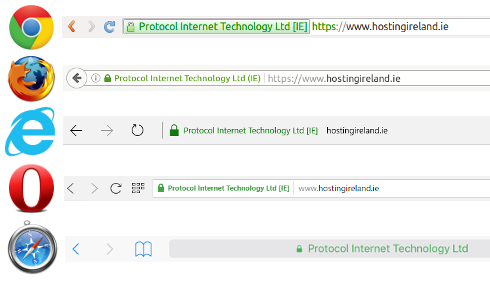
greenbar ssl

The greenbar SSL helps convey a trustworthy and reputable website — it's not only a visual cue to customers but it also plays an important role in the security of your site as well.

Having a greenbar SSL encrypts the visitor’s payment information, which makes it harder for hackers and scam artists to steal their information. Simply put, users do not want to purchase from an unsecure website.

In a test, two forms were created for customers to complete — one without a Verisign seal and the another with it.
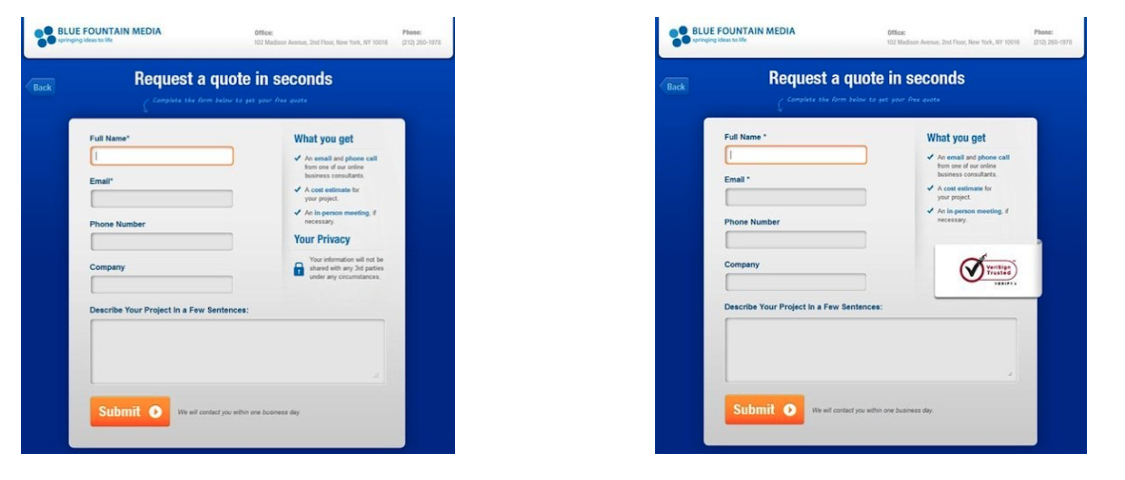
greenbar ssl and trustworthy websites

There was a 42% increase in conversions on the form containing the Verisign seal, demonstrating that visitors are more inclined to share personal data and convert when they are confident that it is secure.

5. Offer different payment methods.

There are hundreds of different ways to pay online that aren't reliant on a card, including direct debit, bank transfers, digital wallets, e-invoices, digital currencies (like Bitcoin), and many more.

Although it is impossible to offer 100+ payment methods on your website, it is important that you understand your target market and are able to offer payment methods best suited for them.

For example, a website where the average spend is $50 may benefit from offering mainly credit and debit card-style payments, whereas a website such as overclockers.co.uk may want to push a financing option as the value of the products being sold is significantly higher.

Try to provide the top three payment methods in your sector — doing so has resulted in an increase in conversion rates of 30% for businesses.

Overclockers does a great job of this by showing all their available options to buy in the product description, and near the CTA.
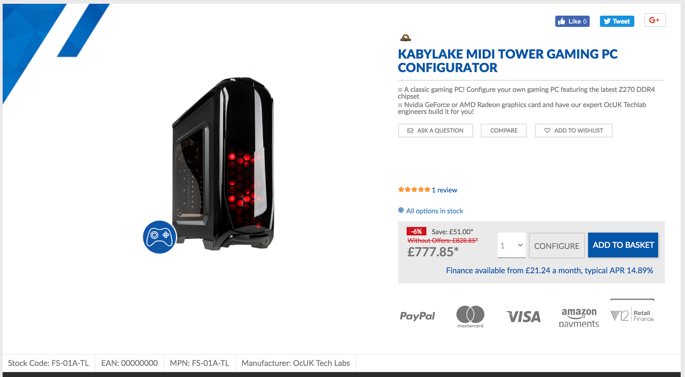
overclockers example of offering different payment methods

6. Incorporate product or company reviews.

Reviews are one of the most powerful tools to convert any interest in your product to a sale — potential customers want to hear from other buyers like them.

Add customer reviews directly next to or below your products to demonstrate your trustworthiness. Customer recommendations drive purchasing decisions as customers tend to believe the reviews from customers they relate to. To do this, give customers opportunities to provide instant feedback on the quality of your product or service.

Amazon manages their customer reviews well — in fact, one of the first things you see when searching for any product is a list of customer reviews.
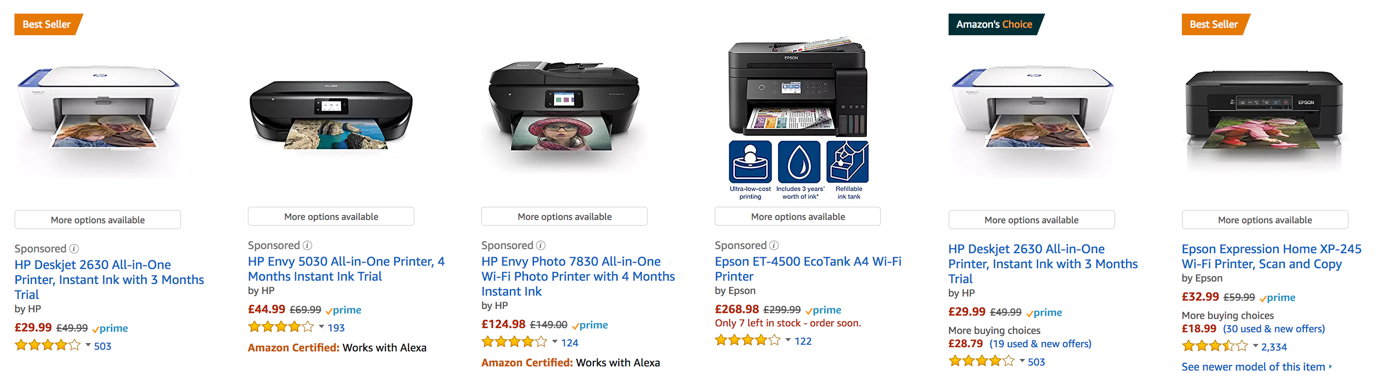
amazon example of customer reviews next to products

7. Add well-selected imagery.

Excellent imagery of the product or service you are selling is pivotal when trying to boost conversions online — as the old saying goes, "a picture is worth a 1000 words." 

Ensure you have high-quality photos of your product, covering all angles and details. This gives the buyer confidence in what the product is, its quality, and what they are to expect when they receive it.

On the other hand, if you have low-quality pictures without a zoom function and a lack of detail, you'll leave your potential customers feeling anxious and wondering what you have to hide. 

Truthfully, only a fraction of your site visitors actually go through the entire page and read it word for word — meaning your images can make an impact on a customer's understanding of your brand and product.

8. Optimize your website for mobile. 

Mobile accounts for approximately half of web traffic worldwide. With this in mind, it's essential that your ecommerce site is mobile-friendly.

Having a simple checkout process is even more important on mobile than it is on desktop. Users are working with a significantly smaller screen, so the less distractions the better. Keep it simple.

It's also important to remember the unreliable nature of phone data. With phone signal dropping in a split second, reducing a user's download speed (to a snail’s pace!), it's imperative that your site is mobile-optimized. This will allow for fast load times, even when on a slow internet connection. Simple steps like this can make the difference between a customer converting on mobile or visiting a competitor's site.

9. Write concise and effective product descriptions.

Product descriptions are a key tool in your ecommerce selling arsenal. Without effective product descriptions, you're bound to miss out on clicks and purchases.

Focus on your ideal buyer and target them with words and descriptions of your products that relate to them, their goals, and their challenges. This will give customers the feeling that you understand who they are and what they need from you — which, ultimately, makes them feel more confident in choosing to do business with you.

Above all, the most important factor to consider when writing your product descriptions is to keep them concise. As we mentioned earlier, users will skim anything longer than a few lines. If you do have a large amount of information that you need to convey to your customer, you might consider hiding it behind a "read more" button or cutting it down in easy-to-digest bullet points or even incorporating an infographic.

10. Design a simplistic layout.

Creating an easy-to-follow and cohesive journey from homepage to checkout is one of the most important factors when lowering your bounce rate and boosting conversion rate.

A study shows that websites that have a clean look (meaning, more white space, bigger images, and less text) see significantly higher user engagement rates than websites that do not.

While it might seem daunting to think about redesigning your ecommerce site to be more minimalistic, it is actually relatively straightforward if you follow a few simple rules:

  1. Focus on product imagery with fewer design elements and distractions on product pages.
  2. Direct your customers to your CTA buttons and make sure they stand out.
  3. Test your website on different devices to ensure the shopping and checkout processes are streamlined no matter how customers are visiting your site. 
  4. Stay away from creating any distractions on your site — less is more. Typically, if the page works without something, then you can lose it. 
Editor's note: This post was originally published in September 2018 and has been updated for comprehensiveness.

How to Design Your Ecommerce Site for More Conversions was originally posted by Local Sign Company Irvine, Ca. https://goo.gl/4NmUQV https://goo.gl/bQ1zHR http://www.pearltrees.com/anaheimsigns

The 7 Best Leadpages Alternatives in 2020

It doesn't matter how awesome your e-book is if no one can download it.

And you might have the perfect agenda for your webinar, but if it isn't easy for your customers to sign up, it'll all be for nothing.

That's why you need an effective landing page builder.

Landing pages allow you to turn the traffic generated by your marketing campaigns into leads for your business. They're simple pages — often with just a few lines of text and a form — to drive conversions and turn visitors into leads.

When done correctly, landing pages are an essential tool to help you generate leads and pass off those qualified leads to your sales team.

And one of the most popular tools for creating landing pages is Leadpages.

Leadpages offers a variety of tools that can help you create compelling landing pages — including pop-ups, a drag-and-drop page editor with a seemingly endless list of pre-made templates, and more.

But Leadpages doesn't have a free version to help you get started, and doesn't offer many marketing tools beyond landing pages.

If you're looking for an alternative to Leadpages, there are a number of different tools that you can explore.

Let's take a look at the seven best Leadpages alternatives.

The 7 Best Leadpages Alternatives

1. HubSpot's Landing Page Builder

HubSpot's landing page builder helps you build beautiful landing pages that fit seamlessly into your marketing campaigns.

The drag-and-drop page editor is easy to use, and comes with a variety of templates for a number of different content offer types.

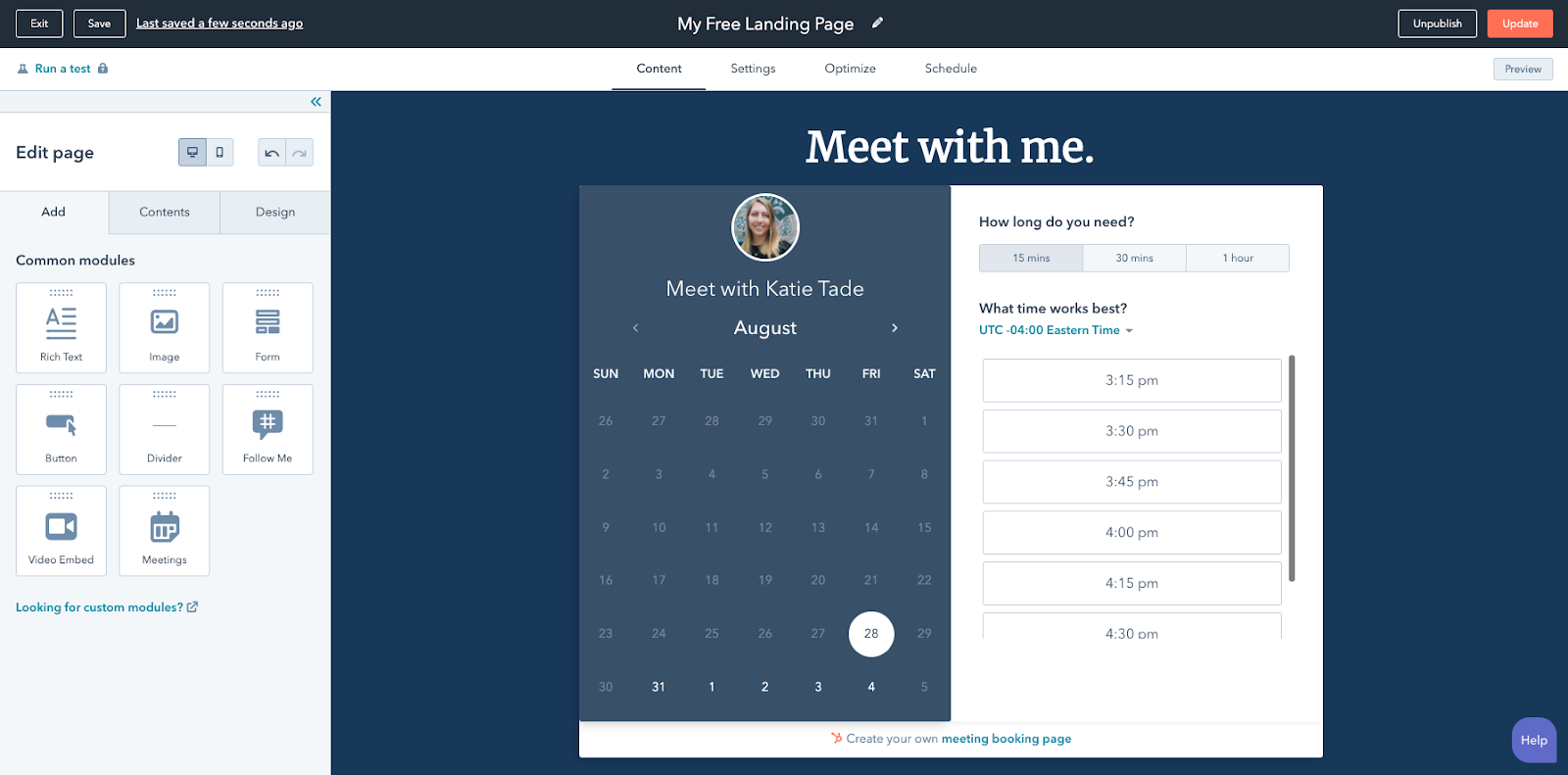
It includes all of the modules you'd expect, like a rich text module and a forms module, but it also has a video module and a meetings module, so your prospects can book meetings with your sales team directly on your landing pages.

Best of all, HubSpot's landing page builder is available for free, and comes with the HubSpot CRM included.

With the CRM, you can track every interaction your prospects have with your brand, allowing you to create marketing campaigns that focus on the end-to-end customer experience. And with HubSpot Academy, you'll be able to learn how to effectively run a marketing campaign and easily apply those learnings to the next campaign you run.

Additionally, as you grow your business, HubSpot's landing page builder grows with you. You'll be able to run machine-learning powered tests on your landing pages to ensure you're constantly optimizing your pages for conversions, aand revenue attribution reporting shows you exactly which offers are impacting your bottom line.

2. Unbounce

Unbounce is one of the most popular landing page builders on the market today.

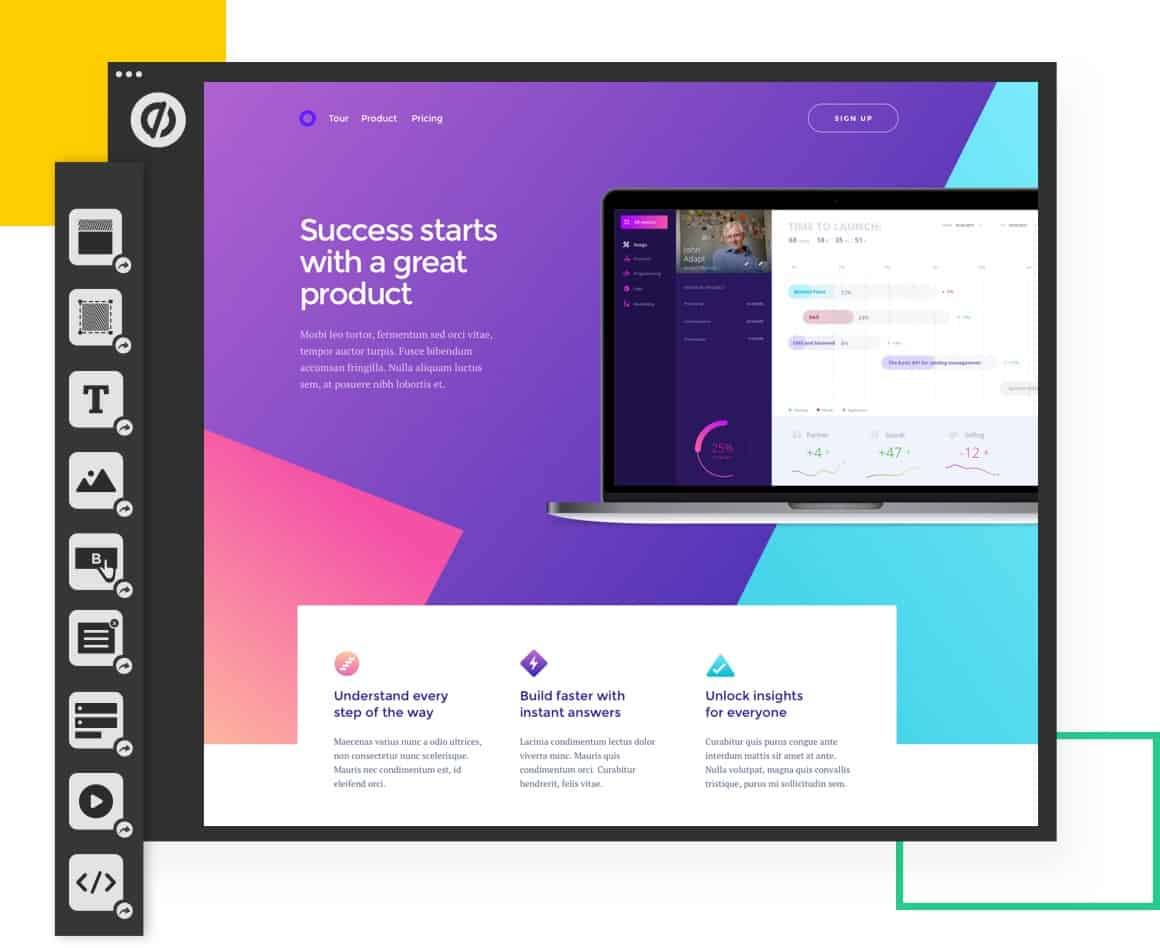
They provide landing pages and pop-ups geared at turning traffic into revenue for your business. Unbounce comes with over 100 templates that you can easily customize in their drag-and-drop editor. All their templates also work with WordPress.

Image Source

Although powerful, Unbounce starts at $80 per month, and charges you based on the number of conversions you receive on your pages. For growing companies, this can add up quickly as you generate more leads off your content offers.

3. Instapage

Like the other landing page builders on this list, Instapage offers an easy-to-use content editor, and a number of templates to create your pages.

Instapage also includes a feature called AdMap. With AdMap, you'll be able to visualize how your ads match your landing pages, and report on the effectiveness of your ad campaigns personalization.

Their landing page solution also lets you leave comments on different elements of a landing page and @mention team members of yours, making it easy to collaborate on your marketing campaigns.

Image Source

While powerful, Instapages starts at $149 per month and still limits the number of pages you can create, how many users you have, and the number of unique visitors to your pages.

4. Mailchimp

Mailchimp now does so much more than email.

They've built out a full suite of marketing tools that helps small businesses get up and running with their digital marketing efforts. Their landing page builder works alongside their ads, email, and social media tools.

Additionally, their drag-and-drop editor is easy to use and lets you create beautiful landing pages that match your brand.

You can get started with Mailchimp's landing page tool for free, and upgrade to their paid tier to start collaborating with your teammates, get access to more templates, or start optimizing your campaigns.

Image Source

5. Clickfunnels

Clickfunnels is a landing page builder and marketing automation tool focused on the sales audience.

Clickfunnels believes that your content should produce results just like your best sales reps would, and it's a solution aimed at moving prospects through a sales funnel into becoming customers.

Clickfunnels has a number of templates to choose from based on intent — such as up-sell or webinar event pages. To edit these templates, you can use their drag-and-drop page editor to create a page that works for you and your business.

Best of all, they have pre-built "funnels" that you can use to visualize your customer's journey with your brand — including follow up funnels that will help you cultivate relationships with users who've converted on your content.

Image Source

6. Sendinblue

Sendinblue is a simple marketing automation tool that features a number of different tools that SMBs need.

From email marketing, SMS, Facebook Messenger, and a CRM, you get a suite of tools that can help you communicate effectively with your customers.

Their suite of tools includes an intuitive and straightforward landing page builder with a number of pre-built templates you can choose from.

Although intuitive, their landing page builder is not included in their free product offering, and starts at $65 per month for five landing pages. However, other free offerings like their email marketing and SMS features are a great way to see if Sendinblue is right for you.

7. GetResponse

Like other landing page builders on this list, GetResponse comes with a number of other tools that can help you build amazing marketing campaigns.

With email marketing and pre-built sales funnels you can quickly begin marketing to the leads that you generate on your landing pages. What sets GetResponse apart are some of the features they include to help you fully design your pages.

They have built-in integrations with Shutterstock and Giphy to help you add compelling visuals to your landing pages, and they also include a mobile-first editor, in case there are a few tweaks you want to make to enhance your mobile-visitors experience.

Image Source

Choosing the Best LeadPages Alternative

Ultimately, deciding what landing page builder you go with will depend on your business' needs.

For instance, if you're looking for a point solution, tools like Unbounce or Instapage will be great for you — alternatively, if you're looking for a platform that you can use across all your marketing efforts, other tools like Mailchimp or GetResponse will be better-suited for your needs.

And, for growing teams looking to align their marketing efforts around the customer experience, HubSpot's landing page builder is a powerful choice for you. You can get started for free, and track your customers' journey with your brand through the HubSpot CRM.

Plus, as you grow, you not only avoid having to rip out other tools, but you gain access to more advanced solutions that will help you unlock even more insights on your customers' experience.


The 7 Best Leadpages Alternatives in 2020 was originally posted by Local Sign Company Irvine, Ca. https://goo.gl/4NmUQV https://goo.gl/bQ1zHR http://www.pearltrees.com/anaheimsigns
The Beginner's Guide to Rich Media Ads

Recently, I was scrolling online and I came across an ad for Narcos. While I can easily ignore most banner ads online, this one stood out. It included interesting videos and animation.

This was a prime example of rich media ads. A rich media ad is an excellent, modern ad format for marketers to consider.

In fact, rich media ads outperform standard banner ads by 267%.

With statistics like that, it's time to consider bringing your ads into the 21st century.

Below, let's discuss what rich media ads are and how they're different from other ad formats. Then, we'll review how to create one for your company and look at some examples to inspire your own ad campaigns.

Rich media ads usually take much more time, effort, and capital to create. So, why do people use rich media ads?

Well, rich media ads are engaging and dynamic in a way that other ad types aren't. They usually lead to more interaction, increased conversions, and a higher clickthrough rate.

Since many people have banner blindness like me, creating an ad that your audience wants to interact with isn't easy. Rich media ads are a great way to create a better user experience.

So, how are these different from other ad formats?

Now, you might be wondering, "How do I go about creating a rich media ad?" Below, let's discuss how you can get started with rich media ads.

1. Decide on the strategy.

Before you can create a rich media ad, it's important to strategize. Decide what you're advertising, how you want to reach audiences and the best way to engage them.

During this first step, you'll determine what type of creative assets you want. For example, will you use video? If so, what will the video include?

Additionally, you might think about how to make the ad interactive. Will users be able to click through to another slide on your ad? What happens if they click on the ad? It's important to discuss and plan these elements out before you create your ad.

2. Plan the creative assets.

Once you know more about your strategy, it's time to list the creative assets you'll need to get it done.

Then, you'll want to either film or look through stock footage if you aren't using your own imagery. This step will include either hiring actors, filming videos, taking photos, and writing text.

3. Use online tools.

At this point, you'll have your strategy and assets all done. So, how do you actually build the ad?

If you don't have a graphic designer on your team, you can use online tools to help you create a rich media ad.

For example, there's Google's Rich Media Gallery. On this site, you can create sophisticated rich media ads for free. While there are ready-to-use templates, you can also customize them by using your own creative assets.

However, if you have a graphic designer, you'll want to meet with them at the beginning of your process so they know what you have in mind and can tell you if it's doable.

4. Track and measure success.

When your ad is created, it's time to start running it. You can use rich media ads on social media platforms like LinkedIn, Facebook, and Instagram. You can include them on search engines, as well.

Once you've started to run your ads, don't forget to track and measure your success. Hopefully, you'll see better results than your static display ads.

Now, you might be wondering, "What will this look like?" Let's review some examples of rich media ads in action below.

Examples of Rich Media Ads

1. Lincoln Aviator

Lincoln Aviator rich media ad.

Image Source

When Lincoln decided to create an ad for the new Aviator car, they wanted it to be interactive. When you click on this ad, you'll be brought to a separate slide. This image is an interactive guide to the features of the car. You can click on different areas of the car to learn more about it.

This is a great example of how rich media ads are engaging and interactive. The audience can click on the ad and learn more about the car without being brought to a new webpage.

2. Jessica London

Jessica London rich media ad.Image Source

This Jessica London ad is another rich media ad that takes advantage of moving images. Moving images are a great way to make a static ad more dynamic and engaging.

Additionally, moving ads are eye-catching in a way that static images aren't. This is a great example of a simple way to take your ads to the next level.

3. Netflix's Narcos

Narcos rich media ad from Netflix.Image Source

This is the rich media ad by Netflix that I was talking about before. This ad includes a unique video from the actors and is presented almost like a trailer.

Then, if you hover over the image, the audience will see moving images that rotate. Additionally, if you click the ad, you can watch the actual trailer for the Netflix show. This is a great rich media ad that includes several media formats to engage the viewer.

Rich media ads are an amazing way to engage and interact with your audience. In an age where audiences have banner blindness, rich media ads are a great way to get your audience's attention.


The Beginner's Guide to Rich Media Ads was originally posted by Local Sign Company Irvine, Ca. https://goo.gl/4NmUQV https://goo.gl/bQ1zHR http://www.pearltrees.com/anaheimsigns

Ultimate List of Ecommerce Tools For 2020

The ecommerce industry is booming.

These trends are showing no signs of slowing down in the foreseeable future. In fact, the global ecommerce market is expected to eclipse $6.54 trillion in sales by 2022. That’s up from $3.53 trillion in 2019.

Whether you’re interested in starting a new ecommerce business from scratch or looking to expand your retail operation to an online store, you can use an ecommerce tool to achieve your goal.

Not all ecommerce solutions are created equally. Some tools are all-in-one website builders, while others are plug-ins, add-ons, or shopping cart software.

So what’s the best ecommerce tool for 2020? The answer depends on your unique situation. Use this guide to find the best ecommerce solution for you and your business.

In a market saturated with dozens, if not hundreds, of different ecommerce tools, there are the top ten that I’d recommend. I’ll give you an in-depth overview of the features, benefits, pricing, and use cases for each one of these tools as we continue through this guide.

1. Shopify

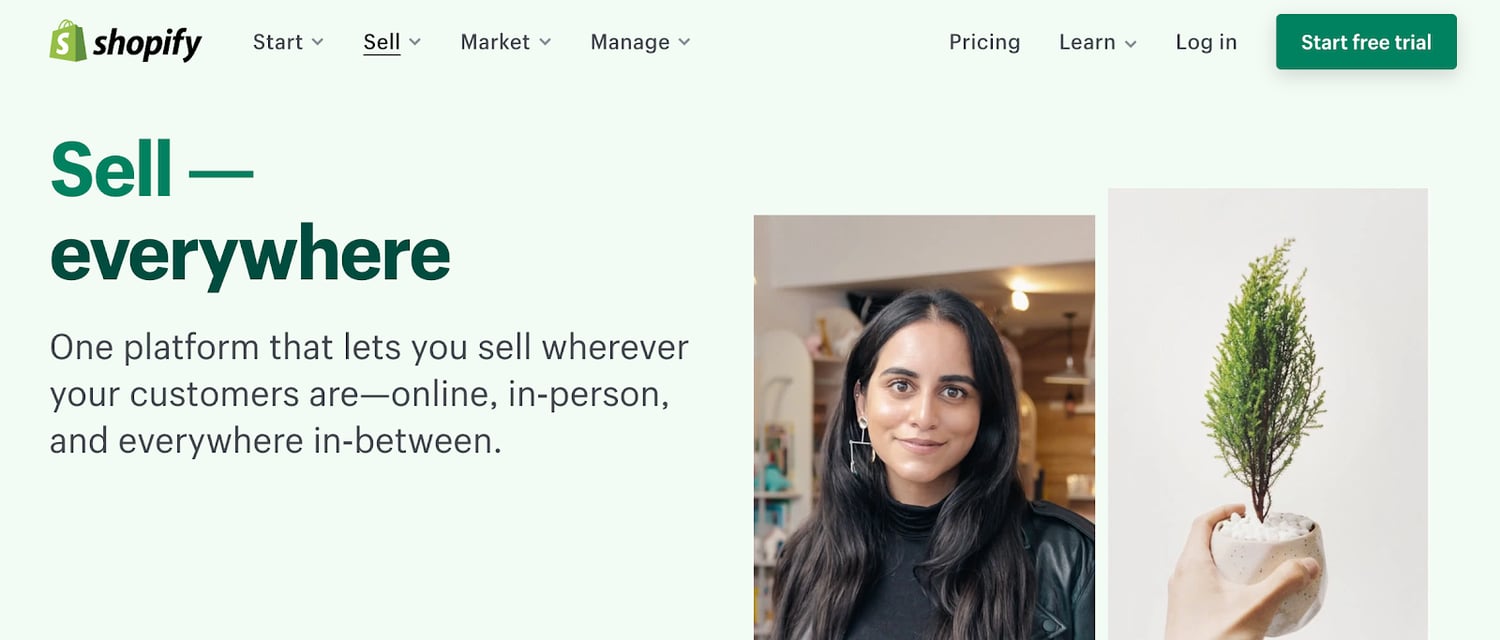
Shopify has everything you need and more to start an ecommerce website from scratch. It’s an all-in-one ecommerce solution for website creation and shopping cart software.

Regardless of your technical skill level, Shopify is easy for anyone to set up and use right out of the box.

Shopify makes it possible for you to sell from anywhere. In addition to your own ecommerce store, Shopify supports third-party marketplaces, social media selling, and in-person sales with Shopify POS (point of sale) software.

best ecommerce tools 2020 shopify

Source

Every Shopify theme is optimized for mobile devices. Additionally, with tools like BuildFire, you could always build a Shopify mobile app to take your mobile sales strategy to the next level.

One of the most significant standouts of Shopify is its versatility. From startups to small businesses and large-scale operations, this ecommerce tool can fit the needs of any organization.

Pricing: Shopify has three different plans — Basic Shopify, Shopify, and Advanced Shopify. These plans start at $29, $79, and $299 per month, respectively. You can try Shopify for free with a 14-day trial.

2. WooCommerce

WooCommerce is unique compared to some of the other ecommerce tools on our list. That’s because it’s not an all-in-one ecommerce solution.

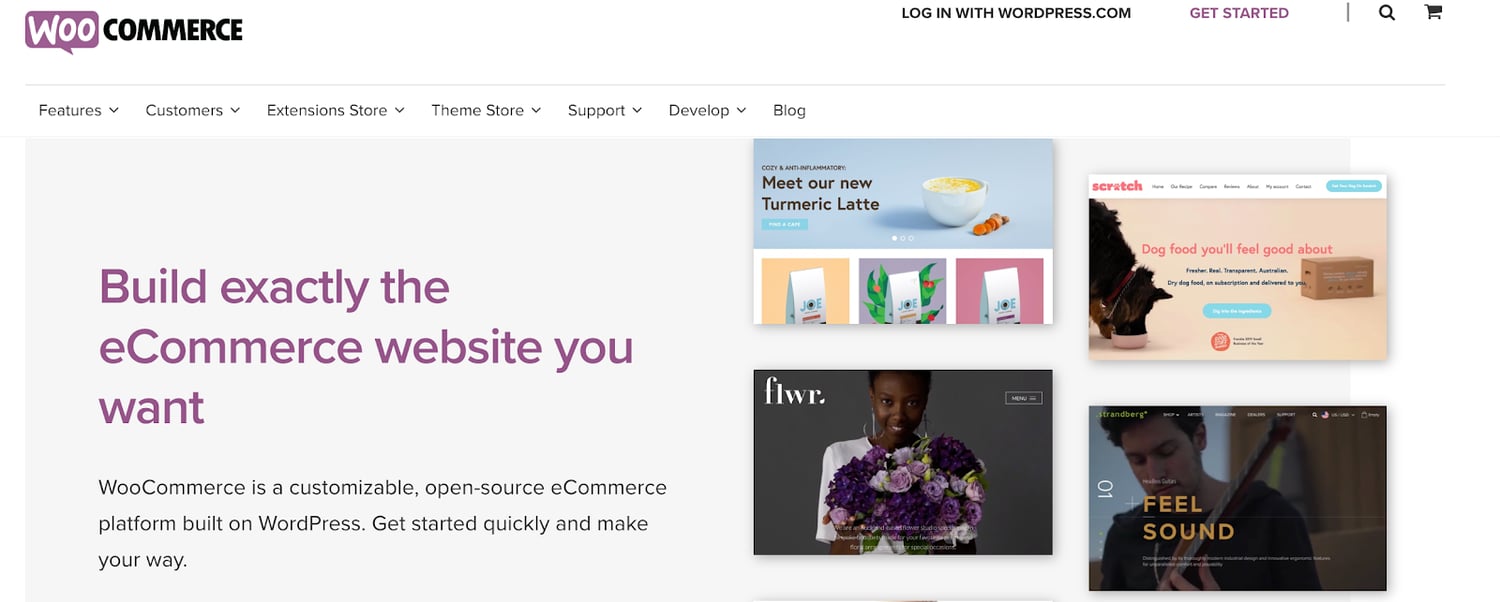
If you already have a WordPress website, you can add ecommerce functionality by installing the WooCommerce plugin.

best ecommerce tools 2020 woocommerce

Source

From selling products to subscriptions and memberships, WooCommerce has everything you need to add ecommerce capabilities to WordPress.

The tool is fully customizable. It integrates with popular payment platforms like Stripe, Square, PayPal, Amazon Pay, and more. WooCommerce has other extensions for things like printing shipping labels and integrating with your email marketing platform.

For those of you who have an existing WordPress site, WooCommerce is the best way to start selling online without doing a complete rebuild. Simply install the plugin, and customize your settings from there.

Pricing: WooCommerce is free to install on your WordPress site. But other extensions to customize the WooCommerce plugin do cost money. Tons of extensions are free like the HubSpot for WooCommerce integration, while others range up to $300 per installation.

3. BigCommerce

Since launching back in 2009, BigCommerce has processed more than $25 billion in merchant sales. It’s used by businesses in 120+ countries worldwide.

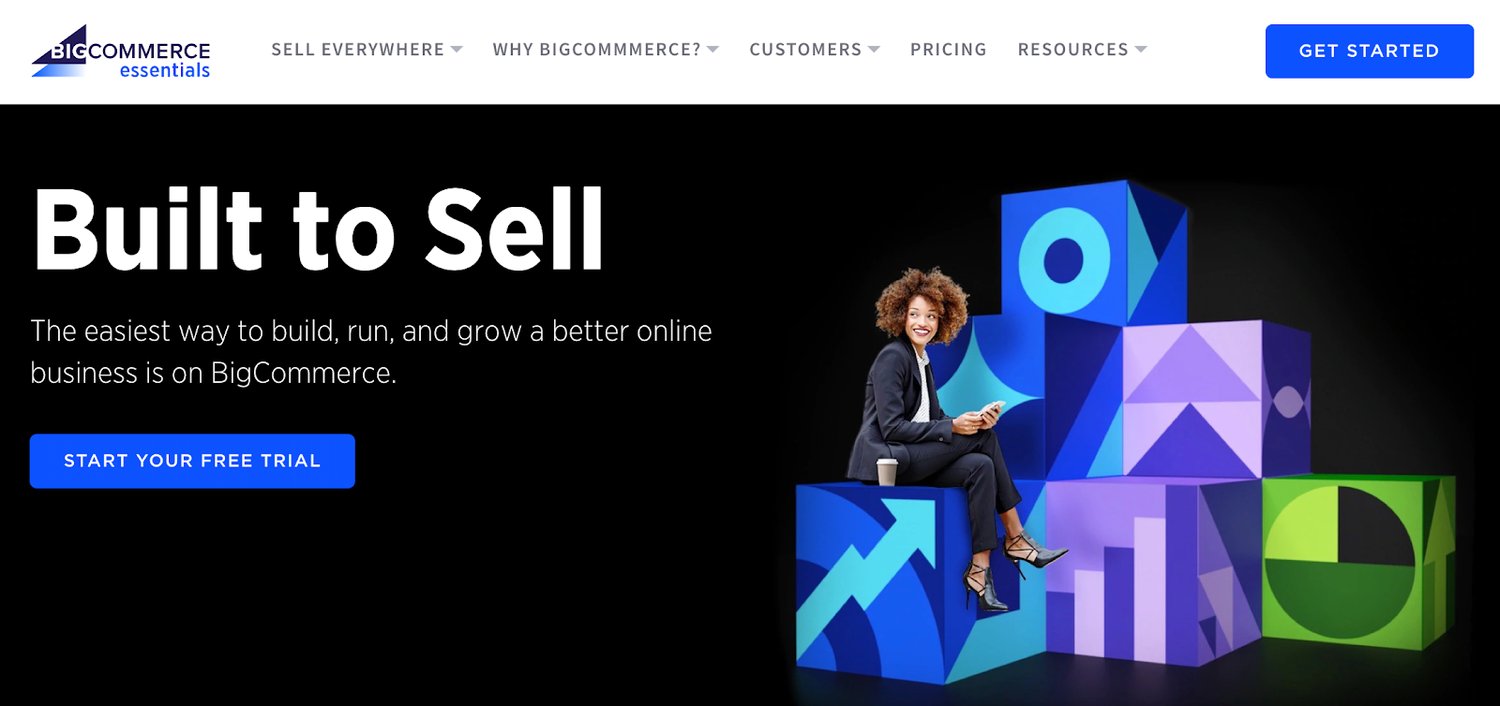
As another full-service ecommerce platform provider, BigCommerce offers everything you need to start selling online.

best ecommerce tools 2020 bigcommerce

Source

Compared to other ecommerce tools on the market today, BigCommerce comes pre-loaded with the most native features.

BigCommerce has exceptional tools for inventory management, SEO, and conversions. You’ll also benefit from 24/7 customer support via phone, email, and live chat. So you can rest assured knowing that you’ll have access to assistance if you ever have any questions.

In addition to traditional online sales, BigCommerce supports B2B wholesale websites and provides enterprise-grade ecommerce solutions as well.

BigCommerce is an industry leader in ecommerce performance. When it comes to page loading speed, uptime, and security, this tool is second to none.

Pricing: The Standard plan starts at $29.95 per month. BigCommerce Plus starts at $79.95 per month, and Pro starts at $299.95 per month. You’ll need to contact the sales team for a custom quote on Enterprise solutions.

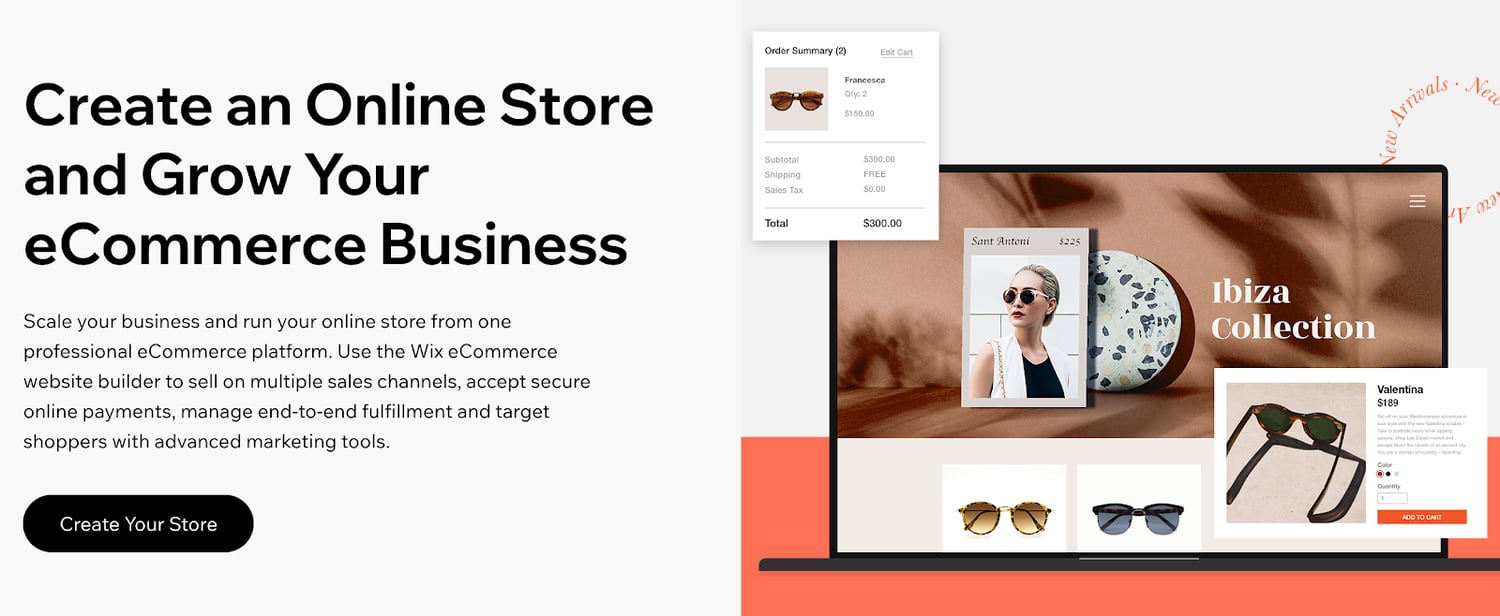
4. Wix

Wix is arguably the world’s simplest website builder. The platform is the easiest way for anyone to build a new website from scratch without any technical knowledge or coding experience.

Using the intuitive drag-and-drop builder, you can design a high-quality website with text, images, videos, and other media types in minutes. Adding new pages or starting a blog with Wix is just as easy.

Wix has 500+ templates for you to choose from. Your website will automatically be optimized for SEO and mobile web browsers. If you build a site with Wix, you’ll have access to the Wix App Market. This resource is filled with powerful web apps to customize your site.

You can also create an online store with your Wix website.

best ecommerce tools 2020 wix

Source

Wix offers a fully customizable storefront and shopping cart. Add features like a shopping wishlist, related product galleries, a quick add-to-cart button, mini-carts, and more.

For those of you who want to start selling new products online but don’t know where to start, Wix’s platform supports dropshipping. Browse from thousands of products that you can sell, with no inventory costs. Products ship in 5-7 business days.

Wix allows you to set up custom shipping rules as well. Manage international orders, choose your carrier preferences, and give customers real-time delivery estimates.

Pricing: Wix has plans starting at $13 per month. But not every Wix subscription supports online selling. The ecommerce plans with the ability to accept online payments range from $23 to $49 per month. Enterprise solutions start at $500 per month.

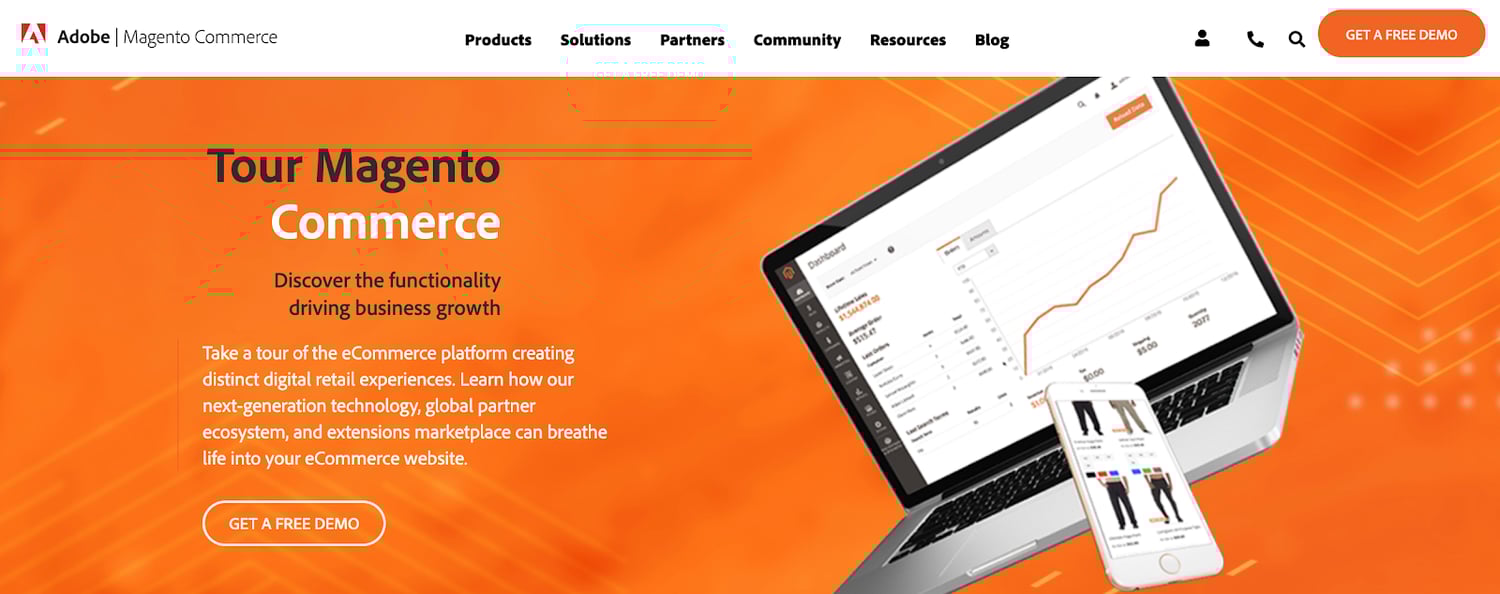
5. Magento

Magento is an ecommerce tool offered by Adobe. It’s an all-in-one ecommerce solution that processes more than $100 billion in gross merchandise sales each year.

With Magento, you can create an ecommerce store no matter how big or small your website is. This platform supports small businesses, mid-market and enterprise, and B2B online sales as well.

best ecommerce tools 2020 magento

Source

Magento stands out from other platforms with its efficiency, automation, and access to crucial data. You’ll benefit from inventory management, business intelligence, shipping solutions, and order management.

This ecommerce tool has specific features for customer segmentation and personalization.

Your store will automatically display products, promotions, content, and prices based on factors like customer location, order history, customer gender, LTV, and wish list items. You can even improve the shopping experience for unknown website visitors based on their shopping cart or products viewed.

Pricing: Contact the Magento sales team for a custom quote on a Magento Commerce license. You can request a free demo to try it out before you commit.

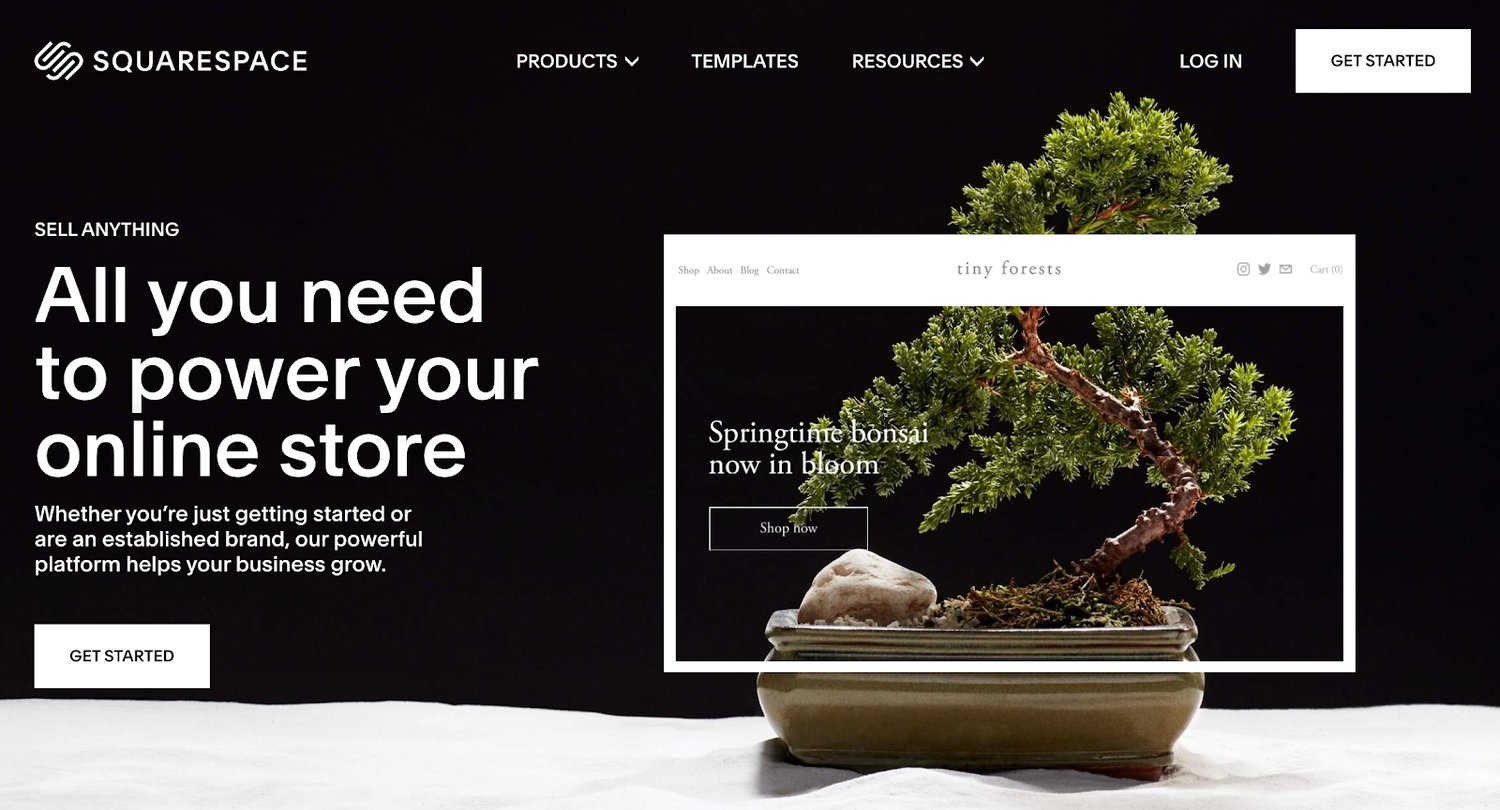
6. Squarespace

Squarespace is another well-known website builder. Unlike Wix, Squarespace has integrated ecommerce capabilities built-in to all of its business plans.

This ecommerce tool is popular for businesses and individuals in creative industries. The Squarespace designs are known for being both beautiful and modern. These award-winning templates are perfect for fashion designers, artists, musicians, and photographers.

If you want to showcase your work and sell it online, Squarespace is the place to do it.

best ecommerce tools 2020 squarespace

Source

You can also Squarespace to sell subscriptions and digital content.

If you’re selling physical products, Squarespace offers automatic inventory management, shipping calculator tools, and a rich product display. Use this ecommerce tool to showcase videos of your products as well.

Squarespace integrates with other popular online selling tools such as PayPal, Stripe, USPS, FedEx, and Apple Pay. It also integrates with popular accounting solutions like Xero.

For those of you who want to create a portfolio website and monetize it with ecommerce capabilities, Squarespace is the best choice for you.

Pricing: Squarespace Personal costs $12 per month. But you can’t sell online with this option. The $18 business plan has a fully integrated ecommerce store with the ability to sell unlimited products, although it does have some limitations.

To take full advantage of Squarespace as an ecommerce tool, consider the Basic Commerce or Advanced Commerce plan. These start at $26 and $40 per month, respectively.

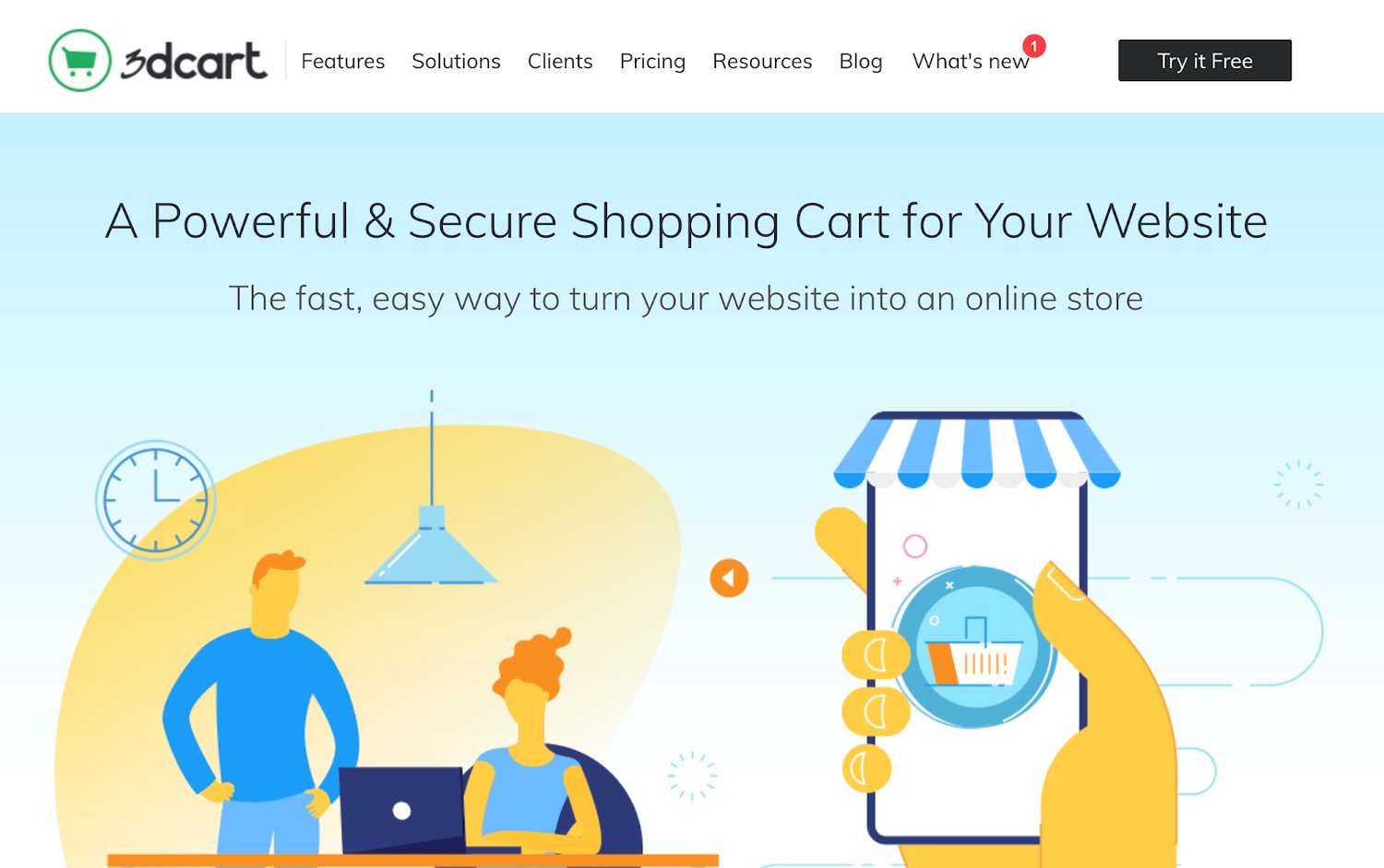
7. 3DCart

3DCart is one of the oldest ecommerce tools on our list. The platform was founded back in 1997. More than 25,000 merchants use this tool to power their ecommerce website.

To be clear, 3DCart is not for everyone. It’s ecommerce software that’s designed for advanced ecommerce stores. The platform doesn’t offer a drag-and-drop site builder like Wix. Instead, you’ll need to have some knowledge related to development and coding to fully customize your templates and themes.

Just install 3DCart into your existing website to turn it into an ecommerce shop. If you aren’t comfortable editing your site’s code, you’ll likely need to hire a developer to do this.

best ecommerce tools 2020 3dcart

Source

Once installed, you’ll have access to more than 200 built-in ecommerce features. 3DCart has 50 free themes and supports 100+ payment processors.

Integrate 3DCart with platforms like MailChimp, Stripe, Facebook, Amazon, PayPal, QuickBooks, and more.

For those of you who don’t want the restrictions associated with an all-in-one ecommerce website builder, 3DCart offers full customization. You’ll just need to handle the coding on your own.

Pricing: 3DCart has five different plans ranging from $19 per month to $229 per month. You can try the software for free with a 15-day trial. All plans are backed by a 30-day money-back guarantee.

8. Easy Digital Downloads

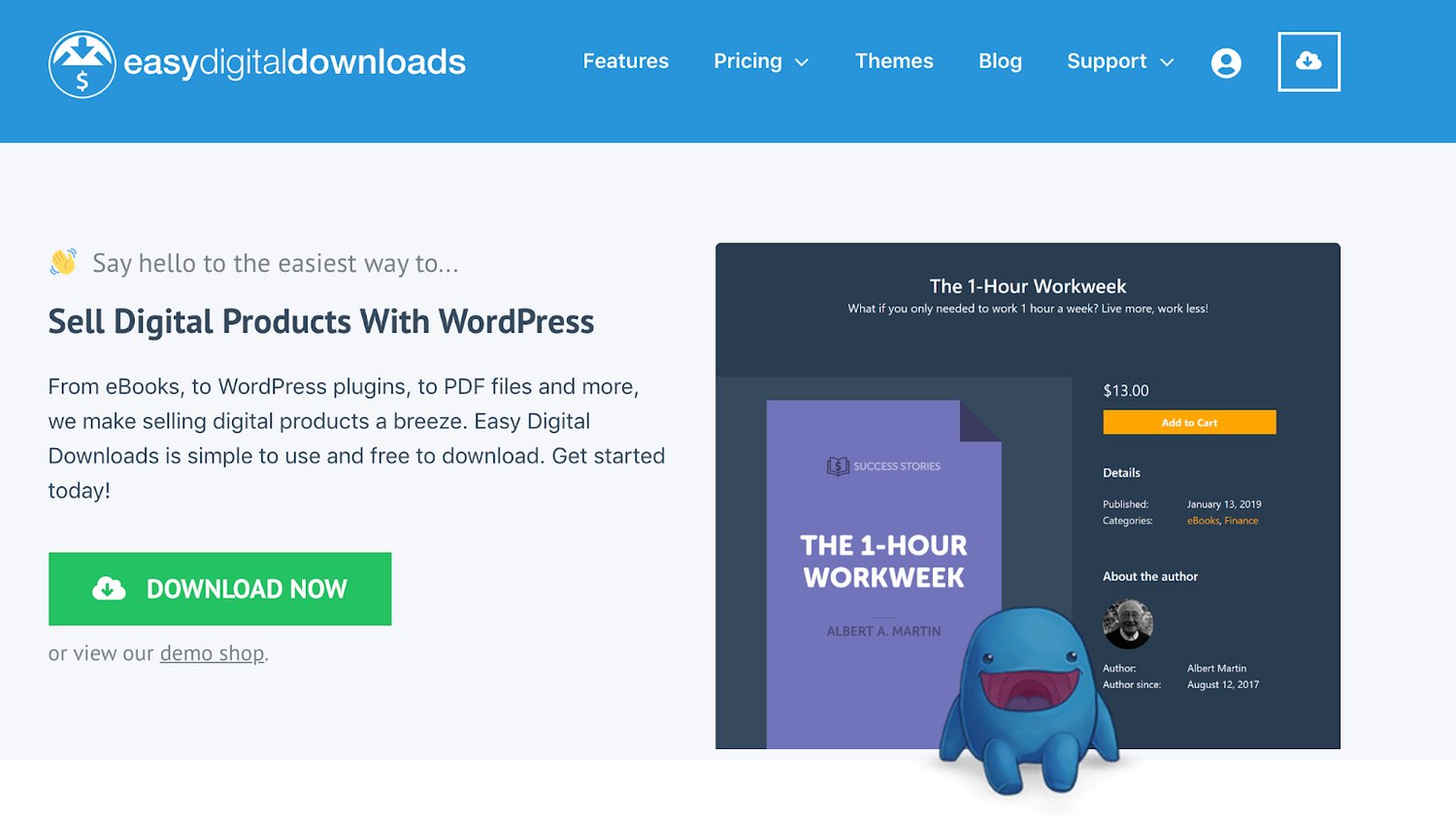
Just as its name implies, Easy Digital Downloads is an ecommerce tool designed for selling digital products. Similar to WooCommerce, it’s a plugin for WordPress websites.

More than 2.44 million users have downloaded EDD.

best ecommerce tools 2020 easy digital downloads

Source

This ecommerce tool makes it easy for you to create discount codes, track download activity, and restrict file access. It comes with a fully integrated shopping cart that allows customers to purchase multiple downloads simultaneously.

There are no limitations on how many digital products you can sell with the Easy Digital Downloads plugin.

The tool integrates with other popular tools and extensions that you’re already using. Some examples include PayPal, Authorize.net, Stripe, Slack, Zapier, AWeber, Dropbox, and Amazon Web Services.

Pricing: There are four different plans for the EDD plugin license. All of them are billed on an annual basis until canceled. The Personal Pass is $99, Extended Pass is $199, Professional Pass is $299, and All Access Pass is $499.

9. Ecwid

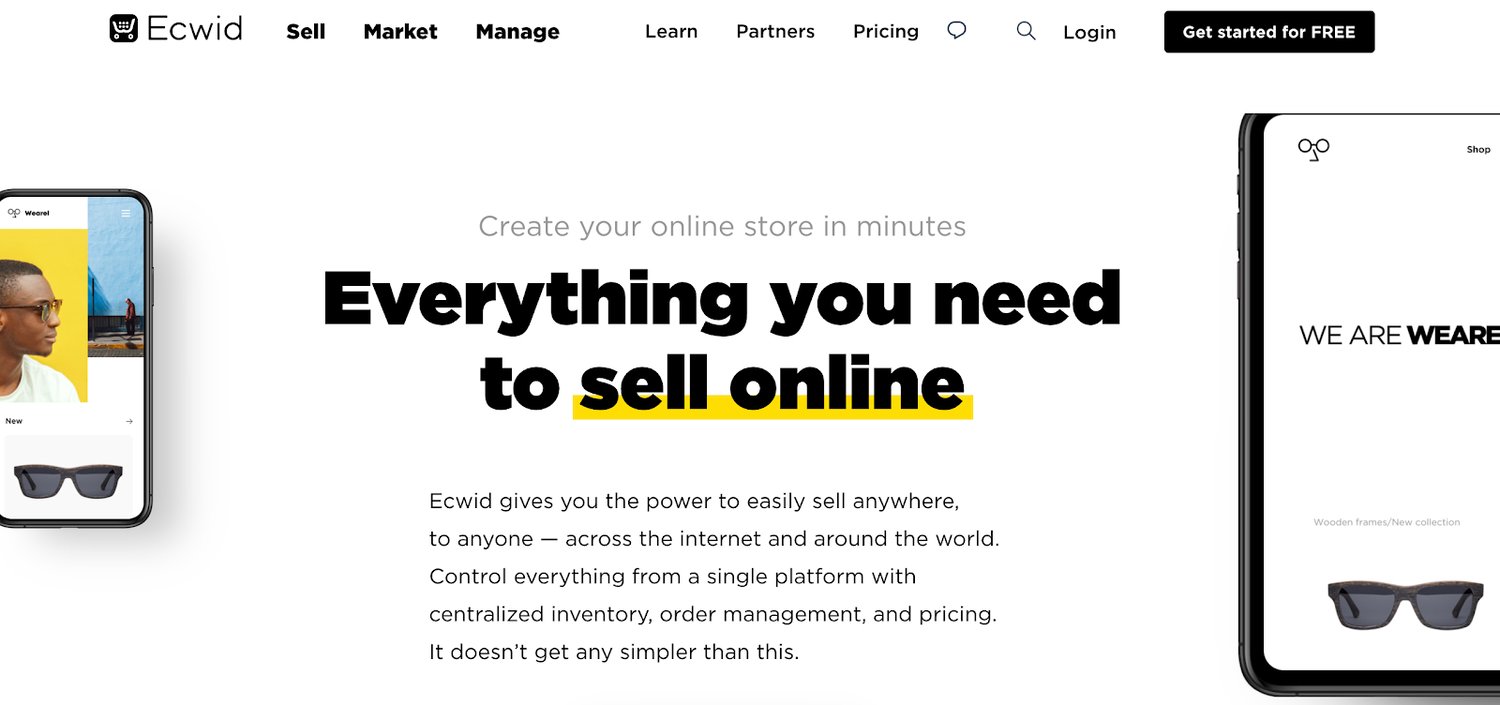
Ecwid is a free commerce extension that’s compatible with WordPress and other popular CMS platforms. You can add the Ecwid tool to Weebly, Joomla, Tumblr, Squarespace, Wix, Blogger, and Adobe Muse.

You’ll also be able to sell online from marketplaces like Amazon and eBay or sell on social media via Facebook and Instagram.

best ecommerce tools 2020 ecwid


Source

Unlike 3DCart, you can install Ecwid to your website without any development or coding experience. The Ecwid software can integrate with in-person selling at your brick and mortar retail stores as well.

If you’re currently using WordPress but don’t want to use WooCommerce as an ecommerce tool, Ecwid is a viable alternative.

Ecwid has a free forever plan, but it’s extremely limited. You’ll only be able to sell up to ten products and won’t have access to sales channels outside of your website.

Pricing: The entry-level Venture plan starts at $15 per month. Business and Unlimited plans start at $35 per month and $99 per month, respectively. You can save money on all of these if you commit to an annual contract.

10. OpenCart

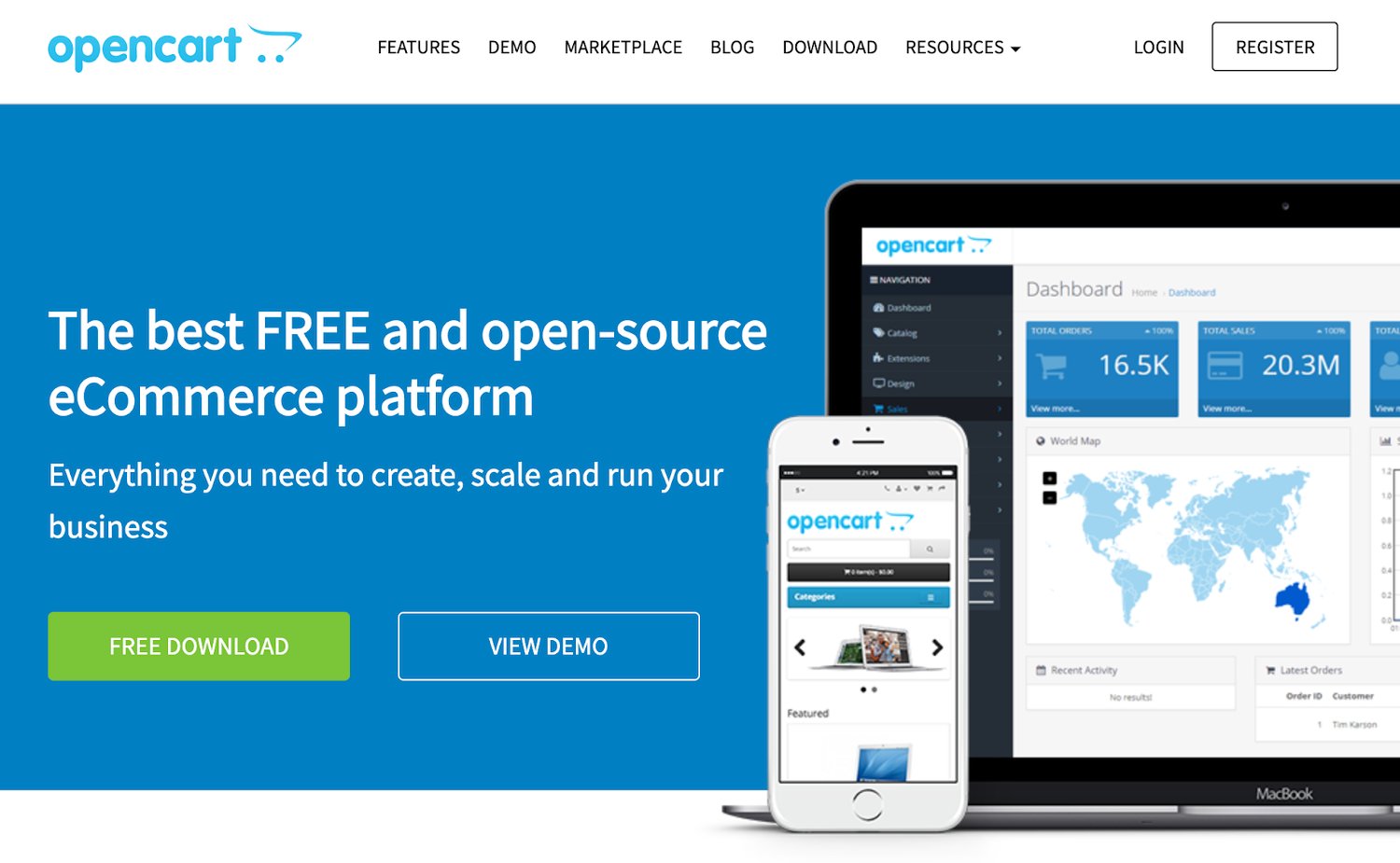
Last but certainly not least on our list is OpenCart. Unlike some of the other tools listed above, this is not a website builder. OpenCart is a free and open-source platform that adds ecommerce functionality to existing websites.

Over 342,000 ecommerce websites across the world use OpenCart for selling online.

best ecommerce tools 2020 opencart

Source

The most significant standout feature of this ecommerce tool is the OpenCart marketplace. You’ll have access to 13,000+ modules and themes. You can integrate OpenCart with an extensive list of payment gateways and shipping providers.

As an open-source platform, OpenCart has an outstanding community support forum with more than 550,000 posts from 110,000+ registered members.

For a one-time fee or ongoing monthly service, you can have access to OpenCart’s dedicated support staff.

Pricing: As I mentioned earlier, OpenCart is free to download and install. But extensions and dedicated support will cost extra.

What’s the best ecommerce tool to use in 2020? It depends on your unique situation.

An ecommerce startup won’t have the same needs as a small business retailer that wants to expand online. There are ecommerce tools that are better for selling wholesale B2B products and other tools made for digital downloads.

Do you want to create a new website from scratch? Or are you adding ecommerce functionality to your existing site? All of these scenarios will impact how you choose an ecommerce solution.

Since I included something for everyone in this guide, I’m confident that you can find what you’re looking for in one of the options listed above.

Editor's note: This post was originally published in April 2020 and has been updated for comprehensiveness.


Ultimate List of Ecommerce Tools For 2020 was originally posted by Local Sign Company Irvine, Ca. https://goo.gl/4NmUQV https://goo.gl/bQ1zHR http://www.pearltrees.com/anaheimsigns
Tuesday, October 13, 2020

12 WordPress Live Chat Plugins to Connect With Users

Let’s be honest. No one wants to send a support email only to receive a (possibly automated) response 48-hours later. Similarly, no one wants to be put on hold for 30+ minutes while being told they’re the next caller in line.

We live in a world of instant gratification. Your customers are busy and they want to speak to you on their terms and get the help they need on their time.

Live chat allows for you to provide immediate, personalized, and efficient support for your customers and prospects.

So, if you're part of the 37% of internet users with a WordPress website and you need live chat functionality, this guide is here to help. We'll cover 12 WordPress live chat plugins to engage visitors and offer effective and speedy support.

1. HubSpot WordPress Plugin

hubspot wordpress plugin with live chat

With HubSpot's WordPress plugin, you get more than just live chat — you also get forms and pop-ups, CRM and contact management, email marketing, marketing automation, and reports and analytics. Plus HubSpot integrates with over 500 other tools.

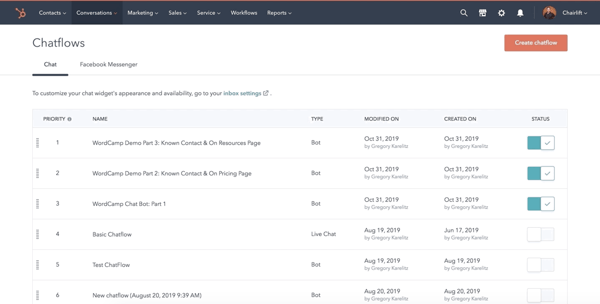
In addition to the capabilities just mentioned, the plugin also allows you to add chatbots that function 24/7 to your site. This way, you can automate some of your support (e.g. use chatbots, rather than reps, to answer FAQs) and offer assistance to visitors when your team is offline (a.k.a. when reps are asleep). HubSpot's WordPress plugin is simple to install and applies to all plans and products.

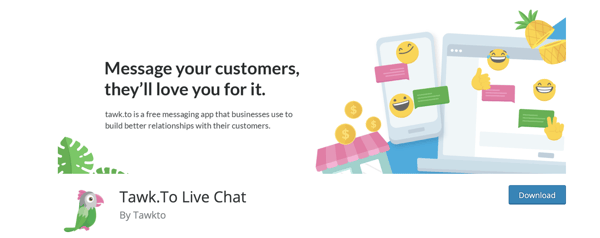
2. Tawk.To Live Chat

talk.to live chat plugin for wordpressSource

Tawk.To allows you to monitor live chat and engage users on your site in real-time for free. Interact with visitors from anywhere, whether on desktop or mobile. You can also use any of the free iOS, Android, Windows and Mac OSX apps to connect with customers.

The plugin has a single, multi-purpose dashboard through which reps can access multiple websites and work in tandem with other reps while answering live chat requests. All you need to do to get started with Tawk.To is create a free account.

3. Zendesk Chat

zendesk live chat plugin for wordpressSource

With Zendesk Chat, you can manage multiple live chat conversations through a single dashboard. The live chat widget is customizable and you can add mobile functionality so visitors are able to speak with reps via mobile device.

The plugin has triggers which allow you to automate actions when certain conditions are met by visitors who reach out via live chat — this way, you're able to reach every visitor who wants support. You can add information about your customers, improve workflow routing, and handle spam requests too.

With the analytics dashboard, keep tabs on a visitor's flow around your site and identifiable usage patterns to determine when a customer needs assistance.

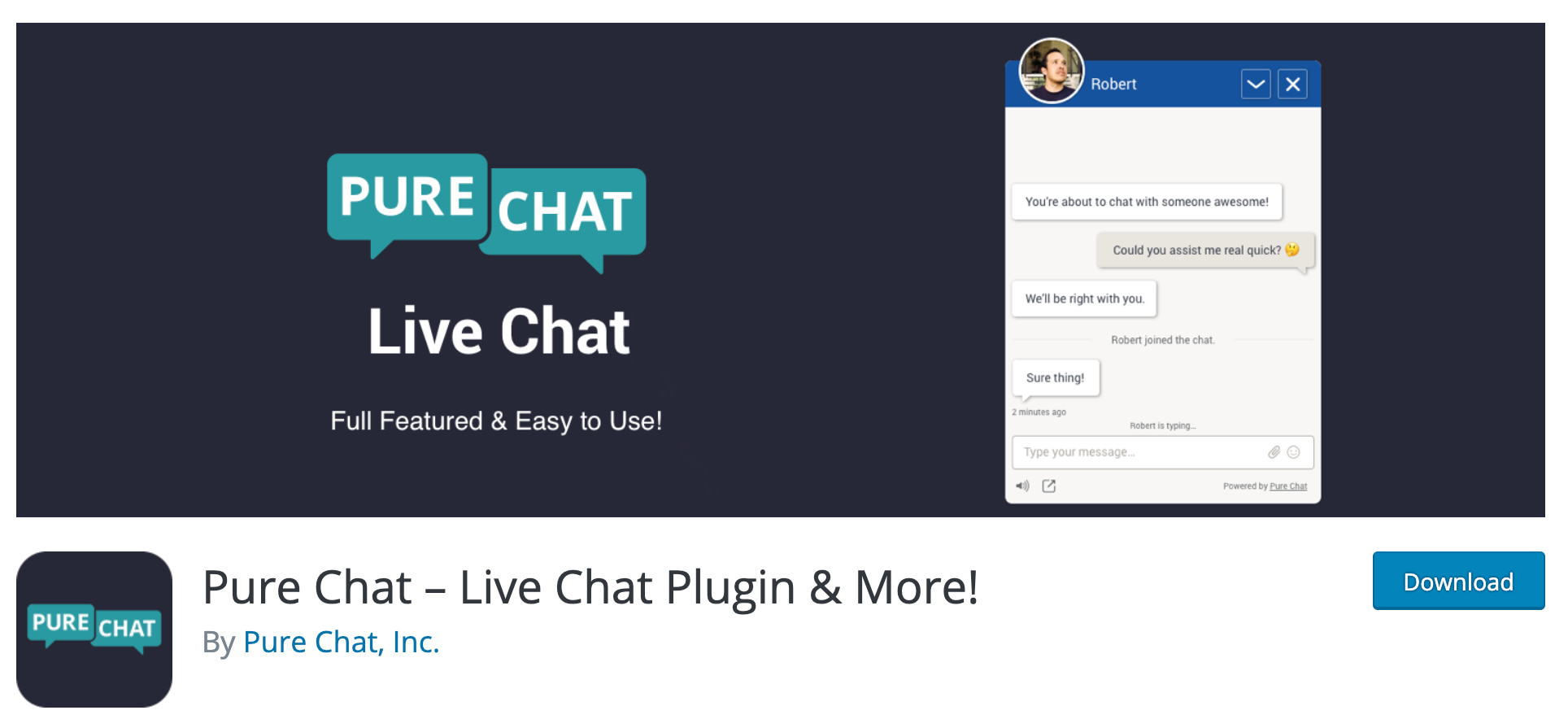
4. Pure Chat

pure chat live chat wordpress pluginSource

With Pure Chat, your live chat widget is fully customizable. Receive full transcriptions from rep-to-customer conversations and create automatic triggers for actions visitors take to boost the efficiency of the support you provide.

Decide whether or not you want your widget to display an offline indicator when reps aren't available — this signals to customers that they should email support instead or check back later. Lastly, there are analytics and visitor tracking on your site to help you better understand customer behaviors and needs.

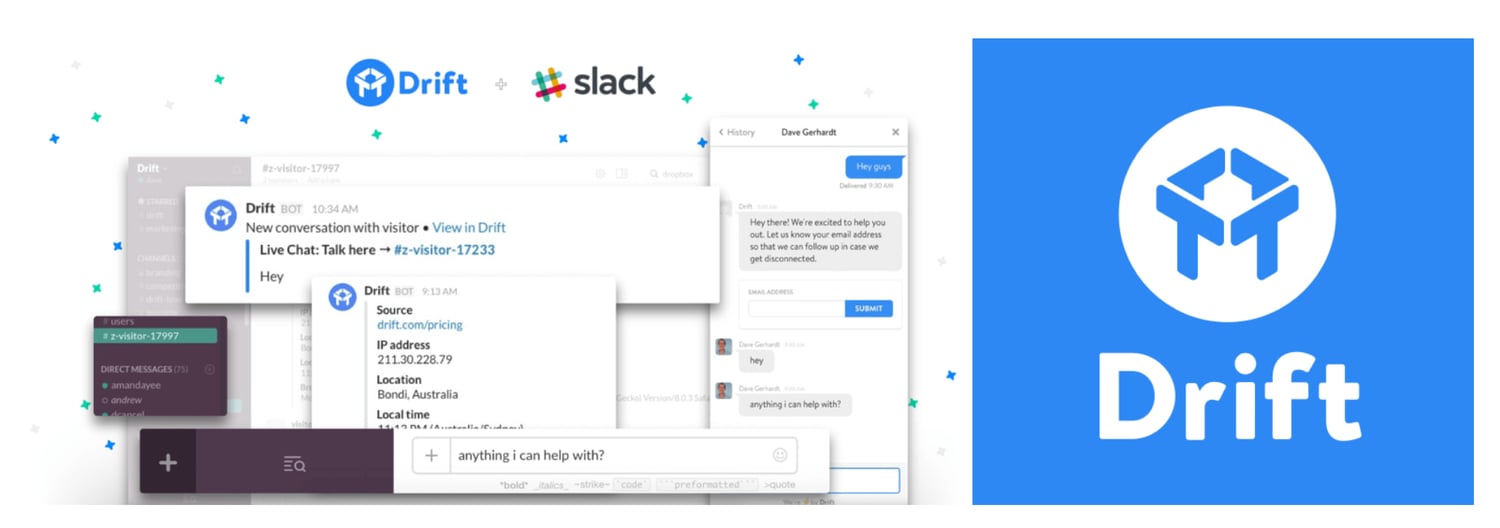
5. Drift

drift live chat wordpress plugin

Source

Drift makes adding free live chat to your WordPress site simple. With the plugin, you can get real-time notifications (on Slack) so your team knows when a customer is reaching out. You can also set the expectation that your support team is not available 24/7 on live chat by adding an offline/away mode to your chat widget.

The Drift plugin will help you capture and save visitor email addresses once they start the live chat conversation. You can also set up browser targeting to identify and set rules related to a customer's actions — this feature provides you with information necessary to reach out to a specific visitor and engage them in a personalized way.

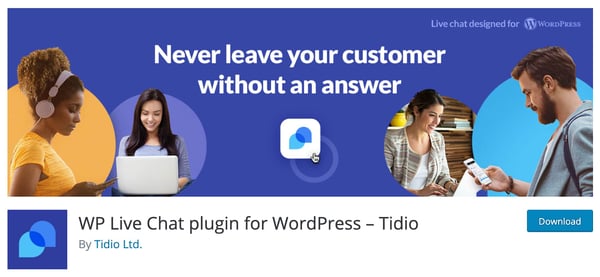
6. Tidio Live Chat

tidio wordpress live chat plugin

Source

By adding the Tidio plugin to your WordPress site, you'll get more than just live chat — you'll also get access to other communication channels including chatbots, email marketing, and Messenger.

Email your visitors when they leave your website and/or live chat and send them campaign content with the plugin's Email Automation feature. Also, customize the look of your widget so it's complementary to your branding.

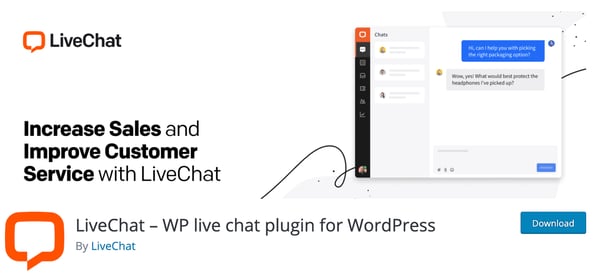
7. LiveChatlive chat wordpress live chat plugin

Source

LiveChat has proactive chat invitations so your team can have personalized messages automatically sent to visitors. Work as efficiently as possible by managing multiple chat sessions at the same time and using canned responses for FAQs. Reps can also send links to visitors via live chat — this way, they're able to share knowledge base articles, directions, product information, and more.

LiveChat seamlessly integrates with services and apps — such as your HubSpot CRM — and you can select which pages of your site include live chat widgets. In fact, you can add a live chat widget to all pages of your website, including the checkout page, if you choose.

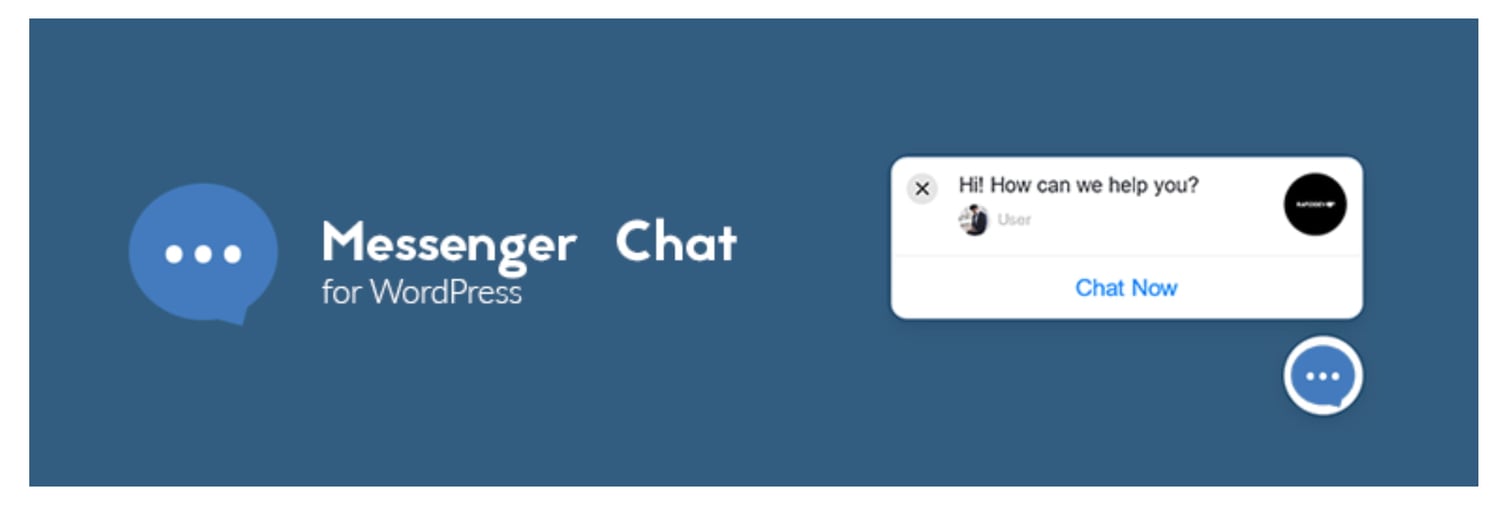
8. Live Chat (Messenger API) + PolyLang

live chat messenger API with polylang

Source

This plugin adds Facebook Messenger to your website and it's integrated with PolyLang which is another WordPress plugin that helps create bi- or multi-lingual sites.

The chat widget is customizable — you can adjust its color, location, language, and more so it's complementary to your branding. You can hide or delay the chat widget so it appears only when support is online or a few seconds after visitors land on your site.

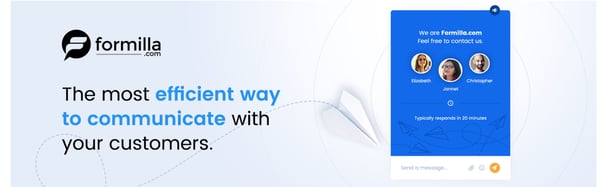
9. Live Chat by Formilla

live chat by formilla wordpress plugin

Source

In addition to using this plugin for live chat, you can add AI-powered chatbots to your site to manage FAQs that don't need human-to-human interaction. You can also create and share canned responses with site visitors to save reps time to focus on more complex customer challenges. Sign into your Live Chat account via app on an iPhone, iPad, or Android device to chat with visitors from anywhere.

There's a language support feature so you can customize the text of your widget to accommodate a wide audience. The live chat widget is also responsive, meaning it'll adjust in size based on whatever device your site visitors are viewing it from (desktop, mobile device, etc.).

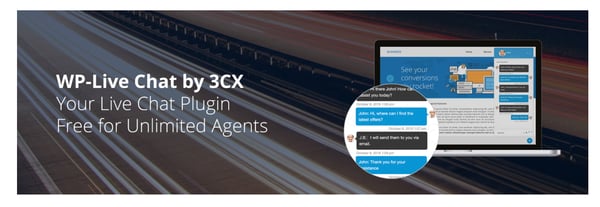
10. WP-Live Chat by 3CX

wp-live chat live chat wordpress plugin

Source

With WP-Live Chat, customize your site's live chat by adding animations, surveys, and polls to make the experience of getting support more engaging for visitors. Create a custom message that appears when reps are offline and store all messages that are received while reps are offline for your records.

Make the chat anonymous to allow for greater visitor privacy if necessary. Additionally, WP-Live chat is compatible with multiple translation plugins so you can effectively help customers who are from or located in different parts of the world.

11. JivoChat

jivochat live chat plugin for wordpress websites

Source

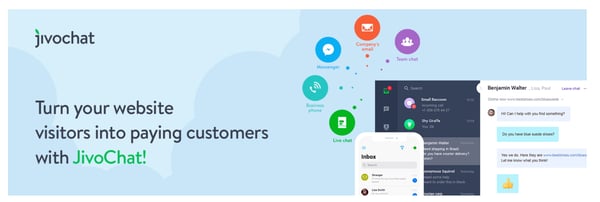
JivoChat doesn't just offer live chat for your WordPress site — it also has communication capabilities for phone, email, and social media support so you can manage all conversations from a single tool.

If your business doesn't offer 24/7 support, visitor inquiries that happen while reps are offline stay on-hold in an inbox. Those inquiries are paired with visitor contact information so your team can get in touch with them during work hours. Reps can also transfer chats to other team members — for instance, a rep can send a customer's query to another rep who has greater expertise in that customer's specific problem area than they do.

12. Crisp

crisp live chat plugin for wordpress websites

Source

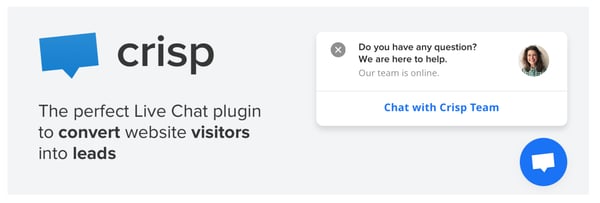
With the Crisp plugin, you get inboxes for marketing, sales, and support. Use marketing live chat to get visitor contact information and tag specific conversations to create a qualified contact list for your team. Use sales live chat to answer questions that come in from prospects about your product or service. And use support live chat to help customers work through challenges and roadblocks that arise.

You can also share a live chat availability schedule on your site so visitors know the hours reps are online and ready to assist them.

Install a Live Chat Plugin

Live chat plugins have a wide variety of capabilities and helpful features to assist your team and make reps work more efficiently. This way, reps save valuable time that they can then put towards supporting customers with more complex issues. Get started by installing a plugin on your WordPress site to streamline the process of providing support to your visitors and customers.

Editor's note: This post was originally published in April 2019 and has been updated for comprehensiveness.


12 WordPress Live Chat Plugins to Connect With Users was originally posted by Local Sign Company Irvine, Ca. https://goo.gl/4NmUQV https://goo.gl/bQ1zHR http://www.pearltrees.com/anaheimsigns

Monday, October 12, 2020

How To Optimize Your TikTok Bio 5 Easy Steps [+ Examples]

TikTok is quickly becoming the next big thing in social media, both for individuals and for brands.

Fortunately, the dance and lip-sync app can be a lot more than that if your brand uses it strategically. And the first place to start with that strategy is in your TikTok bio.

As it is on any social media platform, your bio is your chance to introduce yourself and your brand to every potential follower.

You don't have the time to re-introduce yourself in every video you create, so your bio gives you the chance to do just that. This is your chance to tell your potential followers who you are and why they should follow you.

Here, we'll cover how you can optimize your TikTok bio to increase followers and, ultimately, attract more qualified leads for your business.

5 Steps To Optimizing Your TikTok Bio

Creating a converting TikTok bio doesn't have to be difficult. In fact, you only have to follow five steps to create a bio that is sure to help you grow your following. Let's dig deeper into each of these five steps.

1. Describe your account or brand.

Tell your followers who you are and what you do. They might be able to put together some idea of what your profile is all about based on your videos, but you don't want to rely on that.

What if you decide to create a video that's important to you but has nothing to do with your brand? Your visitors need to have another way to learn what your business is about.

@charishma's tiktok bio with emojis


Image Source

This only needs to be a few words, so make sure you boil down exactly what you want people to know before they decide whether or not they're going to follow you. Make sure your language is engaging, compelling, and gets across your brand's value or purpose efficiently.

2. Add emojis.

Almost every TikTok bio has an emoji in it. An emoji helps you further emphasize your brand's personality — additionally, it can help you showcase your brand's products or services without taking up too much space in your bio.

For instance, if you work for an ecommerce brand that sells clothing, you might include a t-shirt emoji (👕). Alternatively, if your company sells video tools, you might include a video camera emoji (📹).

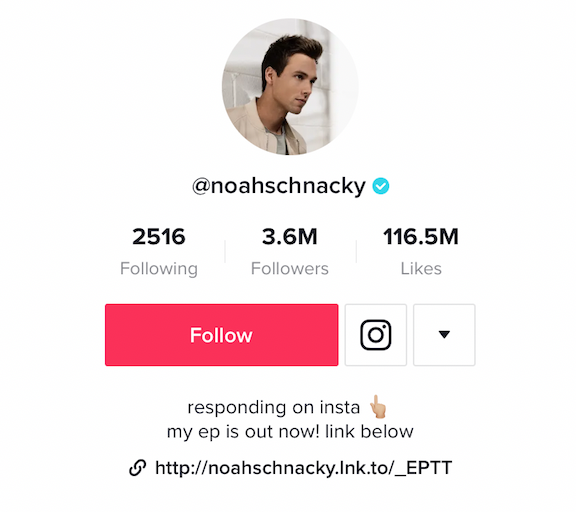
You can also add emojis to tell people what to do. If you want them to click the link below or hit the follow button above, you could add arrows to express that without using extra characters to ask your visitors to take action.

@noahschacky's tiktok bio with emojis and link to his EP

Image Source

3. Add a CTA.

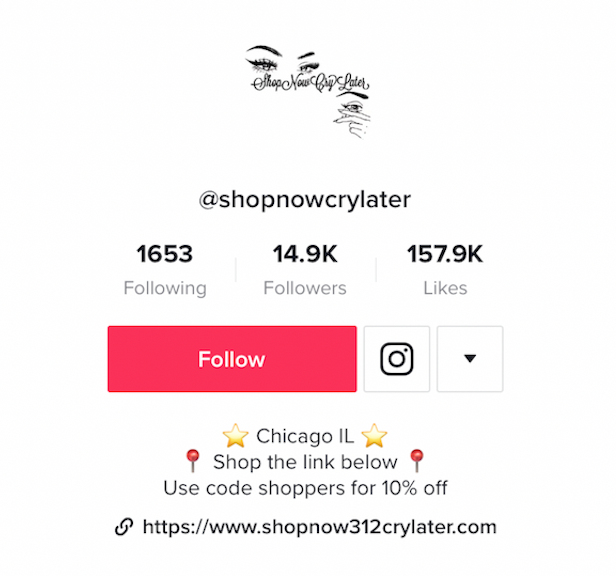
Like any good social media bio, you should have a call-to-action in your bio. This tells your visitors exactly what to do next so they know how best to interact with you. For instance, you might include a CTA to direct followers to a blog post link, an ecommerce website, or another social channel like Instagram or YouTube.

@shopnowcrylater's tiktok bio with link to ecommerce website

Image Source

At the very least, ask your visitors to follow you on TikTok. You want to get in the habit of adding a call-to-action to almost every single piece of content or communication you share with your followers. This way they'll be more enticed to take action immediately after viewing your content.

4. Don't exceed the character limit.

Of course, TikTok has a character limit for their bio, and it isn't very big. You only have 80 characters to communicate your entire bio. That's just over half of the limit you have on Instagram, which can already feel tight!

This is one of the reasons emojis are so useful. You want to be able to save your characters and use them wisely to be able to fully communicate your brand quickly to your audience. Pick out the most important aspects of your brand and highlight those in your bio.

5. Add a link in your TikTok bio.

TikTok gives you space for a link, so if it's currently available to you, you should definitely use it. This is a valuable way to direct traffic from TikTok off the platform to other pages you want to promote.

From there, you might direct followers to a relevant e-book or landing page to capture their contact information and add them to your email list, or you can share the sales page for the most recent product you touted in your video.

There are a couple of different ways you can optimize the link in your bio, and there are a couple of things you should be aware of before you try to add one yourself. Let's dive into those, next.

URL Options

First, when you're putting a link in your bio, you have the option to send traffic to only a single URL. You can pick your most recent blog post, your homepage, a dedicated landing page, social media profile, or any other page you'd like.

The other option is to promote multiple links through a link in bio service. With this kind of service, you can drive people to a web page that has a collection of page links they can visit.

You could include links to your blog, affiliate links, products, or even your other social media sites. Using a link in bio service for your TikTok allows you to give your visitors more options of where to go and connect with you outside of TikTok. This also saves you the hassle of needing to edit your link every time you upload a new video promoting a different product or service.

Accessing the Link in Bio on TikTok

However, there is a caveat to the link in bio option: not everyone has the ability to add a link to their bio yet. It seems like most, if not all, Android users have this option, while some iOS TikTok users are still waiting on their capability. If you want to check to see if you have this option:

1. Go to "Edit your profile"

2. Check to see if you have an option that says "Website" underneath the section where you can edit your bio

If you don't have that ability yet, don't worry. There's another way you can add a link to your bio, even if you don't see that option in your app. You can join the TikTok Testers program.

To join the program, you need to download a separate app called Testflight through the app store.

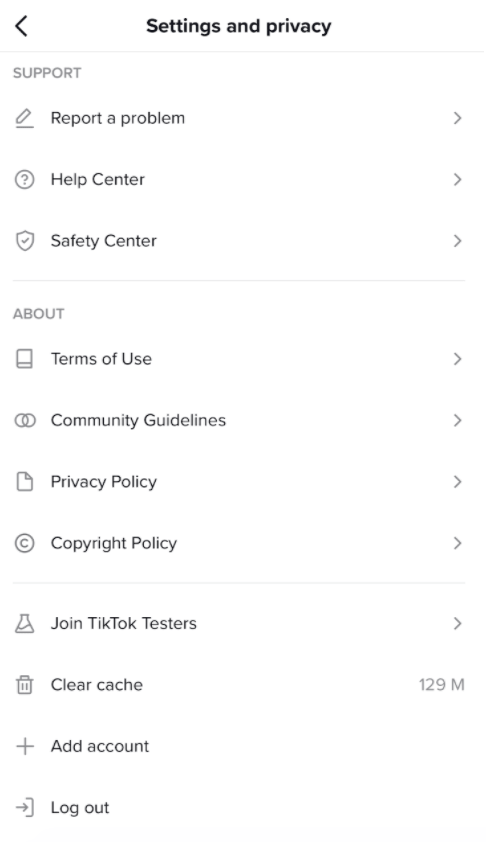
Next, open your existing TikTok app and go to the three dots in the upper right hand corner of your profile page to access "Settings". Then, scroll to the bottom and click "Join TikTok Testers."

tik tok's settings page tik tok beta group

Follow the instructions from there, and you'll be able to access the various Beta versions of TikTok as they release them. TikTok offers this program to ensure that only the best features make it to the primary app, and it helps keep the app as bug-free as possible.

TikTok Bio Examples

So now that you know all the elements you need for a fully-optimized TikTok bio, let's take a look at some excellent examples so you can see these strategies in action.

1. Fashion

There is no shortage of fashion influencers, accounts and people who just love fashion on TikTok.

Here, Shanda Rogers uses her bio to share that she's a fashion, lifestyle, and beauty blogger. She has emojis and her location, and she also has a link in her bio to her website.

@shandarogers tiktok bio example

2. Travel

Travel might be almost as popular as fashion on TikTok. Whether you're documenting your own travels or sharing interesting things about your hometown for people who may visit, there are plenty of ways to showcase travel images and videos on TikTok.

This account, @movchai_travel, has a great bio that includes a brief description, location, emoji and then two different ways to reach out and either contact them, or peruse their Instagram profile instead.

@movchai_travel's tiktok bio

3. Sports

People are interested in all kinds of sports, so if you have a sports-based account, make it easy for people to find you and check out your videos. BMX bike rider @yusufbmx has a well-optimized bio.

He shares what he's known for — including being India's Gold Medalist — uses emojis, and has a link to his Instagram where people can see more.

@yusufbmx's tiktok bio

4. Food

Food: something almost everyone loves to see. We've seen on Facebook the popularity of food videos like those made by Buzzfeed's Tasty brand.

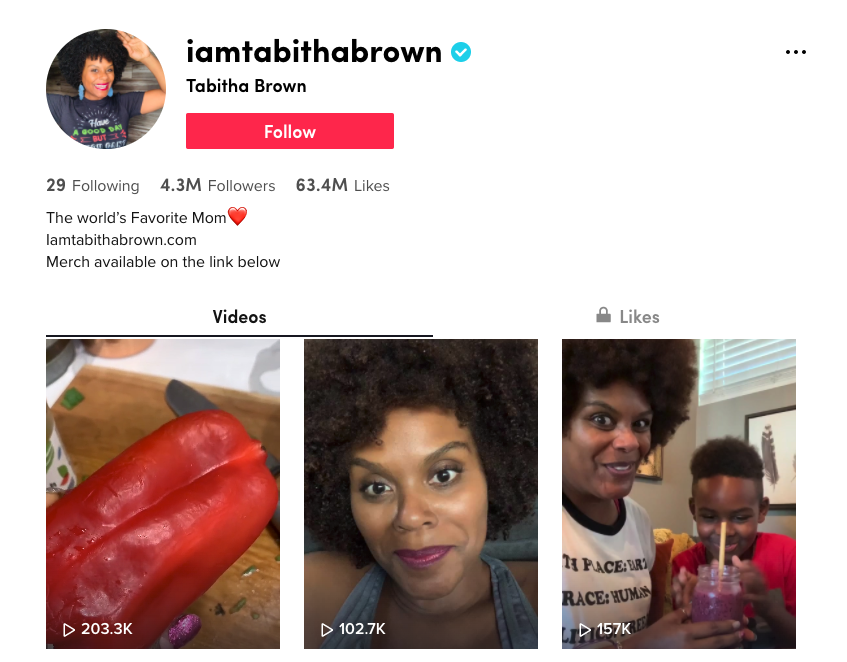
It makes sense that TikTok users would love to see the same sort of thing. Perhaps one of the internet's favorite and most loveable vegan's, @iamtabithabrown, has made quite a name for herself on TikTok.

She shares delicious-looking vegan recipes, and she does it with a lot of love. You can see that her bio is well-optimized, with a brief description of who she is, an emoji, a link to her website, and even a call-to-action encouraging visitors to purchase merchandise on her website.

@iamtabithabrown's tiktok bio

Putting Your TikTok Bio Together

By combining these five elements of a great TikTok bio, and with the inspiration of these four different accounts, you should have a pretty good idea of the changes you might need to make to yours.

Before you open up TikTok, take out a piece of paper and write out the few words you would use to describe your brand or profile, and also decide on your call-to-action.

Then, you can get into the app and work on the wording until you have your bio looking just the way you want. Don't forget to add emojis, and a link if you can!

For more inspiration, take a look at How 7 Brands are Using TikTok.


How To Optimize Your TikTok Bio 5 Easy Steps [+ Examples] was originally posted by Local Sign Company Irvine, Ca. https://goo.gl/4NmUQV https://goo.gl/bQ1zHR http://www.pearltrees.com/anaheimsigns