Tuesday, October 13, 2020

12 WordPress Live Chat Plugins to Connect With Users

Let’s be honest. No one wants to send a support email only to receive a (possibly automated) response 48-hours later. Similarly, no one wants to be put on hold for 30+ minutes while being told they’re the next caller in line.

We live in a world of instant gratification. Your customers are busy and they want to speak to you on their terms and get the help they need on their time.

Live chat allows for you to provide immediate, personalized, and efficient support for your customers and prospects.

So, if you're part of the 37% of internet users with a WordPress website and you need live chat functionality, this guide is here to help. We'll cover 12 WordPress live chat plugins to engage visitors and offer effective and speedy support.

1. HubSpot WordPress Plugin
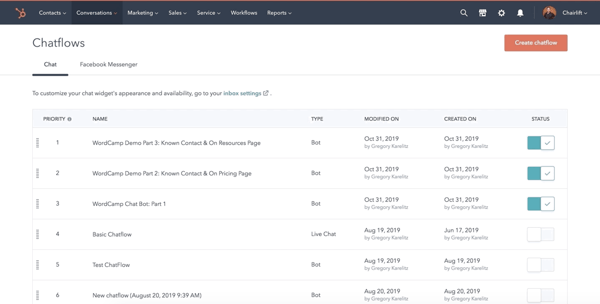
hubspot wordpress plugin with live chat

With HubSpot's WordPress plugin, you get more than just live chat — you also get forms and pop-ups, CRM and contact management, email marketing, marketing automation, and reports and analytics. Plus HubSpot integrates with over 500 other tools.

In addition to the capabilities just mentioned, the plugin also allows you to add chatbots that function 24/7 to your site. This way, you can automate some of your support (e.g. use chatbots, rather than reps, to answer FAQs) and offer assistance to visitors when your team is offline (a.k.a. when reps are asleep). HubSpot's WordPress plugin is simple to install and applies to all plans and products.

2. Tawk.To Live Chat
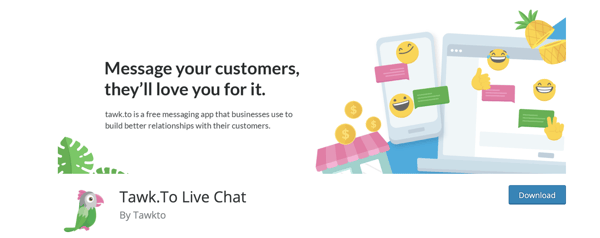
talk.to live chat plugin for wordpressSource

Tawk.To allows you to monitor live chat and engage users on your site in real-time for free. Interact with visitors from anywhere, whether on desktop or mobile. You can also use any of the free iOS, Android, Windows and Mac OSX apps to connect with customers.

The plugin has a single, multi-purpose dashboard through which reps can access multiple websites and work in tandem with other reps while answering live chat requests. All you need to do to get started with Tawk.To is create a free account.

3. Zendesk Chat
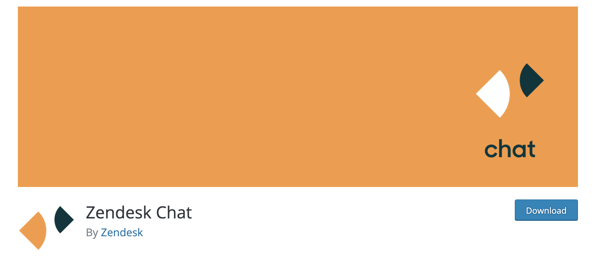
zendesk live chat plugin for wordpressSource

With Zendesk Chat, you can manage multiple live chat conversations through a single dashboard. The live chat widget is customizable and you can add mobile functionality so visitors are able to speak with reps via mobile device.

The plugin has triggers which allow you to automate actions when certain conditions are met by visitors who reach out via live chat — this way, you're able to reach every visitor who wants support. You can add information about your customers, improve workflow routing, and handle spam requests too.

With the analytics dashboard, keep tabs on a visitor's flow around your site and identifiable usage patterns to determine when a customer needs assistance.

4. Pure Chat
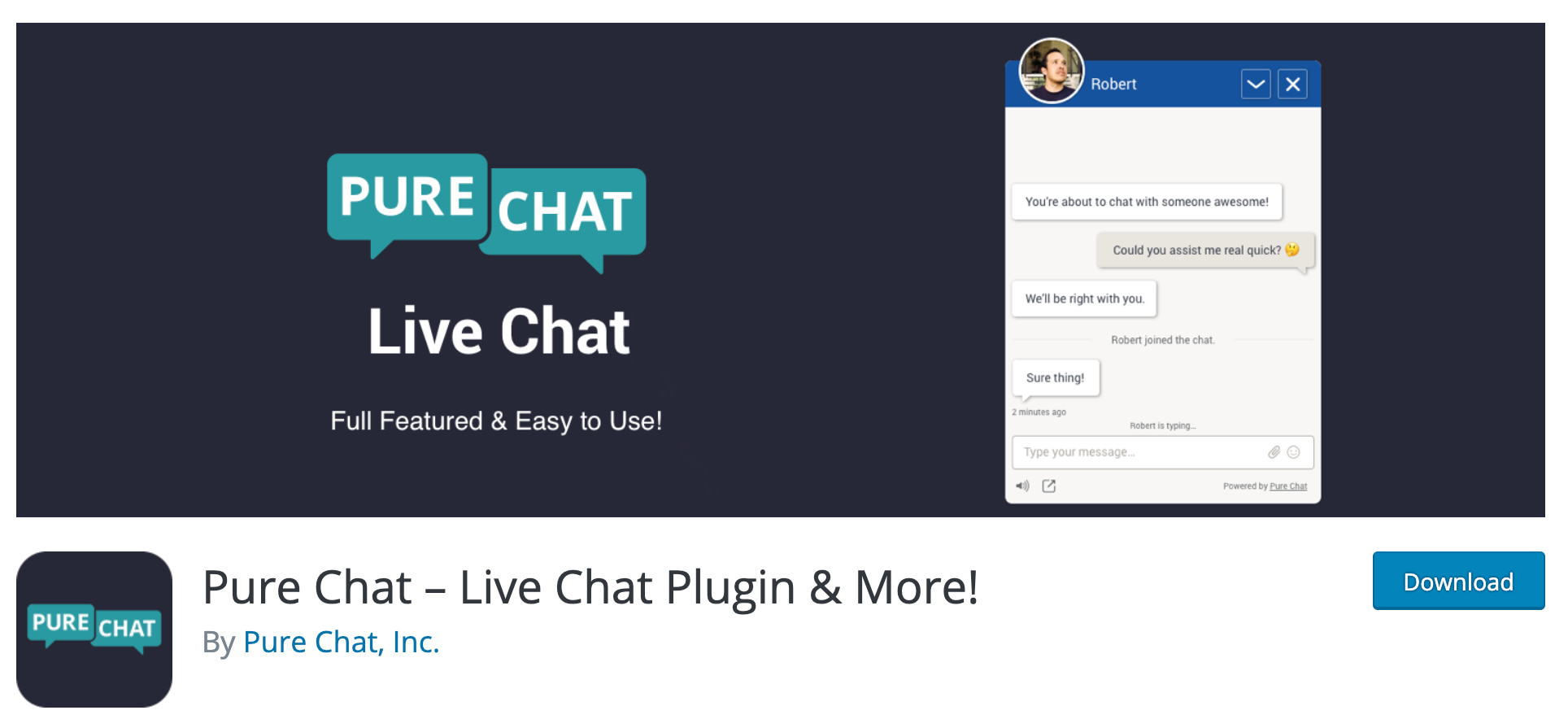
pure chat live chat wordpress pluginSource

With Pure Chat, your live chat widget is fully customizable. Receive full transcriptions from rep-to-customer conversations and create automatic triggers for actions visitors take to boost the efficiency of the support you provide.

Decide whether or not you want your widget to display an offline indicator when reps aren't available — this signals to customers that they should email support instead or check back later. Lastly, there are analytics and visitor tracking on your site to help you better understand customer behaviors and needs.

5. Drift
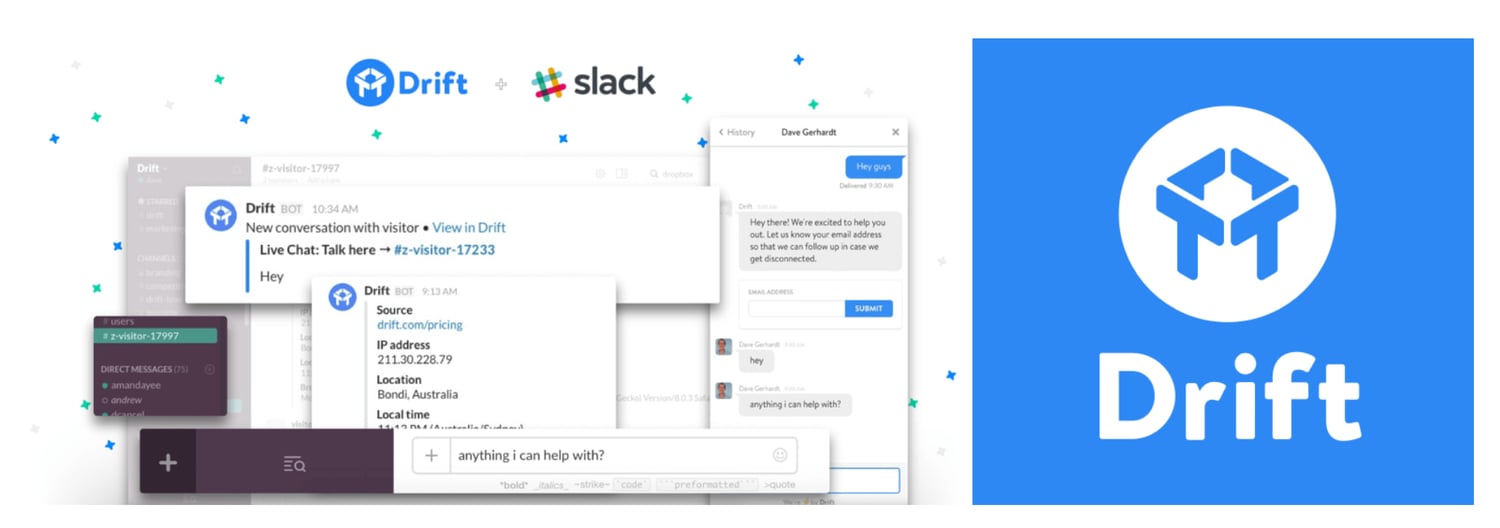
drift live chat wordpress plugin

Source

Drift makes adding free live chat to your WordPress site simple. With the plugin, you can get real-time notifications (on Slack) so your team knows when a customer is reaching out. You can also set the expectation that your support team is not available 24/7 on live chat by adding an offline/away mode to your chat widget.

The Drift plugin will help you capture and save visitor email addresses once they start the live chat conversation. You can also set up browser targeting to identify and set rules related to a customer's actions — this feature provides you with information necessary to reach out to a specific visitor and engage them in a personalized way.
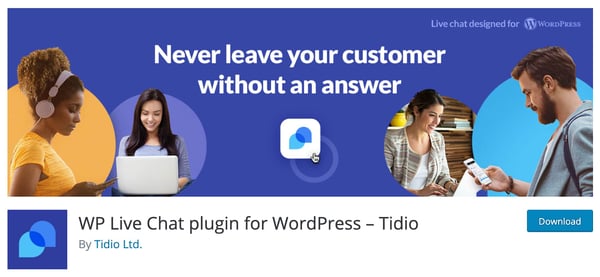
6. Tidio Live Chat

tidio wordpress live chat plugin

Source

By adding the Tidio plugin to your WordPress site, you'll get more than just live chat — you'll also get access to other communication channels including chatbots, email marketing, and Messenger.

Email your visitors when they leave your website and/or live chat and send them campaign content with the plugin's Email Automation feature. Also, customize the look of your widget so it's complementary to your branding.

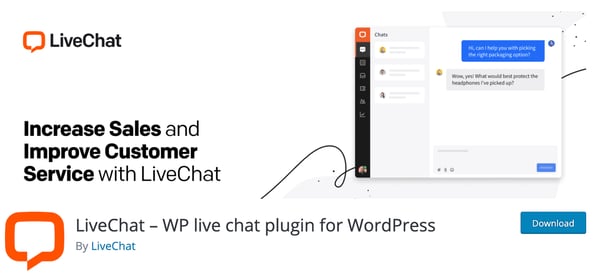
7. LiveChatlive chat wordpress live chat plugin
Source

LiveChat has proactive chat invitations so your team can have personalized messages automatically sent to visitors. Work as efficiently as possible by managing multiple chat sessions at the same time and using canned responses for FAQs. Reps can also send links to visitors via live chat — this way, they're able to share knowledge base articles, directions, product information, and more.

LiveChat seamlessly integrates with services and apps — such as your HubSpot CRM — and you can select which pages of your site include live chat widgets. In fact, you can add a live chat widget to all pages of your website, including the checkout page, if you choose.

8. Live Chat (Messenger API) + PolyLang
live chat messenger API with polylang

Source

This plugin adds Facebook Messenger to your website and it's integrated with PolyLang which is another WordPress plugin that helps create bi- or multi-lingual sites.

The chat widget is customizable — you can adjust its color, location, language, and more so it's complementary to your branding. You can hide or delay the chat widget so it appears only when support is online or a few seconds after visitors land on your site.

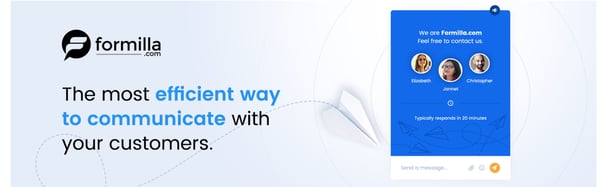
9. Live Chat by Formilla
live chat by formilla wordpress plugin

Source

In addition to using this plugin for live chat, you can add AI-powered chatbots to your site to manage FAQs that don't need human-to-human interaction. You can also create and share canned responses with site visitors to save reps time to focus on more complex customer challenges. Sign into your Live Chat account via app on an iPhone, iPad, or Android device to chat with visitors from anywhere.

There's a language support feature so you can customize the text of your widget to accommodate a wide audience. The live chat widget is also responsive, meaning it'll adjust in size based on whatever device your site visitors are viewing it from (desktop, mobile device, etc.).

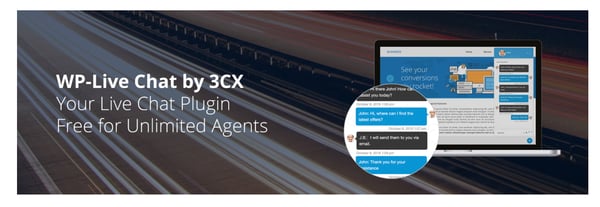
10. WP-Live Chat by 3CX
wp-live chat live chat wordpress plugin

Source

With WP-Live Chat, customize your site's live chat by adding animations, surveys, and polls to make the experience of getting support more engaging for visitors. Create a custom message that appears when reps are offline and store all messages that are received while reps are offline for your records.

Make the chat anonymous to allow for greater visitor privacy if necessary. Additionally, WP-Live chat is compatible with multiple translation plugins so you can effectively help customers who are from or located in different parts of the world.

11. JivoChat
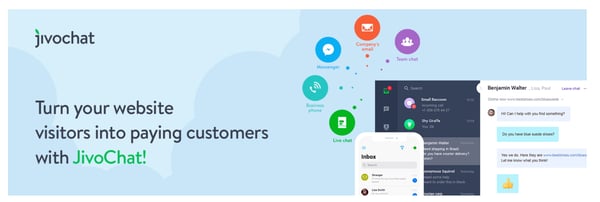
jivochat live chat plugin for wordpress websites

Source

JivoChat doesn't just offer live chat for your WordPress site — it also has communication capabilities for phone, email, and social media support so you can manage all conversations from a single tool.

If your business doesn't offer 24/7 support, visitor inquiries that happen while reps are offline stay on-hold in an inbox. Those inquiries are paired with visitor contact information so your team can get in touch with them during work hours. Reps can also transfer chats to other team members — for instance, a rep can send a customer's query to another rep who has greater expertise in that customer's specific problem area than they do.

12. Crisp
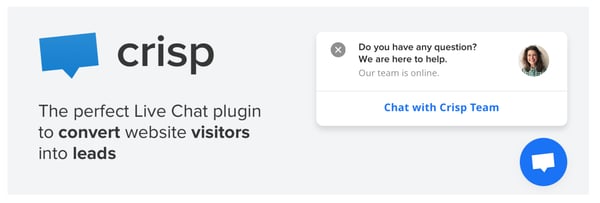
crisp live chat plugin for wordpress websites

Source

With the Crisp plugin, you get inboxes for marketing, sales, and support. Use marketing live chat to get visitor contact information and tag specific conversations to create a qualified contact list for your team. Use sales live chat to answer questions that come in from prospects about your product or service. And use support live chat to help customers work through challenges and roadblocks that arise.

You can also share a live chat availability schedule on your site so visitors know the hours reps are online and ready to assist them.

Install a Live Chat Plugin

Live chat plugins have a wide variety of capabilities and helpful features to assist your team and make reps work more efficiently. This way, reps save valuable time that they can then put towards supporting customers with more complex issues. Get started by installing a plugin on your WordPress site to streamline the process of providing support to your visitors and customers.

Editor's note: This post was originally published in April 2019 and has been updated for comprehensiveness.


12 WordPress Live Chat Plugins to Connect With Users was originally posted by Local Sign Company Irvine, Ca. https://goo.gl/4NmUQV https://goo.gl/bQ1zHR http://www.pearltrees.com/anaheimsigns

Monday, October 12, 2020

How To Optimize Your TikTok Bio 5 Easy Steps [+ Examples]

TikTok is quickly becoming the next big thing in social media, both for individuals and for brands.

Fortunately, the dance and lip-sync app can be a lot more than that if your brand uses it strategically. And the first place to start with that strategy is in your TikTok bio.

As it is on any social media platform, your bio is your chance to introduce yourself and your brand to every potential follower.

You don't have the time to re-introduce yourself in every video you create, so your bio gives you the chance to do just that. This is your chance to tell your potential followers who you are and why they should follow you.

Here, we'll cover how you can optimize your TikTok bio to increase followers and, ultimately, attract more qualified leads for your business.

5 Steps To Optimizing Your TikTok Bio

Creating a converting TikTok bio doesn't have to be difficult. In fact, you only have to follow five steps to create a bio that is sure to help you grow your following. Let's dig deeper into each of these five steps.

1. Describe your account or brand.

Tell your followers who you are and what you do. They might be able to put together some idea of what your profile is all about based on your videos, but you don't want to rely on that.

What if you decide to create a video that's important to you but has nothing to do with your brand? Your visitors need to have another way to learn what your business is about.

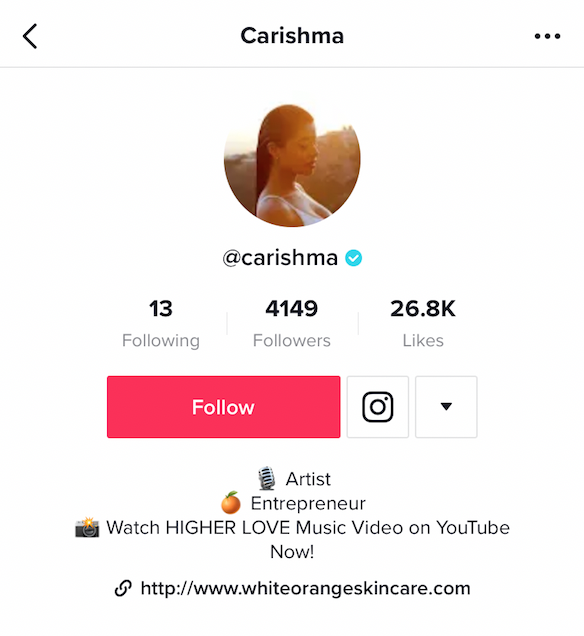
@charishma's tiktok bio with emojis


Image Source

This only needs to be a few words, so make sure you boil down exactly what you want people to know before they decide whether or not they're going to follow you. Make sure your language is engaging, compelling, and gets across your brand's value or purpose efficiently.

2. Add emojis.

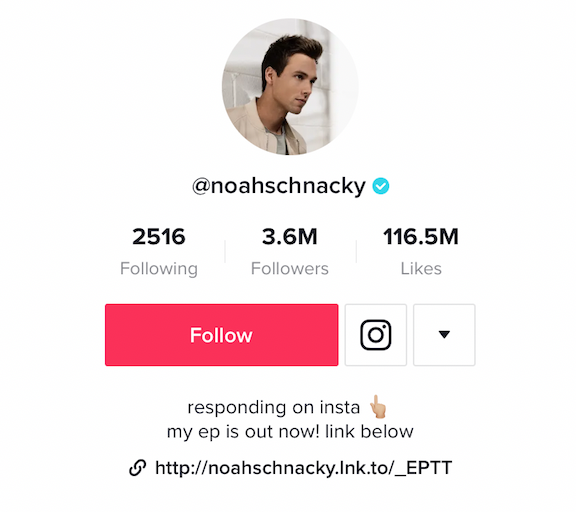
Almost every TikTok bio has an emoji in it. An emoji helps you further emphasize your brand's personality — additionally, it can help you showcase your brand's products or services without taking up too much space in your bio.

For instance, if you work for an ecommerce brand that sells clothing, you might include a t-shirt emoji (👕). Alternatively, if your company sells video tools, you might include a video camera emoji (📹).

You can also add emojis to tell people what to do. If you want them to click the link below or hit the follow button above, you could add arrows to express that without using extra characters to ask your visitors to take action.

@noahschacky's tiktok bio with emojis and link to his EP

Image Source

3. Add a CTA.

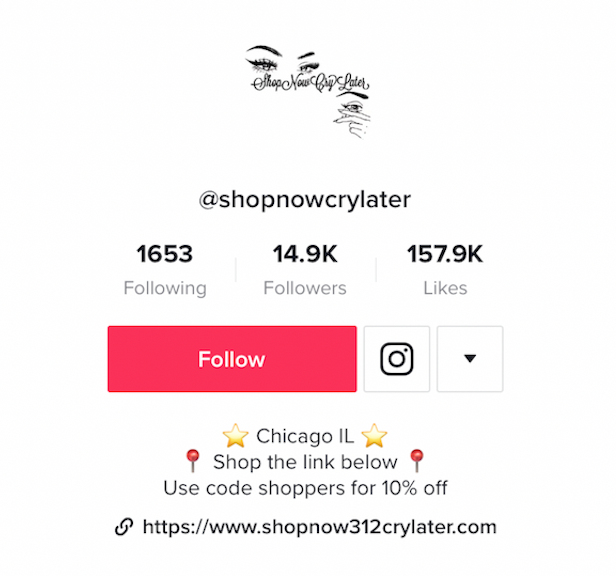
Like any good social media bio, you should have a call-to-action in your bio. This tells your visitors exactly what to do next so they know how best to interact with you. For instance, you might include a CTA to direct followers to a blog post link, an ecommerce website, or another social channel like Instagram or YouTube.

@shopnowcrylater's tiktok bio with link to ecommerce website

Image Source

At the very least, ask your visitors to follow you on TikTok. You want to get in the habit of adding a call-to-action to almost every single piece of content or communication you share with your followers. This way they'll be more enticed to take action immediately after viewing your content.

4. Don't exceed the character limit.

Of course, TikTok has a character limit for their bio, and it isn't very big. You only have 80 characters to communicate your entire bio. That's just over half of the limit you have on Instagram, which can already feel tight!

This is one of the reasons emojis are so useful. You want to be able to save your characters and use them wisely to be able to fully communicate your brand quickly to your audience. Pick out the most important aspects of your brand and highlight those in your bio.

5. Add a link in your TikTok bio.

TikTok gives you space for a link, so if it's currently available to you, you should definitely use it. This is a valuable way to direct traffic from TikTok off the platform to other pages you want to promote.

From there, you might direct followers to a relevant e-book or landing page to capture their contact information and add them to your email list, or you can share the sales page for the most recent product you touted in your video.

There are a couple of different ways you can optimize the link in your bio, and there are a couple of things you should be aware of before you try to add one yourself. Let's dive into those, next.

URL Options

First, when you're putting a link in your bio, you have the option to send traffic to only a single URL. You can pick your most recent blog post, your homepage, a dedicated landing page, social media profile, or any other page you'd like.

The other option is to promote multiple links through a link in bio service. With this kind of service, you can drive people to a web page that has a collection of page links they can visit.

You could include links to your blog, affiliate links, products, or even your other social media sites. Using a link in bio service for your TikTok allows you to give your visitors more options of where to go and connect with you outside of TikTok. This also saves you the hassle of needing to edit your link every time you upload a new video promoting a different product or service.

Accessing the Link in Bio on TikTok

However, there is a caveat to the link in bio option: not everyone has the ability to add a link to their bio yet. It seems like most, if not all, Android users have this option, while some iOS TikTok users are still waiting on their capability. If you want to check to see if you have this option:

1. Go to "Edit your profile"

2. Check to see if you have an option that says "Website" underneath the section where you can edit your bio

If you don't have that ability yet, don't worry. There's another way you can add a link to your bio, even if you don't see that option in your app. You can join the TikTok Testers program.

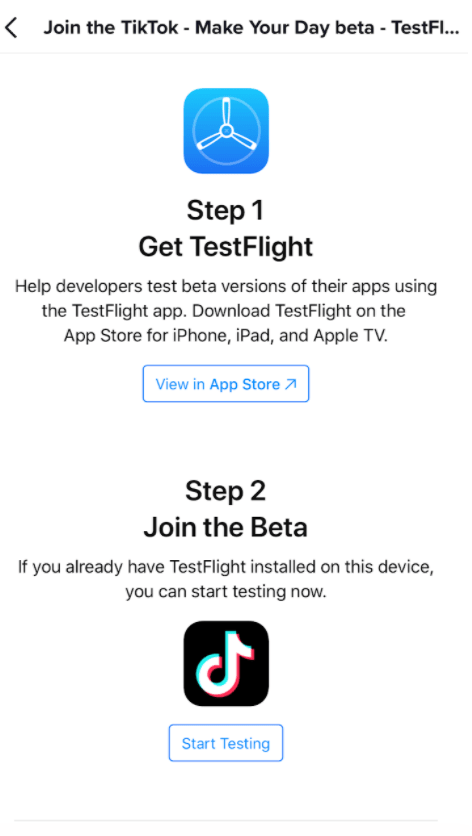
To join the program, you need to download a separate app called Testflight through the app store.

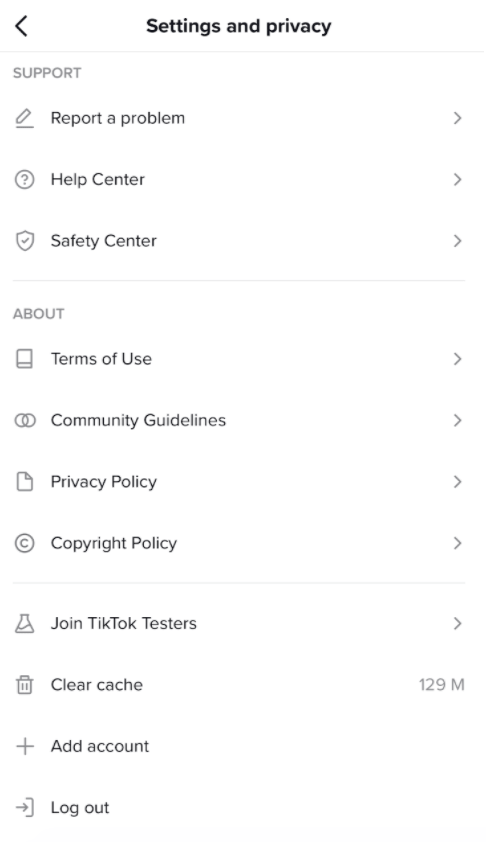
Next, open your existing TikTok app and go to the three dots in the upper right hand corner of your profile page to access "Settings". Then, scroll to the bottom and click "Join TikTok Testers."

tik tok's settings page tik tok beta group

Follow the instructions from there, and you'll be able to access the various Beta versions of TikTok as they release them. TikTok offers this program to ensure that only the best features make it to the primary app, and it helps keep the app as bug-free as possible.

TikTok Bio Examples

So now that you know all the elements you need for a fully-optimized TikTok bio, let's take a look at some excellent examples so you can see these strategies in action.

1. Fashion

There is no shortage of fashion influencers, accounts and people who just love fashion on TikTok.

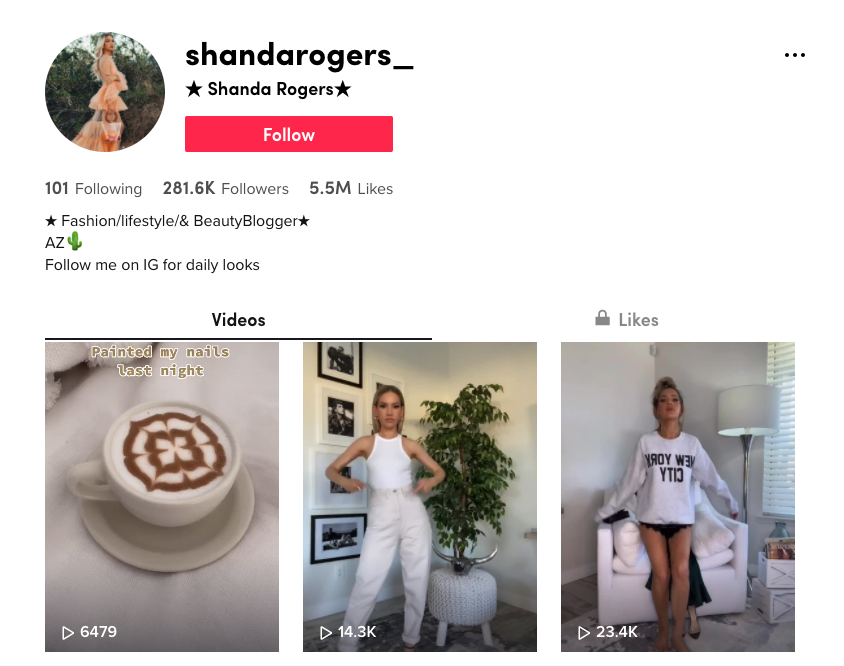
Here, Shanda Rogers uses her bio to share that she's a fashion, lifestyle, and beauty blogger. She has emojis and her location, and she also has a link in her bio to her website.

@shandarogers tiktok bio example

2. Travel

Travel might be almost as popular as fashion on TikTok. Whether you're documenting your own travels or sharing interesting things about your hometown for people who may visit, there are plenty of ways to showcase travel images and videos on TikTok.

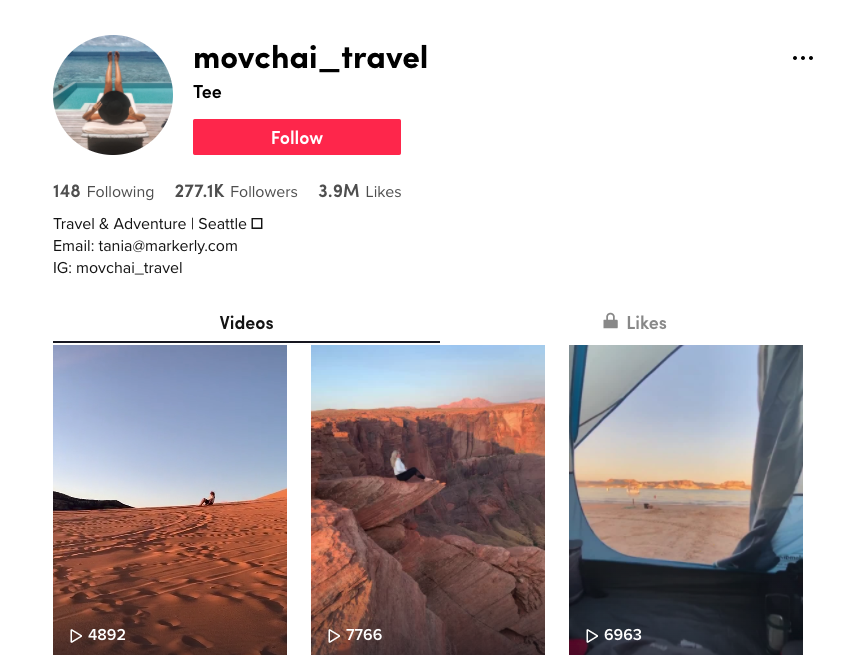
This account, @movchai_travel, has a great bio that includes a brief description, location, emoji and then two different ways to reach out and either contact them, or peruse their Instagram profile instead.

@movchai_travel's tiktok bio

3. Sports

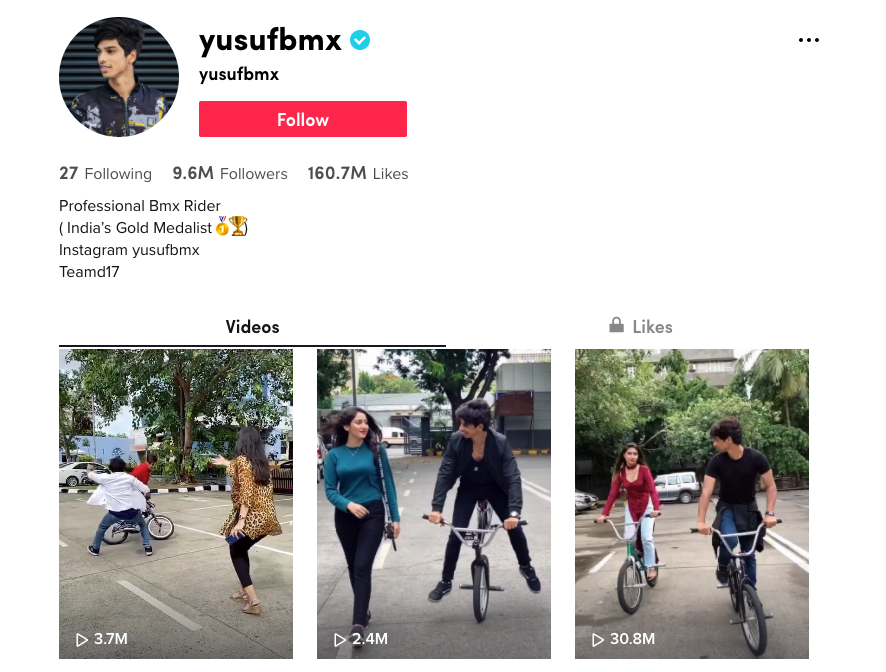
People are interested in all kinds of sports, so if you have a sports-based account, make it easy for people to find you and check out your videos. BMX bike rider @yusufbmx has a well-optimized bio.

He shares what he's known for — including being India's Gold Medalist — uses emojis, and has a link to his Instagram where people can see more.

@yusufbmx's tiktok bio

4. Food

Food: something almost everyone loves to see. We've seen on Facebook the popularity of food videos like those made by Buzzfeed's Tasty brand.

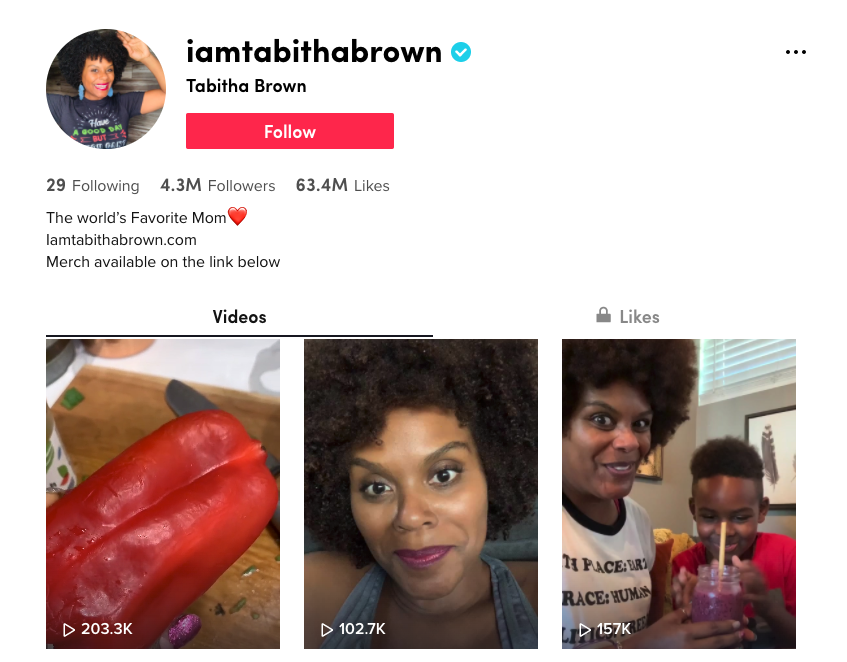
It makes sense that TikTok users would love to see the same sort of thing. Perhaps one of the internet's favorite and most loveable vegan's, @iamtabithabrown, has made quite a name for herself on TikTok.

She shares delicious-looking vegan recipes, and she does it with a lot of love. You can see that her bio is well-optimized, with a brief description of who she is, an emoji, a link to her website, and even a call-to-action encouraging visitors to purchase merchandise on her website.

@iamtabithabrown's tiktok bio

Putting Your TikTok Bio Together

By combining these five elements of a great TikTok bio, and with the inspiration of these four different accounts, you should have a pretty good idea of the changes you might need to make to yours.

Before you open up TikTok, take out a piece of paper and write out the few words you would use to describe your brand or profile, and also decide on your call-to-action.

Then, you can get into the app and work on the wording until you have your bio looking just the way you want. Don't forget to add emojis, and a link if you can!

For more inspiration, take a look at How 7 Brands are Using TikTok.


How To Optimize Your TikTok Bio 5 Easy Steps [+ Examples] was originally posted by Local Sign Company Irvine, Ca. https://goo.gl/4NmUQV https://goo.gl/bQ1zHR http://www.pearltrees.com/anaheimsigns
17 of the Most Creative 'Meet the Team' Pages We've Ever Seen

To a prospect seeking out a new service provider, it can all be a little overwhelming. It's easy to wonder: Who are the real people behind all the smoke and mirrors?

Adding a "Meet the Team" page or section to your website is an easy, effective way to give your business a accessible face. It gives prospects an idea of who exactly they'll be working with, and shows potential employees that you're proud of the people on your team.

For some inspiration, see how these companies introduce visitors to their most important creative assets: their people.

1. Yokel Local

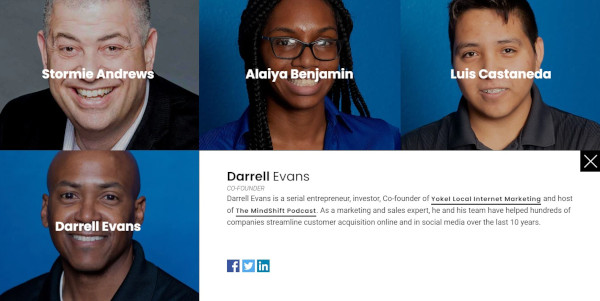
Yokel Local is a Platinum HubSpot Agency Partner who positions themselves as an extension of their clients' marketing teams. For that reason, they showcase the people on their staff to highlight the humans behind the brand.

What's pleasing about this particular 'meet the team' page is the matching blue backgrounds and cool palette. The grid design provides a modern feel, and if you click on one of the faces, a box will open with more information about the team member, including their bio, credentials, and social profiles.

yokel local meet the team page

2. Digital Marmelade

Since most employee bios read a lot like a list of stats ("10 years in the industry ... 4 years at the company ... Managed 80 website redesign projects ... ") the folks at Digital Marmelade decided to have a little fun with the format.

Each employee at the London-based marketing agency has a trading card-style profile detailing their actual marketing accomplishments and personal facts, as well as their fictional superhero abilities.

It's a quirky twist that gives visitors a colorful snapshot of the agency's team, highlighting both their impressive experience and friendly culture.

Digital Marmalade's meet the team page

3. CloudHorizon

CloudHorizon is a mobile product development company. On their about page, they say, "Some of the more rewarding projects we have had the honour to be involved in, started with simple ideas and grew profitable businesses from the ground up."

With this in mind, their 'meet our team' section is a great way to illustrate that idea. When you hover over an image of a team member, their thumbnail flips over to reveal a photo from their childhood with a small caption of what they wanted to be when they grew up. The idea being that it takes time and innovation to become great things.

cloudhorizon's meet the team page

4. Bolden

Bolden's team bios are more conventional than some of the others on this list, but what they lack in invention they more than make up for with style.

Hovering over each team member's picture produces a colorful stacked card effect, revealing brief employee bios in coordinated fonts. This is a great example of a minimal, accessible "Meet the Team" page that manages to look cool and introduce the faces behind the agency without going over the top.

bolden's meet the team page

5. Rock Kitchen Harris

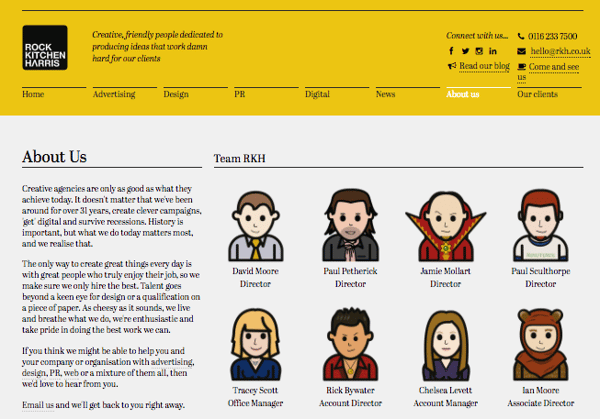
Rock Kitchen Harris, a full-service agency, decided to skip the photos altogether and showcase the cartoon versions of their employees instead.

Each employee at the English agency had a custom caricature drawn up, and every single one has a different personality. While some employees opted for representations reminiscent of LinkedIn profile pictures, others got a little creative with it, dressing their cartoon selves up as Ewoks and other characters.

rock kitchen harris meet the team page

6. FCINQ

FCINQ, a creative studio, introduces us to their team with a collage of colorful bubbles.

Hovering over an employee's individual circle produces a zoomed-in effect, and clicking expands their headshot with their name and social profiles. The splashy set up is a stylish alternative to the expected rows of team photos and names.

fcinq meet the team page

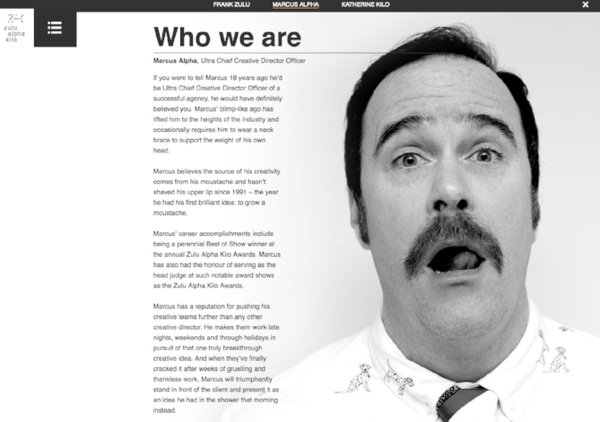
7. Zulu Alpha Kilo

This Canadian agency presents their founding team with refreshing comedic flair. While many agency leaders choose to represent themselves with stoic business portraits, the three leaders of Zulu Alpha Kilo opted for playful photos and cheeky bios.

Here's an excerpt from the bio of Marcus Alpha -- the agency's "Ultra Chief Creative Director Officer":

Marcus has a reputation for pushing his creative teams further than any other creative director. He makes them work late nights, weekends and through holidays in pursuit of that one truly breakthrough creative idea. And when they’ve finally cracked it after weeks of gruelling and thankless work, Marcus will triumphantly stand in front of the client and present it as an idea he had in the shower that morning instead.
zulu alpha kilo who we are page

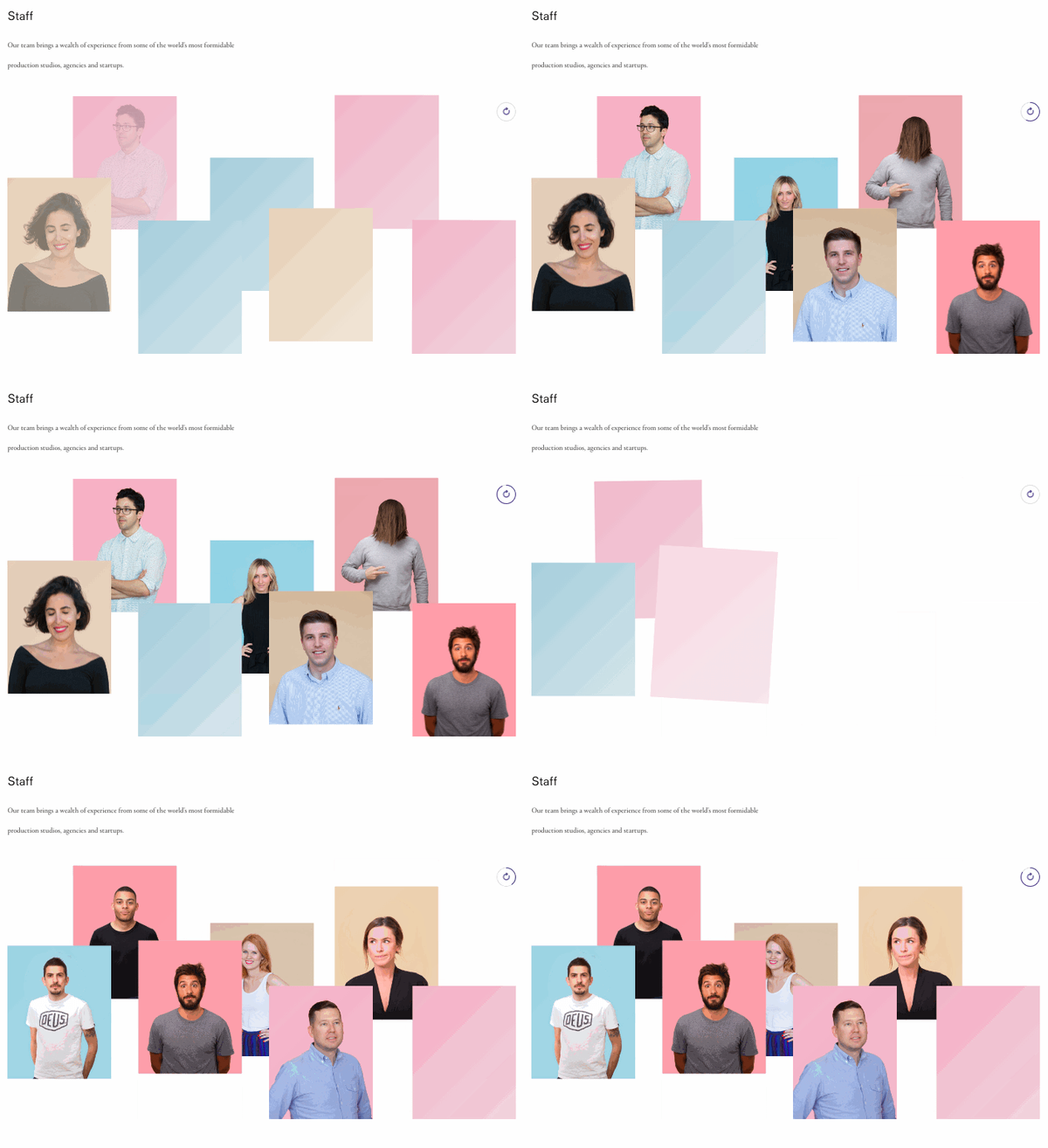
8. Stink Digital

We love this expertly color-coordinated slideshow of team members form Stink Digital.

This creative agency has offices in five major cities around the world -- including New York, Paris, and Berlin -- but having a personable "Meet the Team" section helps give their business an accessible edge. They don't call themselves "a global company with a local feel" for nothing.

stink digital staff page

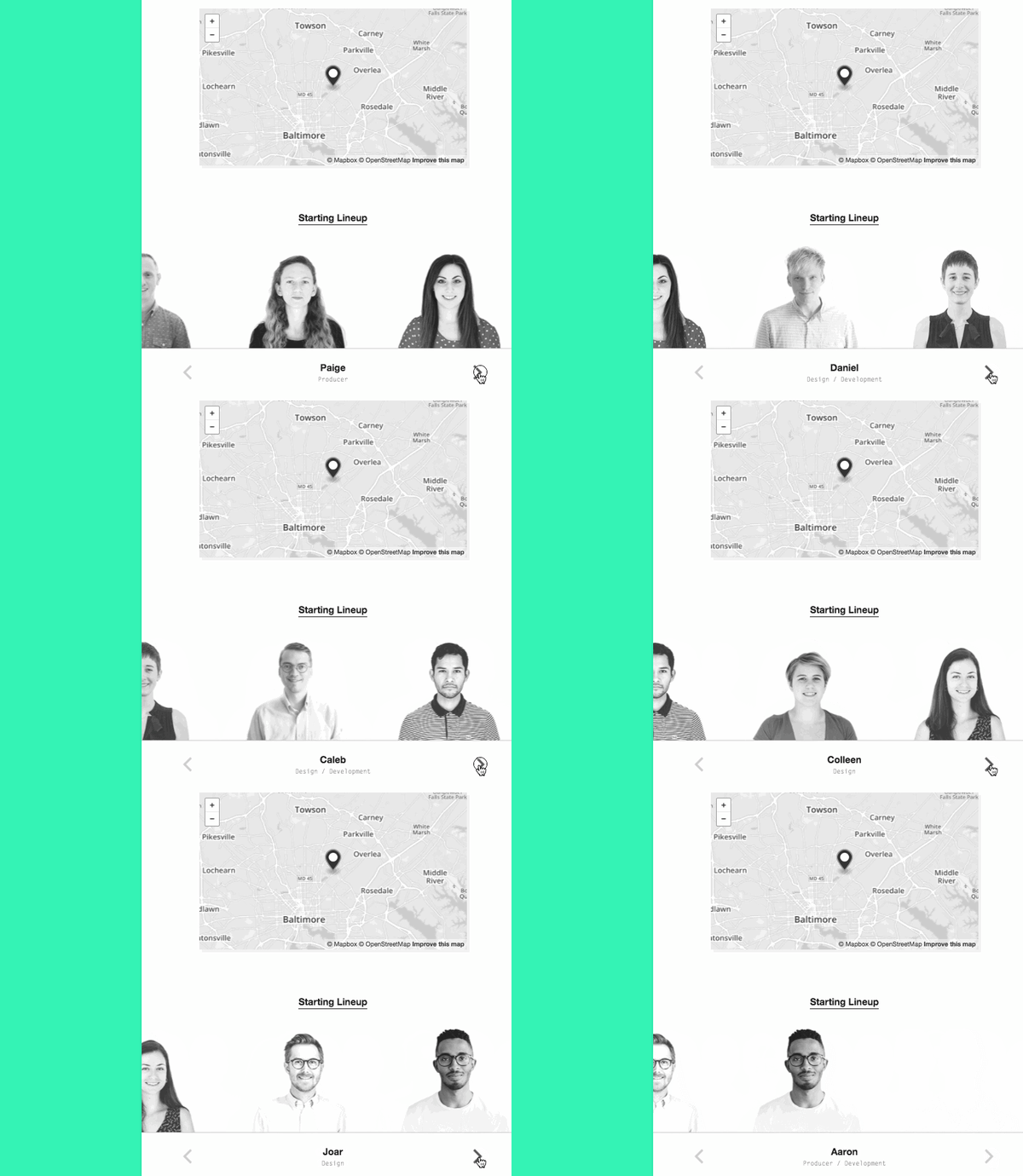
9. Drexler

This "Meet the Team" section from Drexler is perfect proof that you don't necessarily need a whole page devoted to introducing your employees -- just a small section can do the trick.

This simple but polished team member marquee appears at the bottom of the Baltimore, Maryland-based agency's "About" page, and adds a welcome personal touch to their website.

drexler meet the team section

10. Matchstic

As a branding agency, Matchstic knows the importance of identity, creativity, and individuality.

Not only does their 'who we are' section on their About page provide that identity by highlighting the human element of their brand, but it also shows their creative side. When you hover over each thumbnail, a goofy illustration is overlaid onto the photo.

In addition, the custom cursor, which only shows up on the About page, is a strong callback to the Matchstic brand, implying a kinetic energy that starts with the lighting of a match.

matchstic who we are page

11. LiveChat

LiveChat, an AI customer service and chatbot solution, approached their "meet the team" page in a completely different way. Instead of just listing out each team member's roles and experience, they created a photo for each team member that illustrates who they are in a conceptual, fun, and metaphorical way.

This is extremely effective for showcasing the uniqueness of their team, and it compels the website visitor to take the team to look at each picture and read each bio, which results in longer time on page, an important engagement metric.

livechat meet the team page

12. Etsy

Many large companies forgo the "meet the team" page because there are so many team members that it doesn't make sense to display them all.

At Etsy, though, they acknowledge all the people that make the popular online marketplace possible with a tiled "people board" that scrolls for days.

etsy meet the team page

13. Atlassian

Atlassian, a company behind many of the software solutions used in businesses worldwide, highlights photos of their team on their "people" page, interacting at the office and hard at work.

Below, they showcase their leadership team with colorful headshots that break out of colorful background boxes. When you hover over them, attractive vector graphics appear relating to the individual's unique role. In addition, a popup appears on click with social icons and a bio. What's particularly interesting is that there's also the ability to download their headshot, making the "People" page have extra utility for media professionals.

atlassian meet the team page

14. The Correspondent

The Correspondent is an organization that offers news without fear-mongering or financial gain. In true journalistic style, the site features each team member in a beautifully rendered cartoon style, providing an artistic feel to the page.

Clicking on each thumbnail leads the website visitor to a place where they can subscribe to that particular writer and view a feed of their pieces. Best of all, the individual's mission is displayed across the top and contact information in the sidebar.

the correspondent meet the team page

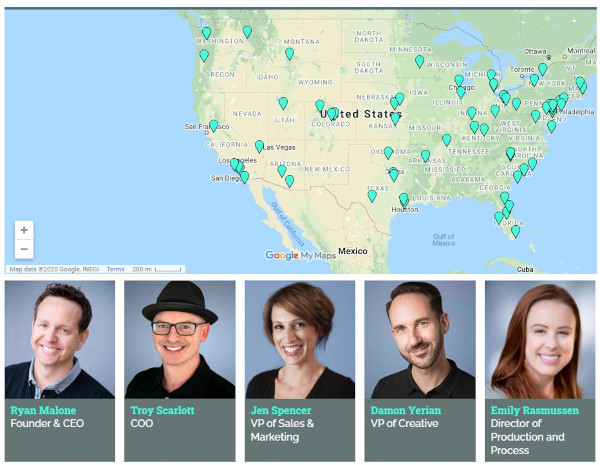
15. SmartBug Media

SmartBug is a HubSpot Agency Partner with a distributed team across the U.S. They demonstrate their embrace of remote work by including an interactive map with the locations of all their employees.

You can also browse through their team below, clicking on each headshot to get expanded bios that include 2 fun facts about each team member.

smartbug meet the team page

16. Bluleadz

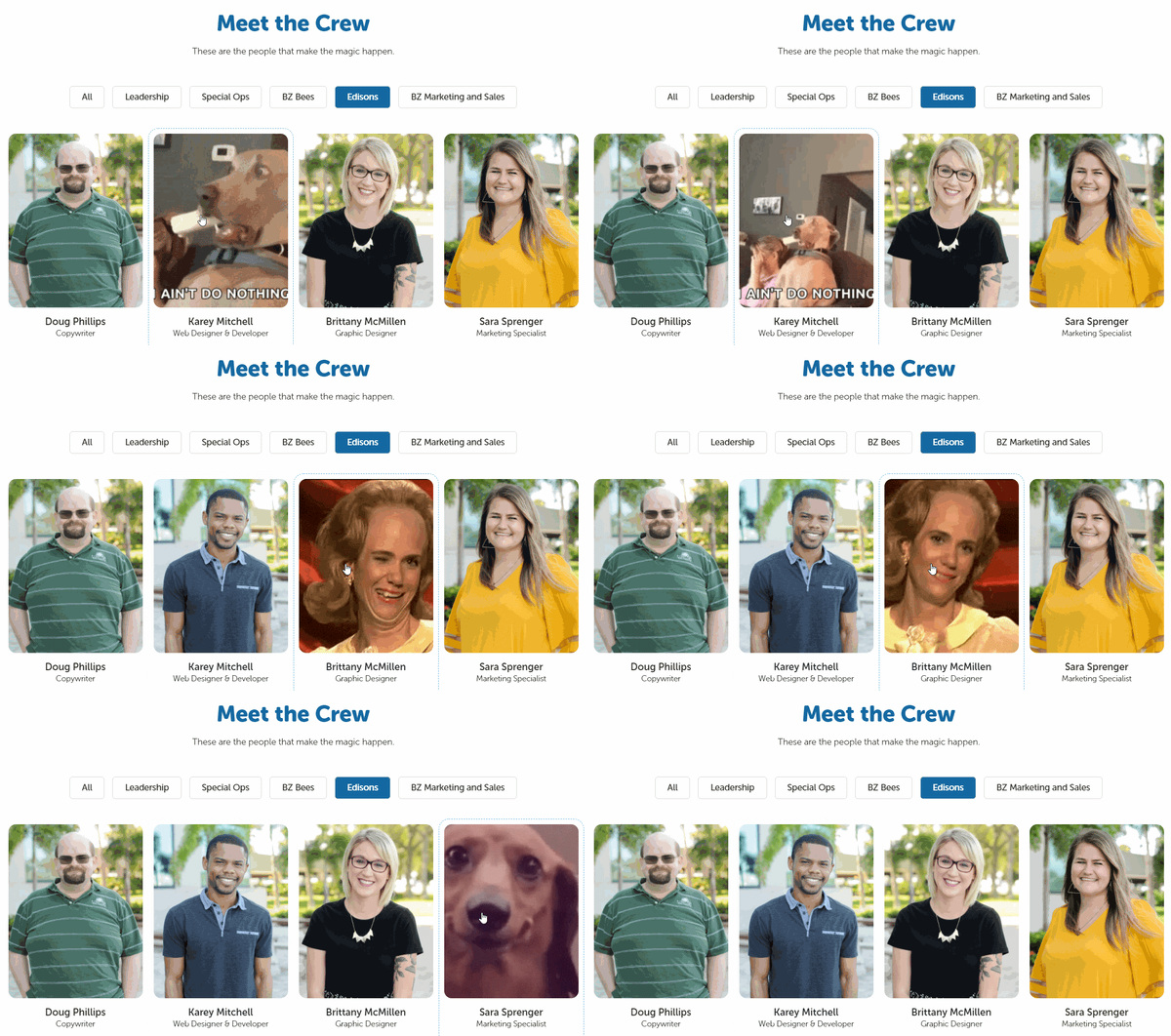
What better way to convey the personality of your team than to display their favorite gifs on mouse hover? That's what digital marketing agency Bluleadz does. You can almost imagine these folks in the scenarios their gifs represent.

Another unique feature of this "meet the crew" page is the ability to filter Bluleadz employees by function. Each button at the bottom corresponds to a team and brings up the individuals who "make the magic happen" in that area of the business.

bluleadz meet the crew page

17. Media Junction

Bold blocky pops of color? Yes please. HubSpot Elite Agency Partner Media Junction displays their team thumbnails on solid backgrounds with vector shadows. Each photo is a little silly, and many of them bring their furry friends into the picture with them.

In addition, their leadership team's thumbnails are clickable so that you can read more about them and even send them a message for more information.

media junction meet the team page

"Meet the team" pages resonate because people like to buy from real people, not faceless brands. Best practice is to determine what your brand stands for and create a "meet the team" and About page that conveys that in the strongest possible way.

Editor's note: This post was originally published in December 2016 and has been updated for comprehensiveness.


17 of the Most Creative 'Meet the Team' Pages We've Ever Seen was originally posted by Local Sign Company Irvine, Ca. https://goo.gl/4NmUQV https://goo.gl/bQ1zHR http://www.pearltrees.com/anaheimsigns
Saturday, October 10, 2020

How to Increase Your Instagram Engagement Rate

Instagram turns 10 in 2020. It was launched in October of 2010, where its app store debut prompted 25,000 downloads in just one day. Two years later, Facebook purchased the app for $1 billion.

In 2020, the app has grown larger than expected, with 500 million daily users. Its popularity has led it to become a source of income for content creators and brands worldwide, many using the app as their sole source of income.

Since the potential to make money, connect with your audience, and build a reputable brand on Instagram is so high, understanding how to use it is essential. While there are various ways to market yourself or your business on Instagram, it’s impossible to do so without first understanding your Instagram engagement rate.

Why does Instagram engagement rate matter?

Instagram engagement rates are significant because they measure an audience’s interest, brand relevance, and social authority.

Audience Interest

If your content appeals to your target audience, your engagement rate will be higher. If you take the time to review your best performing content, i.e., posts with the most likes, shares, saves, and comments, you’ll get a feel for what your users want to see. It’s important to note high impressions may indicate that your content has been viewed a lot, but engagement is typically defined as concrete interactions with your posts.

Relevance

If you have a high engagement rate, it’s likely your audience sees you as a relevant source of information. They may favor your content over competitors because your content sets you apart. However, if you have a high engagement rate now, will it stay the same in three months? Is it higher than it was last year? If you aren’t monitoring your engagement rate and using it as a benchmark for relevance, your score can decline.

Social Authority

While you’ve probably already identified your target instagram audience, it’s never bad to add new followers and fans to the list. These new users will take notice of your engagement — your followers, likes, comments, etc. — to decide whether or not to follow you. They’re likely to move on to your competitors if they notice your brand's engagement, a.k.a. social authority is not strong.

What is the average Instagram engagement rate?

There is no one-size-fits-all definition of a “good” engagement rate. They vary by industry and depending on your strategic goals.

However, Instagram does have higher engagement rates than other social media networks. According to the HubSpot Instagram Engagement Report, posts on the platform generate 23% more engagement than Facebook, even though Facebook has 2x more monthly users.

If you want a numerical value to compare your score to, Rival IQ found that the average engagement rate across all industries is 1.22%. Specific sectors have higher rates, like higher education with 3.57%, sports teams with 2.33%, and influencers with 1.67%.

Because of this, it’s safe to assume that an engagement rate of around 1% is a good engagement rate.

If you’ve already run the numbers and found that your engagement rate is significantly lower than average, don’t fret. There’s room for improvement — but maintain a healthy perspective. Assess how your engagement rate has changed over time and begin devising strategies to raise your score. Start this process by calculating your engagement rate.

How To Calculate Your Engagement Rate On Instagram

There is debate among marketers on the best way to calculate your Instagram engagement rate, as different industries define success in different ways. Your preferred method depends on your goals as a brand or influencer.

Calculating Instagram engagement rate for brands

This formula is best for brands on Instagram because it considers the number of people who have seen a piece of content (impressions) rather than the total number of followers.
 
formula to calculate brand instagram engagement rate
 
Brands typically convert more leads via exposure first, rather than follower count. When branded advertisements get viewed, engagement rates go up, especially if they follow the advertisements to Instagram profiles and become followers. Note that Instagram accounts need to be public Business Profiles to see impressions.

Calculating Instagram engagement rate for influencers

Since sponsors often recruit influencers on Instagram based on their likes and follower count, their engagement rates incorporate these two factors. Since this metric doesn’t require any personal data, it's possible to compare your engagement rates to competitors.

formula to calculate influencer instagram engagement rate

No matter your engagement rate, there are always steps to be taken to raise your score.


1. Maintain consistent branding.

Maintaining consistency with your content is extremely important, and there are a variety of actions you can take to do so.

Firstly, your username should be similar or the same to your other social media usernames. For example, if your twitter handle is @greenbookworm, your Instagram handle should be the same if it’s available (or something very similar).

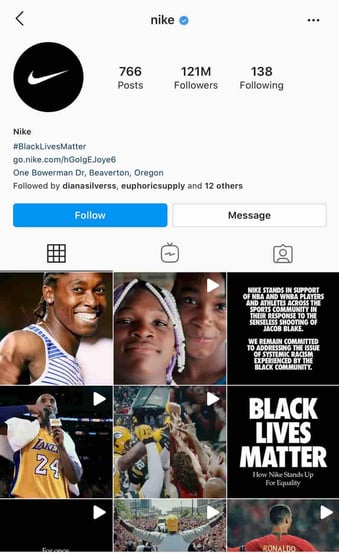
You should also make sure that your content is visually consistent as well, and you should have a format that you use for all of your posts. Take a look at Nike’s Instagram, for example. nike instagram profile

Source

Whenever they post content that includes typography, they use the same backgrounds and font. When they post photos, they’re high quality and use the same filter.

nike instagram text post brand consistency

Source

When your content has a similar look, your profile becomes aesthetically pleasing, and users can recognize your photos as a consistent brand. If they come across your content on another social media site and can realize that it’s yours, they may follow you there as well.

There’s data to back this up — WebDam found that 60% of the best-performing brands on Instagram used the same filter every time they post.

2. Understand your audience.

You can’t begin creating content without knowing your intended audience. Developing Instagram personas is a helpful tool for increasing your engagement rate. If you know who your followers are, creating content that they want makes them more likely to engage with you. Take the time to monitor your audience statistics, and update your personas accordingly.

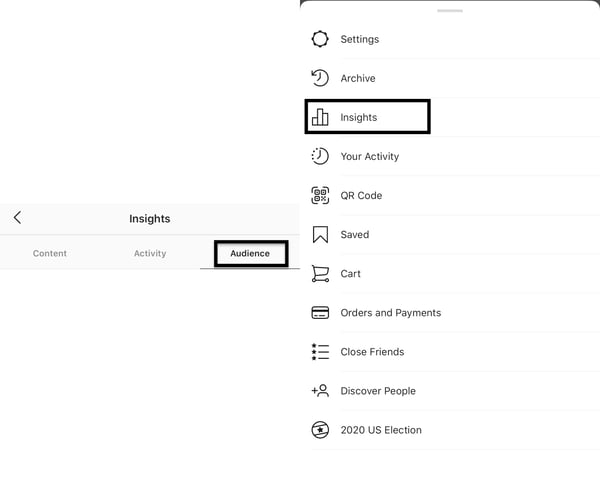
You can use Instagram insights to get a demographic understanding of your followers. If you have an Instagram business account, navigate to the audience tab from the Insights menu. 

instagram audience insights to increase instagram engagement scoreFrom here, you can see the top locations your users are in, your users’ age ranges, and their gender. All this information will give you an understanding of your users.
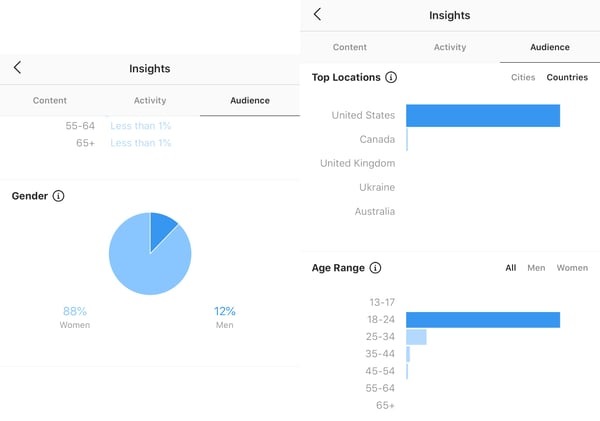
instagram insights for followers gender, age range, and top locations If you’re a HubSpot user, you can utilize the Social Reports data to find these same insights.

Regardless of your target audience, your content needs to be accessible. Utilizing Instagram’s accessibility tools is crucial, and you can use it to add image alt text, subtitles, and captions to your content.

3. Post regularly.

Once you know your target audience, post content they’ll enjoy and do it regularly. In 2018, 60% of Instagram users reported visiting the site daily, and 38% of those users visited multiple times a day.

The number of times you post depends on your marketing strategy, but the average brand posts 1.5 times per day. Again, this metric is an average, and it may not work for everyone. Posting too much content can overwhelm your users, and they won’t hesitate to unfollow if their feed is clogged.

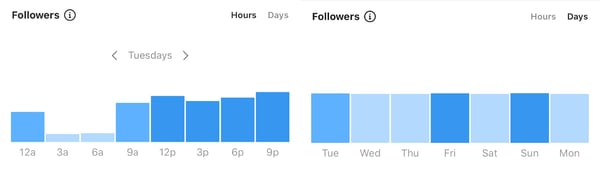
It’s also important to know the best times to post for your followers. Instagram insights will also tell you the best days and hours to post.

instagram insights for best time and day to post on instagram to increase engagement rate

Do keep in mind that quantity doesn’t equal quality, which brings us to the next engagement raising strategy.

4. Create better captions.

Unless you’re @world_record_egg, who posted a photo of an egg with no caption that has generated over 12 million likes, you need to focus on your captions. Use the brand voice you’ve developed to sound consistent and keep your intended audience in mind. You can create short captions that are serious or light-hearted.

You can also create longer captions that tell stories and take your users on a journey. Take the instagram account @humansofny as an example. They regularly feature the personal stories of people around the world.

humansofny long instagram caption

Since engagement metrics factor in the length of time users spend on your posts, consider alternating shorter and longer captions.

Hand-in-hand with writing better captions is using quality hashtags — Instagram was built on them, after all. It’s still the algorithm’s primary method of filtering through content. If you’re unfamiliar with hashtags, here’s a summary.

Captions can hold up to 30 hashtags per post, but there must be a balance. Hashtag dumping, which is similar to keyword stuffing, may make the algorithm think you’re spamming for engagement, and you can be shadowbanned. The goal is to figure out what works for you and stick to it.

Your hashtags should be a mix of popular and specific, long-tailed keywords. For example, if you’re running an Instagram for your hotel, you’ll want to use common hashtags like #hotel and #travel. However, those are also very broad, as a search for the #hotel tag has 31 million posts. Be more specific and targeted towards your needs, and maybe say #hotel, #travel, and #hotel + your hotel name + the name of the city you’re in. So, for example, #hotellisamiami.

You can discover the best hashtags to use by doing keyword research and categorizing those that work best for you and your brand. You may also want to consider coming up with a brand-specific hashtag that users can recognize as yours.

5. Engage with your followers.

After you post, engage with your followers. While Instagram has the ‘Turn off comments’ feature, opt to keep them on.

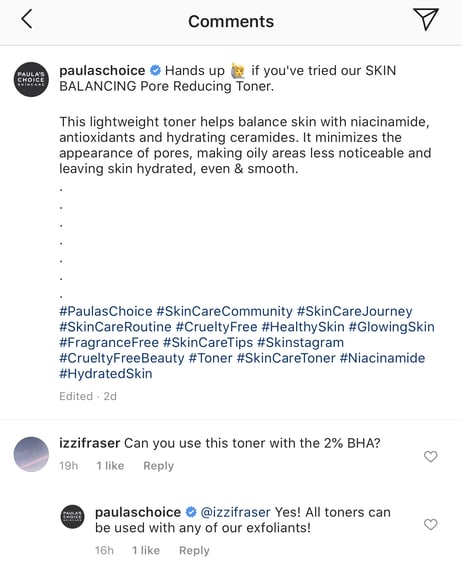
Reply to comments that your followers make. Maybe they’re asking questions or proclaiming their excitement for your product. Paula’s Choice, a beauty brand, is an excellent example of this.

paula's choice replying to follower instagram comment

Source

They regularly host Instagram Q&A’s, where users ask questions and they answer them on their Instagram stories.

They’re taking actions that they know will entice their audience into interacting with their Instagram content, which factors into engagement rates.

Engaging with your followers also entails sharing their content on your site, known as user-generated content (UGC). Surfing through your brand-specific hashtags can help you find users that are posting about you. You can screenshot their content to share on your story, and even post on your feed.

Your followers will be excited that you interact with them, as engagement may signify a personal relationship with your brand. Here’s an example of Paula's Choice posting UGC.

paula's choice instgram user generated content post to increase instagram engagement rate

Source

6. Engage with similar accounts.

There wouldn’t be a point to using Instagram if you’re not following and interacting with other accounts.

Using the platform to engage with accounts similar to yours is extremely important. If you’re a brand, this can mean partnering with influencers in the same industry. If you share products with them, they’ll post content wearing your brands. If they tag you, their followers will see your account, and many may follow you—all of these metrics factor into your engagement rate.

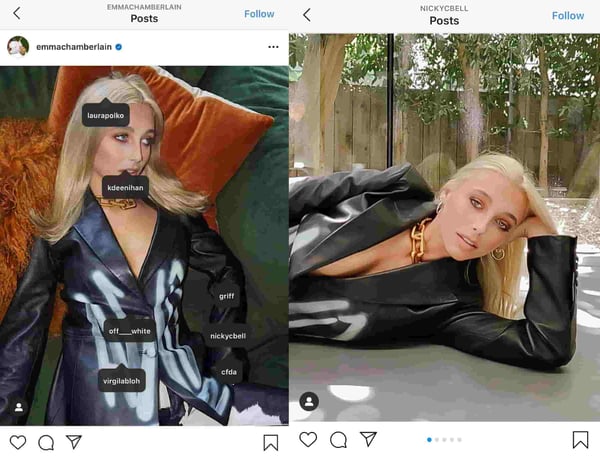
Emma Chamberlain is a popular YouTuber, holding almost 10.4 million Instagram followers at only 19-years-old. She regularly posts sponsored content, and her sponsors post her. She entices her followers to interact with those brands, and vice versa.

emma chamberlain sponsored content instagram postSource

This establishes trust between brands, influencers, and their followers, which paints a picture of ‘high engagement’ to those browsing Instagram, and they’ll follow you in return.
 
In addition to influencers, simply engaging with brands within your industry is essential as well. Commenting on industry-standard accounts can give you exposure to users in that same comment section, and they may click your profile and become new followers.

7. Create mixed content.

When the app was first launched, all you could do was post photos. Now, there are five types of content posts supported on Instagram: photos, videos, Instagram TV (IGTV), Instagram Reels, and Instagram Stories.

It's no longer enough to just post photos; you need to do all of it.

Videos

Zenith Media estimated that the average person would spend 84 minutes a day watching videos in 2020. That’s a significant amount of time spent watching videos, so use it to your advantage.

There are five video options within Instagram: Reels, IGTV, Story videos, Instagram Live, and video posts. You’ll need to decide which method is best for you, but a well-rounded Instagram strategy will include all. If people are watching content on your page, they’re spending more time on your site, factoring into your impressions rate.

If you’re a sports brand, post enticing videos of recognized athletes using your equipment to practice their sport.

Stories

Instagram Stories are essentially the same as Snapchat stories. HubSpot’s Instagram engagement report found 22% of users watched branded content Stories from a company, business, or brand more than once a week, and 36% liked, commented, or shared branded Stores.

You can take advantage of these numbers and use this feature to draw attention to your new posts by sharing them on your Story or simply posting Story exclusive content.

This feature can also be used to engage with your audience. Post quizzes and questions and make them shareable for other users. Stories can also be used to get feedback from customers, asking them to submit experiences with your products and services.

Circling back to influencer sponsorships, having them go live on your account via Instagram Live is a great strategy. Instagram Live’s can also be saved to your account, so new users can watch them even if they occurred three months before.

8. Use calls-to-action (CTAs).

A CTA is an image, line of text, hashtag, or swipe-up-link that is meant to entice your audience to take action — hence the call-to-action.

The specific action you’re asking users to take should be decided based on your brand, service, or influencers’ needs. This may mean notifying them of a sale by including a swipe up link in your Instagram story, asking them to tag a friend in the comment section, or sharing links to partner-posted content.

While links to other sites don’t directly impact your Instagram engagement rate, they still require users to spend more time on your profile, and you can convert them into leads on other platforms. Here’s an example of National Geographic advertising a new product on their story using a swipe-up CTA.

national geographic instagram story swipe up call to action

Source

9. Track your statistics.

Why would you bother taking action to improve your engagement rate if you’re not taking the time to understand if it’s working? Tracking your progress is extremely important, and it should be something you focus on.

Trial and error is expected, and it should be used to inform your current and future strategies. Use your preferred CRM to find your most effective posts or pieces of content, and use the strategy employed in those for your next content posts.

After you’ve calculated your engagement rate for the first time, you should devise a timeline in which you’ll recalculate it again. Maybe you’ll set a goal of raising your score by .10% in a year, so you may plan to re-calculate the numbers every three months. This can also help you understand what isn’t working — if your numbers haven’t budged, something needs to change.

All in all, Instagram engagement rate is a measure of how your audience interacts with your content. Your rate is an indication of your Instagram profiles’ social authority, relevancy, and audience interest.

If your content is good and your followers are engaging, your engagement rate will demonstrate that. When you spend time working on your engagement rate, you collect valuable data to inform your entire Instagram marketing strategy.

You should see your engagement rate as a benchmark for customer loyalty and satisfaction.

If your users like you, it’ll show.


How to Increase Your Instagram Engagement Rate was originally posted by Local Sign Company Irvine, Ca. https://goo.gl/4NmUQV https://goo.gl/bQ1zHR http://www.pearltrees.com/anaheimsigns