Tuesday, September 8, 2020

The 5 Kinds of Digital Marketing Collateral You Should Be Creating

It goes without saying, but your marketing materials shouldn't be limited to conventional outbound advertisements — particularly if your business is B2B. Sure, capturing attention is part of the battle, but what happens when a prospect visits your website and sees nothing but some product descriptions and a pricing page?

There has to be more there. You need to have some material to show that you can walk the walk. One kind of content that helps get you there is known as marketing collateral, and it can come in a variety of shapes and sizes.

Here, we'll get a more in-depth understanding of the concept and go over the five most important marketing collateral formats you can use to help establish legitimacy and supplement your sales efforts.

At its core, marketing collateral is a way to let prospects know that you know what you're talking about. It's not supposed to be as flashy as conventional advertisements. In creating marketing collateral, your first priority generally isn't to capture attention — it's to retain and enhance it.

In most cases, the prospects who are looking at your marketing collateral are curious about your company, but they might not be intimately familiar with you or your offering. Well-crafted marketing collateral can put them at ease. It can help build the kind of trust necessary to start and sustain a customer relationship.

Marketing collateral tends to be educational in some capacity. When done right, the informative nature of the format lets you separate yourself from the competition by letting you showcase an extensive understanding of your industry that others in your space might not be projecting.

If all of your marketing materials are solely dedicated to talking up your product or service, you're selling yourself short. When prospects are deciding to buy, they're not just considering what's for sale — they're considering your company as a whole.

They want to know they'll be taken care of by a competent, capable, knowledgeable organization that they can rely on to address any issues and concerns they might have as they arise. Creating thoughtful marketing collateral is one way to help that cause.

1. Blog Posts

Producing good marketing collateral is often a matter of consistently providing value to your audience. One of the better forums to create and promote the kind of material that does that on an ongoing basis is a well-maintained company blog.

It allows you constantly to supplement your sales efforts with helpful insight and audience engagement — driving traffic to your website and generating leads through actionable advice, expertise, and entertainment.

Like any other kind of effective marketing collateral, good blog posts can project authority in your industry. You want to show you're staying abreast of industry trends and understand the nuances of your space — constantly churning out high-quality, helpful content can help that cause and put your prospects at ease.

2. Ebooks

Ebooks are similar to blog posts in that they should project industry authority through engagement, but they tend to be longer, more in-depth, and less snackable than typical blog content. This type of marketing collateral generally attracts prospects with a vested interest in your industry. Here are some examples from HubSpot.

digital collateral ebooks

Image Source: HubSpot

In some ways, an Ebook could be likened to an extended blog post or a few blog posts strung together. Like blog content, an Ebook generally contains accessible language and directly actionable advice.

In many cases, Ebooks are downloadable and can only be accessed in exchange for a prospect's contact information — making them a powerful vehicle for lead generation.

No matter where your company stands, you likely have the resources and knowhow to channel your industry-specific knowledge into a thoughtful Ebook. Remember, your marketing collateral should be designed to build trust with prospects and customers.

If you can put out Ebooks to reliably bolster their knowledge of your industry, you can convince them they're in good hands when they buy your product or service.

3. Case Studies

Case studies are offering-specific documents that detail how specific customers saw success as a result of leveraging your product or service. This format is different from the previous two in that it's never product-agnostic. Here's an example from HubSpot:

marketing collateral case study

Image Source: HubSpot

Every case study is made in collaboration with a satisfied customer. It's a form of cross-promotion that shows what your product or service is like in practice — a roadmap that lets prospects imagine what you could do for their business.

Like almost every other example on this list, case studies are educational. They provide a more thorough explanation of how your product or service works through an active example. It's also another avenue for building trust.

If you can point to reputable customers who are willing to vouch for your business in extensive detail, you can bolster your company's reputation as a solid, knowledgeable organization with a product or service that delivers results.

4. Testimonials

Testimonials are essentially condensed, snackable case studies. Many — if not most — prospects don't have the time or interest to delve into a full-on case study. If you want to reach them, you're going to have to provide quick-hitting content that they can glance over passively. Testimonials can do just that.

Here's an example of one from HubSpot:

marketing collateral testimonial

Image Source: HubSpot

This testimonial follows the format's best practice. It's visually engaging, clearly establishes who provided the quote, and references specific benefits — a solid example of an appropriately informative, easily digestible piece of marketing collateral. Ultimately, a good testimonial helps project the company's legitimacy while inspiring potential customers to further explore the product it's promoting.

5. White Papers

A white paper is a persuasive, authoritative, in-depth report on a specific topic. Generally, one of these documents will raise a problem and present a solution to it.

It's typically more technical and less accessible than an Ebook. It's meant to draw a crowd more intimately involved with or interested in your industry — an audience that might naturally run into the issue at the core of the document.

White papers shouldn't be product pitches. It's best practice to keep them objective and educational. That being said, the topics you choose need to be relevant to your company or space.

This kind of collateral also needs to be thoroughly researched, thoughtfully formatted, polished, and written in a serious tone. That means no flashy language or cute gimmicks. Here are some examples of topics from HubSpot's Not Another State of Marketing Report.

marketing collateral whitepaper

Image Source: HubSpot

As I keep mentioning, every format listed in this article is tailored to project authority to some extent — the white paper is the purest example of that trend. It's a technical document that's meant to demonstrate technical knowledge to a crowd with technical prowess.

Well-crafted marketing collateral can give you a leg up on your competition. Not only is it an excellent vehicle for lead generation, but it can also offer your business an element of authority and trustworthiness to make potential customers more comfortable and inclined to buy from you. If your company isn't producing it, consider trying out one of the formats listed above.


The 5 Kinds of Digital Marketing Collateral You Should Be Creating was originally posted by Local Sign Company Irvine, Ca. https://goo.gl/4NmUQV https://goo.gl/bQ1zHR http://www.pearltrees.com/anaheimsigns

12 Tried-and-True Ways to Promote Your Blog Posts

The initial phase of starting your blog is one of the most fun and exciting parts of your journey.

After pouring all that time and effort into the ideation process, researching your target market, and narrowing in on your niche — this is the part where your efforts begin to pay off.

However, in order for your blog to be successful from the get-go, there are certain steps you have to take to lay the groundwork. That's right: There's research involved in this stage, too.

If you don't have a good plan of action for the launch of your blog, things can fall apart during execution.

Here, we'll walk you through a simple but thorough blog promotion checklist.

Read on to learn about all the things you should have in place when you first go live with your blog, plus, what you can do to ensure your blog is successful for the long-run.

Benefits to a Blog Promotion Checklist

You might be thinking, "Haven't I already done enough planning and research? Let's get the ball rolling!"

Yes, you have put a lot of hours into the blog already. But without a proper promotion plan, all that hard work will go to waste. Nobody wants to have a grand opening to crickets.

By having a checklist to work with, you gain the following benefits:

  • Less procrastination: It's easy to slip up once all the planning and research is done and go a little 'easy' on your execution. Focusing on your efforts at this stage will change that.
  • Better content management: As your blog goes live, you'll still have to write a consistent amount of quality content regularly and keep up with the momentum you set at the start. Having the right plan and tools to organize your tasks can help you stay on track.
  • Better organized marketing: A lot of your efforts at the start of your blog going live will center around its promotion. How else will people know it exists? Knowing what the promotion phase will look like can help you better organize a strong blog marketing strategy.

A lot of this is dependent around how you structure your time and activities. It's a lot like having a standard operating procedure for blog promotion.

Rolling out your blog in a phase-by-phase approach will add the above perks and ensure the entire process of execution won't seem as overwhelming.

Pre-Promotion Checklist

Before starting a blog promotion campaign, you need to make sure that it's ready for the world to see.

Remember: not all blogs get the spotlight. The ones that do are there for a reason — they have a strong selling point. No influencer will be interested in promoting a spammy blog.

As such, you have to find out what makes your blog stand out and work towards promoting that.

Let's see what you should put on your pre-promotion checklist.

1. Figure out whether you need to hire freelancers.

Promoting your blog is no easy feat! It involves a lot of overlapping tasks and resources.

Depending on where you are, that can be anything from doing the campaign yourself to hiring a bunch of freelancers.

In my case, I do a combination of both. I do the important tasks (think: strategy, optimization, etc.) myself, and outsource menial tasks to my VAs.

This option is great if you have other priorities, as promoting your blog by yourself can be quite the hustle. What's more, it's typically relatively cheap to hire freelancers. Plus, you can hire several freelancers and manage a remote team to work on your blog while on-the-go.

Another important factor to look into is organization, which involves how you'll go about promotion. Here, you can follow a phase-by-phase approach to focus on what's best first, and even create a solid project management plan to manage your blog promotion strategy.

My point is, promoting a blog is no easy feat, but today, there's several ways to (successfully) promote it without too much time or money. That said, you just need to know your blog well, who you're targeting, and how.

Which brings me to my next point.

2. Make visuals to complement blog posts.

Media like images and videos make your blog posts more visually appealing and memorable. Consumers remember 65% of visual content versus only 10% of written content, meaning that adding visual media to your blogs can help readers retain information and remember your brand.

Another way to help your blog content resonate with readers is to develop original images for your blog. This applies to blog headers as well as original infographics, graphs, and other types of visual media.

Save countless hours by using these pre-made templates to design your infographics.

Visual content can also help drive traffic to your blog. Image alt text alone can help boost your blog SEO — an experiment we ran at HubSpot that saw a 25% increase in blog traffic. (Image alt text also contributes to your blog’s accessibility, an equally important feature to optimize.)

3. Ensure you have high-quality content.

Before you consider how you’ll promote your blog, make sure you’re creating high-quality blog content. Creating content for the sake of creating content won’t help your business in the long run. Your blog should contain helpful, unique content that relates to your product and brand.

Aside from how-to content and ultimate guides, feature guest writers on your blog, too. Not only will this mix up the type of content you’re publishing, but it will highlight different voices from your network, employee base, and even current customers, which provides valuable insight for readers.

Don’t shy away from trends. While every blog needs evergreen content, content based on trends, seasonality, and recent news can keep your brand relevant and blog interesting.

Remember, even the best promotion plan won’t matter if you’re promoting low-quality blog content.

4. Make your blog searchable.

In addition to creating interesting, helpful content, don’t forget to optimize your blog content for search. Employ on-page and off-page search engine optimization (SEO) tactics to help your content show up on search engine results pages (SERPs).

To write blog posts for SEO, do keyword research to identify high-ranking terms and naturally integrate those terms throughout your content. Link to relevant internal pages as well as influential external sites.

Optimizing your blog for search allows readers to organically discover, read, and share your high-quality blog content. Better yet, it’s more cost-effective than paid promotion.

5. Build real relationships with your readers.

Not all blog promotion needs to happen online and on your blog; building real relationships with readers can be just as beneficial.

First, establish and build a loyal base of readers. (One way to cultivate this base is via email, which we’ll talk about in the next section.) You can count on these readers to provide feedback for and share your blog content, effectively distributing it for you.

Another way to leverage real relationships for blog promotion is to build off-site relationships with other bloggers and businesses. Share other people’s content on social media, in your emails, and through links in your blog content — you never know who will share yours in exchange.

1. Repurpose your content.

Content repurposing requires you to re-imagine your top posts into other forms of content. This can only be done if you have a birds-eye view of what you have published already and what each one offers to your audience.

For example, a blog post can be repurposed by turning it into an infographic, a video for YouTube, a podcast, or even a presentation on Slideshare.

You can also leverage your blog post with CTAs that encourage your readers to become leads. For instance, you might add an online course to it for readers to sign up, or a free e-book.

Repurposing your content can triple your blog traffic, and will also provide a better engagement rate.

2. Build links to your site.

Once you know the ins-and-outs of the content you have, you can start to build organic links.

You must have heard this a lot of times already. If you really want to rank on Google, then you want to invest in link-building.

Building links to your site is one of the best ways to ensure you're cultivating a good, long-term SEO strategy for your blog.

Of course, there are different ways to build backlinks to your sites. One of them is guest posting, which we'll discuss more in phase three.

3. Create a UTM link to track marketing campaigns.

What is one technical opportunity you can capitalize on with your content? UTM links.

UTM links add some code to the end of your blog post URL, which makes it easy to monitor and track your marketing campaigns on Google Analytics.

Using Google Analytics alone will only provide you with some simple metrics, such as which websites or search engines your users are coming from. But with a UTM link added to your post URL, you can see a detailed result that makes it easier to track the exact content driving the traffic.

You can also use a custom link management tool or URL shortener to track your links.

Pro tip: If you organize your content ahead of time on the basis of which posts you want to drive for a specific marketing campaign, you can then assign priority UTM links to those.

4. Share your blog on social media.

This is likely not your first time hearing about social media promotion.

Sharing your blog post on social media will always be one of the best ways to promote your content.

Of course, you'll want to take the time to cultivate a strong social media presence, and ensure you aren't posting swipe-up links to your content daily. Instead, try creating a diverse social media content calendar with a variety of engaging posts, and have 3-4 a month drive traffic to a new or relevant blog post.

Even if a social media post doesn't explicitly mention a blog post, you can still aim to increase followers on your social media accounts, and over time, those followers will become naturally curious and take a look at your blog for themselves.

Additionally, try leveraging a social media automation tool that helps you share and manage all your social media accounts from one dashboard.

5. Answer questions on Quora.

Quora is one of the best platforms for engaging with people that might be interested in topics you discuss on your blog. And, as a new blogger, Quora can be a great promotion opportunity.

Create a Quora account and make it a daily obligation to go on Quora and answer questions relating to your niche.

Don't simply copy-and-paste your blog URL into each Quora answer, though, which can come across as spammy and might even get you blocked on Quora. Instead, try to genuinely help Quora users with useful answers, and simply keep the URL of your blog on your profile for users to find on their own if they'd like.

6. Post on subreddits.

Subreddits on Reddit are another good place for sharing your knowledge with a ready audience looking for more information on a topic.

Just like Quora, Subreddits are topics in which you can join and add to the conversation. This is another way of sharing your post and building your influence.

7. Flip posts to Flipboard.

Flipboard is a social network site that aggregates news from the web and stores it on its cloud for readers.

Flipboard also allows bloggers to flip their blog posts to Flipboard and allow their followers to read the content directly from the platform.

Flipboard could be another opportunity to drive traffic to your blog depending on your content and audience's preferred channels.

8. Reach out to influencers.

Reaching out to influencers in your niche is one of the most promising opportunities to promote your blog, but comes with a good number of rejections by influencers.

To get an influencer to say yes to your outreach email, you need to build a relationship with the influencer before asking for a favor in return.

As mentioned above, it can be helpful if you link to influencers' blogs or social media sites in your blog posts, which might help you form a relationship with them that you can nurture for the long-run.

Pro tip: While working on your outreach campaign, make sure to verify emails to increase your email delivery rate.

9. Guest post on popular blogs.

Guest posting is one of the oldest marketing techniques around, and it's still as effective as ever.

Guest posting requires you to reach out to similar blogs in your niche and then pitch ideas for them to publish to their blog. This is a win-win for the two parties involved — it provides a high-quality, unique piece of content for the blog host, while giving you a backlink to your own website.

However, guest blogging isn't easy and requires a lot of work. Other than sending outreach emails to the bloggers in your niche, you also need to take the time to craft high-quality guest blog posts.

To do this on a larger scale, you will need to hire freelance writers that can help you write the blog post while you conduct the outreach process.

10. Network on related or similar blogs.

Many bloggers have neglected to leave a comment on other blogs simply because they believe it won't affect their SEO rankings. And yes — they're right, it won't. But the benefits of leaving a comment on another, related blog are still worthwhile.

Leaving a comment on another blog can help you get on the radar of other bloggers in your industry, and begin cultivating relationships within your community.

While admittedly small, this is still a potential avenue for getting your name out there without spending money or sacrificing too much time.

11. Use heat maps.

Creating a website heat map is a great way to review user engagement on a page-by-page level.

Heat maps are a great visual way for you to collect your data into insights that you can use to make your user experience even better. In terms of websites, they show which features users engage with and rank them from a 'hot' to 'cold' level using appropriate colors.

This can vary from showing elements such as what pages users click on, where they choose to exit, where they scroll, what content they look at, etc.

By using a heatmap, you can better visualize your user's experience and work toward improving it.

12. Leverage SEO tools to audit and monitor your website performance.

Ultimately, your blog content won't rise to the top of search engines if you don't have a healthy website.

You might consider using an SEO tool to conduct an analysis on your website performance and identify areas for improvement to ensure your website is optimized for both users and search engines alike.

Where to Promote Your Blog

Where you promote your blog posts is just as important as how you promote them. In this section, we’ll talk about where you can distribute your content and grow your audience.

Email

Email is a uniquely powerful blog promotion tool. You can use it to cultivate your reader audience as well as connect with industry experts and guest writers.

First, consider starting a blog newsletter to build your list of readers. Include a simple call-to-action (CTA) on your blog for those interested in reading new posts. This is a great way to convert readers into subscribers and, eventually, into paying customers.
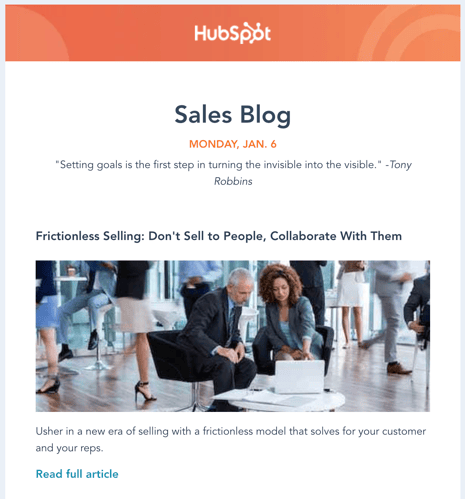
how to promote your blog email

Once you build a substantial list, start to segment your subscribers by topic interest. You can decipher these interests based on what blog links each subscriber clicks on, what content offers they download, or what products they buy.

Another way to leverage email for blog promotion is to reach out to people you mentioned or quoted in your content. Not only does this alert them to their name or brand being mentioned, but it gives them an incentive to share your content with their networks. Email, in this case, is also more personal than Twitter, which we’ll discuss next.

Social Media

Social media is a great way to share blog content in a friendly way as well as engage with readers and customers. Twitter is beneficial for content promotion as many professionals are active on the network and can jump into conversations or mention your blog with a short tweet. As you promote your content on Twitter, tag relevant people (including those you mentioned in your blog or may be interested in your post).
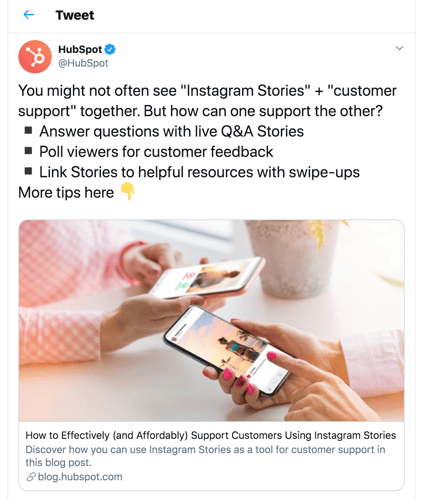
how to promote your blog social media twitter

When posting on social media — Twitter included — take note of the timing of your posts. Research when your audience is online and post within those windows. Promote your blog on as many channels as possible, sometimes posting multiple times with the same link. Also, be sure to add context with each link you share, otherwise, your followers may not open and read it.

Website

Your website can be a helpful tool for promoting your blog content. First, make sure your blog is a prominent link on your site menu. Throughout your website, encourage readers to check out your blog. Also, include a subscription CTA on your website so that visitors can sign up to receive new posts.
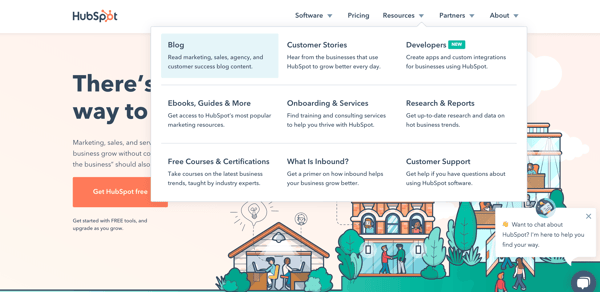
how to promote your blog website

Ultimately, it's important to remember that blog promotion won't happen overnight. You'll want to lay a strong foundation to ensure your blog is successful in the long-run, rather than relying on tactics that only encourage "quick hits" in traffic.

The very best blog content can't engage readers and convert customers without a solid promotion plan. Put these blog promotion tactics to work to grow your reader base and convert more customers.


12 Tried-and-True Ways to Promote Your Blog Posts was originally posted by Local Sign Company Irvine, Ca. https://goo.gl/4NmUQV https://goo.gl/bQ1zHR http://www.pearltrees.com/anaheimsigns

iGaming: Display Advertising Trends 2020

Unlike many industries, iGaming is ahead of the curve in reaching audiences via display advertising. However, not all iGaming brands are alike and many are failing to realise a greater return on vestment from their display campaigns.

In a company first, Bannerflow is exploring European iGaming display advertising trends, analysing display data for 2018, 2019, and the eventful first half of 2020. Download the report now to find out what you need to increase performance and return on investment in your display campaigns.

Why is knowing iGaming display advertising trends so important?

Effective mobile display advertising is essential

A recent report highlights that globally iGaming is set to increase to be worth $160 billion by 2026. Key reasons for this growth are the adoption of smartphones and greater accessibility for consumers. Within our data we have found evidence to suggest that European iGaming is rapidly evolving to cater for this trend.

Combining technologies for greater impact

Additionally, some European iGaming brands are strategically using technologies, such as video and dynamic content, to boost user engagement. Findings from a recent report by WARC that found iGaming brands are now effectively engaging with consumers via combining video and mobile advertising. Our data also suggests that more brands could benefit from doing this within display advertising.

Adaptation and agility to external events (Covid-19, etc)

Finally, Covid-19 has exposed just how important being able to quickly adapt to external factors are to iGaming and display advertising strategies. Nowhere is this more clear than in how sportsbook brands pivoted overnight to the lack of sporting events. Indeed, data for display advertising across 2018, 2019, and 2020 shows how critical the European football season – in particular, the English Premier League – is in shaping iGaming ad views.

What can I expect to discover from the report?

In our iGaming report we explore the stats and facts that are impacting display advertising campaigns in 2020 and beyond.

Our report will offer insight and analysis on the following topics:

  • Increases and decreases in device ad views for the past three years
  • Video increases, patterns in behaviour, and the impact of Covid-19
  • Dynamic creative use and the impact of Covid-19
  • Key patterns in ad views and what connects the best days of the year
  • The most popular European iGaming banner formats


The post iGaming: Display Advertising Trends 2020 appeared first on Bannerflow.


iGaming: Display Advertising Trends 2020 was originally posted by Local Sign Company Irvine, Ca. https://goo.gl/4NmUQV https://goo.gl/bQ1zHR http://www.pearltrees.com/anaheimsigns

Monday, September 7, 2020

How 6 Brands Use Instagram Live in Their Marketing Strategy

83% of Instagram users say they find new products or services by browsing the platform. So, how can you ensure your brand attracts new audiences on Instagram?

One way is with Instagram Live.

The live feature is part of Instagram Stories and allows you to stream video and engage with followers in real-time. When a user goes live, Instagram notifies their followers and highlights their profile picture in the Stories section, making it appear first in line on their followers’ feeds.

Live video can be an effective tool to highlight your business offerings and host engaging events for users to join. In fact, 82% of people prefer live video over social posts from a brand according to a survey hosted by Vimeo Livestream and New York Magazine!

But enough from me — now, I’ll let you take inspiration from those already using Instagram Live to grow their brand.

How 6 Brands Use Instagram Live

1. Global Citizen

Global Citizen is a non-profit organization with a mission to end extreme poverty by 2030. Earlier this year, the brand used Instagram Live to promote their #TogetherAtHome campaign — an effort to encourage social distancing in order to slow the spread of coronavirus.

To attract viewers, Global Citizen partnered with numerous celebrities to host an at-home concert series. Below is their Instagram Live collaboration with H.E.R., a musical artist.

In this livestream, H.E.R. advocated for quarantine, performed a few songs, and responded to live comments to lift spirits during difficult times. Besides the many heart-eye emoji reactions, viewers also shared comments such as, “This song brings me so much peace.” and “Music does heal.” to express their enjoyment.

Our socially-distant world also helped to make the #TogetherAtHome campaign popular because it was able to bring people together virtually.

The takeaway for your business: Research influencers in your industry to collaborate with and host Instagram Live takeovers. By doing so, your business will likely reach new audiences who are more willing to learn about your brand. You can also interact with the viewers in real-time in the comments or have your guest share a message about your business.

Lastly, consider tying Lives to current events to make your livestreams relevant to national or global conversations. These actions will boost your brand awareness.

2. Barry’s Bootcamp

Barry’s Bootcamp is a worldwide fitness studio offering workout classes. The company has been using Instagram Live to their advantage by sharing high energy workout sessions.

The live feature works well here because it can be more engaging for viewers to follow along with a live class rather than watching a pre-recorded session. In Live, they can also see how many other viewers are tuning in and watch their reactions to the class. The instructors also offer motivational words of encouragement to keep the energy going.

For Barry’s Bootcamp, live fitness classes align with their company brand and mission while providing valuable content to fitness enthusiasts. This helps to increase their brand equity and capture future converting customers.

The takeaway for your business: Instagram Live can also be used to host live workshops from your business. Lives make it easy for users to follow along and can serve as something people look forward to in their day.

Think of Instagram Lives as a way to create a virtual community of people coming together to do something. Similarly, a wellness company may host live meditation sessions. Any activity is up for grabs as long as it supports the business vision.

3. Chipotle

Chipotle is a fast food chain serving Mexican food and the company uses Instagram Live to share tasty recipes. In the below example, Chipotle’s executive chef shares how to make margaritas for Cinco de Mayo.

chipotle instagram live class

In this Live, Chef Chad takes viewers step-by-step through his margarita-making process and explains his thought process behind each step. This tutorial is one that viewers can trust and learn from since it comes from a top chef at the restaurant, especially if they’re already a fan of Chipotle.

It’s also worth noting how this Instagram Live celebrates Cinco de Mayo, which naturally ties into the restaurant’s Mexican cuisine. Chipotle leveraged this holiday as a great opportunity to provide entertaining and informational content.

The takeaway for your business: Ask yourself: What can we, as a business, teach members of our audience? Depending on the answer to that question, Instagram Live could be a great place to educate your audience while responding to their feedback and questions in real-time.

From the above Chipotle example, you can also better understand how acknowledging well-known events and holidays (e.g. cultural events, sports, and awards seasons) can work in your favor for this type of marketing strategy.

4. Bon Appetit

Speaking of food, Bon Appetit is a magazine all about cooking and recipes. Recently, Bon Appetit used Instagram Live as an opportunity to host a virtual dinner party with various celebrity guests. Each guest pairing was also creatively named after courses of a meal, from appetizer to digestif. Below is a screenshot from dessert:

bon appetit instagram live dinner party

Throughout the series, the chefs and guests carried out relaxed and casual conversations about anything and everything (you know how it goes at a dinner party). Bon Appetit was able to create a laid-back, yet engaging atmosphere. For those watching, this could’ve been an immersive experience to feel as if they were chatting with their friends over dinner.

The takeaway for your business: Instagram Live doesn’t have to be formal. Let your guard down and show your authenticity. Bon Appetit’s Dinner Party concept is both fun and creative — brainstorm potential themes you may be able to incorporate into your livestreams to achieve the same results.

Moreover, creating a series of Lives will incentivize people to follow your account and stay tuned for new content. Also, take advantage of Instagram’s guest feature to add someone else into your brand’s conversation.

5. Chewy

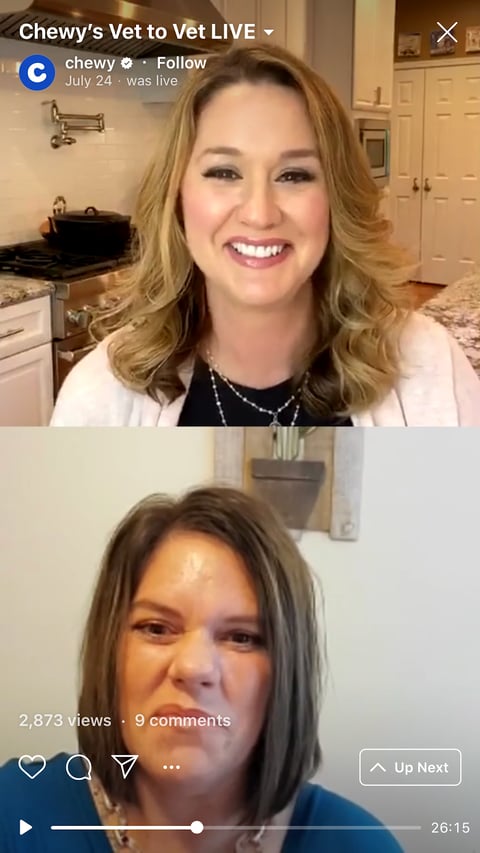
If you prefer more structured programming, then look to Chewy, an online retailer for all pet essentials, for inspiration. Targeting pet owners, Chewy provides educational content on how to care for a variety of pets. An example of this is their Vet to Vet Live:

chewy instagram live class

These Q&A sessions provide valuable insight from experts for pet owners. Pet parents can also input their questions in the comment section for instant expert advice. As a brand, these informational videos help Chewy establish itself not only as a place to shop, but also as a resource they can turn to for any pet-related needs.

The takeaway for your business: Using Instagram Live to conduct Q&As and interviews can provide insightful tips and advice for your audience. This educational content will be appreciated by your audience members who are eager to learn and help you increase customer loyalty. Additionally, listening to a conversation between multiple people, and watching that interaction live, can also be more enjoyable than a one-man show.

6. Origins

Origins is a cosmetics company creating products from naturally-derived ingredients. Origins aligns Instagram Live with their brand by showcasing products and hosting conversations about skincare.

origins instagram live product demo

As shown in the screenshot, the Origins representative presents one of their products up close to the camera. This is important because products online often only show the packaging of the product, so revealing what the product itself looks like lends potential customers a better understanding of how they might expect the product to look and feel.

The two hosts also share what they like about the products and how they use it in their day-to-day lives. Sharing their stories provokes viewers to consider how they can incorporate the product into their own routines, which ultimately pushes them closer to purchase.

The takeaway for your business: Live is the perfect place for product demos and to show customers what they can expect from your business. This can resolve any hesitations related to making a purchase. It also offers a place for experts and current users to answer any concerns about the product a prospect may have. Assess your current offerings and create a live session to discuss how the customer can use and benefit from your products.

No matter which industry your business is in, all successful Lives have one theme in common — they provide valuable content for viewers that’s entertaining and/or educational.

Now that you know how other companies are marketing with Instagram Live, see the exact steps you need to start your next Live.


How 6 Brands Use Instagram Live in Their Marketing Strategy was originally posted by Local Sign Company Irvine, Ca. https://goo.gl/4NmUQV https://goo.gl/bQ1zHR http://www.pearltrees.com/anaheimsigns

Friday, September 4, 2020

9 Guidelines for Exceptional Web Design, Usability, and User Experience

When it comes to designing or redesigning a website, it’s easy to get hung up on the aesthetics.

That shade of blue doesn't look right…

Wouldn't it be cool to have the logo on the right side of the screen?

How about we put a giant animated GIF in the middle of the page?

However, if you're truly trying to accomplish something with your online business (e.g., brand awareness, lead generation, etc.), you'll need to focus on more than just how your website looks.

In a world where folks have more than a billion websites they can potentially land on, you need to make sure yours is designed for usability, how easy your website is to use, and user experience (UX), how enjoyable it is to interact with your website.

Now, you could spend years studying the ins and outs of usability and UX. But for the sake of giving you a jumping-off point, we've assembled a list of the fundamental guidelines you can apply to your next website redesign or website launch. Then, we’ll review 10 features you’ll need on your site to put these recommendations into practice. Let’s dive in.

1. Simplicity

While the appearance of your website is certainly important, most people aren't coming to your site to evaluate how slick the design is. They want to complete some action, or to find some specific piece of information.

Therefore, unnecessary design elements (i.e., those which serve no functional purpose) will only overwhelm and make it more difficult for visitors to accomplish what they're trying to accomplish.

From a usability and UX perspective, simplicity is your best friend. If you have all the necessary page elements, it’s hard to get too simple. You can employ this principle in a variety of different forms, such as:

  • Colors: Basically, don't use a lot. The Handbook of Computer-Human Interaction recommends using a maximum of five (plus or minus two) different colors in your design.
  • Typefaces: The typefaces you choose should be highly legible, so nothing too artsy and very minimal script fonts, if any. For text color, again, keep it minimal and always make sure it contrasts with the background color. A common recommendation is to use a maximum of three different typefaces in a maximum of three different sizes.
  • Graphics: Only use graphics if they help a user complete a task or perform a specific function (don't just add graphics willy-nilly).

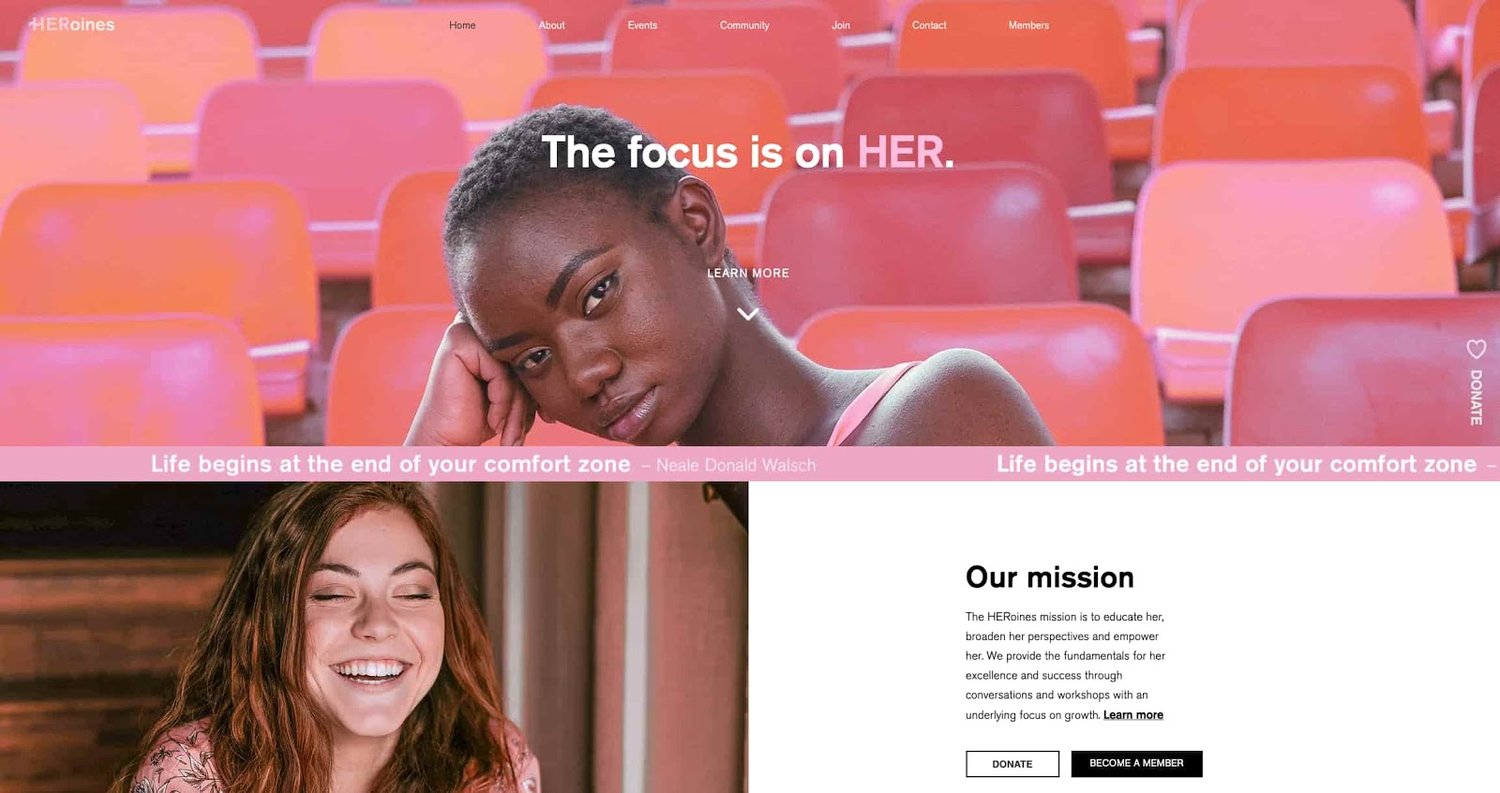
Here's a great example of a simple but effective homepage design from HERoines Inc:

examble of website design on the website for HERoines Inc

Image Source

2. Visual Hierarchy

Closely tied to the principle of simplicity, visual hierarchy means arranging and organizing website elements so that visitors naturally gravitate toward the most important elements first.

Remember, when it comes to optimizing for usability and UX, the goal is to lead visitors to complete a desired action, but in a way that feels natural and enjoyable. By adjusting the position, color, or size of certain elements, you can structure your site in such a way that viewers will be drawn to those elements first.

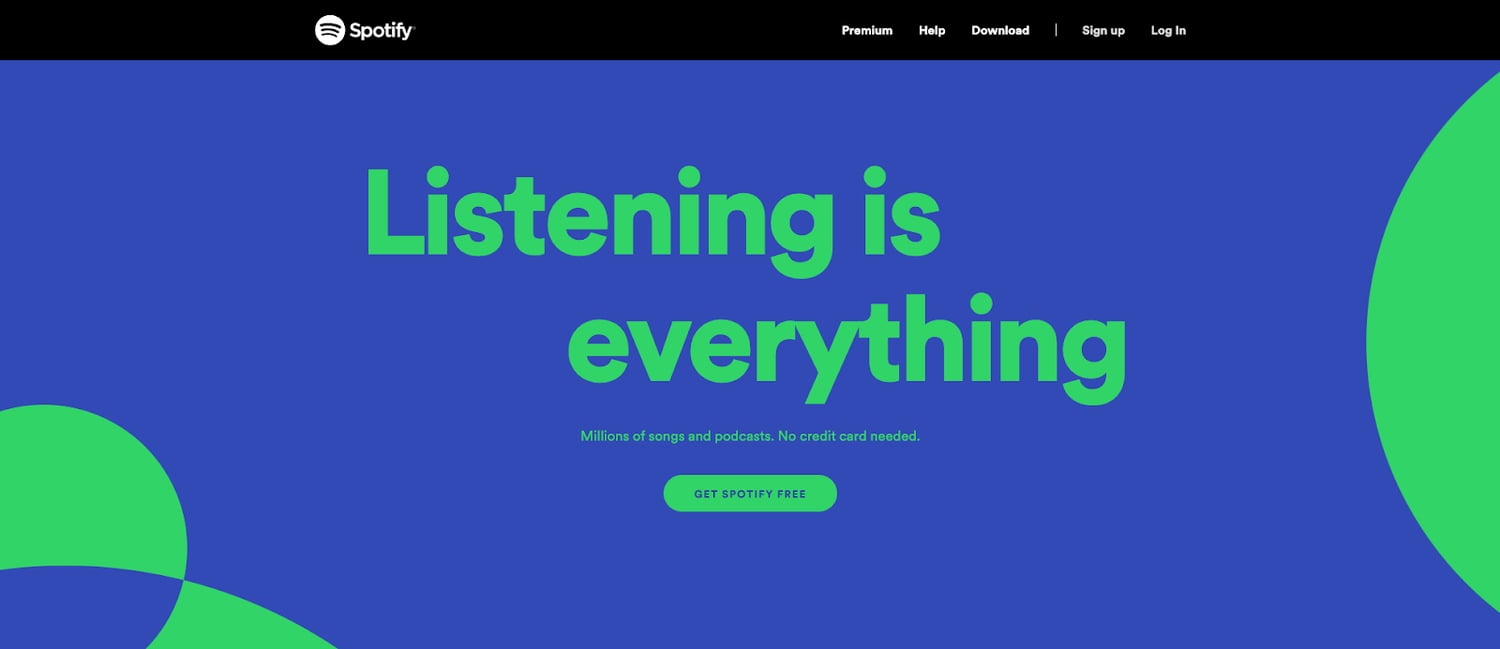
In the example below from Spotify, you can see that the main header “Listening is everything” sits atop the visual hierarchy with its size and page position. It draws your eye to their mission before anything else. This is followed by the "Get Spotify Free" CTA, which prompts action. Users can click this CTA, or scan the menu items above for more actions.

a web design example on Spotify.com

Image Source

3. Navigability

Planning out intuitive navigation on your site is crucial to help visitors find what they're looking for. Ideally, a visitor should land on your site and not have to think extensively about where to click next. Moving from point A to point B should be as frictionless as possible.

Here are a few tips for optimizing your site's navigation:

  • Keep the structure of your primary navigation simple (and near the top of your page).
  • Include navigation in the footer of your site.
  • Consider using breadcrumbs on every page (except your homepage) so users remember their navigation trail.
  • Include a search bar near the top of your site so visitors can search by keywords.
  • Don't offer too many navigation options per page. Again, simplicity!
  • Include links within your page copy, and make it clear where those links go.
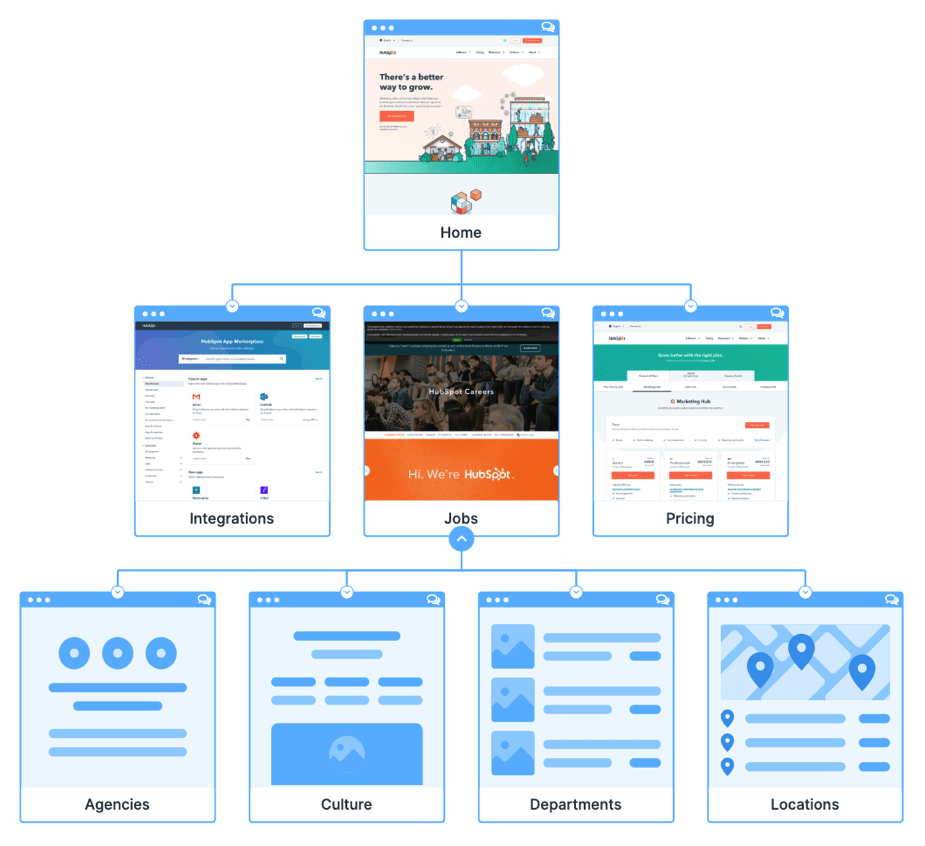
  • Don't make users dig too deep. Try making a basic wireframe map of all your site pages arranged like a pyramid: Your homepage is at the top, and each linked page from the previous forms the next layer. In most cases, it’s best to keep your map no more than three levels deep. Take HubSpot’s site map, for example.
site map for HubSpot.com

Image Source

One more pointer: Once you've settled on what your site's main (top) navigation will be, keep it consistent. The labels and location of your navigation should remain the same on every page.

This leads us nicely into our next principle...

4. Consistency

In addition to keeping your navigation consistent, the overall look and feel of your site should be similar across all of your site's pages. Backgrounds, color schemes, typefaces, and even the tone of your writing are all areas where consistency has a positive impact on usability and UX.

That's not to say every page should follow the same layout. Instead, create different layouts for specific types of pages (e.g., landing pages, informational pages, etc.). By using those layouts consistently, you'll make it easier for visitors to understand what type of information they're likely to find on a given page.

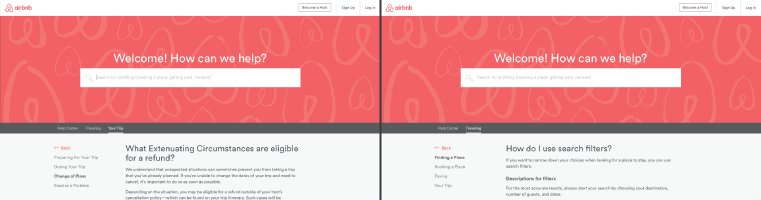
In the example below, you can see that Airbnb uses the same layout for all of its "Help" pages, a common practice. Imagine what it would be like from a visitor's perspective if every "Help" page had its own, unique layout. There would probably be a lot of shoulder shrugging.

a help page on Airbnb.com

Image Source

5. Responsivity

According to Statista, 48% of page global views were from mobile devices like smartphones and tablets. And according to our research, 93% of people have left a website because it didn’t display properly on their device.

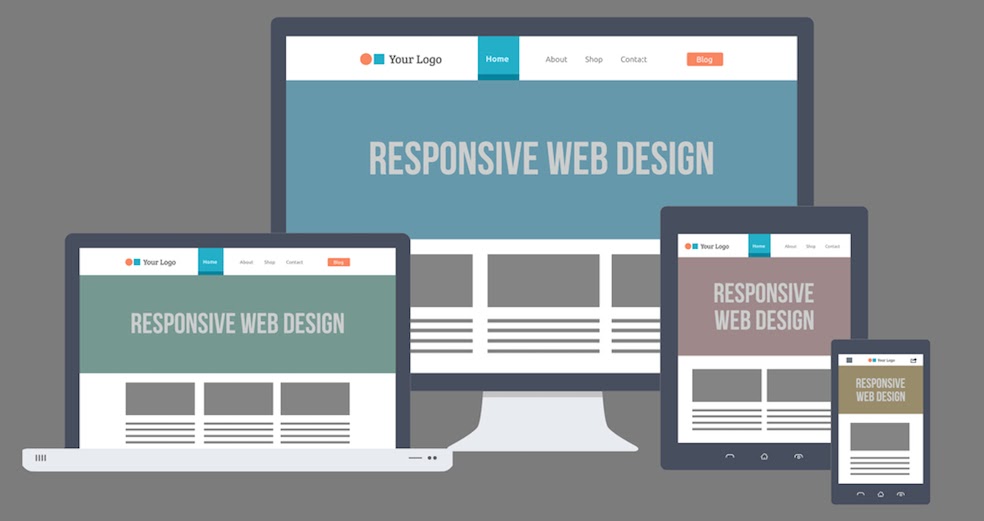
The takeaway here: To provide a truly great user experience, your site has to be compatible with the many different devices that your visitors are using. In the tech world, this is known as responsive design.

Responsive design means investing in a highly flexible website structure. On a responsive site, content is automatically resized and reshuffled to fit the dimensions of whichever device a visitor happens to be using. This can be accomplished with mobile-friendly HTML templates, or by creating a special mobile site.

Ultimately, it's more important to provide a great experience across different devices than look identical across those devices.

an illustration of a responsive web page on different devices

Image Source

Alongside mobile-friendliness, it’s worth your while to test your website’s cross-cross browser compatibility. In all likelihood, you’ve only viewed your site on one web browser, be it Google Chrome, Safari, Firefox, or something else.

Now is the time to open your pages on each of these browsers and evaluate how your elements appear. Ideally, there won’t be much difference in presentation, but you can’t know for sure until you see for yourself.

6. Accessibility

The goal of web accessibility is to make a website that anyone can use, including people with disabilities or limitations that affect their browsing experience. As a website designer, it’s your job to think of these users in your UX plan.

Like responsiveness, accessibility applies to your entire site: structure, page format, visuals, and both written and visual content. The Web Content Accessibility Guidelines (WCAG), developed by the Web Accessibility Initiative and the World Wide Web Consortium, set the guidelines for web accessibility. In a broad sense, these guidelines state that websites must be:

  • Perceivable: Visitors are aware of the content on your site.
  • Operable: The functionality of your website should be possible in different ways.
  • Understandable: All content and alerts can be easily understood.
  • Robust: Your website is usable across different assistive technologies, devices, and browsers.

For a deeper dive into this topic, see our Ultimate Guide to Web Accessibility.

7. Conventionality

A big challenge in web design is balancing originality with your expectations. Most of us are expert internet users, and there are specific conventions we’ve grown accustomed to over time. Such conventions include:

  • Placing the main navigation at the top (or left side) of a page.
  • Placing a logo at the top left (or center) of a page.
  • Making the logo clickable, so it always brings a visitor back to the homepage.
  • Having links and buttons that change color/appearance when you hover over them.
  • Using a shopping cart icon on an ecommerce site. The icon also has a number badge signifying the number of items in the cart.
  • Ensuring image sliders have buttons users can click to manually rotate slides.

While some might opt to throw these out the window for the sake of uniqueness, this is a mistake. There’s still plenty of room for creativity within the constraints of web conventionality.

Let’s briefly consider another field of design, architecture. Building codes are put in place so that folks can easily and safely use indoor spaces. An architect doesn’t complain about these codes or violate these designs because, aside from being against the law, they assure safety and comfort. It doesn’t matter how dazzling the building appears — if you trip on uneven stairs, or you can’t get out in a fire, you’re going to hate that building.

In the same way, you can craft a memorable experience while meeting user expectations. If you violate what users anticipate, they may feel uncomfortable or even frustrated with your site.

8. Credibility

Sticking to web conventions lends your site credibility. In other words, it increases the level of trust your site conveys. And if you're striving to build a site that provides the best user experience possible, credibility goes a long way.

One of the best methods to improve your credibility is to be clear and honest about the product or service you're selling. Don't make visitors dig through dozens of pages to find what it is you do. Be up-front on your homepage, and dedicate some real estate to explaining the value behind what you do.

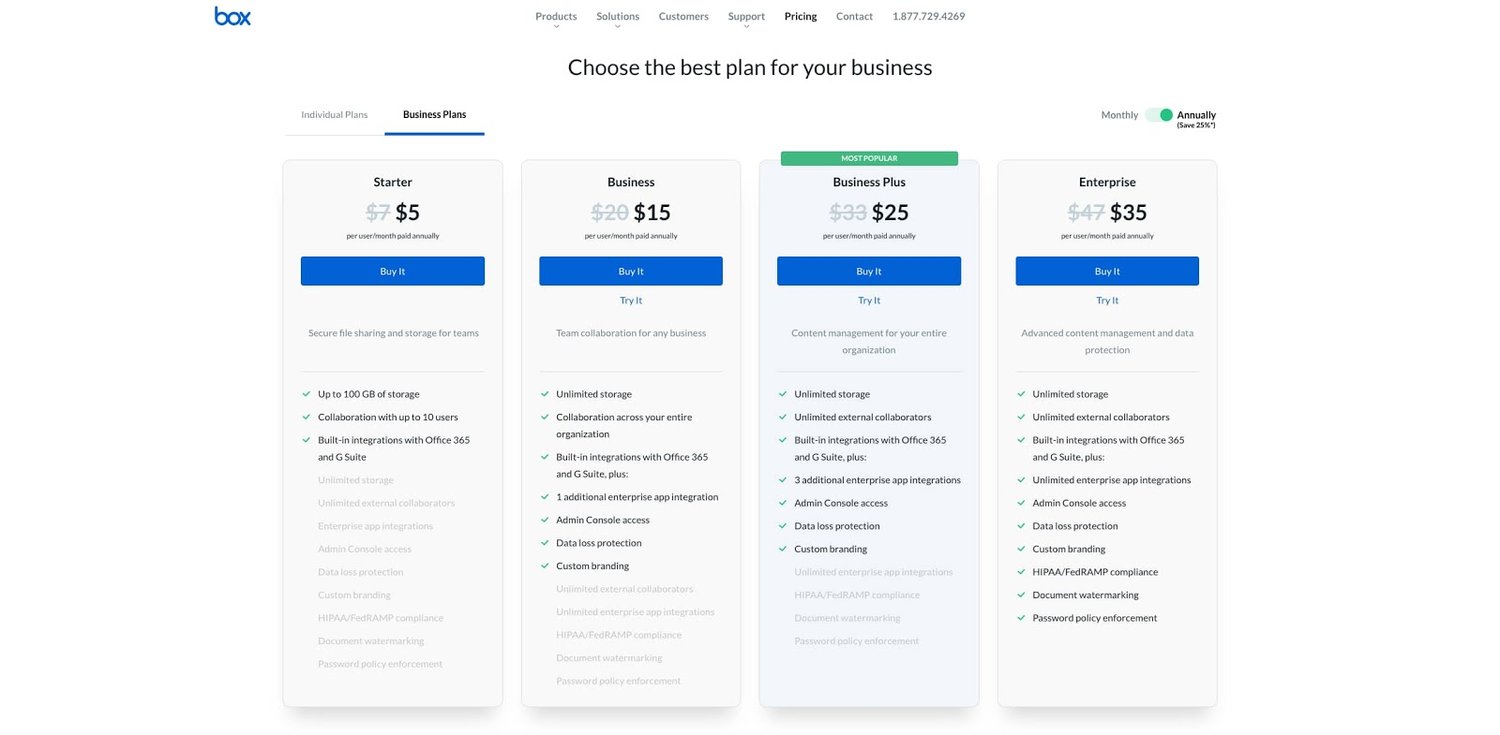
Another credibility tip: Have a pricing page, also linked on the homepage. Rather than force people to contact you to learn more about pricing, list your prices clearly on your site. This makes your business appear more trustworthy and legitimate.

Here's an example of an effective pricing page from the Box website:

pricing page for Box.com

Image Source

9. User-Centricity

At the end of the day, usability and user experience hinge on the preferences of the end-users. After all, if you're not designing for them, who are you designing for?

So, while the principles detailed in this list are a great starting point, the final key to improving the design of your site is to conduct user testing, gather feedback, and implement changes based on what you've learned.

And don’t bother testing usability by yourself. You’ve already invested a lot of time into your design, which brings your own biases into the equation. Get testers who have never seen your site before, the same as any first-time visitor.

Here are a few user testing tools to get you started:

  • Website Grader: Our free tool evaluates your website based on several factors: mobile, design, performance, SEO, and security. It then offers tailored suggestions for improvement. You can learn more about Website Grader in our dedicated blog post.
  • Crazy Egg: Track multiple domains under one account and uncover insights about your site's performance using four different intelligence tools -- heat map, scroll map, overlay, and confetti.
  • Loop11: Use this tool to easily create usability tests -- even if you don't have any HTML experience.
  • The User Is Drunk: Pay Richard Littauer to get drunk and review your site. Don't believe me? We tried it.

For even more helpful options, see our list of the best user testing tools.

Hopefully, these guidelines are useful in informing the structure of your web pages and website as a whole. But, how does one put these guidelines into practice? In the next section, I’ll run down the essential page elements that you should strongly consider including in your design plan.

1. Header and Footer

The header and footer are a staple of just about every modern website. Try to include them on most of your pages, from your homepage, to your blog posts, and even your “No results found” page.

Your header should contain your branding in the form of a logo and organization name, menu navigation, and maybe a CTA, and/or a search bar if well-spaced and minimal. On the other end, your footer is where many users will instinctively scroll for essential information. In your footer, place contact information, a signup form, links to your common pages, legal and privacy policies, links to translated versions of your site, and social media links.

2. Menu Navigation

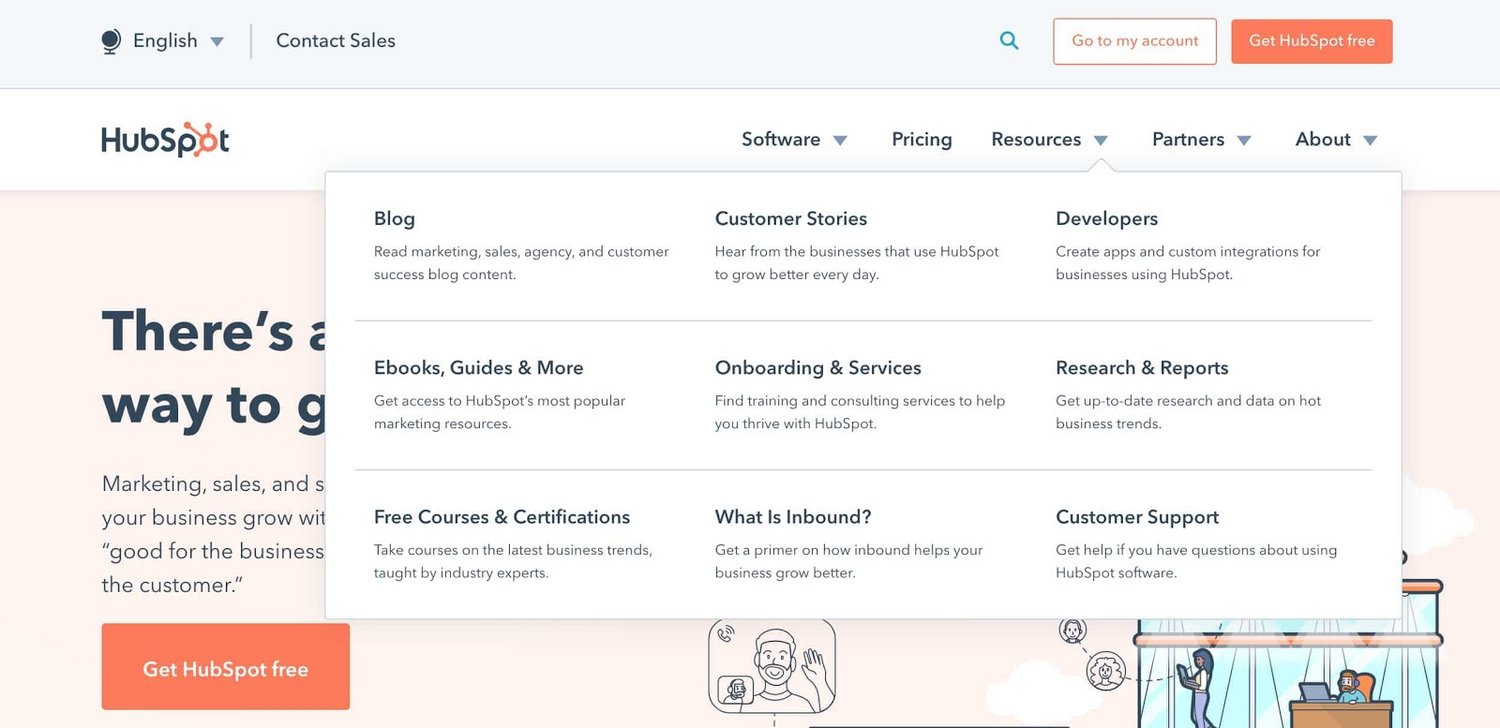
Whether it’s a list of links across the header or a tidy and compact hamburger button in the corner, every website needs a guide for navigation positioned at the top of at least your homepage and other important pages. A good menu limits the number of clicks to reach any part of your website to just a few.

To reduce clutter, you might consider making some or all menu options a dropdown menu with links within it, as can be seen on HubSpot's homepage.

homepage for hubspot.com

3. Search Bar

In addition to menu navigation, strongly consider placing a search bar at the top of your pages, so users can browse your site for content by keyword. If incorporating this functionality, make sure your results are relevant, forgiving of typos, and capable of approximate keyword matching. Most of us use a high-quality search engine every day, be it Google, Amazon, YouTube, or elsewhere. These all set the standard for your own site search.

4. Branding

Remember the conventions we’ve discussed? One that you see practically everywhere is a logo in the top left corner. On first landing, many visitors’ eyes will instinctively shift to this region to check they’re in the right place. Don’t leave them hanging.

To reinforce this notion, incorporate your company branding into every element you add, piece of content you post, and color scheme you create. That’s why we recommend establishing brand guidelines if you haven’t already — check out our style guide for a reference.

5. Color Palette

Color choice plays a major role in your site’s usability and UX as well. This decision tends to be more subjective than other requirements in this list. But, like everything else we’ve discussed, try to simplify — limit your color selection to 3-4 prominent colors at most.

Starting a color palette from scratch can be surprisingly difficult the first time. We seem to intuitively pick up on which colors work well together and which don’t, but we stumble when trying to pick from the infinite combinations available.

The solution? Try a color palette that’s been shown to work on other websites. Take influence from your favorite sites, and see our list of our favorite website color schemes to get started.

6. Headers

Headers are key to establishing the visual hierarchy we discussed earlier, especially on text-heavy pages. As users skim your pages what you need, a clear and to-the-point header alerts readers to stop scrolling after finding what they want. Use only as many headers as there are distinct sections of your page, as too much blown-up and bolded text will dampen this effect.

7. Clear Labels

Whenever a user takes an action on your website, it must be obvious exactly what they’re doing and/or where they’re going. All buttons should have clear text or an icon to precisely and concisely signal their purpose. The same goes for in-text links and widgets (simple interactive elements, like dropdowns and text forms).

For example, a button linking to a pricing page should just read “Pricing” — anything beyond that (e.g., “See our prices”, “Check out the pricing page for a deal”) is superfluous. A search bar/button only needs a search glass icon (🔍), and perhaps also the word “Search”, to denote its purpose.

User testing can be a major help here. While you yourself know what all of your interactive page elements do, the same can’t be said for a new user. Testing will give valuable insight into what users think your labels mean beyond your own perspective.

8. Visuals and Media

When incorporating static images, gifs, videos, and other media into your pages, remember to be consistent and intentional in your choices. These elements will draw attention over most other text and will likely stay in users’ minds, so choose wisely.

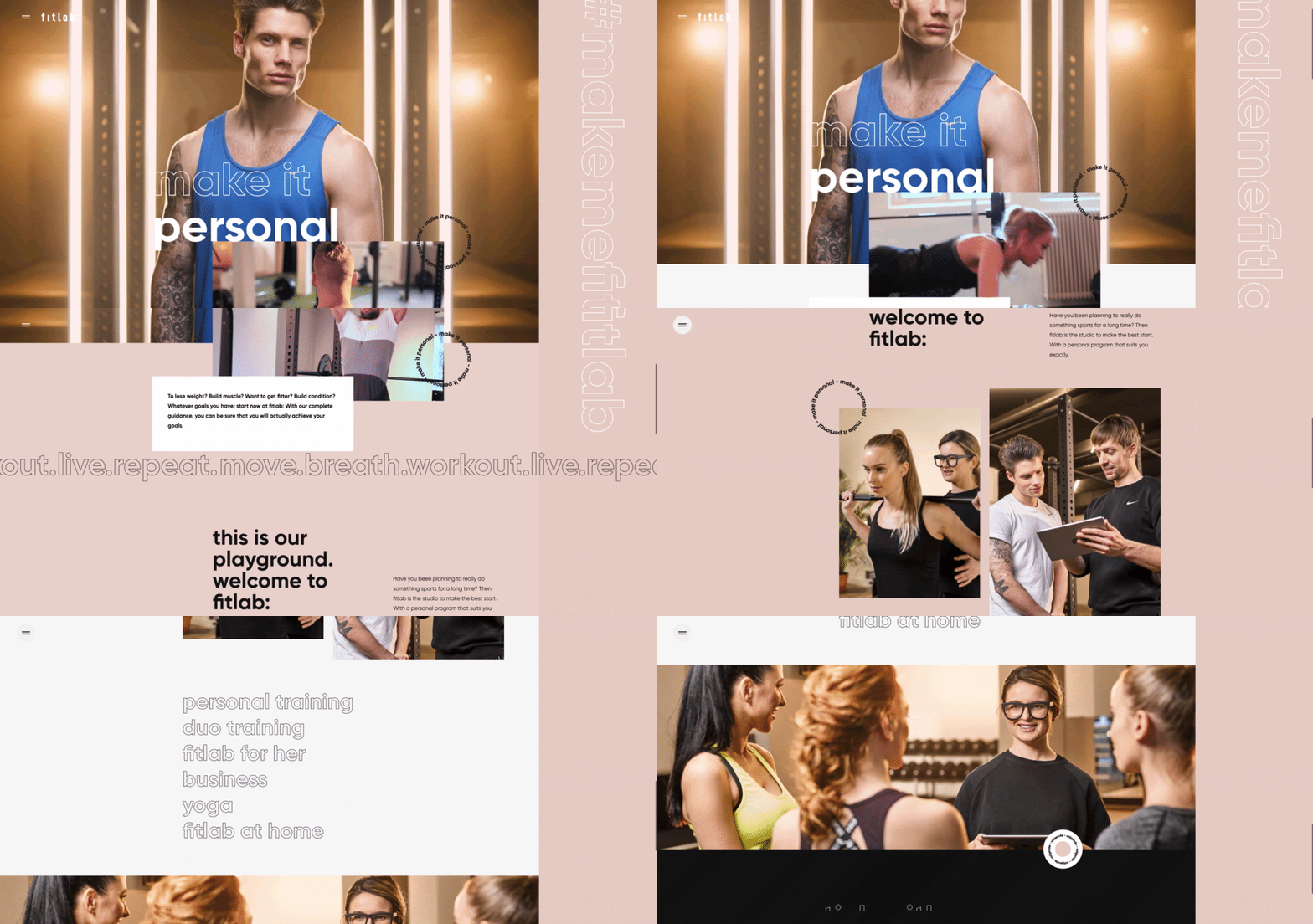
Here’s just one example of effective media on a homepage. Notice how every image complements the page aesthetic and supports the offer of personalized fitness training with results.

an example of web design guidelines used on a web page for a personal training gym

Image Source

Also, all images and videos should be optimized for search engines and include descriptive alt text for accessibility.

9. Calls to Action (CTAs)

Having a pleasing website is great, but how do you know whether your visitors are actually doing what you want? Are they engaging with your content? This is where CTAs come into play.

A CTA is any page element that prompts user action. The action could be adding a product to a card, downloading a content offer, or signing up for an email list. Make your CTA elements prominent in the visual hierarchy (remember our Spotify example), but not intrusive or distracting like many click-through ads tend to be.

If you need ideas for sleek CTAs that drive more conversions, see our CTA examples list.

10. Whitespace

That’s right, sometimes it’s about the elements you don’t include. After reading these guidelines and requirements, you may feel tempted to stuff your pages with all the bits and bobs needed for a flawless UX. Don’t forget that your viewers need room to digest all this new info, so give your elements room to breathe.

But, how much whitespace should you have? That’s another personal call, and varies from site to site. So, user testing is handy here as well. What are people focusing on? Do they feel overwhelmed with the density of content? Once again, it all ties back to our first guideline, simplicity.

Design that Puts Users First

Indeed, web design is largely subjective — your website’s look and experience isn’t going to please everyone. However, there are also tried-and-true UX principles that, when carefully considered and incorporated, help visitors feel more at home.

According to Amazon Web Services, 88% of website visitors are less likely to return to a website after a poor experience. And how could you blame them? We’ve surely all been there.

So, as a final bit of usability/UX wisdom, start caring more! Imagine yourself into the shoes (or, more accurately, browser windows) of your visitors, and keep them in mind every step of the design process.


9 Guidelines for Exceptional Web Design, Usability, and User Experience was originally posted by Local Sign Company Irvine, Ca. https://goo.gl/4NmUQV https://goo.gl/bQ1zHR http://www.pearltrees.com/anaheimsigns

Thursday, September 3, 2020

How to Launch a Virtual Conference for Lead Generation and Customer Acquisition: A Step-by-Step Guide

When we say “virtual conference,” we don’t just mean webinars. We mean interactive, live panels, and microsites dedicated to the single purpose of promoting one event with various sessions a person can “attend.”

Virtual conferences have become a popular medium to develop and reach large audiences. From marketing to recruiting and sales to education, businesses in various industries have realized hosting online events are far cheaper than an in-person event — thus making it cheaper to build awareness around a brand.

We’re going to get into a lot, but by the end of this post, you’ll see the value in hosting a virtual conference and know how to organize and host your own event. You’ll have another medium to accelerate brand awareness, generate more leads, and develop authority as an industry leader.

In 2017, I helped launch Inbound Sales Day here at HubSpot, and I'm here to teach you how it's done. Continue reading to download my project management templates and emails I used to book speakers — all available for free.

What is a virtual conference?

Imagine a conference. There are dozens of rooms, booths with vendors trying to sell you their product, and a lot of people walking around. You might run into some very influential leaders in your industry, and you expect to see people on stage sometime during the event. You’re excited to hear them share lessons and tips they’ve learned from their own experience and journey to success.

Now, imagine a similar experience — but without having to leave your desk.

You log into an “event” online, where you can meet and interact with people through messaging platforms. You go into “rooms” (aka web pages) where you can watch speakers present their knowledge in the form of a recorded video.

It’s a simple concept: Get the content you would receive at a conference on your own time, when it’s convenient for you. It aligns perfectly with the culture and popularity of on-demand services, such as:

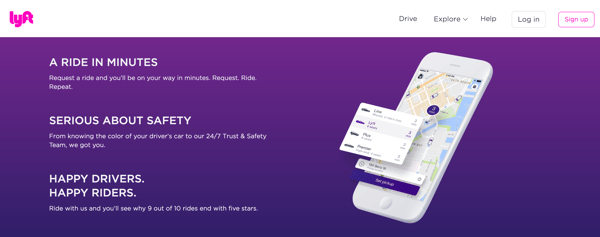
Lyft, with on-demand car rides

virtual event on demand car rides lyft

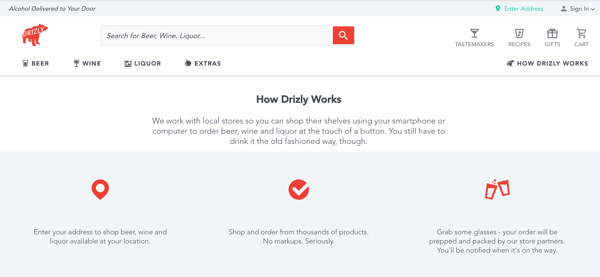
Drizly, with on-demand alcohol

virtual event on demand alcohol drizly

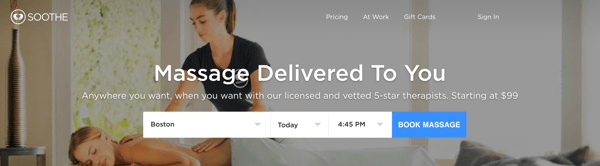
Soothe, with on-demand massages

virtual events on demand messages soothe

Virtual conferences, with on-demand quality content and insights about the industry.

Virtual events began in 1993, presented by Alan Saperstein and Randy Selman. They started by videotaping trade show exhibitors booths and attaching the video to HTML floor maps. These events have become more popular among marketers for their lower cost and effort to produce.

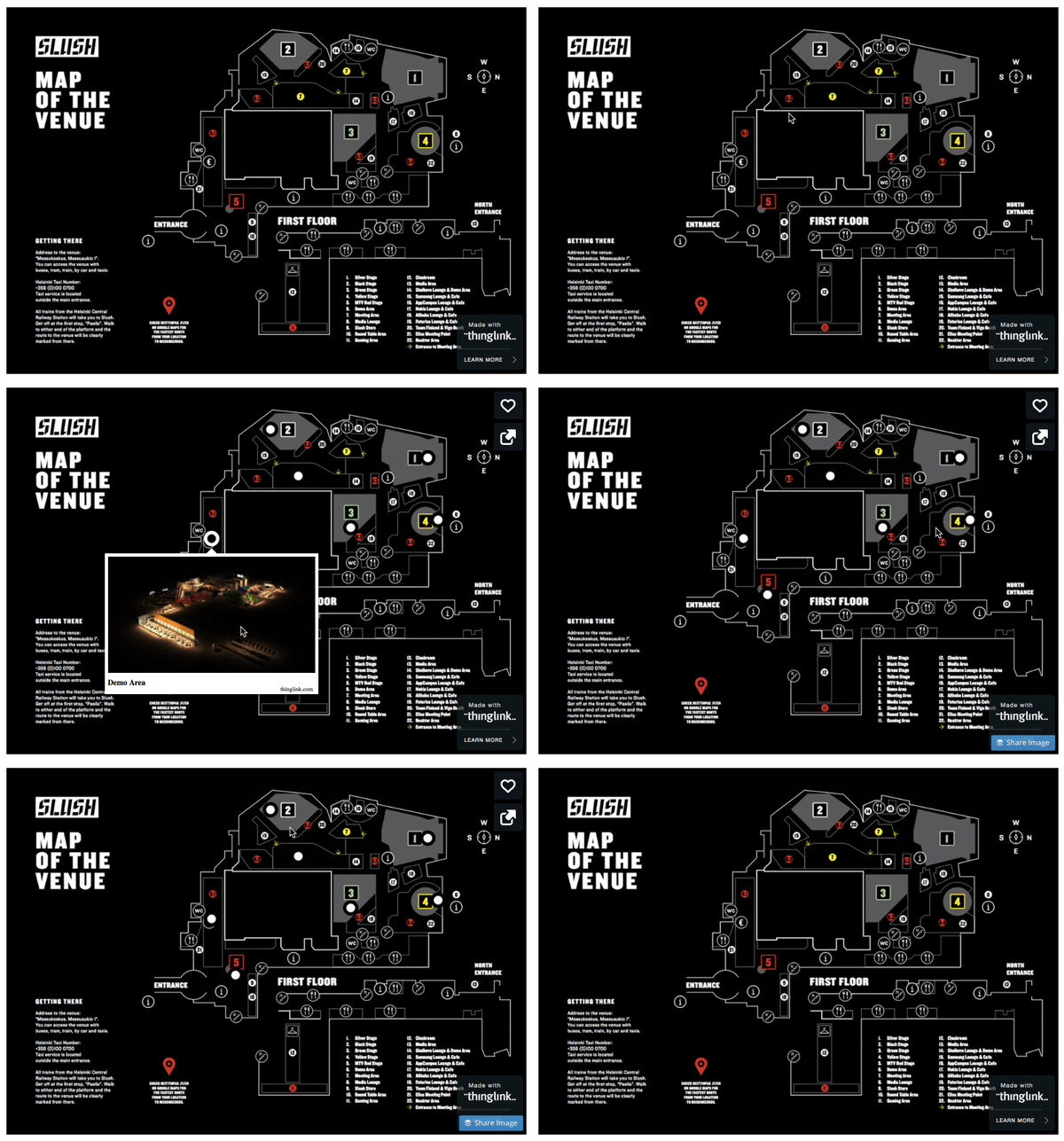
Here’s an example of an HTML floor map:

html floor map virtual event

Examples of virtual events include:

You might be thinking, “There’s no way these events were produced by a small team.”

That’s fair. But I can tell you that I coordinated and launched Inbound Sales Day, a full-day virtual event with over 10 hours of video that garnered over 15,000 registrations globally. And I did most of it by myself in only three months. For a comparison, the team that organizes HubSpot’s live INBOUND event has over 10 people involved in planning the event for the entire preceding year.

It’s possible to host and launch one of these things, even with a small team, but why should you host a virtual conference in the first place? Why not just host a physical event instead?

There are numerous benefits to hosting online events. Let’s dive in.

[Go back to top]

Why should you host a virtual conference?

Consider some of the reasons you’d host a conference, either virtual or in-person:

  • To grow awareness for your business. Depending on your market, there may already be competitors or other companies targeting the same target audience as you. You can use an an online conference as a means of partnering with those other companies.
  • To generate leads.
  • To acquire new customers.
  • To create a revenue stream from sponsorships. People host these conferences strictly as a revenue stream. (Curious how? Sam Parr explains how he made a profit from hosting Hustle Con.)
  • To build relationships with influencers.

Below are expenses to consider for a physical event (based on a 400-person hosted by Hustle Con):

  • Venue ($5,000)
  • Vendors, i.e., caterer, bartender, decorator, photographer, videographer, etc. ($10,000)
  • Equipment rental ($2,000)
  • Licenses and permits (dependent on venue)
  • Transportation and parking for attendees and speakers (dependent on venue)
  • Service fees and gratuities ($1,000)
  • Speakers’ fees ($0 - $10,000+ per speaker)
  • Signage ($500)
  • Registration materials ($300)
  • Security and staff ($2000)

Even for a smaller event, that totals at least $20,000. Soon, you're underwater and either hiring contractors or using half your team's day to get all the little details right. To top it off, there always seem to be attendees or speakers who are an absolute nightmare to deal with.

I’m getting stressed just thinking about it.

For an online conference, a few weeks of work and a small budget are all that’s needed. In fact, all of the software I used to organize everything was free:

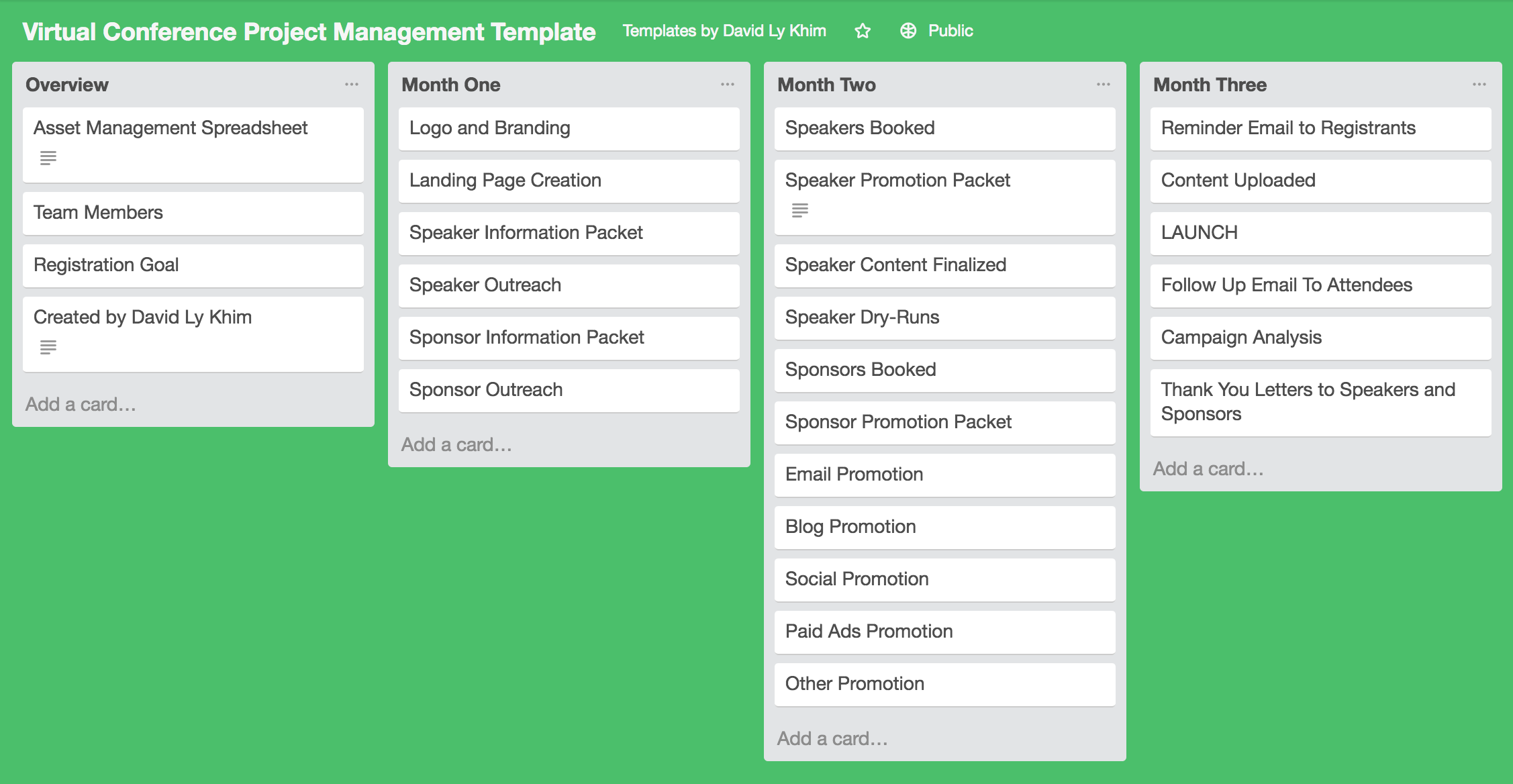
  • Trello for project management (check out my free template below)
  • Google Sheets to manage the assets (you’ll get a template of this, too)
  • YouTube to host videos
  • Dropbox to host files
  • Canva to create images

Plus, when you create assets for your event online, you continue reaping the benefits of long-tail keyword SEO and organic traffic from evergreen content for months to come.

Depending on your resources, you may want to hire freelancers to help you with asset creation or to run Facebook ads to get more awareness about your event.

In many cases, you end up cutting expenses dramatically by hosting an online event instead of an in-person conference. Let's dive into how we decided HubSpot should host an online conference about inbound sales.

[Go back to top]

A Virtual Conference by HubSpot

HubSpot revolutionized marketing in 2006 by introducing the concept of inbound marketing and telling the story of how marketing had changed. Since then, sales has also changed, and we’ve introduced the concept of inbound selling.

However, similar to when inbound marketing was a new concept in 2006, people needed to be educated about the concept of inbound selling.

We had various goals that overlapped with each other when thinking about hosting a virtual event:

  • Spread the message of inbound selling
  • Generate leads for our sales products
  • Develop authority in the sales industry
  • Promote the first sales-focused track at our INBOUND event

What better way to educate our audience and develop credibility around inbound selling than by hosting real experts to talk about it? Influencers already have an audience who will listen to them. They have their own methodologies and many of those ideas aligned perfectly with inbound selling.

By hosting a virtual conference, we were able to scale influencer marketing and associated the credibility of those influencers with the HubSpot brand.

Plus, with the changing landscape of content and more consumers preferring video content, this was an opportunity to develop high-quality video content we could continue to use.

Still interested in hosting your own online conference? I’m going to lay out all the steps I took to organize Inbound Sales Day that you can replicate for your own event. I’ll also give you the project management and email templates I created that kept me organized throughout the whole process.

[Go back to top]

How to Plan and Execute A Virtual Conference

Before we jump into the planning, decide how you’re going to manage the project. I used a combination of Trello and spreadsheets to manage my work.

I laid out all activities in my project management Trello board, which gave me a bird’s-eye view of the timeline, what needed to be done at the moment, and what was coming up. This allowed me to catch situations where I would need to delegate work or ask for help ahead of time.

All assets that were created (landing pages, emails sent, social posts, videos, etc.) were listed in an asset management spreadsheet. This way, I had access to every asset in one place without having to search for it.

The campaign was executed in six phases, which I’ll walk you through below:

  1. Set the vision
  2. Conduct speaker outreach
  3. Create assets
  4. Promote
  5. Launch
  6. Analyze

Phase 1: Set the vision

What do you want the event to look like? What topics do you want to cover? Who’s your audience? How many registrations do you expect?

All of this will be important for your speaker outreach as those will be your selling points. If you can pinpoint your target audience (try the MakeMyPersona tool to help with that), you can find speakers who also want to reach that audience. If you have a set number of expected registrations, you can attract speakers with an idea of what their reach will be if they participate.

[Go back to top]

Phase 2: Conduct speaker outreach

The most important step to producing a viable virtual conference is to get speakers in your industry. This will benefit you in two ways:

  1. You can build relationships with these industry experts.
  2. You can associate your brand with these experts, making yours more credible.

I highly recommend getting experts within your company to speak on the subject matter and promote the event by giving a talk or interviewing another expert so that your employees will come to be seen as trusted industry thought leaders.

My goal was to get on a video call with the potential speakers I emailed. A video call allows you to sell them on the idea and show them how excited you are.

Here’s the email template I used:

Invitation to Participate in [NAME OF VIRTUAL CONFERENCE]

Hi [NAME]!

[YOUR COMPANY] is launching [NAME OF VIRTUAL CONFERENCE], a virtual event for [#] [TYPE OF PEOPLE YOU’RE TARGETING] on [DATE] and we would love to have you as a featured speaker.

We’re inviting top experts in [INDUSTRY] to help [PROFESSIONALS] become more successful by providing actionable information about [BROAD OVERVIEW OF TOPICS].

I watched your talk on [TOPIC] and think you'd be a great fit for our audience.

If you're interested in speaking, we have many speaking options available that can be flexible with your schedule. I’d love to discuss them with you on a quick call.

Let me know if you're interested and we can schedule time this week or next to talk through the details.

For your convenience, here's a link to my calendar so we can schedule time right away: [MEETINGS LINK]

Best,

[YOUR NAME]

Pro tip: If you're a HubSpot customer, I recommend using the HubSpot Sales Meetings and Templates tools to make scheduling meetings really, really easy.

Once I got the meeting scheduled, I made sure to hit the following points for each conversation:

  1. Explain the event and why you’re doing it.
  2. Emphasize what the speaker would get out of participating. (We emphasized that we were aiming to reach over 10,000 salespeople and they would get their own landing page with links to their website and social profiles.)
  3. Tell them about other speakers you’ve booked to develop credibility around your event and that it’s something worth being a part of.
  4. If they’re interested, explain what we need from them right then and there: I asked for a rough title and outline of their talk, and the format they preferred (live Q&A, recorded interview, or recorded lecture-style video).

After the call, I immediately sent a follow-up email which:

  • Recapped the call included topic and format of their talk
  • Attached a speaker agreement form
  • Asked for their availability to schedule introduction to interviewer, recordings, and dry-runs
  • Listed specific deadlines of when everything is due

Here’s a template I used:

[NAME OF VIRTUAL CONFERENCE] Call Recap

Hi [NAME]!

I'm glad we got to connect today. We're very excited that you're going to join us for [CONFERENCE NAME]. Here's a recap of what we discussed earlier -- feel free to revise any of it.

  • Working session title: [SESSION TITLE]
  • Working session description: [DESCRIPTION]
  • Format: [FORMAT]
  • What I need from you by [DATE]:
    • Bio (max 200 words)
    • Preferred headshot
    • A page you want us to link to
    • A rough outline of your presentation

Again, it was great connecting today! Please let me know if you have any questions.

Hope you have a great week!

Best,

[YOUR NAME] 

A week later, I followed up again for all those items. Speakers are really busy, and it’ll take a few emails and calls to get those details from them. This is why I suggest you begin the process at least two months before your launch date.

Some speakers will ask for a packet with more details. You can use this template to create your own speaker packets.

[Go back to top]

Phase 3: Create assets

On my Trello board, I laid out a timeline of when all assets were created and used a spreadsheet to keep track of them as they were created.

Landing Pages

Your landing page is going to be a selling point for your event to get speakers and attendees. Don’t expect to attract many of either if your page doesn’t look sharp.

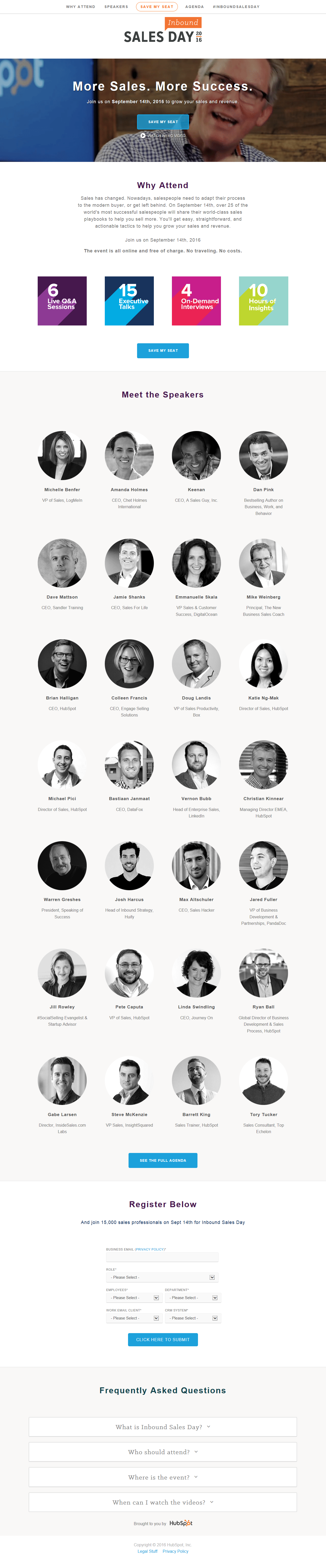
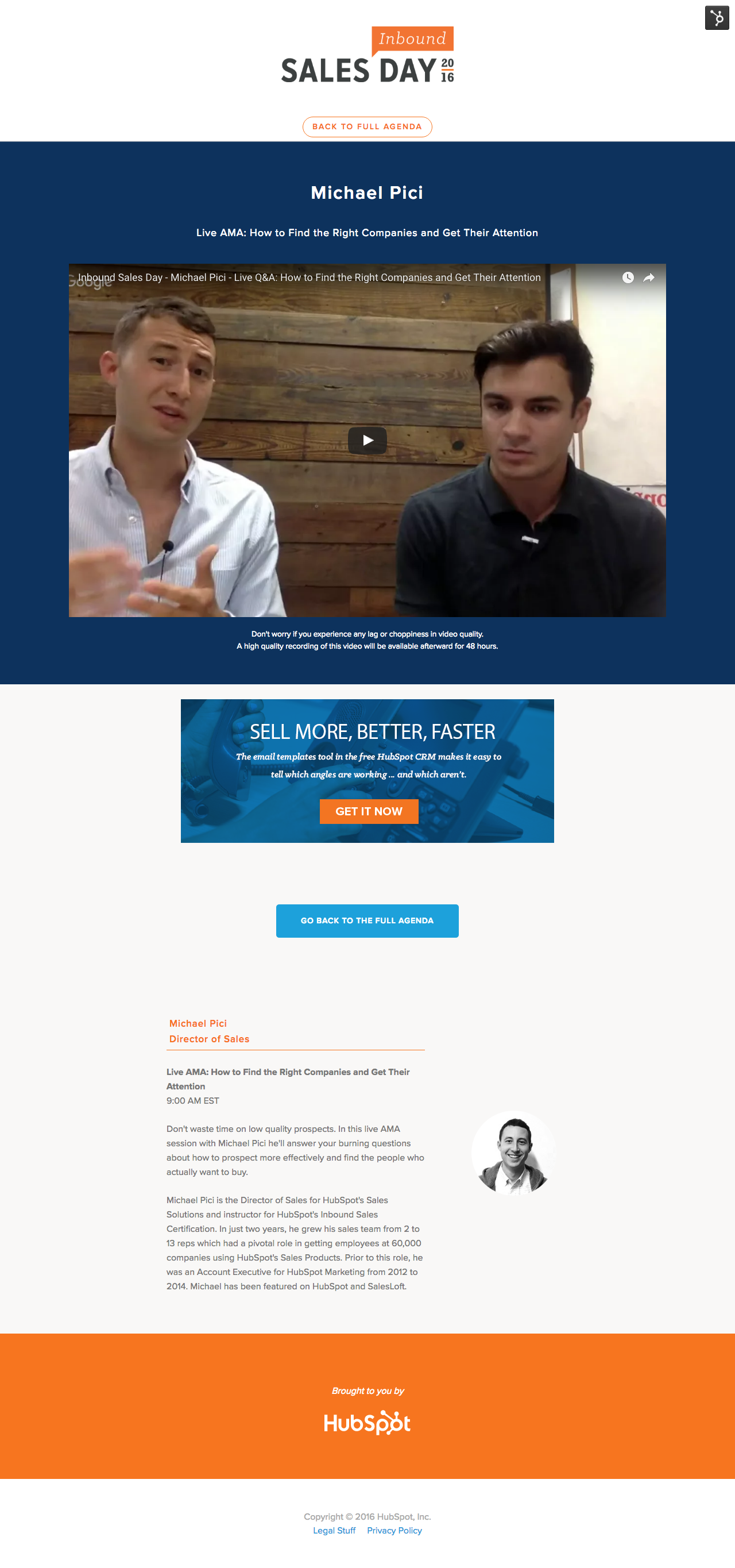
Below you can see the homepage, agenda page, and session pages we created for Inbound Sales Day.

The homepage highlighted the benefits of attending and the various speakers we featured.

The agenda page shared more details about what topics will be discussed and the main takeaways of each talk. This gave viewers an opportunity to see who would be speaking and do their research or reach out to influencers before the event.

The session page is where the fun happened. Each video had its own landing page on the HubSpot domain so viewers wouldn’t have to leave our website to see the content. We had over two-dozen of these pages.

Landing Page Agenda Session Page

virtual-conference-how-to-host-landing-page-example-preview.jpg

virtual-conference-how-to-host-agenda-example-preview.png virtual-conference-how-to-host-session-page-example-preview.png

Click the images to see the full versions

Video Hosting

I recommend using YouTube Live to broadcast live videos and to host all videos to take advantage of its video SEO. I then embedded all the videos on landing pages so people wouldn’t have to leave our website to watch the video.

Video Production

There were three different session formats which each required different preparatory measures. Here was my process for each format:

Live Q&A
  • Speaker chose topic
  • Researched their online material (blogs, videos, interviews) and created a Google Doc of canned questions
  • Introduced the speaker to the employee who would host the session via email and set up a call to develop their rapport
  • They reviewed the list of questions together and brainstorm more questions
  • We prioritized top five canned questions to ask in case there were no live questions
  • A week before the live session, get on a call with the speaker to do a final check-in (the meeting was hosted using a private YouTube Live session so they understood how to sign in)
  • Live broadcast: Speaker was expected to sign into YouTube Live an hour ahead of time for audio and video check, review the talk points with HubSpot host, and build rapport for the session
Recorded Interview
  • Speaker chose topic
  • Researched their online material (blogs, videos, interviews) and created a Google Doc of canned questions
  • Introduced the speaker to the employee who would host the session via email and set up a call to develop their rapport
  • They would review the talk track outline and go back and forth about what topics the speaker would want to hit on
  • We agreed on five questions that would be asked by the interviewer to guide the conversation
  • Booked an hour with the speaker and interviewer which gave enough time for audio and video check, review talking points, and record at least twice (in case the first run was too rough
Recorded Lecture
  • Speaker chose topic and provided outline of talk track
  • Provided feedback on their outline based on what our sales audience is interested in (based on previous campaigns and blog performance)
  • Two recording options:
    • Book an hour of their time to record the session via YouTube Live
    • They recorded on their own and sent the video
Question Submission Form

For live events, we created a Google Form for people to submit questions ahead of time. These questions were used to inform talking points for relevant sessions.

Social Media Images

The obvious goal for social media images is to make a person stop scrolling through their newsfeed and read what the event was about. We went with blinking GIFs that included photos of the speakers.

how to host a virtual event inbound sales day hubspot

how to host a virtual event inbound sales day hubspot

how to host a virtual event inbound sales day hubspot

[Go back to top]

Phase 4: Promote

As with content distribution in general, this was the most difficult part of the process. We leaned into speakers a lot and asked them to promote the event to their email list and on their blogs and social profiles.

Speakers: Email, Blog & Social

We asked each speaker to send an email to their list, write a blog post, and post on social media about the upcoming event. We made it as easy as possible for speakers to promote the event by creating speaker promotion packets, which provided pre-written emails, blog posts, social media copy, and images. All they had to do was copy and paste the text and insert the image.

We also gave each speaker their own unique tracking URL (learn how to do it using HubSpot software) to use in promotional materials. This showed us how much interest each speaker drove and how many registrations they contributed.

Don’t start a packet from scratch, get the free speaker promotion packet template.

Blog Posts

Brainstorm blog post topics based on the topics your speakers will discuss, and come up with a publishing cadence for your promotional posts. If you already have an editorial calendar, I’d suggest you avoid making every post promotion and instead periodically insert promotional posts.

Social Posts

I met with HubSpot's Social Media team two months before the event launch to discuss the campaign and come up with a promotional cadence that made sense for each channel.

I used a spreadsheet to organize all social media posts. I wrote most of the copy in bulk and scheduled the posts in batches as each date came up.

Your promotion strategy will vary depending on which channels you have access to. I sat with my team and brainstormed promotional tactics before deciding which were most viable. A few of those included:

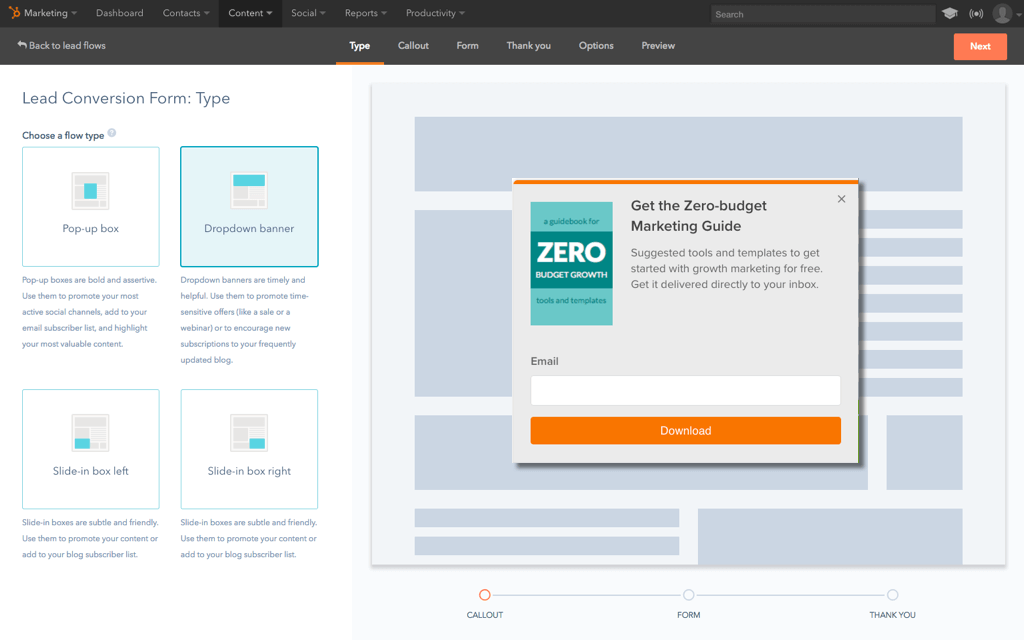
  • Pop-up forms on highly trafficked site pages
  • Calls-to-action on the home page
  • Posts in relevant LinkedIn and Slack groups
  • Links to the event in sales reps' email signatures

[Go back to top]

Phase 5: Launch

The night before your launch, make sure:

  • All recorded videos were hosted on YouTube
  • Landing pages that hosted videos were tested
  • Reminder email to registrants have been scheduled so they remember to watch the videos
  • Emails are pre-scheduled to notify speakers to log into YouTube Live an hour before the broadcast time

On the day of the event:

  • Monitor your social media hashtag if you have one
  • Keep an eye on your email if case people have trouble accessing the event

[Go back to top]

Phase 6: Analyze

To prove that the virtual conference was worth the time and effort, do an analysis of the traffic and registrations you received, how many video views you got, and send a survey to your registrants.

The best way to prove value is to tie it all back to revenue. How many qualified leads did you get, and what is the monetary value of a lead? How many new software signups did you get and what is the worth of each signup? How many new clients did you get and how much are they paying you?

[Go back to top]

Learning Lessons and Tips for Hosting A Virtual Conference

As always, no matter how successful the event, things can always be better. Here are a few things I wish I had done differently that you can learn from.

Align with your sales team.

This event would’ve been great for sales enablement. Sales reps could use the conference as a piece of content to share with prospects and be helpful. It’s also good to let reps know about the event and how to talk about it in case prospects bring it up on a call.

Get speakers with large audiences.

This may be more difficult for your first event as you start developing credibility for your event, but get speakers with large audiences if you can. It’s even better if you can get them to commit to driving a certain number of registrations.

Have a post-event plan.

Ideally, you’re going to get a lot of registrations for the event. What are you going to do with them after the event? Have a communication plan for your registrants, whether it’s sending them content, telling them about your products or services, or asking for feedback. Don’t leave them hanging.

Build anticipation before the event.

How can you get registrants to share the event before it happens? Maybe a contest or giveaway? How can you get registrants to engage with speakers before the event?

As more companies work to get a foothold in their industries and the marketing industry evolves to encompass more video content, virtual conferences will become more and more common. And as with any marketing tactic, as virtual conferences become more common the medium will become less effective.

Host your first virtual conference now before your competitors and gain first-mover advantage. Good luck.

Here are all the resources and templates I’ve shared throughout this post:

Thanks to Kendrick Wang, Cambria Davies, and Scott Tousley for reviewing drafts of this post.

Editor's note: This post was originally published in April 2017 and has been updated for comprehensiveness.


How to Launch a Virtual Conference for Lead Generation and Customer Acquisition: A Step-by-Step Guide was originally posted by Local Sign Company Irvine, Ca. https://goo.gl/4NmUQV https://goo.gl/bQ1zHR http://www.pearltrees.com/anaheimsigns